
 By Bogdan Rancea
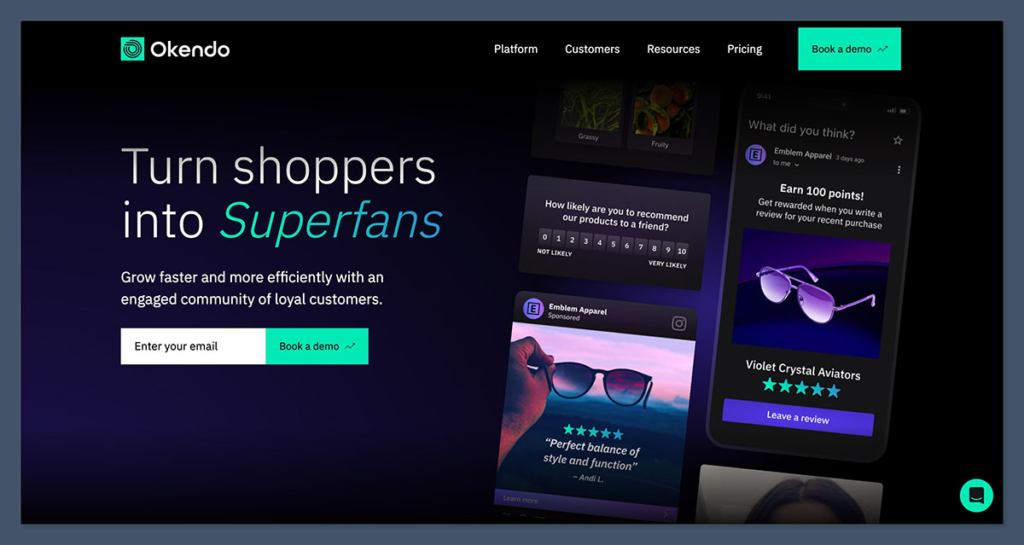
If you’re running a Shopify store and looking for ways to collect and show customer reviews, you’ve probably come across Okendo. It’s one of the most popular apps in the Shopify ecosystem for reviews, loyalty programs, quizzes, referrals, and surveys.
But like a lot of tools built for growing ecommerce brands, the pricing can get confusing, especially once you move beyond the free tier.
I’ve spent a lot of time comparing Okendo’s different pricing options for clients, and in this article, I’ll walk you through what each plan offers, how the pricing actually works, and what you should be budgeting based on your store’s size.
I’ll also help you understand when it makes sense to upgrade and what features you might be missing out on if you’re trying to stay on the cheaper plans.
Let’s break it down.
What Does Okendo Cost on Shopify?
Okendo pricing is based on how many orders your store processes each month. This isn’t unusual for ecommerce SaaS tools, but it does mean your costs will increase as your business grows.
All pricing is in USD and can be billed monthly or annually (with a small discount if you go yearly).
Here’s what Okendo currently charges based on their Shopify App Store listing:
| Plan | Monthly Price (USD) | Order Limit (per month) | Key Features |
|---|---|---|---|
| Free | $0 | Up to 50 orders | Core review collection, review displays, moderation, Google SEO snippets |
| Essential | $19/month or $204/year | Up to 200 orders | Everything in Free, plus light customizations |
| Growth | $119/month or $1,308/year | Up to 1,500 orders | AI summaries, TikTok Shop integration, Q&A widgets |
| Power | $299/month or $3,288/year | Up to 3,500 orders | Advanced CSS, deeper reporting, review campaigns, integrations with email/SMS tools |
| Advanced | $499/month (directional) | Up to 10,000 orders | More customization and onboarding support |
| Enterprise | Custom pricing | Over 10,000 orders | Tailored to high-volume stores, includes platform bundles |
A 14-day free trial is available on paid plans. Charges are billed through Shopify and can include usage-based costs depending on how much you exceed your order limit.
What’s Included in the Free Plan?
If you’re just getting started or testing Okendo out, the free plan is surprisingly robust. Here’s what you get:
- Collect product reviews via email or on-site prompts
- Display customer reviews on product pages and landing pages
- Moderate reviews before they go live
- Basic SEO snippets for Google search visibility
- Up to 50 orders per month
This is more than enough to get started, especially for newer stores that are generating only a few dozen orders a month. The biggest limitation is the order cap. Once you hit 51 orders, you’ll need to upgrade.
Comparing Okendo’s Paid Tiers: Which One Fits Your Store?
As your store grows, the free tier won’t cut it. But choosing between the Essential, Growth, and Power plans depends on your actual order volume and the features you care about.
Let’s look at each paid plan in more detail.
Essential Plan: $19/month
- Covers up to 200 orders per month
- Includes all Free plan features
- Allows for more advanced display widgets
- Slightly more customization on look and feel
This is the first paid step up, and it’s very affordable. But it doesn’t add too many features beyond lifting the order limit.
If you’re processing between 51 and 200 orders per month and don’t need AI, TikTok integration, or Q&A features, this is the plan you’ll likely start with.
Growth Plan: $119/month
- Covers up to 1,500 orders/month
- Adds AI review summaries and keyword tagging
- Includes TikTok Shop integration
- Offers Q&A widgets to answer customer questions
- Helps boost user-generated content and social proof
This is where Okendo really becomes more than just a reviews tool. AI review summaries can save a ton of time, especially if you’re managing hundreds of reviews per month. TikTok integration is also a big value-add for brands investing in social commerce.
But it’s a big jump from $19 to $119. If you don’t need those features yet, you might be able to wait until your volume demands it.
Power Plan: $299/month
- Covers up to 3,500 orders/month
- Adds full CSS customization and styling control
- Unlocks deeper analytics and reporting
- Allows you to run review campaigns
- Offers integrations with email (Klaviyo, Mailchimp) and SMS (Postscript, Attentive)
- Includes managed onboarding from the Okendo team
This is the tier most midsize ecommerce brands will end up on. It gives you full control over the look and feel of your reviews, which matters if you care about brand design or conversion rate optimization.
The integrations are also key if you’re using reviews to fuel your email flows or retargeting.
If you’re working with a design agency or have developers on staff, this is the plan that unlocks the tools they’ll want access to.
What Happens Above 3,500 Orders? Advanced and Enterprise Tiers
Once your store is processing more than 3,500 orders per month, you’ll be looking at either the Advanced or Enterprise tiers.
These plans are less standardized and often involve talking to Okendo’s sales team.
Based on current benchmarks:
- Advanced Plan: $499/month for up to 10,000 orders/month
- Enterprise Plan: Custom pricing beyond that
These plans come with more support, onboarding help, custom contract terms, and access to the broader Okendo platform products (not just reviews).
Why These Tiers Are Sales-Led
Unlike the lower tiers where you can sign up directly through Shopify, the Advanced and Enterprise plans are usually handled through Okendo’s internal team. You’ll likely go through a demo, pricing proposal, and onboarding consultation.
While that slows down setup, it can also be a chance to negotiate or ask for bundled pricing if you’re planning to use more than just the reviews product.
Okendo Platform Bundles: Reviews, Loyalty, Referrals, Quizzes, and Surveys
Okendo isn’t just a reviews tool anymore. Over the last few years, they’ve rolled out a full suite of customer engagement products, including:
- Loyalty Programs (points, rewards, VIP tiers)
- Referrals (trackable links, advocate programs)
- Quizzes (product finders, guided selling tools)
- Surveys (post-purchase feedback, NPS)
You can buy these as add-ons, or you can purchase what Okendo calls a Platform Bundle.
How Pricing Works for Bundles
For larger merchants or brands that want to consolidate tools, Okendo offers bundle pricing based on your monthly order volume. The pricing for these bundles is usually custom, and you’ll need to request a quote.
You’ll often see:
- Starter Bundles for small to midsize brands (sub-5,000 orders/month)
- Growth or Advanced Bundles for brands above that
These bundles can save money versus paying for each product individually, but you lose some transparency in pricing. Make sure you know which features are included and which require separate upgrades.
Quick Guide: Which Okendo Plan Is Right for You?
If you want a shortcut to choosing the right plan, use your monthly order volume as the baseline and ask yourself which features you actually need.
Here’s a quick reference:
- Up to 50 orders/month: Free plan is probably enough
- 51 to 200 orders/month: Go with Essential
- 201 to 1,500 orders/month: Growth plan makes sense if you need AI or TikTok features
- 1,501 to 3,500 orders/month: Power plan unlocks design control and serious reporting
- Over 3,500 orders/month: Talk to sales for Advanced or Enterprise options
Also, think about whether you want to use Okendo just for reviews, or if you plan to add loyalty, referrals, quizzes, or surveys. That changes the pricing conversation entirely.
What Most Ecommerce Teams Miss About Okendo Pricing
I’ve worked with a lot of stores that installed Okendo without fully understanding how pricing would scale. Here are a few things to watch for.
1. The Free Plan Isn’t a Trial
Many apps use a free plan to get you in the door, but Okendo’s free tier is usable on its own. You don’t need to upgrade unless you hit the order cap or need more customization.
2. Your Store’s Growth Affects Your Bill
Since pricing is tied to order volume, your costs will go up automatically as you grow. That’s fine if you’re getting value from the features, but it can also create billing surprises if you have a spike in sales during promotions or holidays.
3. Some Features Are Locked Behind Higher Tiers
- AI summaries, Q&A widgets, and TikTok Shop integration start at Growth ($119/month)
- Full styling control, advanced CSS, and email/SMS integrations start at Power ($299/month)
These aren’t available at lower tiers, so if you need them, prepare to upgrade.
4. Platform Bundles Can Save Money—But Add Complexity
If you’re using multiple tools (like reviews, loyalty, and quizzes), bundling might lower your total spend. But you’ll have to work directly with Okendo’s team, and the pricing won’t always be transparent. That’s a tradeoff between flexibility and simplicity.
Final Thoughts on Okendo Pricing
Okendo is one of the more complete tools for reviews and customer engagement in the Shopify ecosystem.
The free plan is a great starting point for smaller brands, and the upgrade paths make sense as you grow.
But there are a few traps you’ll want to avoid:
- Underestimating how fast you’ll outgrow the free or Essential tiers
- Forgetting that some critical features are locked behind higher-priced plans
- Not budgeting for spikes in monthly order volume
- Choosing the wrong plan for your design or CRM integration needs
My advice: pick your Okendo plan based on your actual monthly order volume and the features you need today—not what you might want a year from now.
You can always upgrade later, and the features don’t really add value unless you’re actively using them.
If you’re on the fence between Growth and Power, look at your email and SMS stack. If you’re running flows with Klaviyo, Postscript, or Attentive and want to push review data into those channels, Power is likely worth it.
And if you’re a larger brand with loyalty, referrals, or quizzes in play, it’s probably time to start looking at bundles and talking to Okendo’s team directly.


