
 By Bogdan Rancea
When I first began exploring ecommerce, I often came across Shopify and Printify in the same conversations, product reviews, and tutorial videos.
At first, I assumed these platforms were competitors, forcing me to pick one over the other. But the deeper I got into building real stores and selling custom products, the more I realized they serve fundamentally different purposes. In fact, they work better together than apart.
Shopify is a fully-featured ecommerce platform that lets you build, manage, and grow your own online store.
You handle everything from the website and domain name to checkout, payments, and customer management.
Printify, on the other hand, is a print-on-demand fulfillment service. It gives you access to hundreds of custom products, handles manufacturing, and ships items directly to your customers when you receive an order.
In this detailed review, I’ll walk through everything you need to know about both platforms: from pricing and features to how they work in tandem, and when one might make sense without the other.
This comparison is based on firsthand experience and up-to-date platform research, so whether you’re just starting out or scaling up, you’ll know exactly which platform to choose and why.
Shopify vs Printify: Quick Verdict
If you’re looking for an all-in-one ecommerce solution that includes your storefront, payments, order tracking, and sales tools, Shopify should be your foundation. It’s built to support everything from small startup shops to multi-channel enterprises.
Printify, on the other hand, is not a platform to build a storefront, it’s a fulfillment network. It allows you to create and sell custom products that are only produced when someone places an order.
You can think of it as your backend product and shipping partner. That’s why most ecommerce sellers don’t choose between Shopify and Printify; they use both.
By pairing Shopify’s customer-facing capabilities with Printify’s on-demand fulfillment, you can create a seamless ecommerce business with minimal upfront investment and plenty of room to grow.
A Quick Comparison of Shopify vs Printify
Before we get into detailed comparisons, here’s a high-level view of what each platform does:
| Feature | Shopify | Printify |
|---|---|---|
| Ecommerce storefront | Yes | No |
| Custom domain support | Yes | No |
| Checkout and payment gateway | Yes | No |
| Product design and catalog | No | Yes |
| Order fulfillment | No | Yes |
| Built-in shipping options | Yes | Indirect (through print providers) |
| Print-on-demand support | Via apps like Printify | Native |
| Integration with ecommerce platforms | N/A | Yes (Shopify, Etsy, Wix, etc.) |
As you can see, the two tools occupy different parts of the ecommerce stack.
Shopify runs the frontend, the part your customers see and interact with. Printify runs part of your backend, specifically, product creation, fulfillment, and shipping.
What Kinds of Businesses Are Shopify or Printify Best For?
The decision between Shopify and Printify isn’t really about choosing one over the other, it’s about knowing which one fits where in your business model. That said, they cater to slightly different types of users.
Shopify is ideal for ecommerce entrepreneurs who want to create a long-term, scalable brand
If you’re planning to build your own online store, complete with a custom domain, product pages, a branded checkout, and marketing automation, then Shopify gives you all of that in one platform.
It’s particularly effective for sellers who want control over every aspect of the customer experience, from product discovery to post-purchase communication.
Whether you’re a beginner looking for ease of use or a larger store aiming to scale internationally, Shopify is built with growth in mind. It handles everything from analytics and tax settings to multi-currency support and mobile-optimized checkouts.
Printify is perfect for sellers who want to offer custom merchandise without managing inventory, production, or shipping logistics
You design the products (like t-shirts, mugs, posters, and more) and Printify handles the rest.
If you’re a creator, influencer, or entrepreneur who wants to test ideas quickly, Printify offers one of the lowest-risk ways to launch a product line.
It’s also a strong option for businesses that want to expand their existing inventory without investing in warehousing or stock management. You can start small and scale based on real demand, with no upfront inventory costs.
1. Best for Pricing: Two Models, One Common Goal
When comparing Shopify and Printify, pricing is one of the biggest differences, not just in cost, but in structure. Shopify charges a monthly fee based on tiered plans, while Printify is technically free to use, with optional upgrades for higher volume sellers.
Shopify Pricing: What You Get at Each Tier
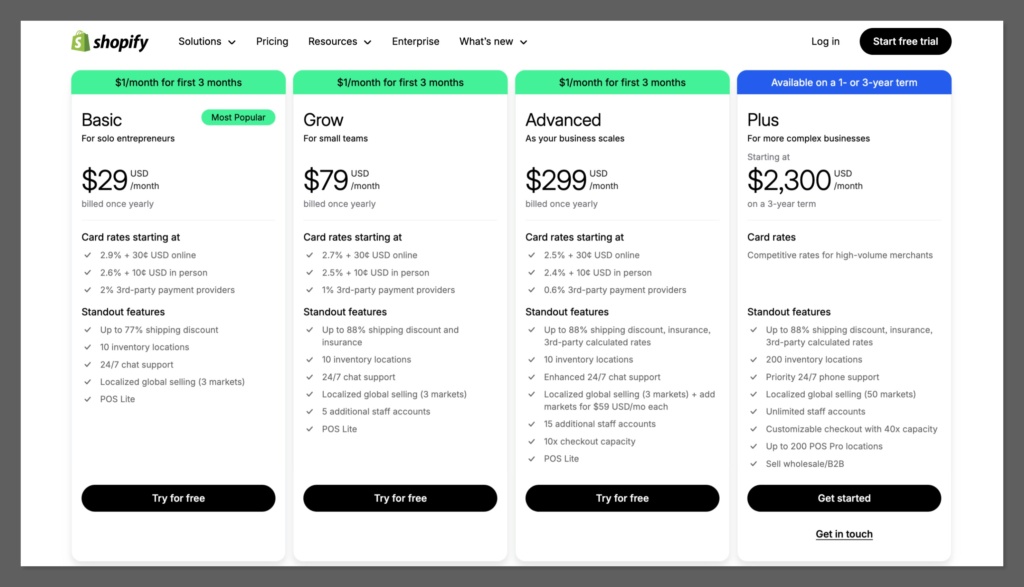
Shopify’s pricing is subscription-based, and your monthly cost depends on the tier you choose. Here’s how the current tiers break down:
| Plan Name | Monthly Price | Annual Discounted Price | Best For |
|---|---|---|---|
| Starter | $5 | N/A | Link-in-bio or social selling with no full storefront |
| Basic | $39 | $29/month (annual) | Small stores needing a full storefront |
| Shopify (Grow) | $105 | $79/month (annual) | Growing businesses that want lower fees and better reporting |
| Advanced | $399 | $299/month (annual) | High-volume stores needing advanced features and analytics |
Each plan includes the core Shopify platform: storefront hosting, cart and checkout functionality, order tracking, basic analytics, and access to apps and themes. As you move up in tiers, you gain access to more advanced tools, such as:
- Detailed reporting and customer insights (available from Grow and Advanced)
- Lower credit card transaction fees
- Custom shipping rates and third-party carrier integrations
- International selling tools (especially strong in Advanced)
If you’re planning to scale your store beyond the basics, the Grow or Advanced plans start to make more financial sense, especially once you factor in the savings from reduced transaction fees.
Shopify Transaction Fees
If you use Shopify Payments, the platform’s own gateway, you’ll pay the following per transaction:
- Basic: 2.9% + $0.30
- Grow: 2.6% + $0.30
- Advanced: 2.4% + $0.30
However, if you choose a third-party payment provider like PayPal or Stripe, Shopify charges an additional fee:
- Basic: 2%
- Grow: 1%
- Advanced: 0.6%
This means that using Shopify Payments usually results in the lowest possible fees. It also means that your real cost of running a Shopify store includes both the subscription fee and transaction fees, which is important to model in your margins.
Printify Pricing: Pay-as-You-Sell
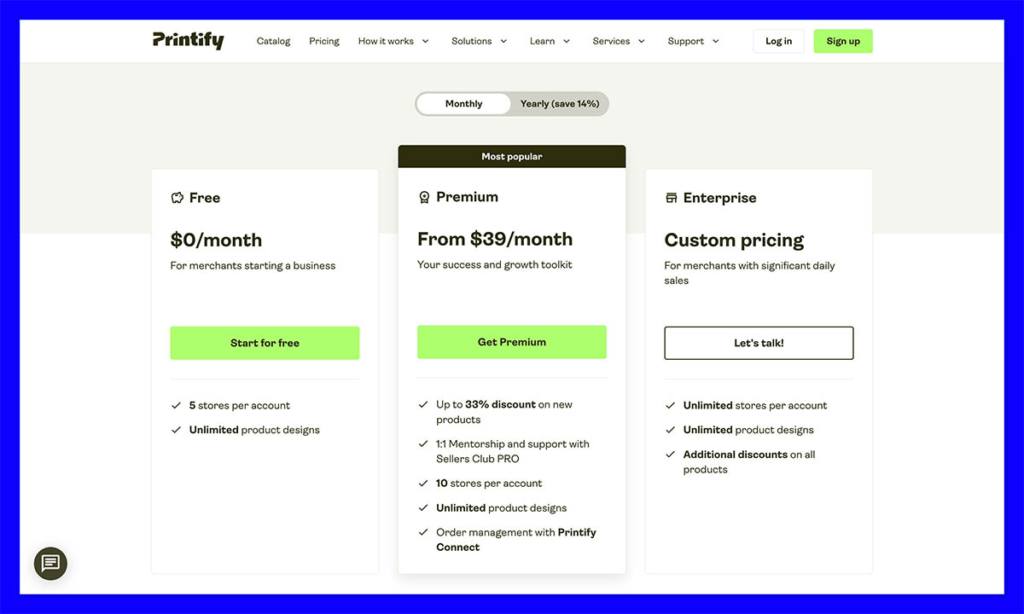
Printify operates on a no-subscription model by default, which is perfect if you want to start without monthly commitments. You can create an account, list products, and connect to Shopify, Etsy, or other platforms completely free.
The Free plan includes:
- Unlimited product listings
- Access to all print providers
- Integration with major platforms
- Manual order creation
Printify makes money by charging you a base cost per product, plus shipping. You set the retail price, and your profit is whatever is left after those costs.
For sellers doing consistent volume, Printify Premium offers a major perk: up to 20% off the base product cost. This is a flat subscription fee:
- $29/month (rising to $39/month starting February 17, 2026)
- Or $299/year (which stays the same)
With Premium, even a small improvement in product margins can quickly pay off. For example, if you sell 50 shirts per month and save $2 per item, you’re saving $100 monthly, far more than the subscription fee.
Printify also offers an Enterprise plan with custom features and dedicated account management, but this is usually reserved for sellers doing thousands of orders per month.
2. Best for Selling Online: Shopify Leads the Way

Shopify was built from the ground up to help people sell online. From storefront creation to checkout optimization, it provides the core infrastructure you need to sell across multiple channels and regions.
Ecommerce Features on Shopify
Some of the selling features that stood out to me include:
- Drag-and-drop store builder with customizable themes
- Abandoned cart recovery with automation
- Discount codes and coupons for flexible promotions
- Inventory tracking across products and variants
- Multi-location fulfillment support
- Built-in blogging tools to boost SEO
Even at the Basic level, Shopify gives you a strong mix of capabilities that go far beyond what most website builders offer.
You can manage inventory across multiple locations, set up discount codes with custom rules, and use built-in analytics to track customer behavior and sales trends.
The platform also includes access to abandoned cart recovery, allowing you to automatically reach out to customers who left without completing their purchase, which can significantly boost your revenue with minimal effort.
Multichannel Selling
Shopify integrates with dozens of sales channels, including:
- Facebook and Instagram shops
- TikTok Shopping
- Google Shopping
- Amazon and eBay (via apps)
This means your inventory can sync across platforms, and you can manage all orders from one dashboard; a huge time saver if you’re growing fast or selling in multiple places.
It reduces the risk of overselling or stock discrepancies, especially if you’re running sales on multiple marketplaces like Etsy, Amazon, or Facebook Shops.
Plus, with everything centralized, it’s easier to monitor performance, process returns, and maintain a consistent customer experience across every sales channel.
Shopify App Ecosystem
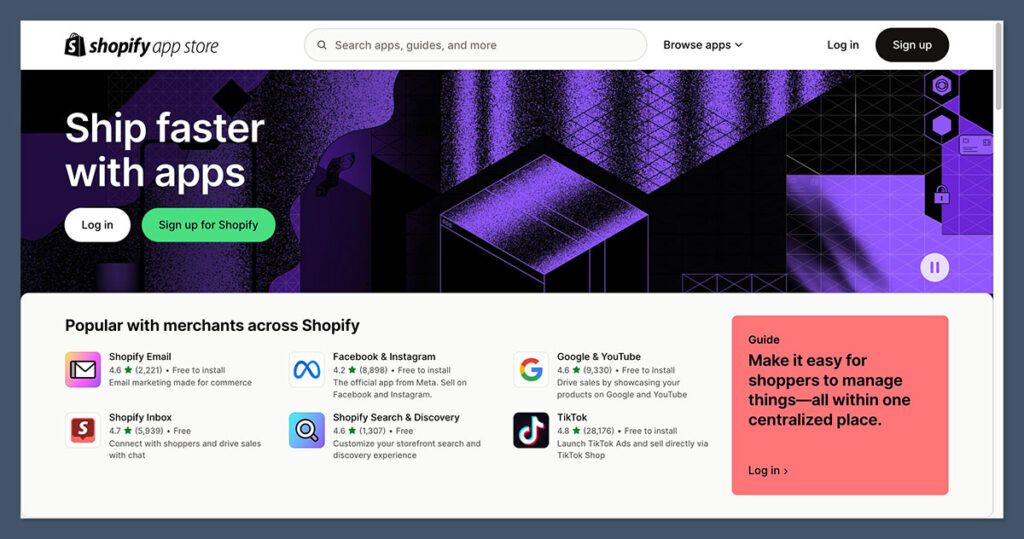
The Shopify App Store has more than 8,000 apps, and while not all are free, the range of functionality is enormous. You can:
- Add upsell and cross-sell modules
- Build loyalty programs
- Set up subscriptions
- Run referral campaigns
- Automate email and SMS marketing
This modular approach means you only install what you need, and you can customize your store around your exact business model.
Printify integrates with Shopify through an official app, allowing you to sync products, update orders, and handle shipping all through your Shopify dashboard.
3. Best for Fulfillment: Printify Handles the Backend
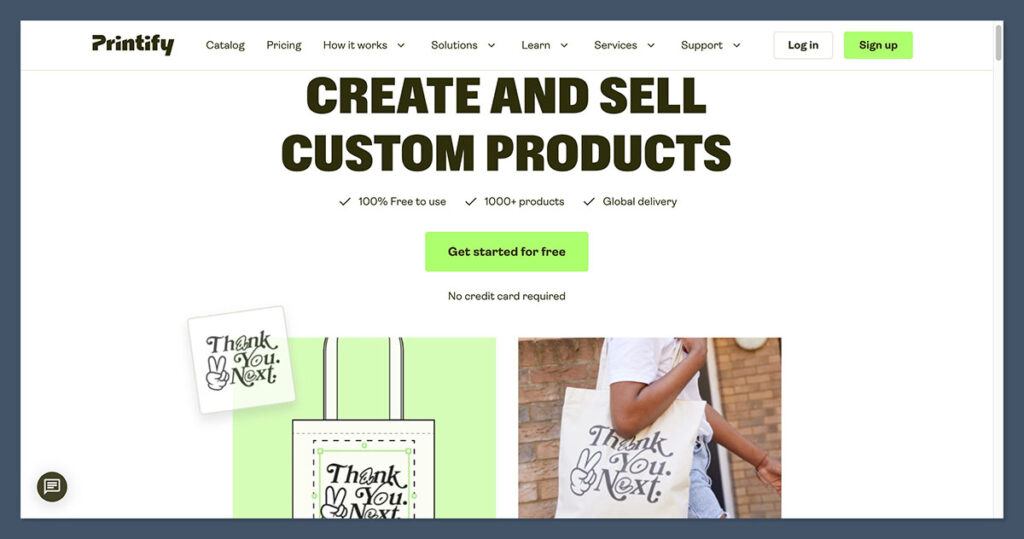
While Shopify helps you sell, Printify helps you fulfill. It’s designed to take care of everything from product printing to packaging and shipping, all triggered automatically when a customer places an order.
Printify’s Product Catalog
Printify gives you access to over 900 customizable products, such as:
- T-shirts and apparel
- Mugs, bottles, and drinkware
- Phone cases and tech accessories
- Wall art and canvas prints
- Home goods like pillows and blankets
- Stationery and journals
- Pet products and kids’ clothing
Each product is offered through multiple print providers. You can choose based on cost, location, shipping speed, or reviews. This level of choice is unique among print-on-demand platforms.
It gives you more control over your margins, shipping times, and product quality, which is especially important when selling to customers in different regions.
Having multiple provider options for the same product also creates a built-in backup system, so if one supplier experiences delays or stock issues, you can quickly switch to another without disrupting your store.
Fulfillment Workflow
The Printify process works like this:
- You create a product with your design in the Printify dashboard
- Sync it to Shopify or another platform
- A customer places an order on your store
- The order is automatically routed to the print provider
- The provider prints and ships the item directly to the customer
- Tracking is updated and synced back to your store
All of this happens without manual work. I found the process reliable and smooth, but I always recommend ordering samples to check quality and printing accuracy.
Seeing the product in person allows you to assess fabric feel, color vibrancy, print placement, and packaging standards before customers ever receive it.
It also gives you the chance to create original product photos and videos, which can make your listings look more authentic and improve conversion rates compared to relying only on mockups.
Shipping and Provider Options
Printify has providers across North America, Europe, and Asia. This helps reduce shipping times and costs for global customers. Most US orders ship within 5 to 10 business days, but speed varies by product and provider.
Having a global network means you can strategically choose print partners closer to your target audience, which improves delivery reliability and enhances the overall customer experience.
It also opens up the ability to sell internationally without having to manage complex logistics or set up regional warehouses.
Final Verdict: Use Both to Build a Lean, Scalable Business
After building stores and testing each platform in real-world conditions, here’s what I can confidently say: Shopify and Printify are not substitutes. They’re complements.
If you want a branded store you can grow and control, use Shopify as your foundation. It’s your digital real estate: the place your customers land, shop, and return to.
If you want to sell physical products without ever touching inventory, use Printify to design, produce, and ship them automatically. It allows you to scale fast without warehousing or risk.
Together, they make launching and growing a product-based business more accessible than ever.


