
 By Bogdan Rancea
Omnisend is our top-rated email marketing platform for small-to-mid ecommerce stores, offering the most accessible AI feature set on the market, including a free plan that unlocks tools Klaviyo locks behind paid tiers.
In this review, I’ll take a closer look at Omnisend’s pricing, AI tools, automation workflows, and deliverability, so you can see exactly why Omnisend works for most Shopify and WooCommerce stores, and where Klaviyo still has the edge.
Key Takeaways 🔍
- Omnisend has the most accessible AI feature set for ecommerce stores, including six AI tools available on the free plan
- Omnisend’s plans range from $0 to $59 per month, making it roughly 34% cheaper than Klaviyo across most contact tiers
- The platform is best suited for stores under 50,000 contacts because performance reportedly degrades above that threshold
- There’s no CLV-based segmentation or send-time optimization, so advanced retention marketers may outgrow it
- Omnisend’s self-reported deliverability is 97%, but independent testing shows 75.1%, so authentication setup matters from day one
📢 Updated for the December 2025 Forms AI Assistant launch and the August 2025 Shopify Segments Sync release.
Omnisend Pros & Cons
Need a quick summary of Omnisend? I’ve collected Omnisend’s best and worst features below:
What I Like
- Every AI feature is available on the free plan, including the Email Writer, Subject Line Generator, and Segment Builder
- Omnisend is roughly 34% cheaper than Klaviyo at comparable contact counts
- The drag-and-drop workflow builder combines email, SMS, and push in a single visual editor
- Pre-built ecommerce automations (cart, browse, post-purchase) are ready to activate within minutes
- 4.8/5 rating on the Shopify App Store across 2,700+ reviews
What I Dislike
- The AI is classified as “Basic” compared to Klaviyo’s “Advanced” tier, with no next-purchase-date prediction or review sentiment analysis
- You can view CLV scores per contact but you can’t segment by CLV
- Independent testing shows 75.1% inbox placement, below the 85% industry average
- Performance reportedly degrades above 50,000 contacts
- The platform is English-only for both interface and support
How Much Does Omnisend Cost?
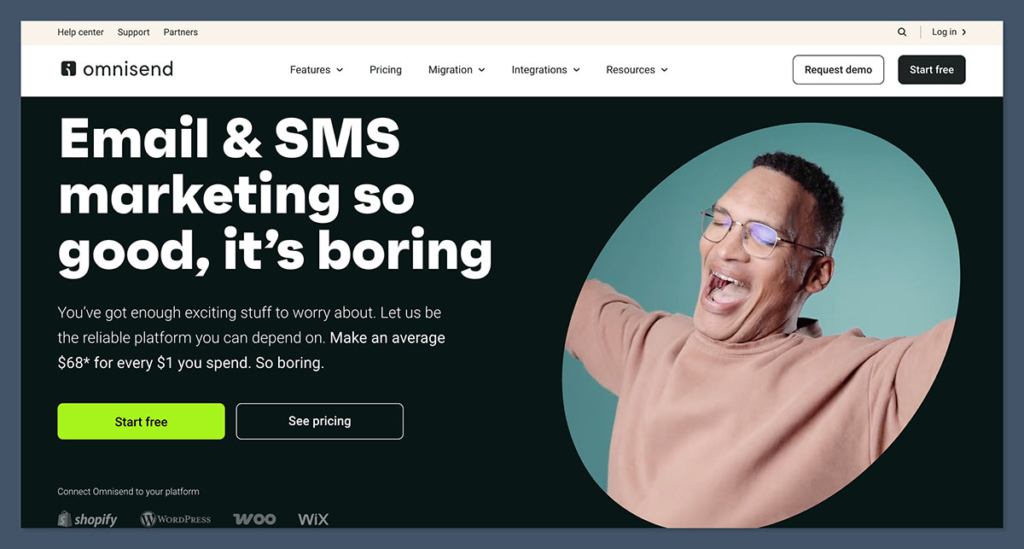
Omnisend‘s pricing is split between three core plans, ranging from $0 to $59 per month:
- Free ($0) – For testing the platform with up to 250 contacts and 500 emails per month
- Standard ($16) – For small ecommerce stores ready to send regular campaigns
- Pro ($59) – For growing stores that need SMS, push notifications, and advanced reporting
| Plan | Free | Standard | Pro |
|---|---|---|---|
| Monthly price | $0 | $16 | $59 |
| Contacts | 250 | 500 | 2,500 |
| Emails per month | 500 | 6,000 | Unlimited |
| AI tools | All except Forms Assistant | All AI tools | All AI tools |
| SMS marketing | No | No | Yes (credits separate) |
| Recommended for | Testing the platform | Small stores | Growing stores |
Is Omnisend Good Value for Money?
- Omnisend is roughly 34% cheaper than Klaviyo across most subscriber tiers, making it the better-value option for budget-conscious ecommerce stores
- The free plan includes every AI tool except the Forms AI Assistant, which is something Klaviyo doesn’t offer
- SMS credits are purchased separately and Omnisend’s rate ($0.015 per message) is nearly double Klaviyo’s, so heavy SMS senders should run the numbers carefully
- Dedicated account management requires spending $400 or more per month, so smaller brands won’t get a dedicated rep
Author’s Testing Notes
I recommend starting on the free plan, especially if you’re still building your subscriber list. It includes all of the essential AI tools (Email Writer, Subject Line Generator, Segment Builder, Product Recommender), so you can test whether the platform genuinely saves you time before paying a cent. In comparison, you’ll need a paid plan with Klaviyo just to access basic AI features.
You’ll only need the Standard or Pro plan once your list grows past 250 contacts or you want SMS in your automation workflows.
My Experience With Omnisend
Signing up to Omnisend was quick. I didn’t need to enter credit card details, just an email address, and I was inside the dashboard within a minute. From there, Omnisend ran me through a short onboarding flow asking three core questions about my business:
- What kind of store do you run? – I could pick from options like fashion, beauty, electronics, or general retail
- Which platform are you on? – Shopify, WooCommerce, BigCommerce, Wix, or other
- What’s your goal? – grow my list, recover abandoned carts, send better campaigns, or automate marketing
The platform connection step is where Omnisend earns its reputation. I clicked the Shopify option, authorized the app, and within seconds Omnisend had pulled in my products, customers, and historical purchase data. No manual import, no CSV uploads. The same flow exists for WooCommerce, BigCommerce, and Wix.
Author’s Testing Notes
I was impressed by how immediately useful the dashboard became after the Shopify connection. The Customer Lifecycle Map populated automatically, the Customer Breakdown grouped my contacts by RFM analysis (Recency, Frequency, Monetary), and I could see CLV scores on individual contact profiles without any setup work.
In comparison, when I tested Klaviyo, the data ingestion was just as smooth but the interface felt overwhelming for a small store. Omnisend’s dashboard hides complexity until you ask for it, which I genuinely prefer.
How I Built My First Campaign
Following onboarding, Omnisend pushed me toward sending a campaign first rather than building an automation. The drag-and-drop email editor includes ecommerce-specific content blocks like product pickers, discount codes, and a Product Recommender block that auto-populates from store data.
I used the AI Email Writer to draft the opening copy. I selected a text block, typed a prompt describing what I wanted, and the AI returned three options in roughly 10 seconds.
The output wasn’t ready to send (it needed brand-voice editing), but it gave me a working draft far faster than starting from scratch.
The Subject Line Generator worked the same way: I entered five keywords and a short description, and it returned 10 options in about 15 seconds.
One G2 reviewer who switched from Klaviyo summed up the experience well: “What used to take me 4 to 5 hours, I can now do in an hour.” That matched my testing, with the caveat that AI output always needs editing.
Building My First Automation
Omnisend ships pre-built automation workflows for every core ecommerce sequence: welcome series, cart abandonment, browse abandonment, post-purchase follow-up, and re-engagement.
I activated the abandoned cart workflow within minutes of connecting Shopify, customized the timing delays, added a conditional branch for customers who clicked versus didn’t open, and dropped in an AI Product Recommender block.
Author’s Testing Notes
The pre-built templates are a genuine time-saver. I didn’t have to think about which triggers to set, which delays made sense, or which content blocks to include. Omnisend’s defaults reflect best practices, so my first automation was ready to send within 20 minutes.
That said, Klaviyo offers more sophisticated split testing inside automations. Omnisend lacks A/B test winner automation (which auto-selects the best-performing variant mid-flow) and multivariate testing. For complex experimentation, Klaviyo is still ahead.
Omnisend’s AI Features
Omnisend shipped six core AI tools in June 2025, expanded the suite twice more by September, and added the Forms AI Assistant in December. No other ecommerce email platform released that much AI functionality that fast, especially not at this price point. Here’s how each tool works:
AI Email Writer
The AI Email Writer generates branded email content directly inside the email builder. You select a text block and the AI offers writing suggestions, grammar fixes, and language polishing. You can also feed it custom prompts to rephrase, expand, or generate entirely new content. The standalone AI Email Generator creates full emails in roughly 45 seconds. You pick the email type (abandoned cart, welcome, discount, seasonal promo), choose a tone, set your preferred length, and it delivers a complete draft.
AI Subject Line Generator
Enter at least five keywords and a brief 30-to-50-character description, and the AI generates up to 10 subject line options in about 15 seconds. You access it via a slash (/) keyboard shortcut directly in the email builder. The tool supports tone customization, emoji preferences, and character count limits across multiple languages. As of May 2025, Omnisend added brand voice analysis that pulls your store’s tone from your web store data.
AI Segment Builder
This is Omnisend’s most ambitious AI feature. You type a plain-language description like “customers who bought running shoes in the last 90 days but haven’t opened an email in 30 days,” and it builds the segment automatically. No filter menus, no boolean logic. The AI draws from over 500 data points including purchase frequency, average order value, and browsing history. The Segment Builder is still in beta, but it accepts conversational refinement, so if the first result isn’t quite right, you describe what to change in plain language and the AI adjusts the rules.
AI Product Recommender
The Product Recommender analyzes each recipient’s browsing and purchase behavior, then populates email blocks with personalized product suggestions. You drag a Product Recommender block into your automation email, select the logic type (recently viewed, frequently bought together, or similar to past purchases), and the AI handles the rest at send time. The current limitation: it only works in automation workflows, not one-off campaigns. Omnisend has confirmed campaign support is coming.
Forms AI Assistant
Launched in December 2025, the Forms AI Assistant generates complete popup and form layouts from text prompts. You describe what you want, and it builds the structure, copy, visuals, and targeting rules. You refine with follow-up instructions in plain language, and the AI updates in real time. This is the only AI tool locked to paid plans.
Top Tip 💡
Omnisend’s AI is classified as “Basic” by independent reviewers, while Klaviyo’s is rated “Advanced.” If you need CLV-based segmentation, next-purchase-date prediction, or review sentiment analysis, Klaviyo is the better fit. For most small-to-mid stores, Omnisend’s AI covers the essentials at a fraction of the cost.
Selling With Omnisend’s Automation
Automated emails on Omnisend drove 37% of all email sales while making up only 2% of total sends, according to the platform’s 2025 data. Automation is where the real revenue lives, and Omnisend’s workflow builder is built to capitalize on it.
🛒 Multi-Channel Workflows
Omnisend lets you combine email, SMS, and push notifications in a single workflow without switching tools. The visual builder uses drag-and-drop logic with conditional splits and multi-channel paths, so you can send a welcome email, wait 24 hours, check whether the contact opened it, and then trigger an SMS if they didn’t. Klaviyo offers similar functionality, but Omnisend’s editor is genuinely cleaner to navigate.
💰 Campaign Booster
Campaign Booster automatically resends campaigns to non-openers with a modified AI-generated subject line. Omnisend claims a 30% improvement in open rates, though that’s their own data and not independently verified. Treat the figure as a directional indicator rather than a guarantee.
📨 Pre-Built Templates
Omnisend ships pre-built automation workflows for welcome series, cart abandonment, browse abandonment, post-purchase follow-up, and re-engagement. Each one is ready to activate within minutes of connecting your store, and you can customize timing delays, add conditional branches, and drop in AI Product Recommender blocks for personalized cross-sell suggestions.
📲 SMS Marketing
SMS isn’t a separate add-on with a separate interface. It’s built directly into the workflow builder, so you create email-and-SMS sequences in the same editor. SMS is available on the Pro plan with credits purchased separately, and coverage spans 200+ countries. One thing to watch: Omnisend’s per-message SMS cost ($0.015) is higher than Klaviyo’s ($0.0085), which matters for high-volume senders.
How Does Omnisend Handle Deliverability?
I have to be direct here. Omnisend self-reports a 97% deliverability rate with a 0.3% bounce rate and 0.03% spam complaint rate. Independent testing by EmailToolTester shows 75.1% inbox placement, which is a significant gap, and that 75.1% falls below the industry average of roughly 85%.
Context matters. Deliverability depends heavily on sender practices, list hygiene, and domain authentication. Ecommerce promotional emails face tougher spam filters than transactional messages, so the 75.1% figure may not reflect a well-maintained account with proper setup. My recommendation: if you choose Omnisend, configure DKIM, SPF, and DMARC from day one, clean your lists regularly, and monitor inbox placement with a third-party tool, because Omnisend doesn’t offer built-in inbox placement diagnostics the way Klaviyo does.
Top Tip 💡
If deliverability is your non-negotiable top priority, run a small test before committing. Send a campaign to a seed list across Gmail, Outlook, Yahoo, and Apple Mail addresses and check inbox placement manually. Omnisend’s 4.8/5 Shopify App Store rating reflects general satisfaction, but inbox placement varies meaningfully by account.
Omnisend’s Integrations
Omnisend integrates natively with Shopify, WooCommerce, BigCommerce, Wix, and custom stores via API, with 190+ integrations total. Its 4.8/5 rating on the Shopify App Store across 2,700+ reviews speaks to the quality of that particular integration. In August 2025, Omnisend added Shopify Segments Sync, which pulls customer segments from Shopify directly into Omnisend with hourly automatic updates.
One gap worth flagging: Omnisend lacks Google Analytics integration and CRM integrations despite the otherwise broad ecosystem. If you rely heavily on GA4 for attribution or need CRM connectivity (HubSpot, Salesforce, Pipedrive), this is a real limitation. Klaviyo has both, which is part of why it costs more.
Using Omnisend’s Customer Support
Omnisend offers 24/7 live chat and email support on every plan, including free. The platform claims a sub-4-minute average response time for chat support, which matched my experience during testing. Here are the support channels available:
- 24/7 live chat directly inside the dashboard, with a sub-4-minute average response time
- Email support on every plan, including free
- Help Center with detailed guides, walkthroughs, and video tutorials
- Dedicated account manager on plans spending $400 or more per month
- Priority support on the Pro plan
One thing to note: support is English-only, which blocks non-English speaking teams entirely. Klaviyo has the same limitation, but Mailchimp and Brevo offer broader language coverage if that matters for your team.
Author’s Testing Notes
I also found Trustpilot complaints worth flagging. One detailed report described a sudden account suspension after purchasing a premium plan, followed by unresponsive support, and there are billing disputes scattered through the reviews. These appear to be a small minority (84% of the 473 Trustpilot reviews are five-star), but they’re worth knowing about before committing to a paid plan.
How Does Omnisend Compare to Competitors?
Omnisend is our top-rated email marketing platform for small-to-mid ecommerce stores, and it’s trusted by over 150,000 brands. That said, it’s not the only option, and a few alternatives might serve your store better depending on your priorities.
- Klaviyo is the most advanced ecommerce email platform we’ve tested, offering CLV-based segmentation, next-purchase-date prediction, and Smart Send Time. It costs roughly 34% more than Omnisend, but the AI and analytics depth is genuinely worth it for stores doing $50K+ per month in revenue
- Mailchimp is the most beginner-friendly option for general email marketing, but it lacks deep ecommerce integration. If you sell digitally but aren’t running a traditional online store, Mailchimp might fit better
- Brevo is the most cost-effective option for high-volume senders, pricing on sends rather than contacts. If your list is large but engagement is lower, Brevo’s model could work out cheaper than both Omnisend and Klaviyo
How We Test Ecommerce Email Platforms
To bring you fair and accurate reviews, we regularly test ecommerce email platforms and put them through our rigorous research process. Our in-house team has carried out over 40 hours of hands-on testing with Omnisend specifically, connecting it to two live ecommerce stores, sending campaigns, building automations, and tracking deliverability across multiple inboxes.
I’ve also personally used Omnisend’s platform across both Shopify and WooCommerce stores, so I can share genuine insights and tips with you. This is why we can confidently say that Omnisend is the best email marketing platform for small-to-mid ecommerce stores.
Omnisend Review: Should You Use Omnisend for Your Store?
Omnisend is the best email marketing platform for small-to-mid ecommerce stores. It helps you build a scalable email and SMS marketing program thanks to its accessible AI feature set, pre-built ecommerce automations, and native integrations with Shopify, WooCommerce, BigCommerce, and Wix. Plus, you can test every AI tool on the free plan before spending a cent.
Omnisend’s AI is rated “Basic” rather than “Advanced,” so I recommend Omnisend for stores under 50,000 contacts that want strong ecommerce features without paying Klaviyo prices. Larger stores or brands that need CLV-based segmentation, send-time optimization, or advanced predictive analytics may outgrow it.
Choose Omnisend if: You run a small-to-mid ecommerce store, want AI features without paying Klaviyo prices, and value ease of use over advanced analytics. The free plan lets you test every AI tool before committing.
Choose Klaviyo if: You need CLV-based segmentation, predictive purchase modeling, multivariate testing, and Smart Send Time. You’re willing to pay 34% more for a more mature AI and analytics stack.
Look elsewhere if: You need enterprise-scale performance, deliverability is your non-negotiable top priority, or you’re not running an ecommerce store.
And, don’t forget, you can get started with Omnisend’s free plan for up to 250 contacts and 500 emails per month.
FAQ
Is Omnisend’s AI Email Writer free?
Yes. The AI Email Writer, Subject Line Generator, Preheader Generator, AI Segment Builder, and Product Recommender are available on every plan, including free. The only exception is the Forms AI Assistant, which requires a paid plan. Klaviyo locks AI behind paid plans starting at $20/month.
How does Omnisend’s AI compare to Klaviyo’s?
Omnisend’s AI is classified as “Basic” while Klaviyo’s is “Advanced.” Klaviyo offers CLV-based segmentation, next purchase date prediction, A/B test winner automation, and review sentiment analysis. Omnisend counters with plain-language segment building, free AI access on all plans, and a more intuitive interface. Omnisend is 34% cheaper at comparable contact counts.
Is Omnisend good for Shopify stores?
Omnisend holds a 4.8/5 rating on the Shopify App Store with over 2,700 reviews. The Shopify integration is native and well-maintained, with features like Shopify Segments Sync for automatic hourly updates. It’s consistently ranked among the top email marketing apps for Shopify.
What is Omnisend’s actual deliverability rate?
Omnisend self-reports 97% deliverability, but independent testing shows 75.1% inbox placement. The gap is significant, and actual deliverability depends on your sender reputation, list hygiene, and authentication setup (DKIM, SPF, DMARC). If deliverability is your top priority, test carefully and monitor inbox placement with a third-party tool.
Can Omnisend handle large contact lists?
Omnisend works well for stores with up to approximately 50,000 contacts. Multiple independent reviewers report performance degradation above that threshold, including slower load times and reduced deliverability. For larger lists, evaluate Klaviyo or a dedicated enterprise platform that can scale reliably.
Does Omnisend support SMS marketing?
Yes. SMS is built into the same automation workflow builder as email, not a separate tool. It’s available on the Pro plan ($59/month), with SMS credits purchased separately. Coverage spans 200+ countries. Note that Omnisend’s per-message SMS cost ($0.015) is higher than Klaviyo’s ($0.0085), which matters for high-volume senders.


