
 By Bogdan Rancea
There comes a point when you’re running an ecommerce company (or any company for that matter), where you’re forced to retire your old spreadsheets and upgrade to an actual accounting tool.
It’s not a moment most of us look forward to, but when you’ve got so many different card payments, fees, and charges to think about (maybe even tax rules for global customers), you can’t stay manual for long. When that moment arrives, most of the merchants I know start with two options: Xero and QuickBooks.
With QuickBooks, you get an excellent platform for teams with advanced payroll needs, a very customizable dashboard, and a system most accountants already know. With Xero, you’re getting support for unlimited users on every plan, a massive third-party app ecosystem, and some brilliant automation tools. Here’s how I’d compare the two.
Quick Verdict: Xero vs QuickBooks
For a growing ecommerce team, I’d choose Xero first, and not just because of the unlimited user benefit. It has more integrations, more time-saving automation tools, and it’s surprisingly affordable. QuickBooks is still good if you want software your accountant will recognize, or useful payroll features, but it seems less focused on scale.
| Category | Xero | QuickBooks Online |
|---|---|---|
| Best fit | Ecommerce sellers with a lot of connected apps, a need for automation, and a desire to scale | US businesses that want accountant familiarity, custom dashboards, and built-in Payroll |
| Pricing | Starts at $25 per month (US prices at the time of publication) | Starts at $38 per month |
| User access | Unlimited users on every plan | 1, 3, 5, or 25 users, based on plan |
| Ecommerce fit | Ideal for connections across platforms, marketplaces and other tools | Some useful integrations, fewer bespoke options |
| Invoicing | Limited at first, but improves on higher plans | Stronger from the lower plans |
| Inventory | Good enough for simple stock, with Inventory Plus or specialist apps when things get serious | Better native inventory on Plus and Advanced |
| Sales tax | Avalara-backed US sales tax, plus W-9 and 1099 tools | Strong US tax workflow, with Sales Tax AI on higher plans |
| AI | JAX (Just Ask Xero), auto-reconcile beta, document capture, and XeroForce direction | Wider Intuit AI set across books, payments, tax, customers, payroll, and projects |
| Reporting | Cleaner daily view for owners who want to see what needs attention | Stronger formal reports, especially on Advanced |
Xero vs QuickBooks: Pricing and Total Value
I’m starting with pricing because it’s the thing a lot of merchants worry about when they’re shopping for software, even essential software.
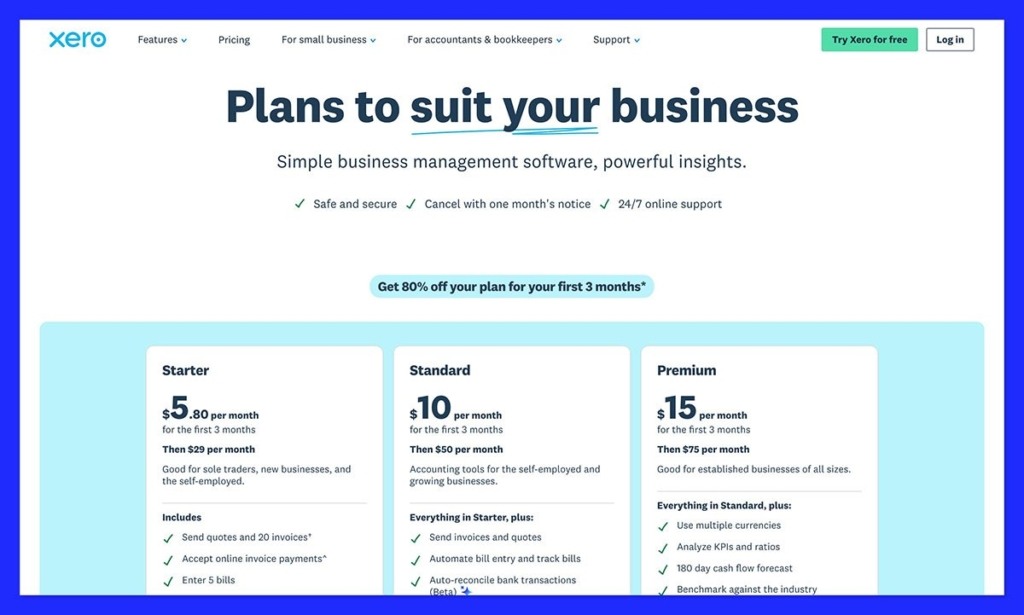
Xero is the more affordable option for beginners. The Early plan starts at $25 per month, with quotes, 20 invoices, online payments, reconciliation, reports, tax management, and all the essentials.
The Growing Plan is better value for most scaling teams at $55 per month, because you get unlimited invoices, and 60-day cash flow forecasting, plus custom dashboards. The Established plan for $90 per month is better for global businesses with multiple currencies, and it includes both time tracking and employee expense claims.
QuickBooks’ first plan, Simple Start, costs $38 per month, for one user and accountant access, you can track income and expenses, manage taxes and VAT, and send invoices. Essentials costs $75 per month and includes bill management, time-tracking, multi-currency support, plus 3 users. Plus costs $115 per month for 5 users, and inventory tracking plus profitability tracking.
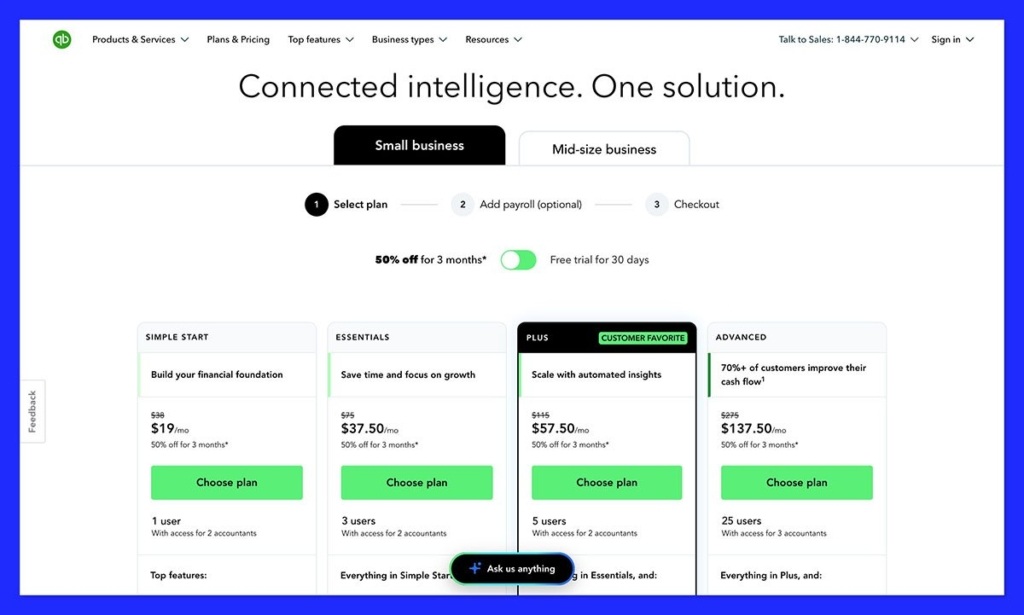
Then, there’s Advanced for $275 per month with up to 25 users, advanced reporting, batch invoicing, custom roles, plus AI-driven insights.
Both offer good value for money, but Xero makes a lot more sense if you need a lot more people working around the books from day one.
Xero vs QuickBooks: Core Accounting and Ecommerce Operations
Feature wise, Xero and QuickBooks cover most of the same things, but once you dive in as deep as I did, it’s very easy to see which one focuses more on ecommerce and scale, and which one is more intended for smaller businesses and customization needs.
Invoicing, Bills, Expenses, and Bank Reconciliation
For basic invoicing, QuickBooks is probably the better option, because the cheaper plans give you more functionality, and you even get Bill Pay Basic included. You can schedule vendor payments and manage vendor records, handle all your bills, track 1099s, and access free ACH payments inside the tool. It’s great for freelancers paying suppliers and contractors.
QuickBooks also gives you more customizable templates for invoices, and it doesn’t restrict you to a certain number, you can create as many as you like.
Xero places limits on invoice creation in the early plan, but that disappears as soon as you upgrade. The templates are a little more rigid, but that can be a good thing for a standard ecommerce operator who doesn’t want to tweak too much. In the Growing plan, you do get bills, bank connections, files, reports, sales tax, payment tools and standard ACH bill payments. It’s also worth remembering that you won’t be charged extra for additional users here.
For bank reconciliation and ecommerce payouts, both tools are pretty similar. Xero syncs sales across all of your ecommerce tools and marketplaces, and gives you clean settlement summaries. QuickBooks lets you connect most standard platforms and marketplaces, and see income and expenses in one place, match payouts with deposits, and split revenue from taxes and fees.
Ecommerce Channels, Marketplaces, and App Fit
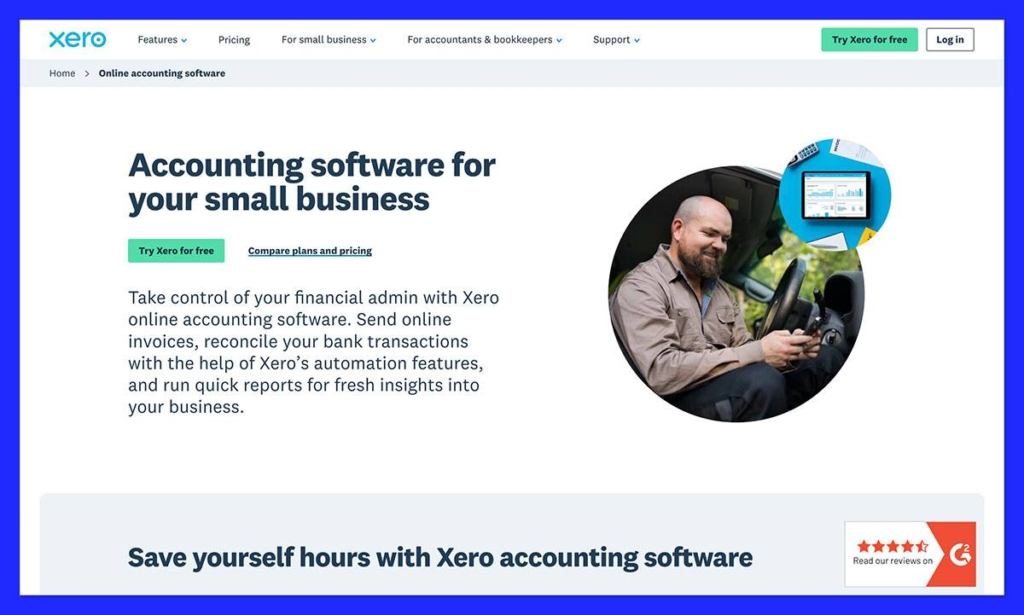
I think this is one of the areas where Xero sells itself to ecommerce merchants. It supports over 1,000 app connections, and the marketplace really covers all of the biggest ecommerce tools, as well as anything else you might need to keep all of your financial information in one place.
I’m not saying QuickBooks is bad from a connectivity standpoint. It does work with some ecommerce connectors, and A2X supports both QuickBooks and Xero for sellers using major channels. Still, the connection feels a little different.
QuickBooks is more about bringing data into the platform, while Xero is happier acting as the extra accounting layer behind all the specialist tools you’re already using. I’m also a huge fan of Xero’s Shopify app, that lets you see daily summaries or per-sale transaction insights instantly.
Inventory, Stock, COGS, and Product Margins
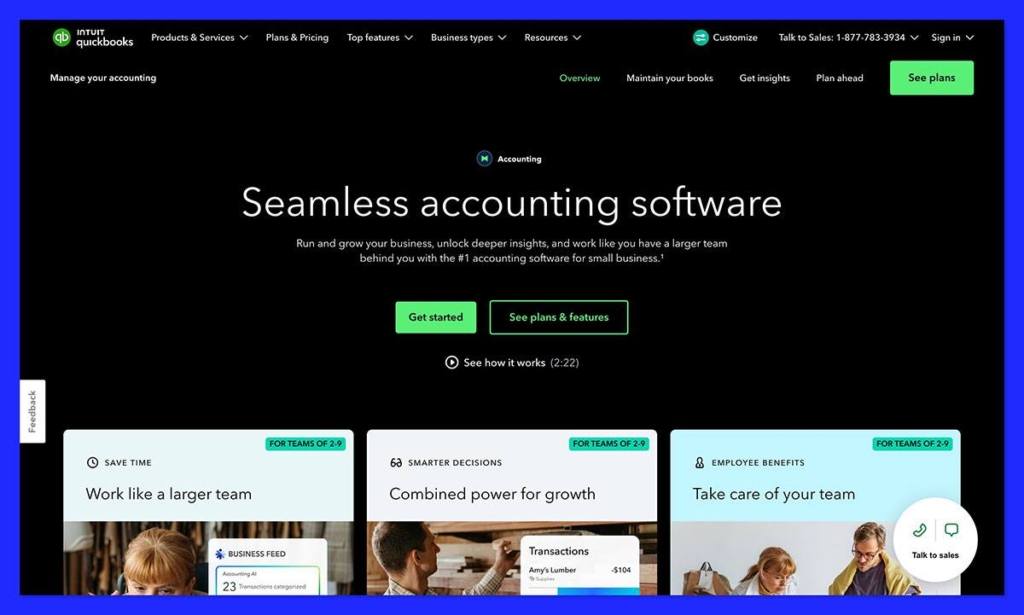
QuickBooks has the better native inventory offer for most US sellers. Depending on your plan, you can access item receipts, moving average cost valuations, sales to order purchase linking, FIFO tracking, low-stock alerts, kitting, and purchase orders. You do need a Plus or Advanced plan for most of those features, though.
Xero keeps things basic with inventory, probably because it expects you to use specific tools for tracking already. You get basic stock tracking with item codes, quantity on hand, and simple item values, plus stock reports. Xero can calculate COGS for tracked inventory, and uses weight average cost for the inventory you monitor, but it’s not going to replace your full warehouse system.
Still, for lean ecommerce, Xero works really well here, QuickBooks just has the stronger case if you’re looking for heavy stock control built-in.
Sales Tax, 1099s, and Compliance
Both tools are very good here, although they approach things a little differently. Xero tax tools are powered by Avalara, and let merchants calculate tax across 13,000+ US jurisdictions using location and item details. You can create and manage 1099 and W-9 documents, although you’ll need to use an integration for filing.
On the plus side, Xero is better if you’re running a global business, because the Established plan includes over 160 currencies out of the box. QuickBooks users need a more expensive plan to get access to that level of global reporting.
Still, for US companies, QuickBooks gives you simple end-of-year tools for contractor compliance, native e-filing for crucial documents, and built-in tools that calculate taxes automatically based on the customer’s shipping address and your location. It also has Sales Tax AI, which can help you spot problems before you file anything.
Reporting, Analytics, Dashboards, and Cash Flow
In general, QuickBooks tends to do better in terms of reporting depth, with over 100 templates, and plenty of customization options. You also get module-based analytics to track trends and expenses in real-time, and widgets you can personalize to monitor specific stats.
There are built-in tools for cash-flow planning too, and the more expensive tiers let you tap into the system’s custom report builder. Still, all of that doesn’t make Xero much less impressive.
There’s a flexible drag-and-drop custom report builder that lets you focus on the numbers that matter most to you, and Xero’s analytics have become a lot more impressive since the company bought Syft. There’s a benchmark widget that lets you add industry data to your dashboard, comparing your score to other companies in your industry.
You also get AI-driven insights to help with forecasting and budgeting, plus fantastic visual analytics, and predictive analytics. The day-to-day dashboards feel great for ecommerce, too, with streamlined insights into bank balances, invoice statuses, and basic cashflow when all you want is a quick overview of what’s happening.
AI and Automation
The AI and automation tools for both of these platforms make it obvious who they’re directed at. QuickBooks uses AI to speed up complicated accounting, while Xero is using it to make everyday management easier.
Most of the Xero AI story revolves around JAX (Just Ask Xero), which enables automatic bank reconciliation with categorization and line matching. All the automated actions are recorded too, so you can keep track of what happened, and actually gather evidence for audits.
In 2026, Xero added AI-powered data capture for invoices, rental statements, receipts, or bills, and launched the new XeroForce natural-language agent builder. That tool helps you create custom workflows that help you cut down accounting time across Xero and connected apps.
Arguably, QuickBooks has a slightly broader AI bench, because Intuit is adding intelligence to customer management, finance, payroll, sales and business tax, and bookkeeping tools. There’s even a Business Tax Agent with a deduction maximizer feature.
There’s also the Payments AI tool, which reviews history, suggests new payment settings, and helps businesses improve cashflow. Plus, you can set up invoice reminders with this tool, which can help you gather cash a lot faster.
QuickBooks definitely has more AI spread across the Intuit toolkit, but Xero’s AI and automation feels stronger for everyday tax management.
Support, Security, Payroll, and Accountant Access
QuickBooks might have the slightly better support pitch here, because users can get help through chat, community, phone, or callback options. Still, Xero does give you free and unlimited online support through Xero Central, although there’s no support phone number, you can easily get assistance regardless of which plan you want.
Security is unsurprisingly strong on both sides. The two tools have the same certifications and compliance standards for things like ISO/IEC 27001:2022, SOC 2, VPAT, and PCI DSS, and account controls and AI privacy settings are included in both.
Payroll is more convenient on QuickBooks with the Workforce tool, that includes payroll, HR, team management, benefits, automation, and expert guidance, while Xero generally handles payroll through Gusto.
For accountant access, QuickBooks might be more familiar in the US and a few other regions, but Xero does give you unlimited users, so you can bring in as many different supporters as you like, from your bookkeeper, to your founder or wealth advisor.
Final Verdict: Should You Choose Xero or QuickBooks?
This was a hard call to make, because I really do like QuickBooks. It’s a great tool for a US business that wants a tool their accountant will feel comfortable with, plus great inventory tools, customizable reports, in-depth customer support, and payroll options.
Still, for ecommerce users, I’d probably recommend starting with Xero, and not just because it’s cheaper up-front. It works better if you have a number of different users that need to work around the books at the same time, and it integrates better with all of the tools you’ll already be using to capture financial details and reports.
The AI and automation makes everyday life easier, even if you’re not ready to jump into advanced reporting, and the dashboards feel more useful for ecommerce business owners. QuickBooks still has its place, but Xero just feels like the stronger starter option for ecommerce brands ready to scale.


