
 By Bogdan Rancea
I’ve probably recommended all four of the platforms in this article to an equal number of businesses, so I’ll start with the “quick-fire” advice first.
Wix is definitely one of the best options if you want something that’s both easy and scalable at the same time. It’s flexible, affordable, and can easily grow with just about any business. Squarespace is ideal for people who care about design, and service-based businesses.
Webflow gives you the most control if you want to adjust every pixel of your website, or add custom code, while Design.com is better if you need instant AI-powered branding, simple landing pages, and a full identity before you start earning money from your business.
Design.com vs Webflow vs Wix vs Squarespace: Side-by-Side
The tough part about comparing four platforms like these is they all can mostly do similar things. Every single one can give you a website you can use to sell online, they just target different issues.
Design.com is probably the first one worth starting with if you need to launch a brand quickly, while Wix and Squarespace give you more scale. Webflow, I’d probably only recommend to people who have more engineering skills, and more of a focus on control.
| Category | Design.com | Webflow | Wix | Squarespace |
|---|---|---|---|---|
| Ideal for | Brand-new brands | More advanced web design | Flexible ecommerce | Attractive templates and service businesses |
| Starting price | Free tools; typical logo packages from $25/month | Free tier; Basic from $15/month billed annually | Free tier; ecommerce from $29/month billed annually | Basic from $25/month billed monthly |
| Web design | 3,000+ website templates plus templates for countless business assets | Template marketplace plus AI generation | 800+ website templates plus AI website design | Curated template library plus AI design |
| Ecommerce features | More focused on design than selling | Good if you have developer knowledge | Best overall | Great for service sellers |
| Ease of use | Very simple | Hard | Easy | Easy |
Design.com vs Webflow vs Wix vs Squarespace Pricing
We’ll start with pricing and value for money, because most people looking for a simple website builder are probably looking for something relatively affordable too.
Prices below are in US dollars. Billing periods are stated where they affect the comparison; local prices, taxes, and promotional offers may differ.
Design.com Pricing
Overall, Design.com is probably the best value for money if you need to build a brand before you even think about selling. You can do a lot with this platform without paying for anything, including designing logos, and previewing website designs. When you do need to buy something, whether that’s a logo or a whole website, Design.com’s help center lists typical monthly prices of $25 for Starter and $34 for Value or Premium. Annual plans and promotional offers can lower the cost.
Compared to paying a designer to put together an entire brand identity for you, Design.com is excellent value, and it makes it a lot easier to create a consistent aesthetic across channels.
Wix Pricing
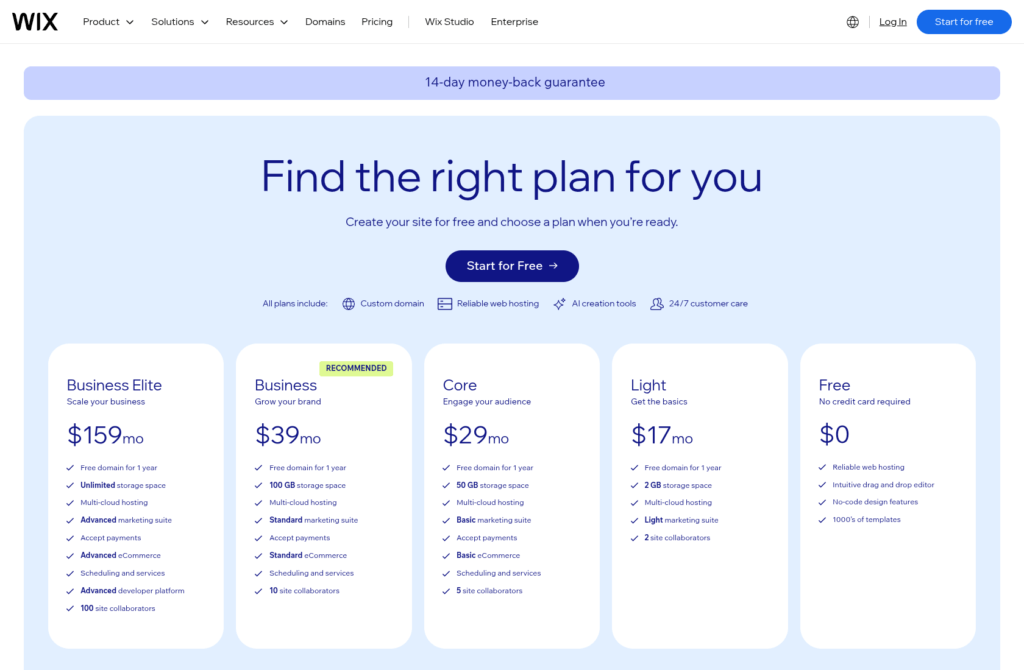
For companies interested in ecommerce who already have a general idea of what their brand should look like, Wix is the most attractive option, even though the prices have increased a little this year. There’s a free plan if you’re just building a website and testing it, then the Light plan starts at $17 per month when billed annually, with a free custom domain for a year, and no Wix branding. Once you’re ready to start selling, the Core plan adds basic ecommerce features for $29 per month when billed annually.
Webflow Pricing
Billed annually, Webflow’s Standard ecommerce plan will cost you $29 per month if you want access to ecommerce features, then you need to account for the cost of building and tweaking everything yourself. Costs can increase quickly when you account for things like CMS access, custom checkout functions, multiple staff accounts, or higher traffic limits.
Squarespace Pricing
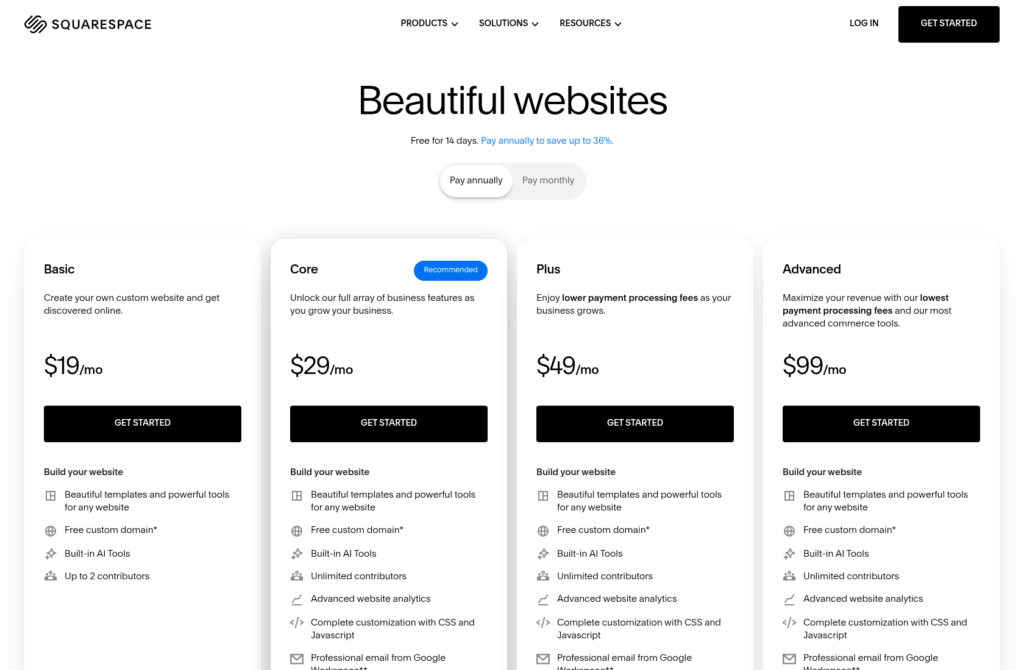
Squarespace’s Basic plan starts at $25 per month on monthly billing, with simple selling functionality, but it’s worth noting that you do need to pay transaction fees (2% for online store sales or 7% for digital content and memberships). Core, starting at $36 per month on monthly billing, removes the online store transaction fee, but digital content and memberships still carry a 5% fee. Payment processing fees are separate. Compare the billing period and the kind of products you sell before deciding which platform offers the best value.
Design.com vs Webflow vs Wix vs Squarespace Website Design
All four of these platforms are brilliant from a design perspective, but they expect you to be starting in different places.
Design.com Website Design

Design.com really stands out when you know you need an identity before you can actually build a profitable online business. You can use it to generate an entire site from a business name or prompt, or edit over 3,000 templates. Plus, Design.com can host your website, and it supports custom domains. The better part is all the extra assets you can get.
As well as building a website, you can create a matching logo, social graphics, business cards, print assets, email signatures, as well as just about anything else you can think of. Although Design.com’s websites are a bit simpler than the ones you could create with the other three tools, it does give you a central space for all the brand assets you might need to reuse across channels.
Webflow Website Design
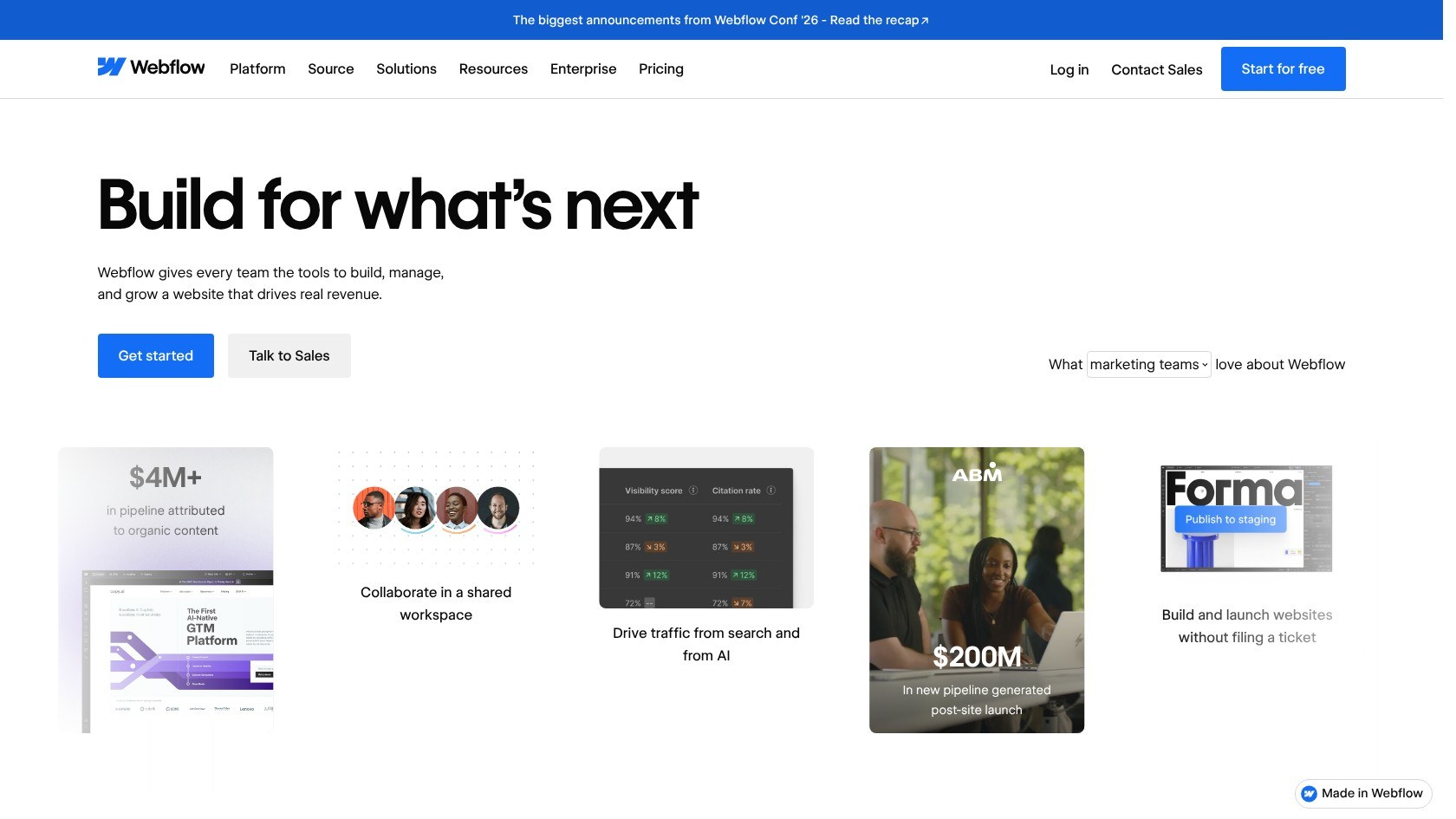
Webflow gives you fewer restrictions when it comes to designing, which can be both a positive and negative thing. You could spend forever fiddling with layouts, components, or custom code, and there are even AI tools that can help you out when you’re working. You’ll be able to create a more specific, customized site, in line with the controls that matter to you, you’ll just spend more time working on it.
Wix Website Design
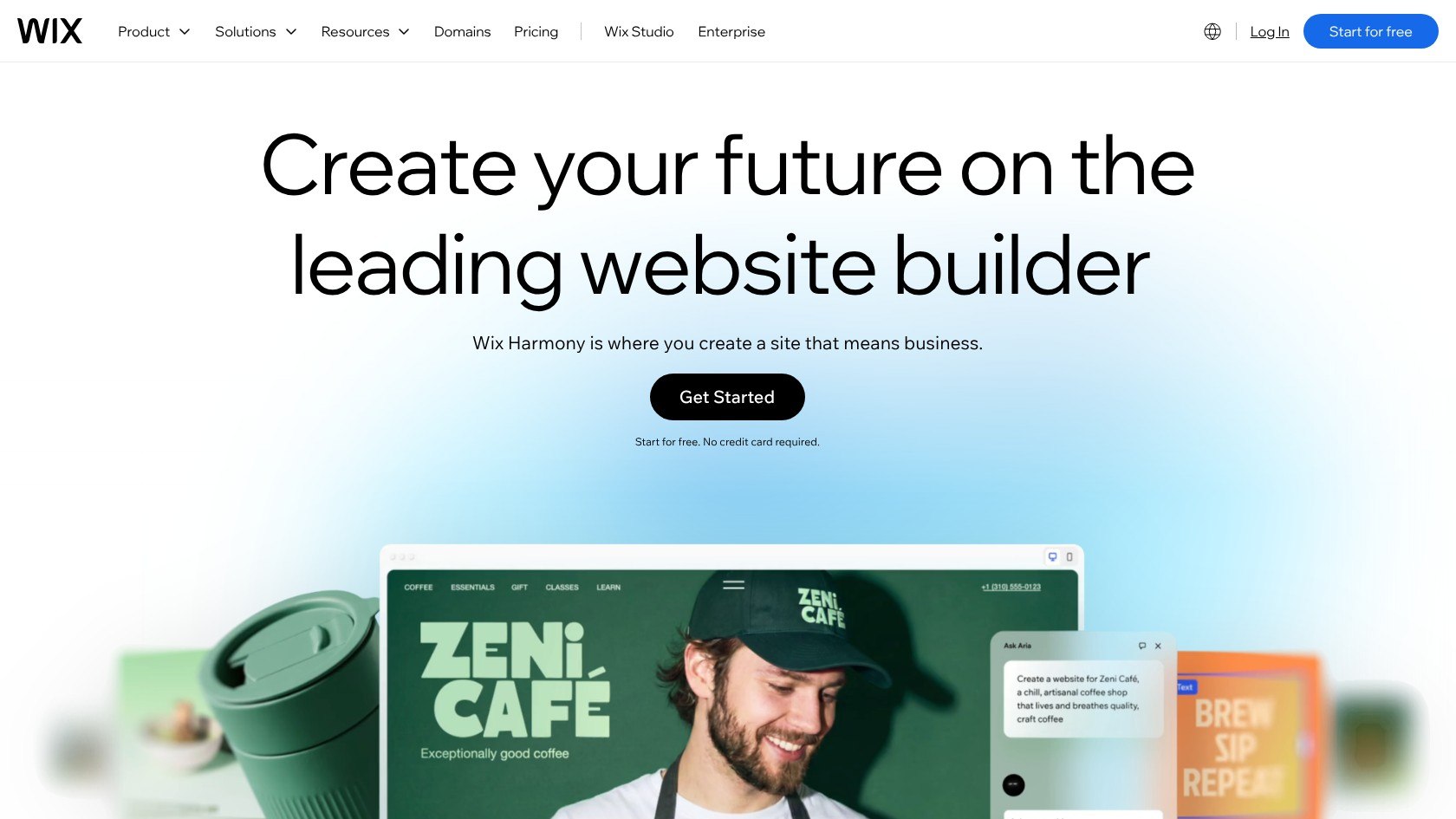
Wix is particularly brilliant right now with the new Harmony editor, which includes the Aria assistant to help create entire pages, sales campaigns, or custom components. You also get tons of templates to choose from, and plenty of drag-and-drop flexibility when you want to make changes. There’s even the Wix Studio for more advanced edits.
Squarespace Website Design
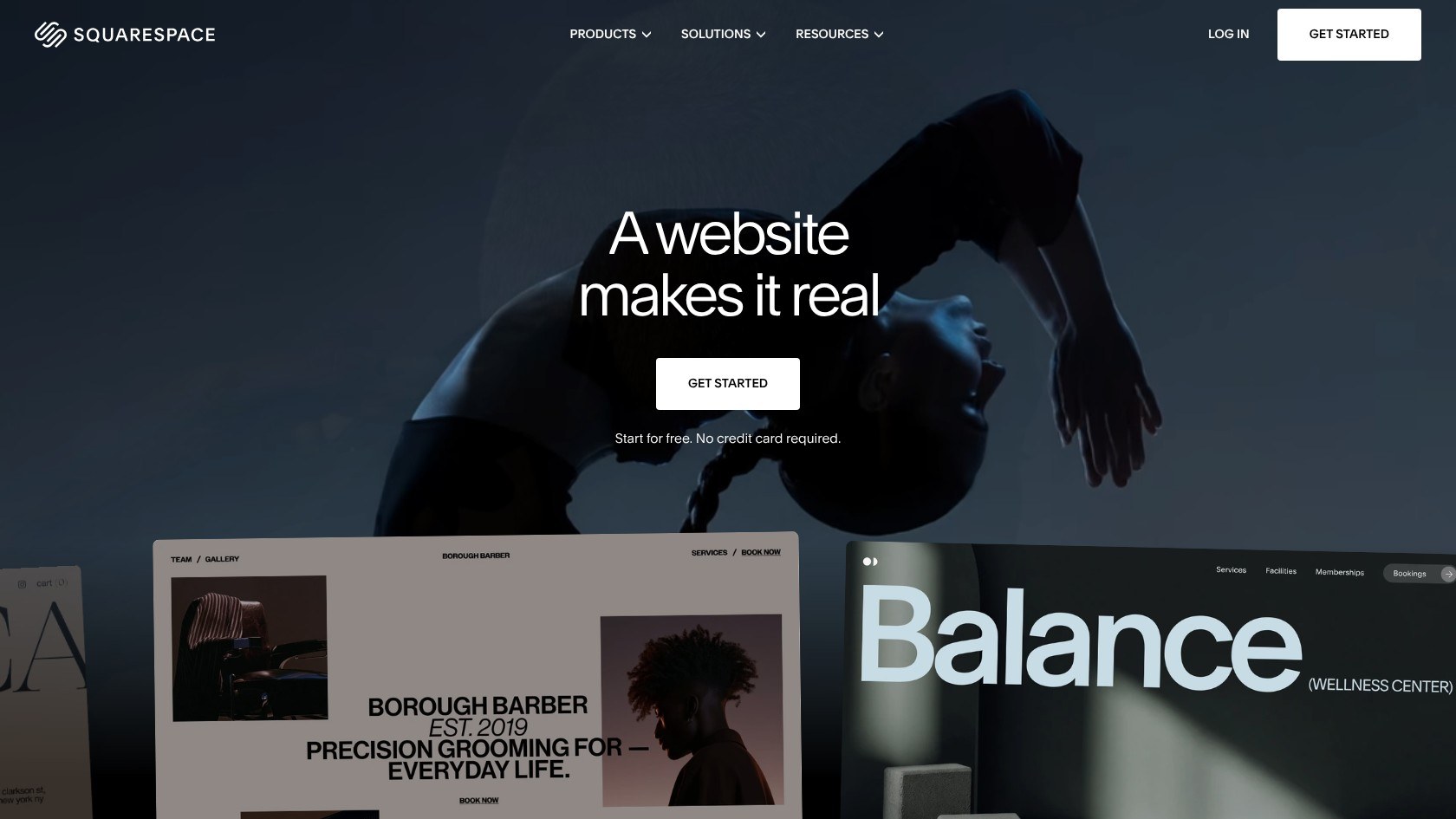
Finally, Squarespace is the obvious choice if you want a beautiful template with minimal effort. All of the templates here are curated by artists, and you get a brilliant amount of control from the drag-and-drop system with its fluid engine to keep layouts looking fantastic. There’s slightly less layout freedom than you’d get from Wix, but you’ll struggle to find anyone complaining about a Squarespace design.
Design.com vs Webflow vs Wix vs Squarespace AI Features
AI is pretty consistently distributed through all of these tools, though again, it’s there to help you with different things. All four have AI tools to help with web design. Design.com probably gives you most instant solution though. It can immediately turn your prompts or website name into a huge selection of assets, from websites to flyers or posters. It also includes extra tools for background removal, and you can ask the built-in AI chat to make changes to anything it produces.
Once you settle on a couple of designs, the same AI tools can use them to maintain the same colors, fonts or critical elements that define your brand whenever you produce something new.
Webflow has the more complex AI setup, promising a system that “builds with you” rather than for you, which sets it apart from the other three platforms. The solution has an MCP connection so agents can edit elements and components alongside you. The tools also let you edit absolutely everything you produce, or even add custom code.
Wix is great if you’re looking for AI to help with conversational editing. The Aria assistant can generate the full site for you, then produce individual sections, change colors, rewrite copy, or create custom elements, like a live weather widget or an animated button.
Finally, Squarespace keeps the AI more supervised, using guided conversational flows to help you produce the perfect site. The Blueprint AI builder asks for your brand personality, homepage structure, color palette, font pairings, and required pages, then generates everything around those choices. You can even pass a brief from the Squarespace ChatGPT experience into Blueprint.
Overall, Design.com is the best AI-based tool for building an entire brand, the other three are more useful when you’re starting to operate your website.
Design.com vs Webflow vs Wix vs Squarespace Ecommerce Features
It’s much harder to treat these four platforms as head-to-head competitors from an ecommerce perspective. Wix is easily the best overall, with stores that can hold over 50,000 products with six options and up to 1,000 variants per product.
You also get a bunch of standard features built-in for abandoned cart recovery, selling digital goods or subscriptions, dropshipping, or multichannel inventory management. You can also create automatic tax allowances that change based on plans. There’s also a lot more flexibility these days for conditional logic and customizable checkout flows.
Webflow gives you more control straight off the bat, although there’s a little less room to scale on the initial plans. Your Standard plan will let you sell up to 500 ecommerce items (with a 2% transaction fee), while the Plus plan gives you 5,000 items. Notably, every SKU and variant counts towards your limit. On the plus side, there’s API access for absolute customization, logic-based pricing, gating, memberships, dynamic products, collections, and custom cart behavior.
Squarespace has gotten a lot better for selling physical products over the last few years, with bundles, variants, and basic inventory controls. It’s still better overall for service-based businesses with its booking and appointment tools, though. Recently, the company has also added cart reservations, countdowns, and express checkout to supplement existing features like abandoned cart recovery.
Unfortunately, Design.com is the least impressive in this area because it’s more of a brand-building tool than an ecommerce platform. Still, you do get customizable store templates, shopping cart and checkout support, payment gateways, as well as basic inventory management. Still, it’s not an all-in-one CMS.
Design.com vs Webflow vs Wix vs Squarespace Marketing Features
The comparison gets a lot closer again in this section, although, again, each platform helps with marketing in different ways. All four can support content marketing, with basic SEO controls and blog publishing capabilities.
Design.com is best if your marketing is heavily visual. Once you’ve settled on a logo, you can carry the same identity into your social posts, banners, email signatures, or any other campaign material you can imagine without starting from scratch. You can also build pages that have contact forms for capturing email addresses, and design physical assets like flyers or business cards.
Wix focuses on a very different workload. The AI marketing agent Kleo can help with keyword research, page SEO, blog, and FAQ work, as well as social posts, email campaigns, and Google Ads planning. There are even various special agents like Omni that can help you build a multi-step omnichannel marketing campaign. Plus you get native email marketing tools and automated customer workflows built-in.
Squarespace has strong SEO features, and great tools if you’re interested in storytelling and blogging. There’s also the integrated Email Campaigns tool, which can now automatically tag contacts from purchases, clicks, and submissions, filter triggers by form responses, and split automated workflows into paths based on what customers have done before. You can also use the AI visibility tool to see if your site is getting attention from tools like ChatGPT.
Webflow is probably the most basic overall. Although there are tools that can audit SEO, AEO, accessibility, broken links and performance for you, most of the marketing work is left down to you. You’ll likely need to use a lot of third-party integrations to develop a full strategy, although you do get complete control over your SEO strategy.
Design.com vs Webflow vs Wix vs Squarespace Scale and Integrations
Which platform wins from a scale point of view depends on what you actually mean by “scale”. Design.com scales best in a branding sense, with a design library featuring more than 1 million assets, and countless tools that help you to keep producing new material without losing track of the identity you’ve already built. Unfortunately, the integrations are limited compared to the other three tools, and there’s no API support as of yet.
Webflow gives you more than 20,000 CMS items and 40 collections on the Premium plan, plus access to a huge range of tools regardless of whether you’re looking for calendars, authentication tools, email marketing services, event management capabilities, or social media solutions. The downside is that the connectors tend to take a lot more work to set up and manage. Most integrations rely on something like Zapier or Make.
Wix has the best app market overall, with more than 800 built-in and third-party apps, over 100 payment gateways to choose from, direct integrations with over 150 APIs, and its own REST API framework. It’s also scalable from another angle too, with headless tools for custom development, and support for selling both physical and digital products at the same time.
Squarespace also supports digital and physical product sales, but it tends to prioritize built-in features over third-party apps. You already have tools for scheduling, email campaigns, analytics, shipping, and inventory management, so you can get away with the slightly smaller app marketplace here.
Design.com vs Webflow vs Wix vs Squarespace Ease of Use and Customer Support
I’d give Design.com the edge in terms of ease of use, even though Wix and Squarespace are both very straightforward too. You really don’t need any prior knowledge to start making assets. Just send a prompt or your business name to the AI, and it’ll do most of the work for you.
When you do start making changes, you can easily swap colors, icons, spacing, and fonts without anything going drastically wrong. Also, since Design.com keeps all your brand assets in one place, you’re less likely to make mistakes when you’re spreading your aesthetic into new assets. You also get 24/7 support through live chat and email.
Wix Harmony is close to the top from a simplicity perspective, especially since Aria can help you get an incredible website set up so quickly. You’ll still need to make your own design tweaks and the normal editor is perfect for beginners, with drag-and-drop flexibility. Support is decent here too, with plenty of self-help resources and 24/7 callbacks available from the team.
Squarespace is almost neck and neck with Wix for ease of use, especially since all of the design tools are meant to guide you through the process of building a perfect site, although you can’t freely drag elements around a page which can be problematic for some users. There’s also email support and live chat available, but nothing for people who prefer to get in touch over the phone.
Finally, Webflow takes the longest to learn by far, and really expects you to have some developer and design knowledge before you jump in. On the plus side, the Webflow University is brilliant, and the in-Designer AI assistant can help you find contextual answers to questions while you’re working. Unfortunately, there’s not much on offer in terms of customer support, as most of it runs through the support portal and email.
Final Verdict: Who Should Choose Each Platform
It’s difficult to declare a final winner with a comparison like this, because as I mentioned before, I’d recommend all four, just to different people.
Webflow is the more complicated product overall, but it’s definitely worth considering if you need absolute control and you already have design or development knowledge. If everything about your site needs to be tweaked down to the last pixel, Webflow gives you the most freedom.
Squarespace is the better tool for those who want a beautiful design straight away, as well as people who might be selling digital goods, content, services, or subscription products alongside a handful of other physical items.
Wix is the ideal all-in-one ecommerce platform for smaller businesses who need a quick and easy setup, exceptional room for scale, plenty of ready-made apps and templates, and a genuinely useful AI assistant to help them every step of the way.
Then, Design.com is my favorite for absolute beginners who know they need to get a cohesive brand together before they think about growing their store. It might not have the most advanced ecommerce tools, but it makes sure you can create an image and identity that really stands out online, without forcing you to start over every time you need a new asset or campaign.
FAQs
Is Design.com a website builder?
It’s really more of a branding platform than a comprehensive website builder, although you can definitely design a site or online store with it. The overall idea is more about giving you a foundation for your brand, so your image and identity are consistent when you start selling products online, and promoting your business.
Is Design.com better than Wix for an online store?
That depends, if you’re just building a basic online store and you’re more interested in branding first, Design.com is great. Wix is generally better when you’ve got your brand sorted and you’re ready to step into serious selling. It has a lot more built-in features for ecommerce than Design.com, and it’s more tailored to scaling companies.
Which platform is the easiest to use?
Design.com is the simplest for full brand design. Wix and Squarespace are pretty much neck-and-neck if you’re looking for a more complete website design and ecommerce solution, although Squarespace doesn’t give you as much freedom as Wix does. Webflow is the toughest overall because it expects you to have design and coding knowledge.
Which platform gives you the most control?
Webflow definitely gives you the most control over every aspect of your website. Wix is a lot more customizable these days, and even lets you adjust checkout and cart flows. Squarespace is more restrictive, and expects you to follow specific guidelines. Design.com gives you control over your branding assets, but doesn’t give you quite as much freedom with website design.
Can you use Design.com for free?
Technically, yes, you can browse the assets, use the AI generator, customize any templates you like, and even download a few assets without paying for anything. Still if you want a premium logo, a website, or things like premium templates, you’ll need a paid plan, with typical monthly logo packages starting at $25 according to Design.com’s help center. Annual billing and promotional offers may cost less.


