
 By Bogdan Rancea
If you’re building an online store, the platform you choose is a huge decision.
I’ve spent hours testing both BigCommerce and Webflow, tinkering with the features, breaking the layout (more than once), and actually setting up storefronts on both.
On paper, they serve different types of users. But there’s a lot of overlap, and if you’re not sure which one to commit to — this in-depth breakdown will help you choose the right tool for your business.
Let’s dive in. I’ll break it down section-by-section, feature-by-feature, with clear winners every time.
BigCommerce vs Webflow: Quick Verdict
| Feature | BigCommerce | Webflow |
|---|---|---|
| Ease of Use | ⭐⭐⭐⭐ (more backend-friendly) | ⭐⭐ (steep learning curve) |
| Design Freedom | ⭐⭐ | ⭐⭐⭐⭐⭐ (total control) |
| eCommerce Tools | ⭐⭐⭐⭐ | ⭐⭐ |
| SEO Features | ⭐⭐⭐ | ⭐⭐⭐⭐ |
| Best For | Scaling online stores | Designers and creatives |
| Starting Price | $29/month | $29/month (for eCom plans) |
My Winner Overall: BigCommerce — if you’re serious about eCommerce
But that’s just the surface.
Here’s how they compare side by side…
Getting Started: Setup and First Impressions
BigCommerce: Quick, Clear, and eCom-Ready
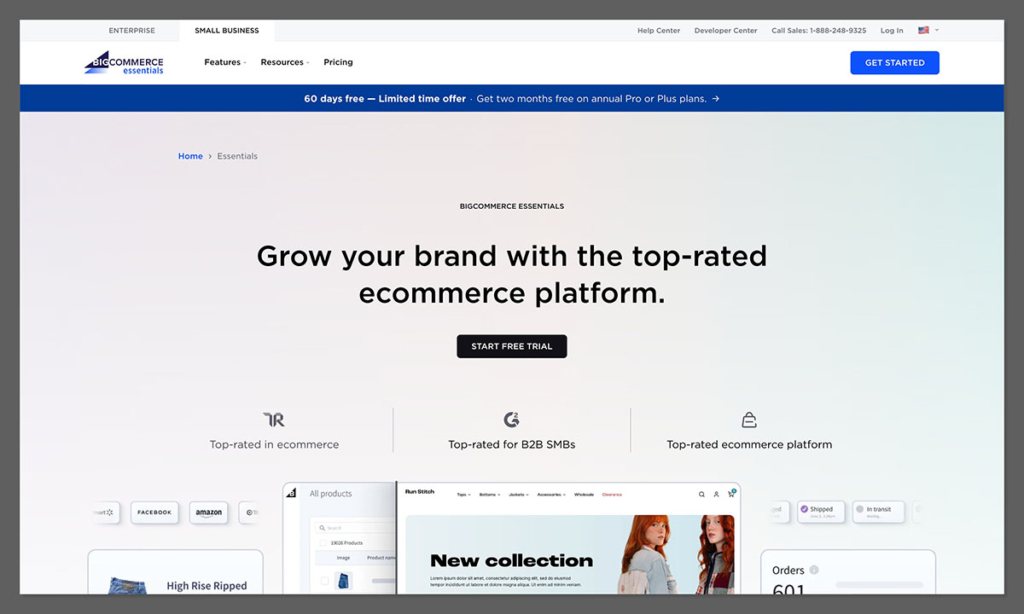
The first thing I appreciated about BigCommerce was how streamlined and intentional the onboarding process felt.
It didn’t overload me with unnecessary questions or design distractions. The goal was clear from the start: get your store ready to sell.
Here’s what happened when I signed up:
- I was prompted to enter my business name and email
- It asked for basic details like store size and product type
- Then it dropped me straight into the dashboard with a simple 4-step checklist
This checklist walked me through:
- Adding my first product
- Choosing a theme
- Connecting a domain
- Setting up payments
BigCommerce doesn’t try to be flashy here — and that’s a good thing.
You won’t be wowed by animations or slick UI. But if your priority is getting your store functional within an hour or two, this platform gets it done.
Bonus: The setup doesn’t ask for credit card details up front. And you get a full 15-day free trial, which is way more generous than most platforms.
Drawbacks? The backend leans toward a “SaaS dashboard” vibe. If you’re used to creative interfaces like Webflow or Squarespace, it might feel a bit rigid. But for managing SKUs, shipping, taxes, and order fulfillment — this layout makes a lot of sense.
Webflow: Confusing for Beginners, Rewarding for Designers
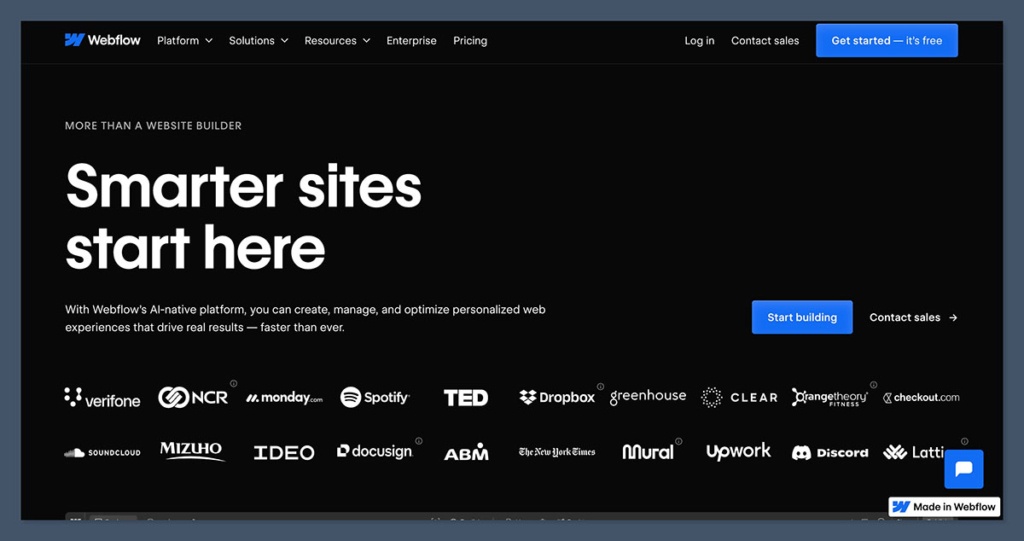
Webflow’s signup flow instantly signals that it’s not a traditional eCommerce platform.
There’s no “tell us your store size” or “let’s add your products now.” Instead, it feels like you’re entering an advanced design sandbox.
Here’s how it played out:
- I chose between starting with a blank canvas or using a pre-built template
- Then it loaded me into the Webflow Designer, which looks like a hybrid of Figma and Visual Studio Code
- There were no prompts about product listings or checkout setup — just… silence
The Webflow Designer itself is extremely powerful, but it’s also intimidating. I had to spend time learning what each panel and tool did, often jumping over to Webflow University just to figure out the basics.
For someone comfortable with HTML/CSS or front-end tools, this is a dream platform.
But if you’re a business owner who just wants to launch an online store? It’s going to feel like you’ve wandered into a developer’s tool shed with no manual.
That said, once you figure it out, the creative potential is unmatched. You can create a completely custom website that looks nothing like a typical template-driven store.
Verdict: BigCommerce wins for ease of setup
BigCommerce is ready for sellers out of the box. You’re guided, supported, and pointed in the right direction.
Webflow is built for designers — but the lack of eCommerce-focused onboarding makes it tough to recommend to first-time store owners.
Design and Customization
Webflow: Full Creative Freedom (If You Can Handle It)
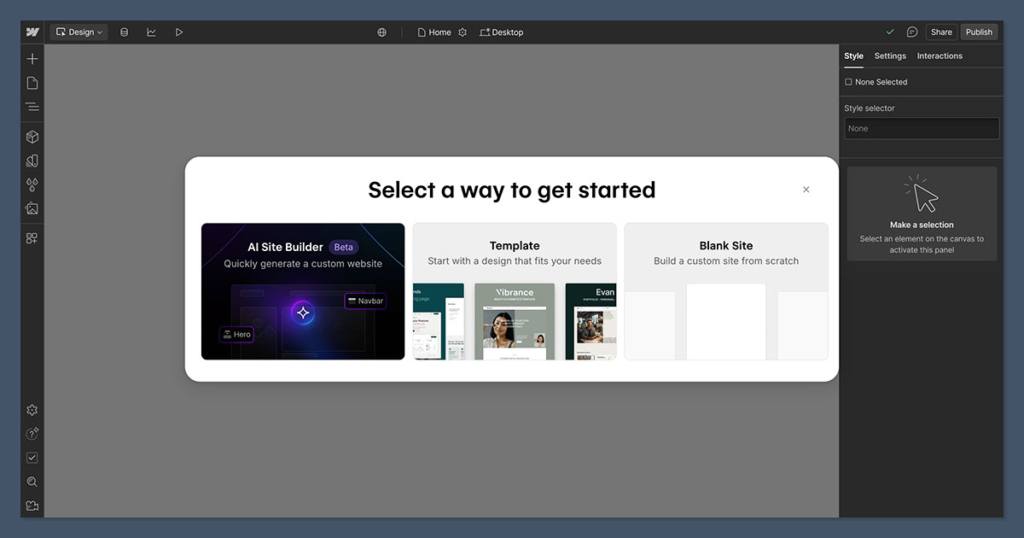
Webflow’s core strength is that it’s not just an eCommerce platform — it’s a full-fledged visual web design tool.
You’re not choosing from boxed templates. You’re designing the box.
What stood out most:
- Total control over CSS — Every font, padding, hover state, and breakpoint is editable
- Custom animations and interactions — Scroll effects, transitions, micro-interactions — all native
- Responsive design tools — Preview and edit for mobile, tablet, and desktop in real-time
- Component system — Reusable design blocks that act like custom modules
If you’ve ever been frustrated by the limits of Shopify or Wix templates, this is your escape route.
But here’s the deal: Webflow’s power is also its pain point.
- The learning curve is steep
- Small changes can cause big layout shifts if you’re not careful
- You’ll likely need to invest hours into tutorials or hire a designer
In short: If you want creative control, Webflow delivers. If you want quick results, it may not be ideal.
BigCommerce: Limited but Functional
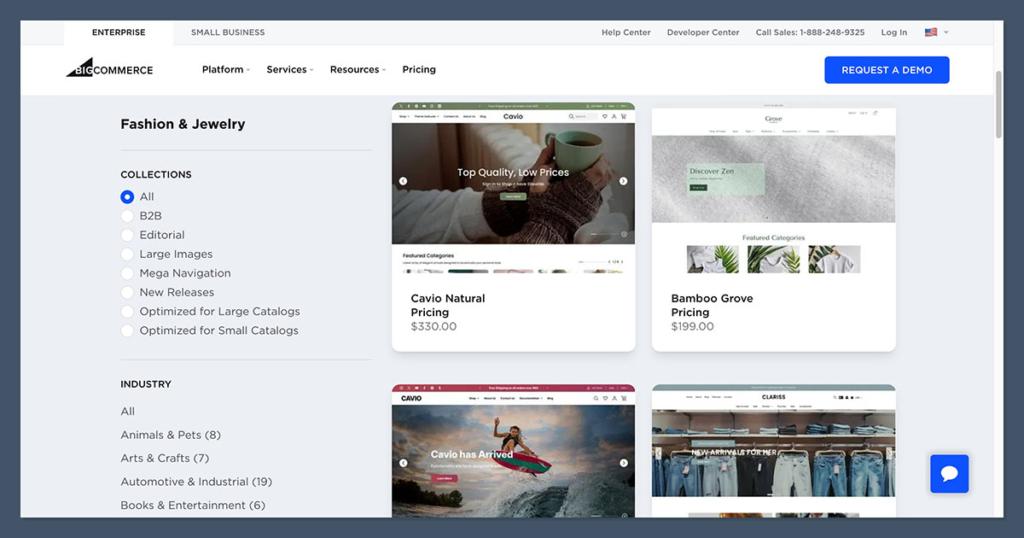
BigCommerce plays it much safer in this department. Its themes are clean, modern, and responsive — but you’re working inside a pre-defined structure.
You can:
- Choose from 150+ templates
- Edit layouts using the Page Builder (section-based editor)
- Access HTML/CSS if you want to go deeper
- Install third-party templates via ThemeForest and tweak them
The Page Builder is block-based, similar to Shopify’s editor — but less flexible than drag-and-drop builders like Wix or Elementor.
If you’re okay with small layout changes and color tweaks, you’ll be fine. But if you’re picky about pixel spacing, font pairings, or micro-interactions? You’ll quickly feel boxed in.
Verdict: Webflow dominates in design, no contest
Webflow gives you a blank canvas with unlimited paint.
BigCommerce hands you a framed poster and says “you can change the frame color.”
Unless you’re strictly focused on selling and don’t care about branding aesthetics, Webflow is the better option here.
eCommerce Features
BigCommerce: Built for Serious Selling
This is where BigCommerce starts flexing its muscles.
Right out of the gate, it gives you advanced selling tools that don’t require third-party plugins.
Here’s what’s native:
- Unlimited products, categories, and variants
- Inventory management with SKUs and tracking
- Multi-currency support (set prices by region)
- Multiple storefronts from a single dashboard
- Real-time shipping quotes
- B2B features like customer groups, price lists, and quote requests
- Abandoned cart recovery
Everything is centralized and scalable — perfect for stores with 50+ products or plans to grow internationally.
BigCommerce also shines with its 0% transaction fees and deep third-party integrations (Amazon, Walmart, Google Shopping, etc.)
You don’t need apps for every basic feature like on Shopify. It’s all baked in.
Webflow: Limited, but Clean
Webflow added eCommerce in 2018 — and it’s come a long way since.
But compared to BigCommerce, it still feels like a side feature.
What it does well:
- Sell physical or digital products
- Customize product pages and checkout layouts
- Connect to Stripe or PayPal for payments
- Add sales tax rules and basic shipping rates
- Track inventory and customer orders
But here’s what’s missing or limited:
- No native support for subscriptions or recurring billing
- No multichannel sales (like Amazon or eBay)
- No built-in B2B functionality
- Limited discount and coupon logic
You’ll need tools like Zapier or Memberstack to patch gaps — which adds both cost and complexity.
Verdict: BigCommerce is the eCommerce powerhouse
If you plan to grow, offer bulk pricing, or sell across multiple platforms, BigCommerce wins without breaking a sweat.
Webflow is elegant for small-scale shops, but not enterprise-ready.
Pricing Comparison
When comparing pricing, it’s not just about the monthly fee — it’s about what you get for that fee.
Here’s a side-by-side breakdown:
| Plan | BigCommerce | Webflow |
|---|---|---|
| Starter | $29/month (Standard) | $29/month (Standard) |
| Mid-Tier | $79/month (Plus) | $74/month (Plus) |
| Pro/Advanced | $299/month (Pro) | $212/month (Advanced) |
| Transaction Fees | 0% on all plans | 0% (Stripe/PayPal only) |
| Free Trial | 15 days | No free trial for eCom plans |
BigCommerce: More Features for the Money
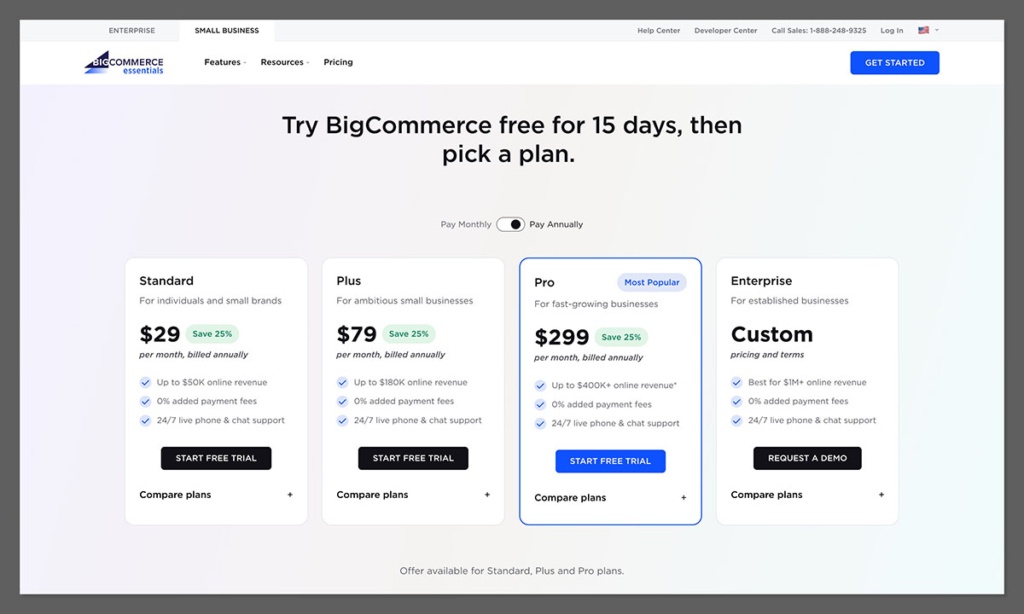
I found that BigCommerce gives you a more complete store setup at every pricing tier.
You don’t need to install apps just to get core features like:
- Inventory management
- Shipping integrations
- Coupon codes
- Multi-storefront
- Customer groups
Everything feels enterprise-grade — even on the entry-level plan.
Also, no transaction fees means BigCommerce doesn’t take a cut of your sales — that’s a huge plus if you’re doing $5k+ per month.
And every plan includes unlimited staff accounts, which is a rare but important perk for growing teams.
Webflow: More Flexible… but Adds Up Fast
Webflow’s pricing starts low, but it quickly becomes a layered stack of costs.
There’s the:
- Site plan
- eCommerce plan
- CMS plan (if you want blog functionality)
These can overlap or stack depending on how you structure your store.
Also, a lot of basic store features — like abandoned cart recovery, product reviews, or email marketing — require external tools that cost extra.
That said, I did like how Webflow’s pricing lets you scale as you go. You can start with a basic portfolio or landing page and upgrade later when eCommerce is needed.
But as soon as you need advanced store features? The total cost rises above BigCommerce.
Verdict: BigCommerce offers more value for eCommerce businesses
Webflow is fine for small creative projects or hybrid portfolio/shops.
But if selling is your primary goal, BigCommerce gives you more for your dollar with fewer compromises or hidden add-ons.
SEO and Marketing Tools
Webflow: A Dream for SEO Geeks and Designers
This is where Webflow really impressed me — especially as someone who obsesses over rankings and metadata.
Webflow gives you full control over SEO elements:
- Custom title tags and meta descriptions
- Manual control of slugs and canonical tags
- Built-in Open Graph settings for social previews
- Integrated sitemap generation
- Alt-text fields for every image
Because Webflow’s code is so clean (and fast-loading), Google tends to index pages quickly.
Plus, since you can visually control how each element appears on different devices, it’s easy to ensure your store is fully mobile-optimized.
One thing I really appreciated: Webflow doesn’t force plugin usage for SEO like WordPress or Shopify. It’s built-in and designer-friendly.
BigCommerce: SEO That Works, But Isn’t Flexible
BigCommerce has solid SEO tools — but they’re more behind-the-scenes than Webflow’s.
What’s included:
- Auto-generated and editable meta titles/descriptions
- Control over URLs (you can customize slugs)
- Built-in schema markup for product listings
- AMP support for mobile pages
- SSL security and fast CDN hosting
You won’t be able to get ultra-granular like in Webflow, but it’s more than enough to rank a product collection page or blog post.
Where BigCommerce shines is its marketing integrations. You can sync your store to:
- Google Shopping
- Facebook Ads
- Email platforms like Klaviyo and Mailchimp
- Review platforms like Yotpo
So even if SEO is average, you’re getting multichannel reach and easy promo management.
Verdict: Webflow wins for technical SEO control
If you want pixel-perfect control over every meta tag, Webflow is unmatched.
If you’re focused more on sales marketing and multichannel selling, BigCommerce is your better tool.
Apps and Integrations
Here’s how the two stack up:
| Feature | BigCommerce | Webflow |
|---|---|---|
| App Marketplace | ~1,200 apps | ~500 integrations via APIs |
| Payment Gateways | 65+ (including Square, Apple Pay, etc.) | Stripe, PayPal only |
| Email Marketing | Built-in + integrations | External (Mailchimp, Zapier) |
| Multichannel Selling | Amazon, eBay, Meta, Google Shopping | Not available |
| Shipping Integrations | Real-time shipping, ShipStation | External (Zapier required) |
BigCommerce: Deep Integrations for Real-World Selling
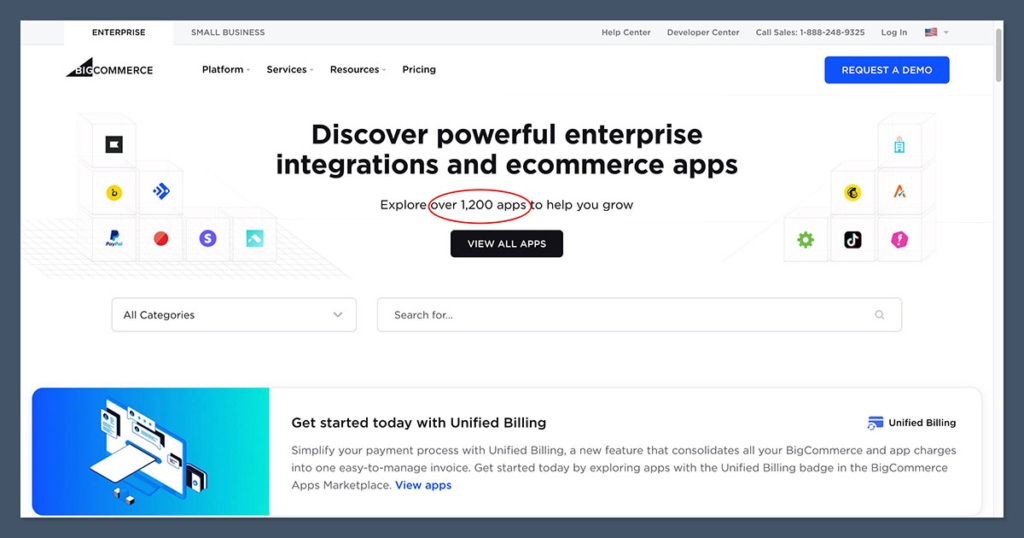
BigCommerce is built for integrations.
I was able to:
- Link my store to Amazon in 3 clicks
- Add ShipStation for order fulfillment
- Enable Klaviyo for customer segmentation
- Even sync to Google Shopping to push my products to search results
It’s plug-and-play. You don’t need to write custom code or hack APIs.
Most important: the integrations are native, which makes them faster and more stable than third-party hacks.
Webflow: API-Based, Creative-Focused
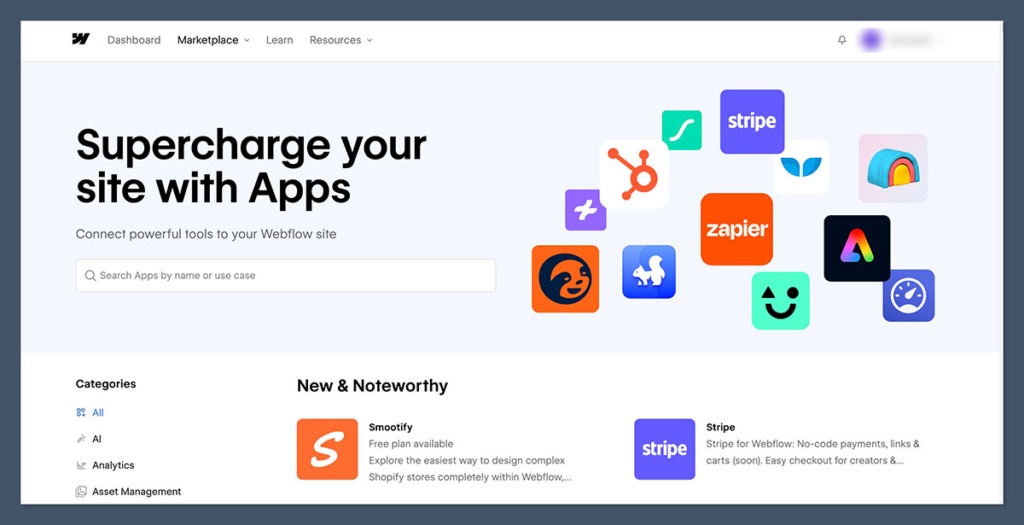
Webflow doesn’t have an “app store” the way BigCommerce does.
Instead, it relies heavily on:
- Third-party integrations via Zapier
- Custom code embeds
- External tools like Memberstack, Finsweet, or Outseta
You can technically do almost anything in Webflow — but most of it requires:
- External tools
- Monthly subscriptions
- Developer support
Want email marketing? You’ll need Mailchimp or ConvertKit.
Want subscriptions? You’ll need Memberstack or Outseta.
Want advanced search? You’re adding Jetboost.
Verdict: BigCommerce wins for serious integrations
Webflow is flexible for custom solutions, but BigCommerce delivers built-in tools made for eCommerce — without the patchwork.
Customer Support Experience
BigCommerce: Responsive and Helpful

Support is one of the most overlooked aspects of choosing a platform.
BigCommerce made me feel like a real customer, not just a trial user.
Here’s what I got:
- 24/7 live chat, phone, and email support
- A personalized setup call within 24 hours of signup
- Access to their Help Center, community forum, and webinars
- A clear support tab in the dashboard for fast access
When I tested the support, I had a payment gateway question and got connected to an agent in under 2 minutes — no bot gatekeeping.
Webflow: Great Docs, Limited Human Support
Webflow takes more of a self-service approach.
You’ll get:
- Access to Webflow University, which is phenomenal for design training

- Email support (but response times vary from a few hours to over a day)
- No phone or live chat on standard plans
- Community forum for peer-to-peer help
I respect the quality of Webflow’s documentation — it’s the best I’ve seen. But if you’re facing an urgent checkout issue on a live store? Email tickets won’t cut it.
Verdict: BigCommerce wins on support
For eCommerce, responsive support can make or break your launch. BigCommerce offers live help 24/7 — Webflow doesn’t.
BigCommerce vs Webflow: Our Winner
For businesses looking to scale their online store, BigCommerce is the better eCommerce platform overall.
It’s packed with powerful sales tools, multichannel integrations, and zero transaction fees — all built to support growing product catalogs and serious online selling.
Webflow, on the other hand, offers unmatched design flexibility.
It’s ideal for creatives who want full control over the look and feel of their store — and don’t mind a steeper learning curve or relying on third-party tools for deeper eCommerce functionality.
Both platforms start at similar price points, but BigCommerce delivers more native features out of the box, which means fewer integrations and hidden costs in the long run.
And with its 15-day free trial, BigCommerce makes it easy to test the waters before committing.
While BigCommerce is our top recommendation for most eCommerce businesses, especially those focused on growth, I highly suggest trying both platforms yourself.
Your business goals — whether that’s creative branding or backend power — will ultimately determine the best fit.


