
 By Bogdan Rancea
Framer and WordPress are two of the most popular tools in the ecommerce web design space — but which one is better for building and running your online store?
After extensive testing and real-world implementation, I’ve compared both platforms side by side to help you decide which is right for your business.
Whether you’re building a sleek landing page for a product launch or need a fully featured ecommerce platform with product filters, payment options, and checkout flows, this guide will help you make the best choice.
Framer vs WordPress: Quick Verdict
Framer – Best for fast, design-focused ecommerce landing pages
WordPress – Best for full-featured ecommerce stores with complex needs
In this review, I’ll break down the real differences between Framer and WordPress across areas like pricing, ecommerce capabilities, design freedom, SEO, and ease of use — all backed by real testing and expert insights.
Quick Comparison: Framer vs WordPress
Here’s how Framer and WordPress stack up at a glance:
| Feature | Framer | WordPress (with WooCommerce) |
|---|---|---|
| Best For | Designers, startups, simple stores | Full-scale ecommerce, complex needs |
| Ecommerce Functionality | Via 3rd-party integrations | Built-in via WooCommerce |
| Design Flexibility | High (visual editor) | Medium (depends on theme/builder) |
| SEO | Strong out of the box | Customizable with plugins |
| Site Speed | Very fast | Can be slow if unoptimized |
| Hosting | Included | Self-hosted or managed |
| Maintenance | Minimal | Ongoing updates required |
| Price Range | From $20/month | Hosting + plugins = $30–$150+/month |
Best for Design Control: Framer
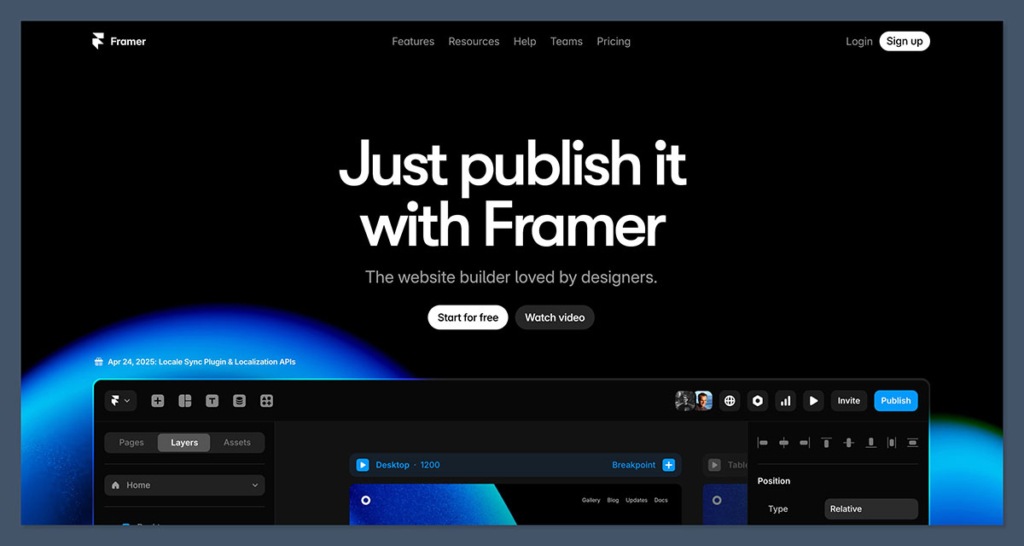
If your ecommerce site needs to stand out visually — and you don’t want to be boxed into rigid templates — Framer is the better choice.
Framer gives you full visual control from the moment you start building.
It’s almost like designing in Figma — you drag, drop, tweak, animate, and see your changes in real time.
Everything is responsive, and you can create completely custom layouts without code.
Why Framer Wins on Design
- Visual canvas builder — no templates unless you want them
- Responsive controls baked into the interface
- Clean, modern animations without extra code
- Looks great on mobile right out of the box
On the other hand, WordPress relies on templates.
While you can get decent visual flexibility with page builders like Elementor, Bricks, or Divi, they often require extra plugins, slow down your site, and still come with limitations.
If you’re a designer or brand-first business, Framer offers a better, faster way to launch beautiful ecommerce sites.
Best for Ecommerce Features: WordPress
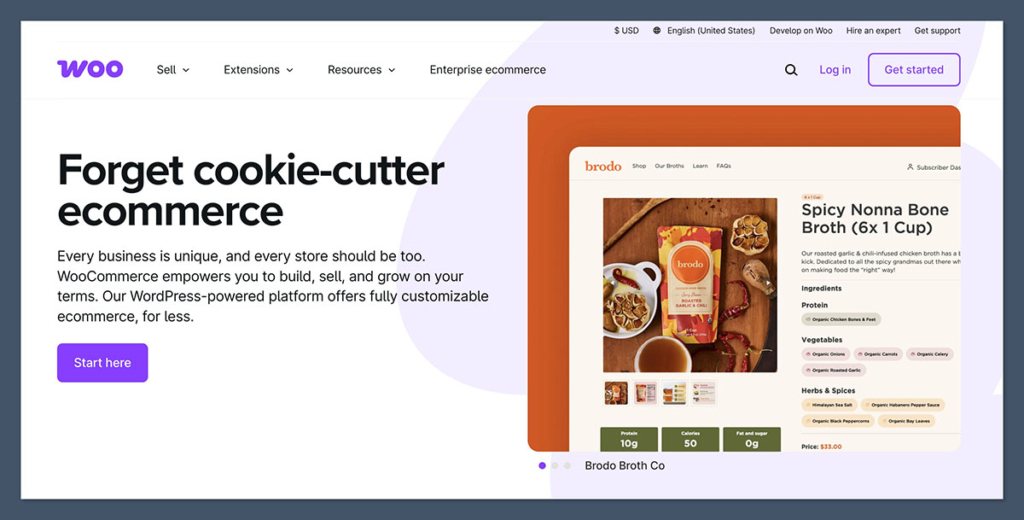
WordPress wasn’t built for ecommerce — but WooCommerce was. Together, they form one of the most powerful ecommerce systems available today.
If you’re running a serious ecommerce store with product variations, customer accounts, inventory management, and shipping logic, WordPress is far more robust.
WooCommerce Offers:
- Full product catalog management
- Variants, SKUs, and categories
- Custom checkout flows
- Payment gateway support (Stripe, PayPal, Apple Pay, etc.)
- Tax and shipping logic
- Third-party plugin support for upsells, subscriptions, and more
What Framer Can Do:
Framer doesn’t have a native ecommerce engine. Instead, you’ll need to integrate a tool like:
- Shopify Buy Button
- Snipcart
- Lemon Squeezy
- Paddle
This works fine for basic carts, but doesn’t scale well for complex product catalogs.
You also lose native features like product search, filters, customer accounts, and analytics unless you piece them together manually.
Best for Site Speed: Framer
Page speed isn’t just about user experience — it directly affects your sales.
According to Portent, each additional second of load time cuts conversion rates by 4.42%.
Framer uses static site generation by default, which means every page is pre-rendered and delivered via CDN.
This makes Framer sites extremely fast and reliable, even without optimization.
Framer Speed Advantages:
- Built-in global CDN
- Lightweight code
- No database or server lag
- Fewer dependencies = less bloat
WordPress Speed Challenges:
- Dynamic site generation on every page load
- Plugin and theme bloat slows things down
- Caching, image optimization, and CDN setup needed
- Performance depends heavily on hosting quality
While you can make WordPress fast with enough tools and tuning, Framer is fast by default — which saves time and reduces tech complexity.
Best for SEO: WordPress (but it depends)
Both platforms offer solid SEO capabilities, but they handle it differently.
Framer has great built-in SEO tools:
- Page titles and meta descriptions
- Open Graph support
- Image alt text
- Automatic sitemap generation
It’s fast, clean, and outputs semantic HTML — which Google likes. But WordPress, with plugins like Rank Math or Yoast SEO, gives you more control over:
- Schema markup
- Breadcrumbs
- Redirections
- Robots.txt and XML sitemap editing
- Canonical URLs
So if you’re a marketer or SEO agency looking to fine-tune everything down to the meta tag, WordPress is better.
But for most users who just want SEO that works out of the box, Framer is easier and faster to manage.
Best for Hosting and Maintenance: Framer
This is where Framer pulls ahead in simplicity.
Framer Is Fully Hosted
You don’t need to worry about:
- Hosting providers
- Server downtime
- SSL certificates
- Plugin updates
- Site backups
It’s all managed behind the scenes.
Framer is especially useful for solo founders and small teams that don’t have the bandwidth to manage technical tasks.
If you want to focus on marketing, content, and sales — without babysitting your website — Framer’s “hosted and done” setup is a major advantage.
WordPress Requires Ongoing Management
With WordPress, you’re in control — which also means:
- Choosing a hosting provider (e.g., SiteGround, Kinsta, WP Engine)
- Installing and updating themes/plugins
- Running backups and security scans
- Troubleshooting plugin conflicts
This is great for developers or businesses with internal tech support. But if you want to set it and forget it, Framer saves time and stress.
What many new users underestimate is the time cost of WordPress maintenance.
Even with managed hosting, plugin conflicts or broken themes can take hours to fix — especially after WordPress core updates. That maintenance time adds up over months and years.
Best for Price and Value
Let’s break down the monthly cost of each platform based on a small ecommerce business setup.
Framer Pricing
| Plan | Price |
|---|---|
| Framer Pro | $20/month |
| Snipcart (starter) | $10/month |
| Total | ~$30/month |
WordPress + WooCommerce Pricing
| Item | Price |
|---|---|
| Hosting (e.g. Kinsta) | $35/month |
| Domain | ~$12/year |
| Theme | $50–$100 (one-time) |
| Plugins | $20–$60/month |
| Total | $55–$95/month |
Framer is clearly more affordable for small teams.
WordPress becomes cost-effective only at scale — and when you need the added flexibility.
Another thing to consider is the hidden cost of developer support with WordPress.
If you need help fixing bugs, customizing your theme, or optimizing performance, you might end up spending $50–$150 per hour on freelance help.
With Framer, you’re unlikely to need that kind of technical assistance.
Best for Ease of Use: Framer
If you’re not a developer, Framer is significantly easier to use.
- Clean, visual UI
- No backend setup
- No code or command-line needed
- Intuitive publishing and SEO
In contrast, WordPress has a steeper learning curve. You’ll need to get familiar with:
- Hosting environments
- Theme and plugin conflicts
- Manual updates and debugging
And while tools like Elementor help, they also add complexity and bloat.
If your goal is speed and simplicity, Framer is the clear winner.
I’ve seen many beginners get overwhelmed when trying to figure out WordPress settings, database errors, or plugin compatibility issues.
Framer eliminates all of that — it’s as close to plug-and-play as it gets for a site that still feels professionally designed.
Best Templates and Themes: WordPress
WordPress offers a massive library of both free and premium templates — thousands, in fact. You can choose from general-purpose themes or industry-specific designs (e.g., for fashion, tech, supplements, etc.).
Framer has a growing template library, but it’s still limited. However, because it’s fully visual, you don’t really need templates unless you want a head start.
If you prefer drag-and-drop flexibility over themes, Framer is fine.
But if you want plug-and-play ecommerce templates with built-in features, WordPress has more ready-to-go options.
The WordPress theme ecosystem is also supported by third-party marketplaces like ThemeForest and TemplateMonster, giving you even more variety and depth.
You can find everything from minimalist templates to highly complex layouts for product-heavy stores — often for a one-time fee under $100.
The Final Verdict
| Category | Winner |
|---|---|
| Design Flexibility | Framer |
| Ecommerce Features | WordPress |
| Site Speed | Framer |
| SEO Tools | WordPress |
| Hosting & Maintenance | Framer |
| Pricing & Value | Framer |
| Ease of Use | Framer |
| Templates | WordPress |
My Recommendation:
Choose Framer if you want a visually stunning site, fast performance, minimal upkeep, and you’re selling a few products through a lightweight checkout (like Snipcart or Shopify Buy Button).
Choose WordPress if you’re running a larger ecommerce operation with complex needs, many SKUs, advanced SEO requirements, or need deep customization.
Before committing to either, I’d recommend trying both platforms with a free trial or demo project.
That’s the best way to see what feels right for your workflow and business goals.


