
 By Bogdan Rancea
If you’ve been digging through the Shopify Theme Store, you’ve probably come across Palo Alto, one of the most visually-driven and conversion-focused themes on the market.
At $420, it’s one of the more expensive options out there, so naturally, the big question is: Is it worth it?
I’ve spent hours analyzing how this theme performs, what it offers, and how real merchants are using it.
Whether you’re running an apparel brand, launching a high-ticket fitness store, or building out a lifestyle storefront with lots of visuals, here’s my full breakdown of what Palo Alto does right, where it stumbles, and who should actually use it.
Quick Verdict on the Palo Alto Theme
To get straight to the point: Palo Alto is a premium Shopify theme built for brands that sell through strong visuals, storytelling, and promo-driven strategies.
It shines when your store needs:
- Big, bold imagery
- Detailed product pages with lots of variant information
- Conversion tools baked into the theme
- Merchandising layouts that go beyond the basics
- International selling features built-in
But like most high-powered themes, it can feel heavy if you overuse features or load it up with too many apps. Page speed can take a hit, and performance tuning becomes important.
So here’s the tradeoff. You get an incredibly polished, conversion-minded theme that can support high-volume stores.
But it works best when you keep your storefront clean and focused.
Pros and Cons
Pros:
- Modern, editorial-style layout that helps with brand storytelling
- Includes most sales features you’d normally need an app for
- Highly visual and perfect for variant-rich catalogs
- Flexible for custom layouts and page building
- Built-in international language support
Cons:
- High initial cost at $420
- Speed can be an issue if you overload it
- Not ideal for lean, bootstrapped MVPs
- Over-customization can quickly slow things down
Palo Alto Theme Pricing, Licensing, and Presets
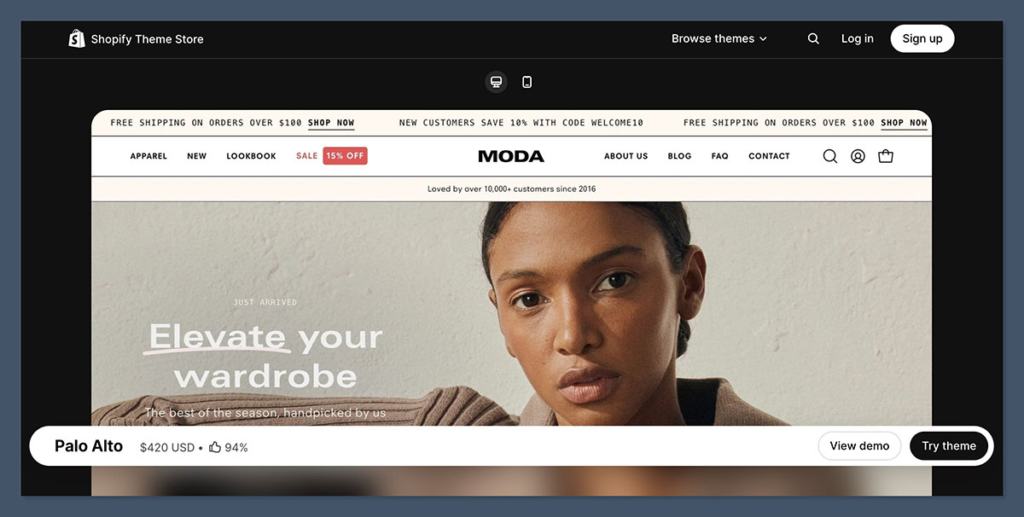
Let’s start with the basics: how much it costs, what you get with it, and how it works from a licensing point of view.
Palo Alto Pricing & Features Table
| Feature | Details |
|---|---|
| Price | $420 (one-time fee) |
| License | One store, lifetime updates |
| Try before you buy | Yes (install as draft) |
| Current version | 9.1.0 (January 16, 2026) |
| Reviews | 302+ with 94% positive rating |
| Available presets | Palo Alto, Dynamo, Skylight, Phenomena, Pluma |
You’re not locked in if you’re unsure. You can test the theme in your store as a draft and only pay when you publish it live. This allows you to explore its features without rushing into a purchase.
Each of the five presets has a slightly different layout and style, but they all share the same core functionality.
You can easily switch between them or customize your own layout using Shopify’s theme editor.
Built-In Conversion Features That Actually Help You Sell
What really sets Palo Alto apart is the toolkit it gives you right out of the box.
Unlike basic Shopify themes that focus on looks alone, Palo Alto is built for sales. It packs a suite of native features designed to drive urgency, streamline the purchase process, and increase AOV.
Here are the conversion tools included:
- Quick buy, quick view, and slide-out cart to speed up the add-to-cart flow
- Sticky cart to keep checkout accessible as users scroll
- Cross-selling, recommended products, and recently viewed to keep visitors engaged
- Stock counter to create urgency
- Promo popups, promo banners, and countdown timers for flash sales
- In-menu promos that let you advertise inside your navigation
- Custom contact form for lead capture or customer support
These are typically the types of features merchants add using third-party apps. But with Palo Alto, they’re native. That reduces your monthly app spend and keeps your site lighter overall.
Feature Comparison: Palo Alto vs. Basic Shopify Theme
| Feature | Palo Alto | Basic Shopify Theme |
|---|---|---|
| Quick buy + quick view | Yes | No |
| Sticky cart | Yes | No |
| Cross-sell + recommendations | Yes | Limited |
| Promo popups + countdowns | Yes | No |
| Back in stock alerts | Yes | No |
If your products depend on scarcity, urgency, or product discovery to convert, this set of features is a major win. Especially for categories like fashion, beauty, supplements, or accessories.
Strong Visual Merchandising for Variant-Heavy Products

If you’re working with lots of variants — think color, size, style — or products that rely on lifestyle visuals, Palo Alto excels. The theme is designed to make products feel more tangible, which helps build trust and reduce friction.
Visual and Merchandising Features Include:
- Color swatches and swatch filtering for quick visual sorting
- High-res image galleries with zoom, hover effects, and lightboxes
- Product videos, both inline and pop-up
- Image hotspots to call out product features or cross-sells
- Tabs for specs, reviews, or extra content
- Slideshow support for storytelling on product or collection pages
- Size chart integrations for apparel and fitness stores
For shoppers who need a little reassurance before they buy, these features add clarity and reduce returns.
This also means you don’t need to custom code things like variant selectors or image zoom tools. They’re all built-in and designed to work with Shopify’s backend.
Navigation and Search: Designed for Bigger Catalogs
A lot of themes struggle when a catalog grows. Palo Alto handles scale really well, especially when it comes to product discovery.
Here’s what’s included:
- Mega menu support for structured navigation
- Breadcrumbs to guide users back to category levels
- Enhanced search that surfaces relevant products fast
- Product filters by tag, color, size, price, etc.
- Infinite scroll on collection pages to improve user flow
- Back to top button and sticky headers to keep navigation accessible
If you’re building a store with more than 20 or 30 SKUs, these features become crucial. They let shoppers move through the catalog quickly without getting lost.
One of the best parts is that these tools are part of the theme itself. There’s no need for search or filter apps that add scripts and slow down your store.
Customization and Sections
One of the standout benefits of Palo Alto is how flexible it is when building custom layouts using Shopify’s section-based theme editor. This makes it easier to build landing pages, seasonal campaigns, or tailored homepages without using page builder apps.
Notable Section Types:
- Shop the Look (ideal for fashion or home goods)
- Image accordion for expandable visuals
- Featured collections with multiple layout options
- Custom testimonials, icons, and benefit grids
- FAQ blocks, content sliders, and image grids
- Announcement bars, promo tiles, and video blocks
Presidio, the theme’s creator, documents over 30 customizable sections, each with several layout styles.
If you want to build rich content pages inside the Shopify editor, this is one of the best themes out there for that.
Landing Page Flexibility Table
| Feature Type | Included in Palo Alto? |
|---|---|
| Hero video/image blocks | Yes |
| Multiple featured layouts | Yes |
| Section-based layout | Yes |
| Accordion/image toggle | Yes |
| Dynamic testimonials | Yes |
This level of customization means you can build high-converting pages with zero code. It’s one of the biggest advantages of going with a premium theme like this.
International Selling Features
Selling in multiple markets? Palo Alto can help streamline some of the early headaches by offering built-in translations.
Out of the box, it supports:
- English
- French
- German
- Spanish
- Italian
These are not full-on localization engines, but they do save time for merchants looking to launch in the EU or Latin America. You’ll still need to handle currency conversions and legal translations, but this is a good head start.
It also integrates cleanly with Shopify Markets, so you can assign content, pricing, and products by region with fewer hiccups.
Real Merchant Feedback and Issues to Know
The majority of reviews for Palo Alto are positive, with most users highlighting how fast it is to set up, how clean the layout feels, and how good support is from Presidio.
That said, some common pain points do show up across Theme Store reviews:
- Page speed concerns: When overloaded with autoplay videos, high-res images, or heavy apps, performance scores can drop fast
- Too many popups: If you stack theme-based popups with third-party apps, UX suffers
- App compatibility issues: A few merchants ran into trouble integrating with backend systems like Odoo or headless apps
Most of these issues aren’t with the theme itself, but with how it’s used. The structure is solid, but it works best when you’re disciplined about performance and don’t overload it with bells and whistles.
Best Use Cases for Palo Alto
Palo Alto is a strong fit if you:
- Run a lifestyle or fashion brand where visuals matter
- Sell products with lots of variants or sizes
- Use urgency and promotions as part of your sales strategy
- Want to avoid page builders and create custom layouts natively
- Plan to sell internationally or in multiple languages
It may not be a great fit if you:
- Need a barebones, minimal setup focused only on speed
- Are extremely performance-sensitive and want 90+ Lighthouse scores
- Plan to heavily customize with a developer and want a lightweight base
- Are launching a brand-new store on a tight budget
Setup Tips for Best Results
To avoid the common mistakes that lead to slow performance or cluttered layouts, here’s what I recommend based on experience:
Keep it clean:
- Only use sections that serve a sales purpose
- Limit the homepage to 5 to 7 content blocks max
Avoid redundancy:
- Don’t install promo apps if you’re already using the theme’s built-in tools
- Use one popup system only
Optimize media:
- Compress images before uploading
- Avoid autoplay videos or limit to one per page
Test as you go:
- Measure performance before and after adding each new app
- Use Google’s Lighthouse or Shopify’s built-in speed reports
Final Thoughts: Is the Palo Alto Theme Worth It?
If you’re running a visually-driven ecommerce brand and want to avoid stacking 10 apps to get basic conversion features, then yes — Palo Alto is absolutely worth the $420 price tag.
It looks polished, it functions smoothly, and it gives you tools that make it easier to sell. The learning curve is minimal, and support from the Presidio team is consistently well-rated.
Just remember: this is a performance-conscious theme. You have to build it with care. If you treat it like a high-end theme and keep things simple, you’ll get a lot of value from it.


