
 By Bogdan Rancea
Over the past decade or so, I’ve built websites for everything from scrappy tech startups to polished ecommerce brands. I’ve worked with WordPress, dabbled with Squarespace, fell in love with Shopify, and even spent more than my fair share of time experimenting with Wix.
When Wix first launched “Wix Studio” in 2023, I’ll admit I was a little skeptical. Wix has a great reputation for being user-friendly, but it’s website building tools aren’t exactly “agency grade”. Editor X – Wix’s previous attempt at creating a more advanced solution for agencies and enterprises, didn’t quite stick the landing for me either.
Wix Studio, though, promises a different story: a sleek, pro-level design tool with real CMS capabilities, responsive design, built-in development tools, marketing integrations, and even some surprisingly clever AI features. Here’s my honest take after spending serious time with it.
Quick Verdict, Pros and Cons
Honestly, I’m pretty impressed with Wix Studio. It’s powerful, flexible, and definitely designed to check all of the right boxes for enterprises and creative agencies. You get the design freedom of Webflow without the same hair-pulling learning curve.
Plus, Wix Studio adds real CMS power, and folds in client-friendly features like team collaboration, developer mode, and native marketing tools.
It’s fast, it’s polished, and it mostly works exactly how you want it to. But it’s not perfect. Customization is somewhat limited, and the interface is more complex than the classic drag-and-drop editor. And while the CMS is a huge step up, it’s still not as flexible as something like WordPress with ACF or a headless setup.
Pros:
- Stunning responsive design tools with full breakpoint control
- Built-in CMS with dynamic content capabilities
- AI tools for design, content, and workflow assistance
- Developer mode with custom code and API support
- Integrated marketing, SEO, and ecommerce features
- Real-time team collaboration and client handoff tools
- Better performance and security than classic Wix
Cons
- Slight learning curve compared to Wix’s basic editor
- CMS still has limitations compared to WordPress
- Some advanced features feel hidden or under-documented
Wix Studio Review: The Core Features
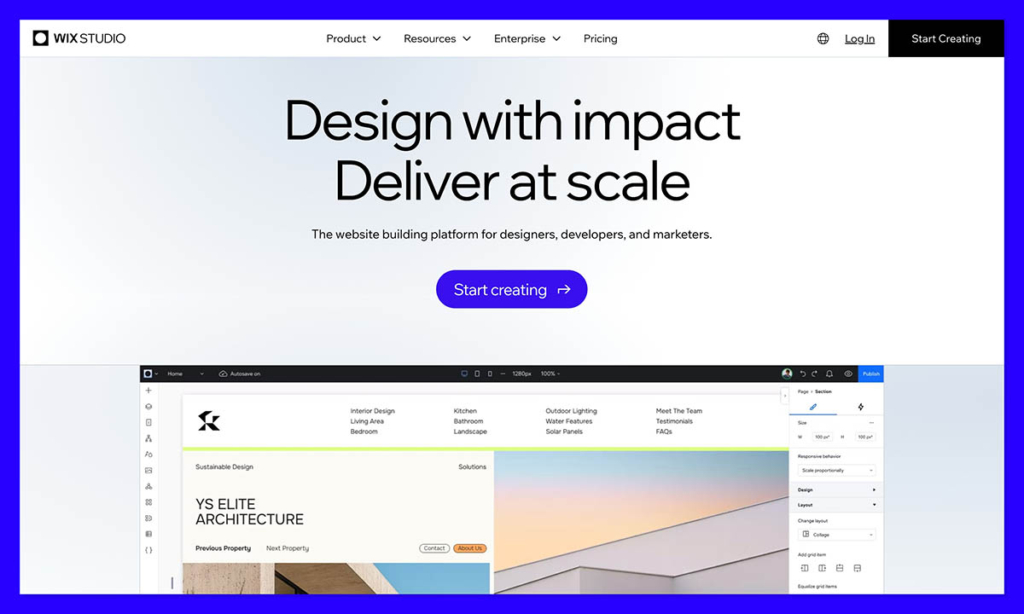
First, I want to reiterate that Wix Studio isn’t just a fancier version of Wix. It’s a system specially designed for professionals, enterprises, agencies, designers, and developers.
If Wix is for DIYers who want to create a site fast, Wix Studio is designed for experts committed to bringing their client’s vision to life. You still get your pick of ecommerce tools, and design features.
Plus, you get access to AI capabilities, built-in tools for email campaigns, and SEO solutions. But you can also personalize elements with custom logic, work on a pixel level on designs, and collaborate with colleagues with real-time feedback and live comments.
There’s also responsive AI and custom controls to help you optimize sites for every screen size and experience. Plus, you can export designs from other platforms, like Figma, straight to Studio.
Here’s a quick run-down of the core features:
- Responsive design with breakpoints and flex/grid layouts
- Full CMS with content collections and dynamic pages
- AI tools for design, layout, copy, and image generation
- Developer mode for custom code, APIs, and integrations
- Built-in ecommerce with product management and payments
- Integrated marketing and SEO tools
- Real-time team collaboration, permissions, and client workflows
Now let’s dive deeper into what you can really do with Wix Studio.
Wix Studio Design and Development Tools
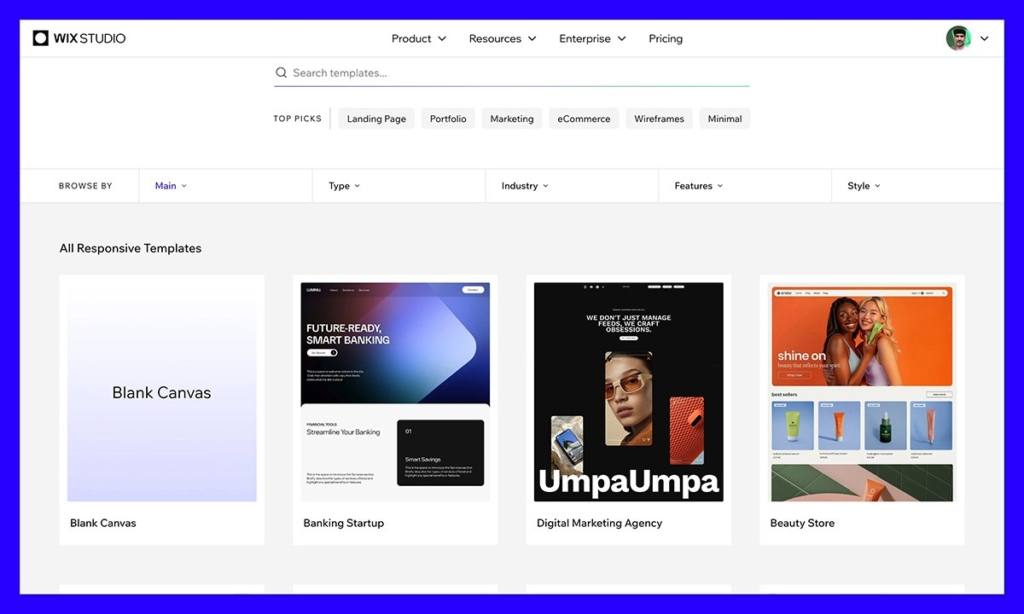
The standard Wix platform makes design easy, Wix Studio makes it more flexible. I’m used to dragging boxes around and getting frustrated by limited positioning or weird stacking behavior. Here, layout tools actually feel like they were made for designers, not just beginners.
You get custom breakpoints, full control over grid and flex layouts, and the ability to manage global styles and design tokens. It’s the kind of system that lets you think like a brand designer at scale.
Compared to some alternatives, like Webflow, Wix Studio also offers an excellent blend of freedom and friendliness. You can edit in pixels, and adjust responsive design elements without headaches.
There’s custom CSS for end-to-end control over functionality; you can even build entire websites from Figma designs. The Responsive AI feature even allows you to make sites responsive at the touch of a button. There are even custom business solutions for bigger brands, which allow you to scale designs across multiple client projects.
Once you’re ready to dive into the Developer side of things, Wix Studio is particularly good for light coding. You get access to custom JavaScript, can hook into Wix APIs, and use tools like webhooks, data collections, and events through Velo, Wix’s developer platform.
If you want to go a little deeper, you can also work with Wix headless APIs on any stack. That means you can add things like Wix Events, Booking tools, and Ecommerce capabilities to existing digital environments. However, I’m not sure if Wix Studio is perfect for really complex projects yet.
Wix actually recommends working directly with their Enterprise team if you need to develop a custom solution, which might make things more expensive.
Ecommerce: Surprisingly Capable
I’ve built plenty of ecommerce sites, on Shopify, Squarespace, and even WooCommerce. Wix has limitations from an ecommerce perspective in my opinion, but Wix Studio really holds its own. Unlike many ecommerce solutions, Wix Studio supports true omnichannel, allowing you to sync stores to marketplaces, social platforms, and point-of-sale systems.
You can even build branded mobile apps that sync to stores or work independently. Wix Studio supports more than 80 international payment providers, customizable shipping rules, and flexible location features for global stores. You also get an all-in-one environment for managing inventory, orders, and suppliers (perfect for bigger brands).
All the native tools you need to help your client boost their sales are included too, like gift cards, abandoned cart and back in stock emails, pre-orders and subscription options. Plus, you still get real-time analytics, traffic, sales, and performance reports, and forecasting tools.
What really stands out though is how well the design tools integrate with the ecommerce features. I didn’t feel boxed into a default product page layout, or a rigid structure for categories and variants. I could easily customize each page visually, while still pulling information from centralized product catalogs and connected apps.
You can even build beyond the platform, drawing in custom code to create shopping experiences that your client’s customers won’t find anywhere else. I still think Shopify packs a little more power over all, but Wix Studio left me pleasantly surprised.
The CMS, SEO, and Marketing Features
Wix hasn’t always had the best reputation for content management, but in Wix Studio, you do get a huge CMS upgrade. You can now create collections of structured content (like blog posts, team members, services, or portfolios), and bind that content dynamically to repeaters, custom templates, or even ecommerce elements.
You can also easily accelerate creative workflows with pre-built templates, as well as AI tools that can create content for you at scale. Wix’s data APIs also allow you to manage your CMS content with code, controlling filters, sorting, query items, and data aggregation. Plus, you can set custom roles and permissions for individual clients and contributors.
Once again, with headless capabilities, you’ll also be able to build that CMS into any tech stack. From a marketing perspective, Wix Studio mostly relies on integrations with social media, email, and ad networks. But you do get built-in tools for email advertising. Plus, you’re not limited to a small selection of integrations, because you’re free to extend with open APIs.
One thing I really love about Wix Studio from a promotional perspective is its focus on SEO. You’ve got meta tags, custom URLs, redirects, alt text, robots.txt editing, and a sitemap that updates automatically. There’s also an SEO setup checklist that walks you through the basics.
The biggest downside is that all of the tools do live in separate panels. Jumping between the site editor and marketing dashboards can feel a bit disjointed. It’s functional, but not yet fully unified like you might find in platforms like HubSpot CMS.
Wix Studio Review: The AI Features
Wix already offers a lot of AI capabilities within the standard Wix platform. Wix Studio gives you similar tools, as well as some bonus extras. There’s an AI text generator that can help you write placeholder content based on page context or industry, which saves a lot of time when you’re mocking up client sites.
There’s also AI layout suggestions, which are handy when you’re stuck or trying to speed through a homepage wireframe. And the AI image tools, including background removal and smart cropping, were fast and effective.
In Wix Studio, you also get a generative AI coding assistant, tools for upscaling and creating visuals in a couple of clicks, and even an AI system that can tweak your SEO. Plus, you can use AI to generate pre-built collections of CMS experiences for clients.
As Wix continues to build on its AI toolkit, I’m convinced that artificial intelligence will become one of the major selling points of Wix Studio – particularly for scaling agencies.
The Management and Collaboration Features
As I mentioned above, one thing that really differentiates Wix Studio from other platforms is it’s specifically designed for agencies and teams. The platform offers a centralized workspace where you can oversee all your projects, manage team roles, and maintain consistent communication, with things like real-time comments and annotations.
Teams can even work on the same project simultaneously, with live designing, coding and editing pages, and on-canvas reviews. Plus, every team member can create collections of “reusable assets”, that they can share with their colleagues.
Client and project management is a breeze too. Within the central dashboard you can manage dozens of different sites side-by-side, organize projects into folders, assign team members to specific tasks and monitor progress. There’s even a lot of granular control available for team and client permissions.
Plus, I’m a huge fan of the mobile app, which makes it easy to keep on top of projects, and track metrics on the move. While you can’t do everything from the mobile app, you can ensure that you always have a 360-degree view of all the work your team is doing.
Wix Studio Pricing
I have to say, I was a little surprised at the pricing for Wix Studio – it’s actually more affordable than I expected. Plans range from around $19 to $159 per month, depending on the features you need:
- Basic: $19 per month: 10GB media storage, 3 collaborators, site analytics, 1,500 CMS items and a free domain for a year.
- Standard: $27 per month: All the features of Basic with 50GB of storage, 5 collaborators, 4,000 CMS items and payment support.
- Plus: $34 per month: The features of Standard as well as 120GB of media storage, 20,000 CMS items, 10 collaborators, and priority support.
- Elite: $159 per month: The features of Plus, as well as unlimited media storage, 500,000 CMS items, 100 collaborators, custom analytics, and dedicated data infrastructure.
There’s also an Enterprise option with account-level analytics, multi-site management, single sign-on, and a dedicated success manager. Although it’s not the cheapest option out there, it definitely offers decent value for money, considering what you get.
Ease of Use & Support
Personally, I think Wix Studio strikes a good balance between power and usability. The interface is more complex than the original Wix Editor, and that’s a good thing. You’re working with breakpoints, nested containers, CMS bindings, and possibly even code. But you don’t feel like you need to take a course before doing anything meaningful.
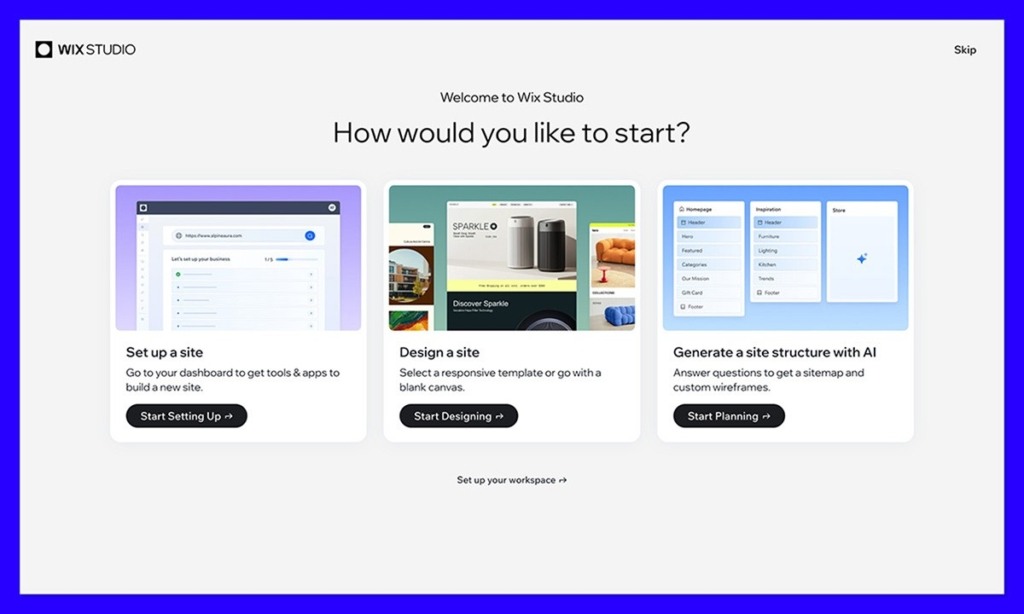
The onboarding is well thought-out. There are guided tutorials, quick tooltips, and pre-built templates that actually feel modern and intuitive. And for anyone migrating from the old Wix Editor or Editor X, the transition isn’t jarring. It’s different, but it’s intuitive.
As for support – that varies depending on your plan. On the cheaper plans you might need to wait a little longer for a response. However, if you upgrade, you’ll be able to access priority support – or even your own dedicated account manager.
The help center is packed with useful insights too, and there’s a growing community of users and devs on forums and Discord who’ve been surprisingly helpful for me.
Wix Studio Review: The Verdict
I wasn’t sure what to expect when I dove into Wix Studio for the first time, but I was pleasantly surprised. This isn’t just “Wix for professionals”, it’s a genuinely intuitive platform that combines beautiful design flexibility, a functional CMS, solid dev tools, built-in marketing, and AI into something that feels revolutionary.
Although it’s not perfect – and may not be the simplest option for everyday users, it’s a fantastic option for agencies and creators that want to build more flexible sites, with more freedom.
If you’re still not sure, I’d definitely recommend signing up for a fourteen-day free trial – that’s just enough time for Wix Studio to blow you away.


