
 By Bogdan Rancea
We spent weeks putting some of the top ecommerce platforms through their paces – whether you’re selling digital products like templates, ebooks, or courses, or churning out physical merch through print-on-demand.
Our research zeroed in on the things that matter most to creators: ease of use, super-quick get-up-and-go, mobile-friendly design, and tools that make it dead easy to sell without needing a tech team.
The platforms below are the best options for turning your audience into a solid income stream in 2026.
Top 7 Ecommerce Platforms for Creators
- Shopify – we’re still big fans for selling physical merch
- Fourthwall – storefront, merch, and memberships built for creators
- Beamly – the go-to for premium content, and private podcasts
- Gumroad – still one of the best options for digital products
- Podia – an all-in-one for courses and memberships that hits the spot
- Stan Store – if TikTok and link-in-bio sales are your thing
- Sellfy – super simple storefronts with no coding needed
The Quick Lowdown: Top Ecommerce Platforms for Creators
| Platform | Best For | Starting Price (USD) | Free Plan | Transaction Fees | Key Features |
|---|---|---|---|---|---|
| Shopify | Physical merch and POD | $29/month | No | 2% (Basic Plan) | Print-on-demand, powerful apps |
| Fourthwall | Creator storefronts & merch | Free | Yes | 5% (digital/memberships) | Merch, downloads, memberships, tax handling |
| Beamly | Memberships, premium content & private podcasts | $39/month | No (14-day trial) | 0% | Podcasts, courses, videos, AI tools |
| Gumroad | Digital creators | Free | Yes | 10% (Free plan) | Fast setup, built-in email marketing |
| Podia | Courses, memberships | $0–$89/month | Yes | 8% (Free plan) | Courses, communities, templates |
| Stan Store | Social-first creators | $29/month | No | 0% | Booking, link-in-bio selling |
| Sellfy | Digital & physical products | $29/month | No | 0% | Email tools, clean storefront |
#1. Shopify – For Selling Physical Products

Rating: 4.8
Starting price: $29/month
Free trial: 3 days + 3 months at a snip of $1/month
Best for: Creators launching print-on-demand merch or scaling stores big time
Shopify still tops our list for creators who want to sell physical products, especially merch.
It handles high-volume sales like a pro, gives you total control over branding, and integrates with all the major print-on-demand tools like Printful or Printify – no problem!
When I put Shopify through its paces for my own merch store, the setup felt super pro and scalable. You can run your whole business from one dashboard, connect marketing tools, and automate shipping without breaking a sweat.
Pros:
- Unlimited products and bandwidth. You’re good to go!
- Connects with an incredible 8,000 apps – that’s a lot of room to play!
- Works with Printful, Printify, SPOD, and loads of other print-on-demand tools
- Built-in blogging and SEO features – no more messing around
Cons:
- It takes a bit of time to get set up – you know, the usual learning curve
- More expensive than some of the other options out there
- Might be a bit overwhelming for total beginners
Shopify Pricing Breakdown
| Plan | Price (USD/month) | Transaction Fees | Key Features |
| Basic | $29 | 2% (or 0% with Shopify Payments) | Best for new sellers with basic needs |
| Shopify | $105 | 1% (or 0% with Shopify Payments) | Mid-size businesses, standard reporting |
| Advanced | $399 | 0.5% (or 0% with Shopify Payments) | Full reporting, advanced shipping, scaling |
| Starter Plan | $5 | 5% | No full storefront, sell via links only |
| Shopify Plus | From $2,000 | Custom | Enterprise-level, built for large businesses |
The Bottom Line:
Shopify is still king if you’re planning to sell physical products and want something that can handle the workload. It takes a bit more setup, but you get top-notch ecommerce functionality, print-on-demand tools that make merch drops a breeze, and the works!
#2. Fourthwall – For Creators Who Don’t Want to Manage the Backend

Rating: 4.7
Starting price: $0/month
Free plan: Yes
Best for: Creators selling merch, downloads, or memberships without building a full ecommerce stack
Fourthwall is built for creators who want to monetize but don’t want to turn into store operators. You get a branded storefront, built-in print on demand, digital products, memberships, and checkout all in one place.
When I tested it, setup was quick. I uploaded a design, added a digital product, tweaked the homepage, and that was enough to go live. No app installs. No tax settings to configure. Fourthwall handles sales tax and VAT as the Merchant of Record, and for their catalog merch, they deal with customer support too.
It’s not trying to compete with Shopify’s 8,000 app ecosystem. It’s trying to remove the need for it.
Pros:
- No monthly fee to get started
- Merch, downloads, and memberships in one dashboard
- Built-in fulfillment for print on demand (with high-quality products)
- Tax compliance handled automatically
- Creator-friendly integrations like YouTube Merch Shelf and TikTok Shop
Cons:
- Not intended for full-time ecommerce operators
- Integrations are focused on creators
Fourthwall Pricing Breakdown
| Plan | Price (USD/month) | Platform Fees | Key Features |
| Free | $0 | 5% on digital products & memberships | Storefront, merch, tax handling |
| Pro | $19 | 0% on digital products & memberships | Lower fees, added perks |
The Bottom Line:
If dealing with VAT forms, tax compliance, support emails, and five different tools sounds exhausting, Fourthwall cuts through that. It keeps things straightforward and lets you actually spend time creating.
#3. Beamly: For Memberships, Premium Content & Private Podcasts
Rating: 4.7
Starting Price: $30 per month billed annually
Free trial: 14 days
Best for: Multi-format content creators selling subscriptions, libraries, and digital products
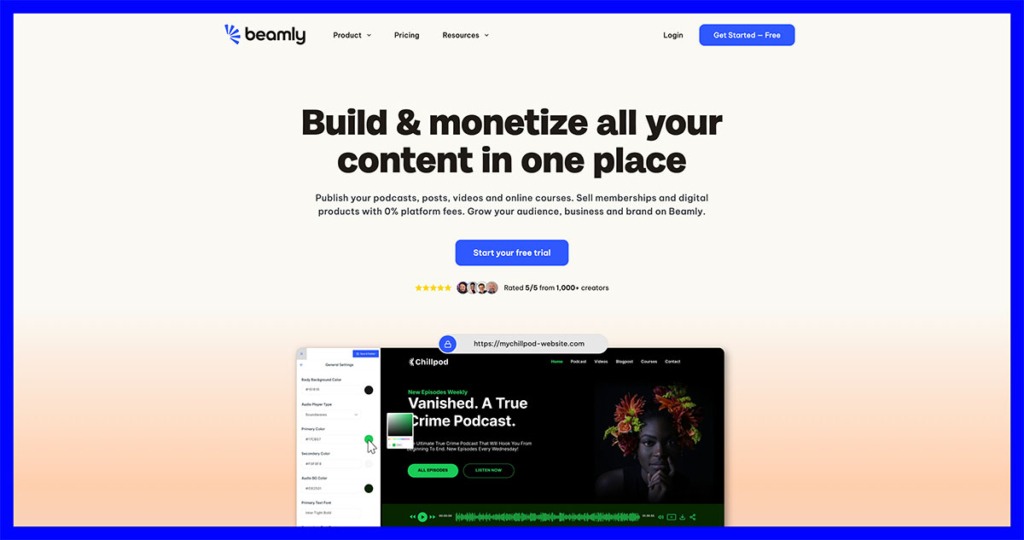
You may already know about Beamly if you’ve been in the podcasting market for a while. It started life as Podcastpage.io, one of the first platforms for podcast creators. Now, it’s a fully-featured creator HQ, bringing your site, content, and all the monetization options you might want into one place.
It’s ideal for anyone who wants to maintain ownership over their brand and audience, while still making money from premium content. You can gate posts, videos, courses, and downloads behind memberships, and it’s especially great for private podcasts, since each paying member gets a dedicated RSS feed.
What I love about this platform is that it’s both versatile and easy to use, with absolutely no platform fees to worry about. You even get some handy AI features. Just don’t confuse it with a traditional system for merch sales.
Pros:
- A complete hub for your content: podcasts, videos, posts, courses, and downloads
- Dedicated RSS feeds for podcast subscribers
- Helpful AI tools for drafts, meta-data and summaries
- 0% platform fees on whatever you sell
Cons:
- Limited selection of community-building tools
- Not great for merch or physical products
- Slight learning curve
Beamly Pricing Breakdown
| Plan | Monthly price (USD) | Transaction fee | Features |
| Creator | $39 | None | Up to 1000 members, 1 website, podcast, video channel, and course, 2 team seats, digital downloads, AI features, blogging, and more. |
| Business | $79 | None | 10+ podcasts, online courses, and video channels, AI transcription, unlimited team seat,s and site analytics. |
| Custom | Quote-based | None | Unlimited podcasts, courses, video channels, members, team seats, and transcriptions. |
The Bottom Line:
If you’re building a paid content business (especially podcast-led), Beamly is one of the cleanest all-in-one setups out there. If you’re merch-first, you’d probably be better off with a different platform.
#4. Gumroad – For Digital Creators
Rating: 4.6
Starting Price: Free (with a 10% transaction fee)
Best For: Creators selling downloads like templates, ebooks, or audio
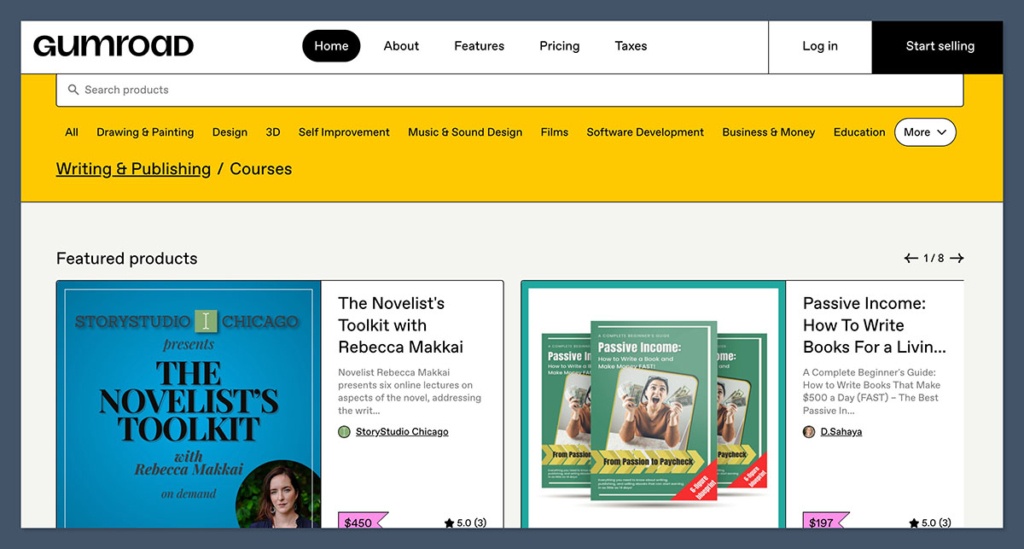
Gumroad is one of the easiest ways to sell digital products online – no fuss, no muss. You can use it to sell PDFs, Notion templates, and even audio packs.
From zero to selling in minutes – no store setup, no hosting, just upload your product and share your link – easy peasy!
Gumroad also gives you flexible pricing options, including “pay what you want” options – perfect for testing products or collecting donations.
Pros:
- No monthly fee to get started – you can launch right away!
- Instant product delivery – no waiting around for people to get their goodies
- EU VAT handled for you – one less thing to worry about!
- Built-in email marketing tools – start building your list right away!
Cons:
- 10% fee on the free plan – not ideal for high-volume sales
- Basic storefront customization – not loads of room to play with the design
- Not ideal for larger catalogs – stick with the basics for now
Gumroad Pricing Breakdown
| Plan | Monthly Price (USD) | Transaction Fee | Features |
| Free Plan | $0 | 10% | Unlimited products, file hosting, analytics |
| Premium Tiers | $10–$25 | 3.5%–6% | Reduced fees, priority support, custom branding |
| Custom Domain Add-On | $10/month | Same as plan | Use your own domain |
Bottom Line:
You’re a creator selling digital stuff like ebooks, templates, or art packs… Gumroad is a great way to get started – it’s super fast and low-risk. Plus, it’s easy – just minimal setup. But if your product line is getting bigger or you’re looking to get fancy with your branding, this probably isn’t the best choice.
#5. Podia — The Complete Package for Courses and Communities
Rating: 4.5
Starting Price: Free with an 8% fee or $39/month
Best For: Creators selling digital downloads, courses and memberships
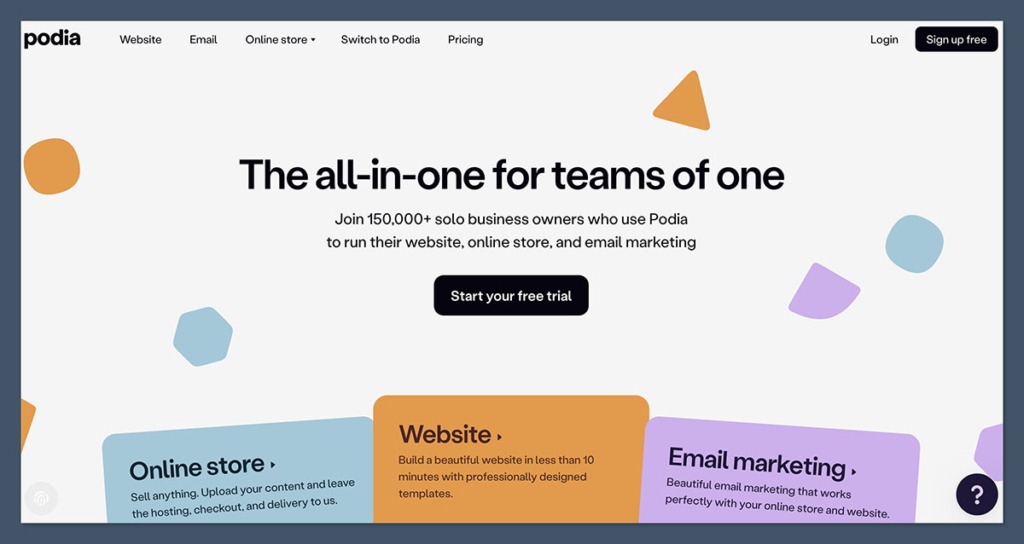
Podia is the all-in-one platform for you if you’re running a coaching business, video series or digital packs. It handles everything – storefront, courses, communities, and email tools – all in one neat package.
I’ve set up sales funnels for full courses on Podia in under an hour… and let me tell you, it’s a breeze. It handles product hosting, checkout, email automations and even affiliate programs – all from the same dashboard.
✔️ Pros
- Super clean storefront and checkout
- Brilliant for courses and digital content
- Great community and membership features – and it even has affiliate marketing tools built-in
❌ Cons
- Not the most flexible when it comes to design – you’re somewhat limited
- Not perfect for sellers of physical products
- No mobile app for store owners
Podia Pricing Overview – The Lowdown
| Plan | Monthly Price (USD) | Transaction Fee | Best For |
| Free | $0 | 8% | Test the platform, simple downloads |
| Mover | $39 | 0% | Sell courses, webinars, email marketing |
| Shaker | $89 | 0% | Memberships, affiliates, advanced tools |
| Earthquaker | $199 | 0% | Unlimited everything, team seats, concierge onboarding |
Bottom Line:
Podia is an ace tool for creators who want to sell courses, memberships or digital bundles without having to tie together loads of different platforms. Once you’re up and running and making consistent sales, the paid plans give you great value with zero transaction fees.
#6. Stan Store — Ideal For TikTok and Link-in-Bio Creators
Rating: 4.4
Starting Price: $29/month
Free Trial: Yes
Best For: Creators who are making cash from social traffic on Instagram or TikTok
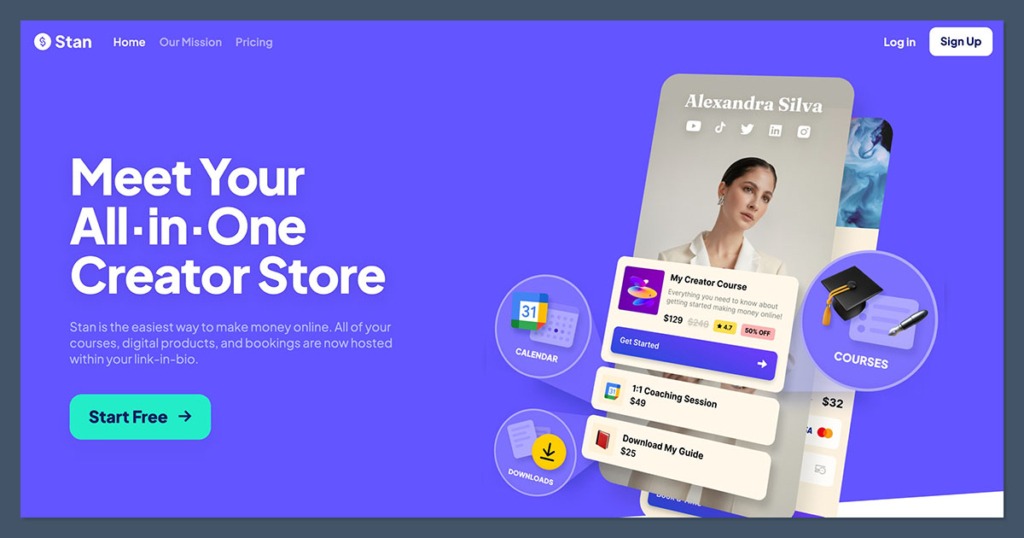
Stan Store is custom-built for selling directly from your social media profiles. If you’re a creator with a following on the big social platforms and want to sell ebooks, coaching calls or templates directly from your profile, this is the easiest way to do it.
I helped a client get set up with a Stan Store linked to her TikTok in less than 30 minutes – and this thing just feels like it’s tailored to creators – the mobile-first design, instant payouts and scheduling tools are a big part of that.
✔️ Pros
- Made for link-in-bio selling – so it’s perfect if you’re a TikTok or Instagram influencer
- Accepts bookings, payments and downloads directly
- Super easy on mobile – great user experience
- Zero transaction fees
❌ Cons
- Not the best choice if you’re after a lot of flexibility in terms of branding
- Less flexible than full stores – but great for simple stuff
- Not ideal for large product catalogs
Stan Store Pricing Overview
| Plan | Monthly Price (USD) | Transaction Fee | Features Included |
| Creator | $29 | 0% | Digital products, coaching, one-click upsells |
| Creator Pro | $99 | 0% | Email marketing, advanced analytics, funnels |
Bottom Line:
Stan Store is the simplest way to monetize your social media presence. If you’re building a following on TikTok, Instagram or YouTube, and want to offer products or calls, this is the simplest way to start selling.
#7. Sellfy — Super Easy, Code-Free Stores
Rating: 4.3
Starting Price: $29/month
Free Trial: Yes
Best For: Anyone selling digital or (yes) physical products
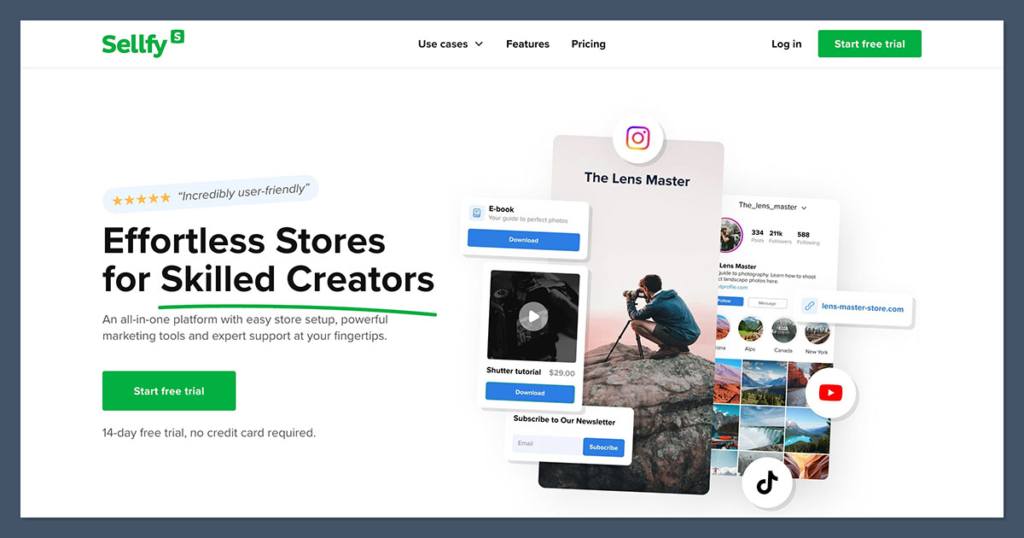
Sellfy makes it a breeze to set up a clean and functional ecommerce store without ever touching code. Whether you sell ebooks, art prints, T-shirts or templates, Sellfy has all the tools you need to sell fast and manage your products.
One of my favorite things is how Sellfy makes email marketing and upsells plug-in and play. No extra integrations required.
✔️ Pros
- Zero transaction fees
- Easy peasy to use – no design skills needed
- Supports subscriptions, digital, and physical items
- Straightforward cart abandonment recovery built right in
❌ Cons
- Not the most advanced design options – basic templates
- Not as many integrations as Shopify
- No app marketplace
Sellfy Pricing Overview – The Details
| Plan | Monthly Price (USD) | Transaction Fee | Products Allowed | Email Marketing |
| Starter | $29 | 0% | Unlimited | 2,000 emails/month |
| Business | $79 | 0% | Unlimited | 10,000 emails/month |
| Premium | $159 | 0% | Unlimited | 50,000 emails/month |
The Bottom Line:
Sellfy is a great fit for creators who want to get started fast with a simple, modern online store. If you’re not looking to go big or add complicated extras, Sellfy provides everything you need right out of the box – no coding or setup hassles.
Key Takeaways
- If you’re into physical products or merch lines and looking to scale up – Shopify is the way to go
- If your thing is digital downloads and you don’t want to mess around with setup – Gumroad is a great place to start
- If selling online courses, templates or membership programs is your thing – Podia is the way to go
- If you’re a TikToker or Instagrammer looking for a platform that can help you monetize your social following – Stan Store is your best bet
- Sellfy on the other hand is perfect for creators who just want something simple and speedy
Choosing The Best Ecommerce Platform For You As A Creator
When choosing the right platform, first work out what you’re selling and where your audience hangs out. Then match that up to your skills, design needs and the way you make money.
Here’s a quick checklist to help you decide:
| If you are… | Choose… |
| Selling merch or POD products | Shopify |
| Selling digital downloads | Gumroad or Sellfy |
| Launching a course or membership | Podia or Kajabi |
| Monetizing TikTok or Instagram | Stan Store |
| Offering coaching or services | Podia or Stan Store |
How We Did It
We tested out 10+ ecommerce platforms and narrowed it down to the top 5 based on how well they meet the needs of creators like you:
- Creator-focused features
- How easy it is to use and set up
- The value for money they offer
- The types of products they let you sell (physical, digital, subscriptions)
- How their checkout experience works on mobile
- The quality of support and documentation on hand
Each platform was put through its paces using real product setups (downloads, merch, courses) and we judged them on both how easy they are to use for beginners and how well they hold up in the long term.
Final Word
Choosing the right ecommerce platform as a creator isn’t about getting the biggest list of features – it’s about finding a tool that fits your product type, your audience and your workflow.
- If your focus is on building a big brand selling merch and stuff, Shopify gives you a solid foundation to grow from.
- If you’re a solo operator selling downloads or one-off products and you don’t want a lot of setup hassle, Gumroad is the way to go.
- If you’re building a community, running courses or selling memberships, Podia has got everything you need in one neat package.
- If most of your traffic comes from social media, then Stan Store is the quickest way to get started and start monetizing your following.
- And if you’re after a simple, no-code store with some built-in marketing power, Sellfy is a nice, easy place to start.
The best tip I can give you? Start with the platform that best fits what you’re selling right now – you can always upgrade later if you need to. Each of these platforms has helped thousands of creators turn their content into cash.
The key is to pick one and just go for it.


