
 By Bogdan Rancea
Best Overall

Design.com
See pricing Visit Design.com →Some assets available free
Subscriptions start at $3 per month
- Templates, fonts, and vector shapes
- AI assistant handles the editing
- Brand kit carries your logo across assets
Best for mockups
Kittl
See pricing Visit Kittl →Free plan for up to 5 projects
Plans start at $19 per month
- Mockups wrap artwork around real shapes
- Agentic AI assistant for image creation
- AI vector generator and ready-made styles
Best for video

Renderforest
See pricing Visit Renderforest →Free plan available
Paid plans start at $8 per month
- Hundreds of video and animation templates
- Multiple AI models including Veo and Seedance
- Logos and basic websites as well
Your logo is the first piece of design a shopper sees, and it follows them everywhere after that: your store header, your checkout, your packaging, your emails. If it looks like the same template everyone else is using, the rest of your brand has to work harder to earn trust.
At ecomm.design, we’ve reviewed over 20,000 ecommerce websites and handpicked 4,000+ of the best-designed stores for our gallery. That means we’ve seen a lot of logos, from the instantly forgettable to the ones that carry an entire brand.
We also test logo makers ourselves, and the gap between the old tools that recycled the same templates and what’s available now is significant. Some are good enough to carry a new store for several years before you need a designer, and most now build a full brand kit around the logo.
After testing six of them, Design.com is our top pick because it combines 444,000+ logo designs, conversational AI editing, and exports in every format a store needs (SVG, EPS, PDF), with paid plans from $3 per month billed annually. In this guide, we’ll walk you through the key features, pricing, and drawbacks of each tool so you can pick the right one for your store.
The Best Placeit Alternatives: 4 Top Picks
I’d recommend each of these options to different people depending on what they were really trying to do with a user-friendly design platform.
Design.com is my favorite for anyone who wants to build a full brand kit with minimal upfront effort, it’s also great if you just want to pay a one-off price for a logo. Kittl is great for product and device mockups, while Renderforest is a great all-in-one solution if you’re looking for videos, branding, a website, and AI tools. Canva is the option I’d choose for long-term collaborative design projects.
| Placeit Alternative | Best For | What I like most about it |
|---|---|---|
| Design.com | Full brand kits | Best brand kit experience with one-off purchase options for logos |
| Kittl | Mockups and merchandise | Closest to Placeit for mockups and merch |
| Renderforest | Video, branding and mockups | Excellent range for videos, mockups, websites or logos |
| Canva | Long-term collaborative design | Great free plan and collaboration tools |
1. Design.com: Best Placeit Alternative for Building a Brand
My Rating: 4.8 / 5
Best for: Designing all of your brand assets
Starting Price: Some assets are available for free; subscription plans start at $3
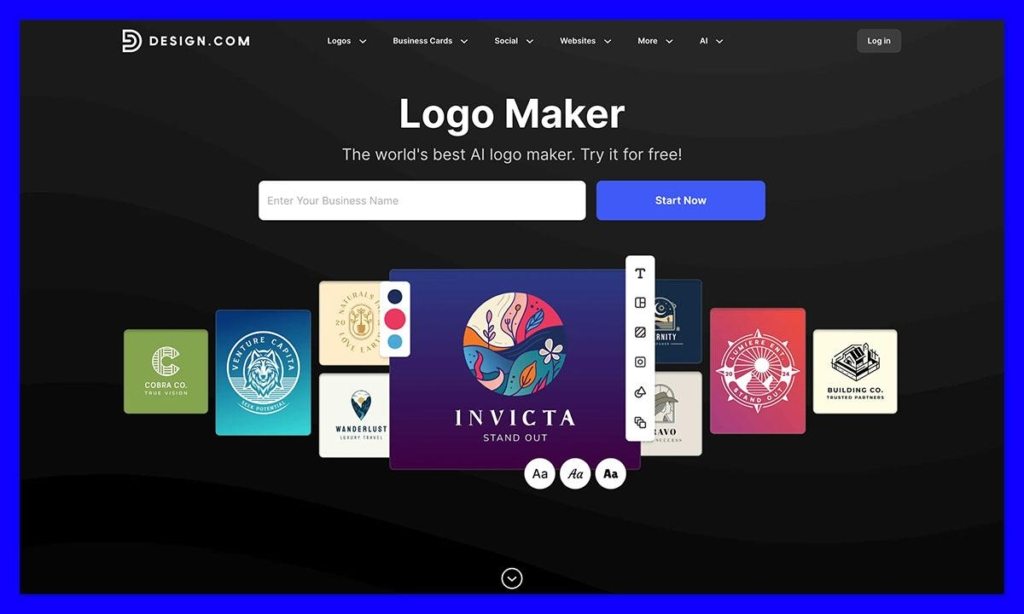
Although Placeit can be great for creating marketing assets, it tends to assume you’ve already done the hard part of building a visual brand identity. Design.com is the toolkit that does that stage for you, with a fantastic collection of templates, fonts, vector shapes, and a convenient AI tool that can simplify the editing process for you.
You can choose an initial logo idea, change the spacing, colors, fonts or layout yourself (or get the AI assistant to do it), then either purchase the logo directly, or add it to a brand kit. The subscription packages let you move the essential parts of your logo into everything else you want to create, from a simple website to social media assets, or business cards.
Design.com gives you literally thousands of designs, 750+ fonts, and over 60,000 vector shapes, and it lets you download assets in various formats, including less common options like MP4/GIF, SVG, EPS, or PDF. Like with Placeit, you can also create mockups to see what your visuals will look like on t-shirts or mugs.
Pros:
- Very straightforward editing experience with AI chat assistance
- Massive library of templates, vectors, and fonts
- Plenty of file types for your downloads
- Subscriptions start as low as $3 per month
- High-quality real-world mockups
Cons:
- Limitations on advanced customization options
- Some of the designs are a bit formulaic
Why use it over Placeit?
Design.com is a good alternative to Placeit if you need to build a cohesive brand, or just get a solid logo before you start designing merch or social media campaigns. I also like how helpful the AI features are, especially when you’re designing a lot of assets.
2. Kittl: Best for Mockups and Merchandise Design
My Rating: 4.6 / 5
Best for: Mockups and POD merch design
Starting Price: Free plan for up to 5 projects, plans start at $19 per month
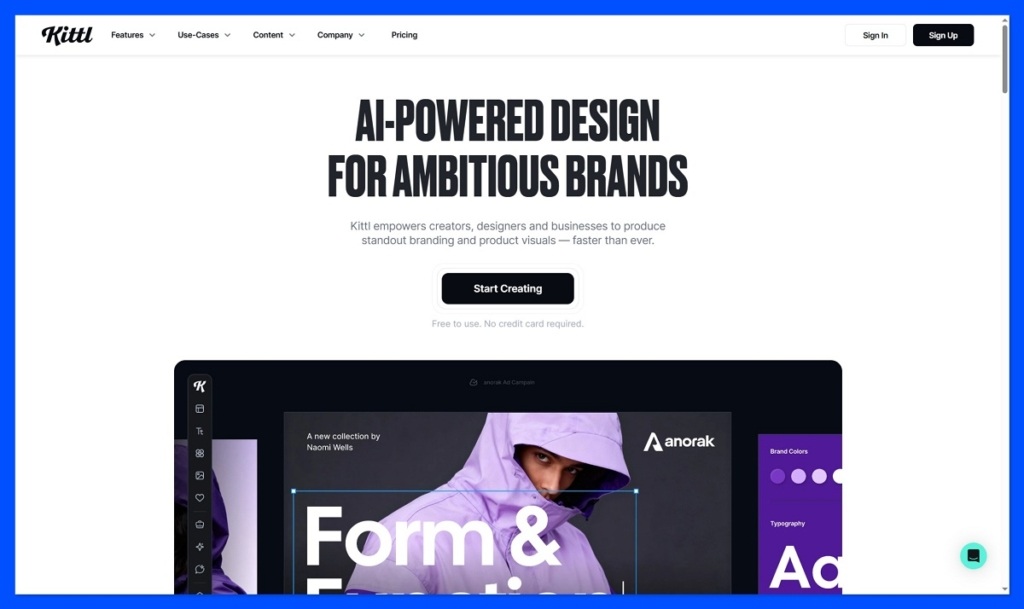
Kittl is probably the closest sibling to Placeit, for anyone who needs a tool that can help them create merchandise or mockups for print on demand. It’s surprisingly advanced, with an agentic AI assistant that can use simple instructions to produce all kinds of images for small businesses, and you even get ready-made templates and styles to work from.
The mockup feature can automatically wrap your artwork around different shapes, so you know exactly what a water bottle might look like from different angles, and you can move the design around and export the finished mockup in high quality.
I also appreciate the design tools like the AI vector generator, background removal tool, vectorizer, and the advanced typography options for layering, curves, or shadows.
Pros:
- Excellent design editing tools for specialist artwork
- Multiple AI generation models to choose from
- High-quality vector downloads available
- Advanced typography controls
- Lots of unique artistic templates and stock elements
Cons:
- Low-quality downloads on the free plan
- Takes a bit more time to learn than something like Canva
- Free designs are for personal use only
Why use it over Placeit?
Kittl is better than Placeit if you want more specialized and original artwork with premium elements and unique AI-generated pieces. It gives you more control over vectors and typography, and doesn’t force you into the same rigid templates as Placeit.
3. Renderforest: Best Placeit Alternative for Video
My Rating: 4.5 / 5
Best for: Video and mockup design with branding
Starting Price: Free plan with paid plans starting at $8 per month
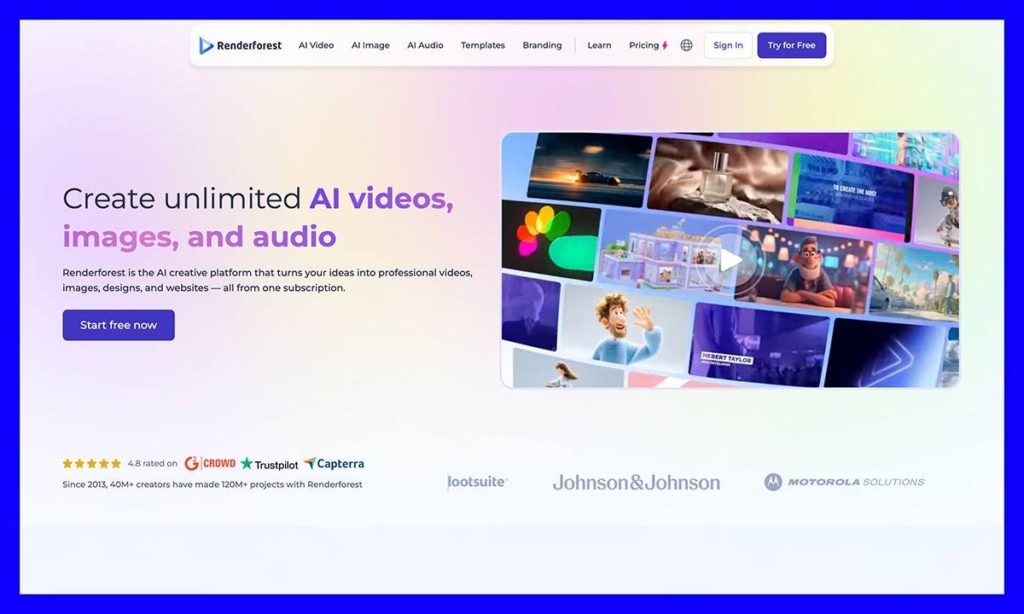
Renderforest is more focused on video design than mockups and branding, although it does handle elements of those things very well too. You can create anything from video intros to logos or basic websites here, and there are hundreds of templates, even for explainers or animations.
The built-in AI tools come with different models to choose from, including Renderforest’s own Pro and Fast models, as well as Veo or Seedance. All you need to do is type in an idea, the AI system will generate something, then the Smart Edit tools let you change things scene by scene.
The media library also includes a lot of things you wouldn’t find offered by other Placeit alternatives, like commercially licensed music and footage.
Pros:
- Much wider selection of video design tools and assets than Placeit
- Beginner-friendly interface with helpful AI tools
- Several AI video models to choose from in one editor
- Conventional templates are available if AI credits run out
- The Smart Edit tools let you make very specific changes
Cons:
- Still some limits on customization
- It’s easy to run out of credits quickly
- Free video exports come with watermarks
Why use it over Placeit?
If your current branding strategy is very focused on video, Renderforest is a great choice, it’s great for promos, animated ads, and longer-form video content, and the multiple AI models mean you can get really experimental.
4. Canva: Best Free Placeit Alternative for Long-Term Design
My Rating: 4.5 / 5
Best for: Teams creating plenty of marketing and design assets
Starting Price: Free plan with premium plans for $18 per month
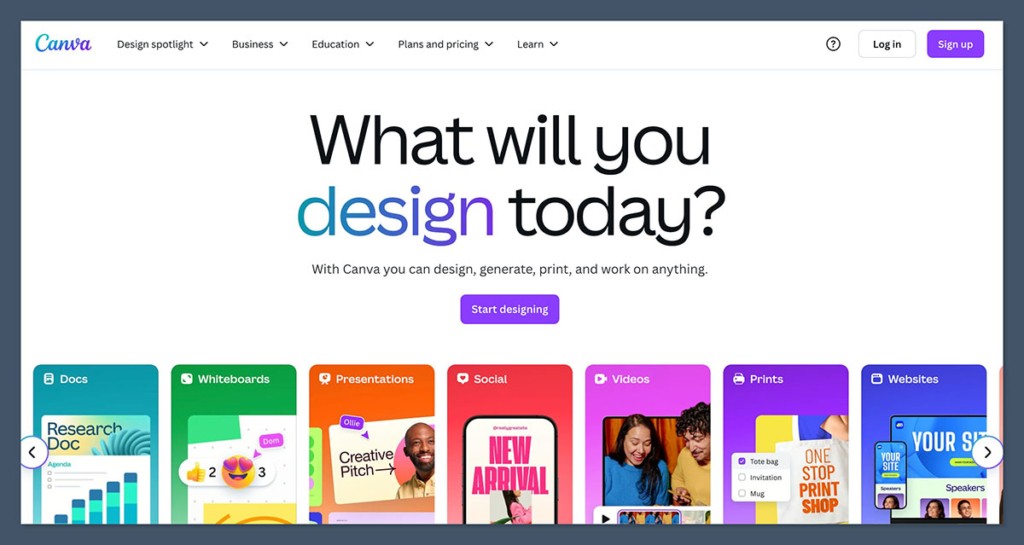
Canva might not be the first alternative to Placeit every team thinks of when they’re just trying to make a handful of mockups, but it’s definitely a brilliant option for long-term design projects. The platform actually does mockups very well, especially after purchasing the Smartmockups company, and free accounts still get 2,000+ mockups on their plan.
Still, the better thing about Canva is how much you can really make with it, there are so many different templates for everything from videos, to social media campaigns or professional documents, and the AI tools in Magic Studio make it much simpler to produce something great, fast.
I also love how useful Canva is for teams, with collaboration tools that let teams edit, comment on, or share folders as they work on the platform together. Even the free plan gives you 100GB of storage and five Brand Kits, so you won’t run out of team space too soon.
Pros:
- Very generous free plan for design teams
- Excellent for creating all kinds of visual assets, including mockups
- Real-time collaboration tools included
- AI features in the Magic Studio are great for beginners
- One of the biggest stock and template catalogs around
Cons:
- Some of the free assets are quite generic
- Certain files (like layered files) are harder to export
- The Pro plan will probably be expensive if mockups are all you need
Why use it over Placeit?
Canva is a great alternative to Placeit if you’re ready to move beyond creating mockups and start designing entire campaigns with your team. It’s excellent value for money, easy to use, and it gives you a lot more variety than many other design tools.
Which Placeit Alternative Should You Choose?
Really, the choice you make will depend on what bothered you about Placeit, and what you want to design right now. Kittl is the most obvious direct alternative if you’re creating print-on-demand products and mockups and want a little more editing control. Renderforest is better if you want to create stunning videos, with access to things like commercially licensed tracks.
Canva is the better tool if you’re creating plenty of visual campaigns with your team in the long-term, from physical marketing assets, to social media strategies. Alternatively, Design.com makes the most sense if you’re a new business looking to build a new logo or memorable brand identity without spending a lot of time or energy on the initial design process.
Placeit Alternatives: FAQ
What is the best Placeit alternative overall?
Design.com is my top pick for most people, particularly if you’re starting a new business. It handles the stage Placeit tends to skip, which is building the visual brand identity itself. You can pay a one-off price for a logo or move it into a brand kit and carry it across websites, social assets, and business cards. If mockups and merch are your only focus, Kittl is the closer like-for-like replacement.
Is there a free alternative to Placeit?
Yes. Canva has the strongest free plan of the four, with 2,000+ mockups available on free accounts, plus templates for social media, video, and documents. Kittl’s free plan covers up to 5 projects, but downloads are lower quality and free designs are for personal use only. Renderforest also has a free plan, although free video exports carry a watermark.
Which Placeit alternative is best for print on demand mockups?
Kittl. It’s the closest sibling to Placeit for POD sellers. The mockup tool automatically wraps your artwork around different product shapes, so you can see how a design looks on something like a water bottle from several angles. You also get more control over vectors and typography than Placeit’s fixed templates allow. Paid plans start at $19 per month.
Can I buy a logo without signing up for a subscription?
Yes, and this is one of the main reasons to look beyond Placeit. Design.com lets you purchase a logo as a one-off rather than committing to a monthly plan. If you later want the wider toolkit, subscriptions start from $3 per month, and you can download in formats like SVG, EPS, PDF, and MP4/GIF.
Which Placeit alternative is best for video?
Renderforest. It’s built around video first, with hundreds of templates for intros, explainers, promos, and animations. The AI editor gives you several video models in one place (Renderforest’s own Pro and Fast models, plus Veo and Seedance), and the library includes commercially licensed music and footage. Paid plans start at $8 per month. Just keep an eye on usage, because AI credits can run out quickly.
Is Canva better than Placeit?
It depends on how much you’re making. For a handful of mockups, Placeit is simpler and the Pro plan at $18 per month is probably more than you need. For long-term, team-based design work, Canva is the stronger tool: real-time collaboration, commenting, shared folders, Magic Studio AI tools, and one of the largest template and stock libraries available.
Why would someone switch from Placeit in the first place?
Placeit is still good value, but there are three common reasons people look elsewhere: some templates are starting to feel dated, the platform is tied into the Envato ecosystem, and there’s limited room for customization beyond the preset templates. Each of the four alternatives fixes a different one of those issues, so the right choice depends on what bothered you about Placeit.


