
 By Bogdan Rancea
Squarespace is one of the most popular website builders on the market, offering sleek templates and easy setup for beginners.
It’s well-suited for portfolios, service websites, and small online shops. But if you’re running a serious ecommerce business or want more design freedom, Squarespace can feel limited quickly.
In this article, I’ll walk through five of the best alternatives to Squarespace and explain why you might want to look beyond it, especially if you care about design flexibility, SEO control, or scaling your store.
Squarespace Alternatives Comparison Table
| Platform | Best For | Design Flexibility | Ecommerce Features | SEO Tools | Ease of Use | Monthly Pricing (USD) |
|---|---|---|---|---|---|---|
| Shopify | Scaling ecommerce brands | Moderate | Excellent | Moderate | Easy | From $39 |
| Webflow | Designers & developers | Excellent | Good | Excellent | Moderate to Hard | From $42 |
| WooCommerce | Full control & customization | High (theme/code) | Excellent (with plugins) | Excellent | Moderate (tech required) | Depends on setup (Hosting + Add-ons) |
| Wix | Beginners & small stores | High | Good | Basic to Moderate | Very Easy | From $27 |
| Squarespace | Simple websites & portfolios | Moderate | Basic | Basic | Easy | From $16 (Business Plan) |
Why Look for a Squarespace Alternative?
Squarespace has a lot to offer for certain use cases. However, when it comes to running an online store or building custom-designed ecommerce sites, its limitations become hard to ignore.
Here are some of the main reasons people switch from Squarespace to other platforms:
Template flexibility is limited
Squarespace offers a collection of attractive templates, but customizing them beyond the basics can be difficult. The drag-and-drop editor is constrained by the template’s structure, and there’s no full freedom to redesign elements visually. You can add custom CSS, but it’s not accessible or intuitive for most users.
Ecommerce features are basic
Squarespace offers native ecommerce, but it’s not built for stores with high volumes, custom checkout flows, or multi-currency support. For example, you can’t customize the checkout process much, and some payment gateways aren’t available without third-party workarounds.
Performance and SEO fall short
Compared to more modern or flexible platforms, Squarespace sites can be slower to load. SEO tools are functional but limited, and you don’t have the same control over metadata, URLs, or structured data as you would on other platforms.
Pricing can get expensive
While Squarespace’s Personal plan is affordable, you’ll need to upgrade to higher-tier plans for ecommerce. Add transaction fees on top of that, and it can end up more expensive than alternatives with more robust features.
The Best Squarespace Alternatives for Ecommerce and Design
If you’re considering leaving Squarespace, the best alternative depends on your priorities.
Whether you’re looking for better SEO tools, more design freedom, or stronger ecommerce functionality, there are great options available.
Here are five platforms worth considering, each with its strengths and trade-offs.
1. Shopify – Best for Full-Service Ecommerce

Shopify Review
Squarespace works well for simple online stores, but once ecommerce becomes the core of your business, its limitations become obvious. Shopify was built with selling as the priority, and that focus shows in every part of the platform.
What makes Shopify one of the strongest Squarespace alternatives is how mature its ecommerce infrastructure is. From product management to checkout optimization, Shopify handles tasks that Squarespace either limits or makes difficult to customize. It is designed for merchants who want their website to generate revenue first and look good second.
Unlike Squarespace, Shopify supports advanced inventory systems, international selling, and a wide range of payment providers. This makes it far more suitable for businesses that expect to grow, expand into new markets, or manage a large catalog of products.
What I Like
✔️ Ecommerce tools built in from the start
Shopify includes features like abandoned cart recovery, discount rules, product variants, and tax automation without needing custom setups. These tools are stable, well-tested, and designed for real-world selling scenarios.
✔️ Extensive app ecosystem
Shopify’s app store includes thousands of integrations for marketing, SEO, fulfillment, subscriptions, and analytics. If you need a feature that Shopify does not offer natively, there is usually an app that fills the gap.
✔️ Multi-channel selling support
You can sell products through Facebook, Instagram, Google Shopping, Amazon, and TikTok directly from Shopify’s dashboard. This makes it easier to manage inventory and orders across multiple platforms.
✔️ Reliable performance and hosting
Shopify handles hosting, security, and updates for you. Stores remain stable even during traffic spikes, which is an area where Squarespace sites can struggle.
What I Dislike
❌ Design flexibility is limited
Shopify themes are conversion-focused, but customizing layouts beyond the theme structure often requires editing Liquid code. This makes it harder to achieve highly custom designs compared to Webflow or WordPress.
❌ App costs add up
Many advanced features rely on paid apps. While the base platform is powerful, monthly costs can increase quickly as you add tools for email marketing, upsells, or advanced reporting.
❌ Content management is basic
Shopify’s blogging and content features are functional but limited. If your site relies heavily on long-form content or complex page structures, Squarespace or a CMS-based platform may feel more natural.
How Much Does Shopify Cost?
Shopify offers three main ecommerce plans, billed monthly:
| Plan | Monthly Cost | Best For |
|---|---|---|
| Basic | $39 | Small stores and startups |
| Shopify | $105 | Growing businesses |
| Advanced | $399 | High-volume sellers |
There is no permanent free plan, but Shopify offers a free trial that lets you test the platform before committing. Compared to Squarespace, Shopify’s pricing reflects its focus on ecommerce rather than general website building.
How Does Shopify Compare to Squarespace?
- Shopify is built entirely around selling products, while Squarespace treats ecommerce as one feature among many. This makes Shopify far more capable for stores with complex needs.
- Squarespace offers more visually polished templates out of the box. Shopify prioritizes performance and conversions over artistic layouts.
- If ecommerce is a secondary feature on your site, Squarespace may be enough. If ecommerce is the business, Shopify is the stronger platform.
Should You Use Shopify Instead of Squarespace?
If your website exists primarily to sell products, Shopify is a better long-term choice than Squarespace. It offers stronger ecommerce tools, better scalability, and more flexibility for growing businesses. Squarespace remains a good option for content-driven sites with light ecommerce needs, but Shopify is the better foundation for serious online stores.
2. Webflow – Best for Advanced Design Control

Webflow Review
Squarespace’s templates are clean and elegant, but its design flexibility is limited. Webflow takes the opposite approach: it’s built for people who want complete creative control over how a website looks and behaves. It’s a visual builder, but one that works like a design tool.
What makes Webflow stand out is the ability to build unique, responsive websites with no rigid templates. You’re not locked into rows and columns. Instead, you can control every pixel, animation, and interaction directly in the visual editor. It also includes a CMS and ecommerce tools, which make it suitable for content-driven online stores.
Webflow is ideal for freelancers, creative teams, and small businesses that want a fully custom site — and are willing to learn how the system works.
What I Like
✔️ Visual development with real control
Webflow combines the precision of design tools like Figma with the power of front-end code. This lets you create responsive layouts, animations, and dynamic pages without coding directly — but with full control over the underlying structure.
✔️ Built-in CMS and ecommerce tools
You can create blog posts, product listings, or case studies using dynamic collections. This setup is more flexible than Squarespace’s basic content tools and better for structured content.
✔️ Clean, fast websites
Webflow outputs semantic HTML and CSS, which keeps site speed high and improves SEO performance compared to Squarespace’s heavier templates.
✔️ Excellent learning platform
Webflow University includes hundreds of free tutorials, videos, and walkthroughs. Even if you’re new to Webflow, the documentation is strong enough to get you up to speed.
What I Dislike
❌ Steep learning curve
Webflow requires some understanding of design principles and web structure. It’s not as beginner-friendly as Squarespace or Wix.
❌ Limited ecommerce features
While Webflow does support ecommerce, it lacks features like built-in subscriptions, POS integrations, or detailed shipping options found in platforms like Shopify.
❌ Support limitations
Webflow doesn’t offer phone support, and response times via email or live chat can vary depending on your plan.
How Much Does Webflow Cost?
Webflow offers separate plans for general websites and ecommerce:
| Plan | Monthly Cost | Best For |
|---|---|---|
| Standard | $42 | Small online stores |
| Plus | $84 | Growing stores, no transaction fees |
| Advanced | $235 | High-volume ecommerce sites |
You can use Webflow for free while building, but you’ll need to upgrade to publish to a custom domain or enable ecommerce features.
How Does Webflow Compare to Squarespace?
- Webflow gives you more design flexibility, while Squarespace limits you to preset templates. If branding and visual layout are a top priority, Webflow is stronger.
- Squarespace is easier to use, especially for beginners. Webflow requires more time to learn but offers far more power in the long run.
- For content-rich sites with structured layouts and a custom feel, Webflow is a better fit. But it’s not ideal if you just want something fast and simple.
Should You Use Webflow Instead of Squarespace?
Webflow is a great Squarespace alternative for designers, developers, and growing businesses who care deeply about layout, speed, and creative control. If you’re willing to learn the system, you’ll unlock far more freedom than Squarespace allows. Just expect to spend more time upfront getting comfortable with the platform.
3. WooCommerce (with WordPress) – Best for Customization and SEO
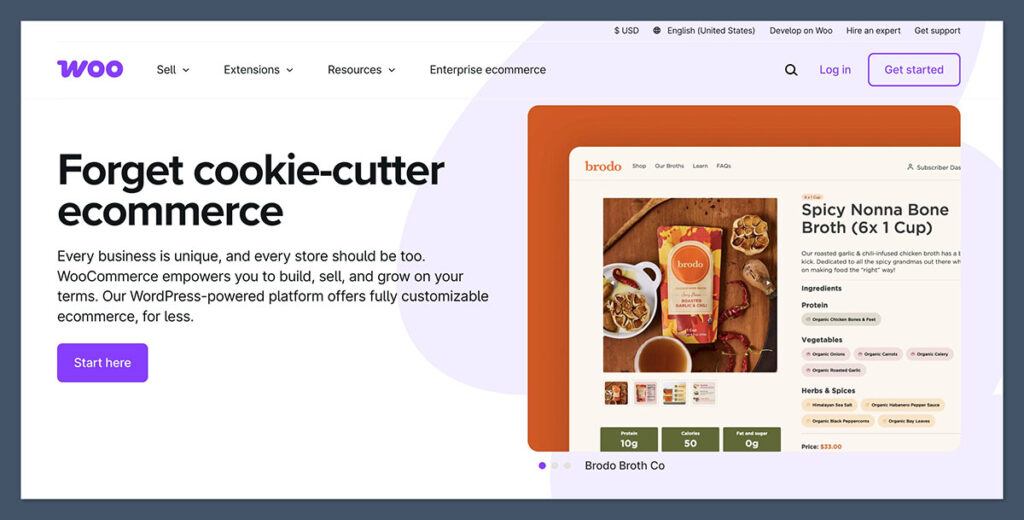
WooCommerce Review
Squarespace is a hosted builder with fixed features. WooCommerce, on the other hand, gives you full ownership of your site through WordPress. It’s open-source, endlessly customizable, and incredibly powerful — but you’ll need to handle more setup.
WooCommerce is ideal for those who want full control over how their store works and how it appears in search results. Whether it’s schema markup, SEO metadata, or site architecture, WooCommerce gives you more access to technical settings than Squarespace.
You can use WooCommerce with any WordPress theme and install only the features you need. That makes it lean, flexible, and ideal for serious stores with content and ecommerce goals.
What I Like
✔️ Unlimited flexibility
You control every part of your site — from the checkout process to the SEO plugin you use. You can host anywhere, choose any theme, and add only the tools you want.
✔️ Thousands of plugins
WooCommerce integrates with just about everything. Whether you need a CRM, email marketing, custom shipping rules, or booking systems, there’s likely a plugin for it.
✔️ Superior SEO tools
WordPress is already strong for SEO, and WooCommerce extends that with product schema, breadcrumbs, and rich metadata support. It’s easier to rank with WooCommerce than Squarespace.
✔️ Lower long-term costs
There are no monthly platform fees. You pay for hosting, optional plugins, and services — but you’re not locked into platform pricing or transaction fees.
What I Dislike
❌ Requires regular maintenance
You’ll need to manage updates, backups, and security. Unlike Squarespace, WooCommerce doesn’t handle this for you.
❌ More technical setup
Installing themes, configuring plugins, and setting up checkout flows require time and patience. This platform is not for people who want something that “just works.”
❌ Can become bloated
Adding too many plugins can slow your site or cause conflicts. Careful management is needed to keep performance high.
How Much Does WooCommerce Cost?
WooCommerce itself is free, but you’ll need to budget for hosting and add-ons:
| Item | Typical Cost |
|---|---|
| Hosting | $10–30 / month |
| Domain | $10–15 / year |
| Premium theme | $30–100 (one-time) |
| Plugins | $0–$300+ (depending on features) |
There’s no free trial, but since it’s open-source, you only pay for what you choose to use.
How Does WooCommerce Compare to Squarespace?
- WooCommerce gives you more power, but more responsibility. Squarespace is easier to start with but limits what you can customize.
- If SEO, blog content, and site performance matter to you, WooCommerce is a better long-term investment.
- Squarespace is all-in-one and polished. WooCommerce is modular and customizable. The experience is completely different.
Should You Use WooCommerce Instead of Squarespace?
WooCommerce is a strong Squarespace alternative if you want complete control and don’t mind handling technical tasks. If you’re serious about SEO or building a fully customized store and content platform, WooCommerce will give you everything you need — but you’ll need to manage the backend yourself.
4. Wix – Best for Ease of Use
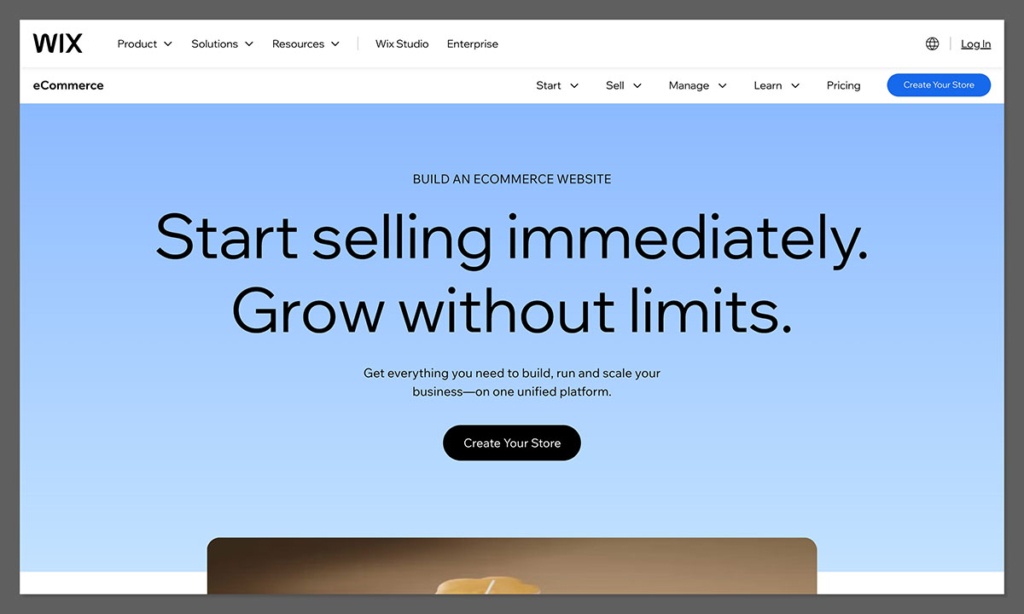
Wix Review
While Squarespace is known for elegant templates, Wix provides more overall flexibility. Its editor is easier to use, its features are more extensive, and its customization options are broader. That’s why Wix stands out as a balanced Squarespace alternative for both business websites and small online stores.
Wix includes many built-in tools for booking, payments, forms, SEO, and marketing — without relying heavily on third-party apps. This makes it easier to manage your entire business from one dashboard, something Squarespace can’t match in the same way.
With over 800 templates and a growing app market, Wix works well for general websites with ecommerce needs, even if it’s not the strongest platform for large-scale stores.
What I Like
✔️ Flexible editor
Wix’s drag-and-drop interface lets you place elements anywhere on the page, unlike Squarespace’s section-based design system. This gives you more creative freedom and layout control.
✔️ AI-assisted tools
Wix’s AI website builder and text generator help speed up site creation. It’s helpful for beginners who want a polished site without designing every detail.
✔️ Well-rounded features
Email marketing, forms, analytics, and SEO tools are all available natively. Squarespace often requires workarounds or third-party add-ons for similar functionality.
✔️ Template variety
Wix offers a wider range of templates across industries, especially outside of creative and lifestyle niches where Squarespace dominates.
What I Dislike
❌ Slower performance
Wix sites can be slower to load than competitors, especially with large images or lots of dynamic elements. Optimization is harder without developer access.
❌ Not ideal for scaling ecommerce
While Wix supports product catalogs, the features for large stores, multi-currency, or advanced checkout are limited compared to Shopify.
❌ Design can get messy
Because Wix allows total freedom, it’s easy to create inconsistent layouts without clear guidelines.
How Much Does Wix Cost?
Wix offers several ecommerce-focused plans:
| Plan | Monthly Cost | Features |
|---|---|---|
| Business Basic | $29 | Online payments, 20GB storage |
| Business Unlimited | $36 | Subscriptions, 35GB storage |
| Business VIP | $159 | Priority support, advanced tools |
You can start with a free plan but must upgrade to accept payments or connect a custom domain.
How Does Wix Compare to Squarespace?
- Wix is more flexible and easier to use. Squarespace is more structured and elegant. It depends on whether you prefer freedom or polish.
- Wix is better for beginners who want to build quickly with drag-and-drop tools. Squarespace is better for users who are okay working within design constraints.
- For a small business or service website with ecommerce, Wix may offer better value than Squarespace.
Should You Use Wix Instead of Squarespace?
If you want an all-in-one website builder with more creative control and built-in tools, Wix is a better fit than Squarespace. It’s especially good for small businesses that need bookings, stores, and service pages in one place.
Summary Table: Squarespace Alternatives Compared
| Platform | Best For | Strengths | Considerations |
|---|---|---|---|
| Shopify | Serious ecommerce stores | Strong selling tools, scalable | Template editing is limited |
| Webflow | Design-focused businesses | Custom layouts, CMS, speed | Learning curve, fewer ecommerce tools |
| WooCommerce | Custom solutions and SEO | Total control, open source | Needs technical skills |
| Wix | Easy design and flexibility | Drag-and-drop freedom, templates | Not ideal for large ecommerce |
Final Thoughts
Squarespace is a solid choice for simple websites and basic online stores, but it’s not built for flexibility or growth.
If you’re planning to scale your ecommerce business, customize your store’s layout, or get serious about SEO, you’ll eventually feel limited by what Squarespace offers.
Each of the platforms listed here has its strengths:
- Choose Shopify for powerful ecommerce and scalability.
- Go with Webflow if design control is your top priority.
- Use WooCommerce for full customization and SEO tools.
- Try Wix for flexible design without a steep learning curve.
Pick the one that matches your goals, skills, and budget; and make sure the platform can grow with you.


