
 By Bogdan Rancea
For anyone looking to start selling online without having to switch to a whole new ecommerce platform, Ecwid is a great option.
Unlike fully-fledged ecommerce builders like Shopify or BigCommerce, Ecwid thinks more like a plugin – something that lets you add a shopping cart and product catalog to your existing website, whether you’re using WordPress, Wix, Squarespace or even a basic HTML page.
I tested Ecwid across a bunch of different environments – including WordPress blogs, portfolio sites and basic business pages – to see how it stacks up when it comes to setup, ease of use, sales tools, customization and long-term viability.
This review breaks down everything I found, from the moment I set it up to its feature performance, so you can decide if Ecwid is right for your business goals.
Why You Should Trust This Review
I’ve been building, auditing and optimizing ecommerce stores since 2013, and I’ve put more than a dozen ecommerce platforms to the test in various industries – from people selling digital products online through to high street retailers with physical stores.
My reviews are based on my actual experience using the platform, not just on what the vendor is touting, and I look at every feature through the lens of long-term usability, scalability and cost-effectiveness.
Ecwid Pros and Cons
| Pros | Cons |
| Free plan with real selling capabilities | SEO features are limited and lack customization |
| Simple integration with any existing site | The app marketplace is much smaller than Shopify’s |
| Native support for social selling across multiple platforms | Design customization is constrained without coding |
| No additional transaction fees from Ecwid | Lacks advanced ecommerce features for scaling large operations |
What I Really Like About Ecwid
✔️ Easy Peasy Integration: Ecwid lets you embed a fully functional store into any website without messing up your design or CMS. I found this especially helpful on WordPress and Wix, where I could keep the look and feel I’d worked so hard to create.
✔️ Connecting Multiple Sales Channels: Right from the mid-tier plans, Ecwid lets you connect your products to platforms like Facebook, Instagram, Amazon, eBay and TikTok. That kind of reach is usually only available on the top-end enterprise plans of other platforms.
✔️ A Store Builder That’s a Breeze to Use: Even if you’re not technical, Ecwid’s dashboard is pretty easy to get to grips with. You don’t need to learn a new CMS or fiddle around with complicated design tools. It feels pretty intuitive.
✔️ Solid Mobile Optimisation: Whether you use the Instant Site or embed the store in your own site, the shopping experience is now mobile-friendly by default. I tested it on loads of different devices and the layout adjusted smoothly without any issues.
✔️ No Sneaky Transaction Fees: Unlike Shopify, which can charge you up to 2% extra if you use external payment processors, Ecwid takes a more flexible approach. You only pay what your chosen processor (like Stripe or PayPal) charges – Ecwid itself doesn’t add any extra transaction fee.
What I’m Not So Keen On
❌ Basic SEO Tools: While you can edit meta titles, descriptions and image alt text, Ecwid doesn’t give you deeper SEO controls like custom URL structures, schema markup and canonical tag management. This makes it harder to compete in search results, especially if you’re selling a lot of products or have a content-heavy strategy online.
❌ Limited Customisation Options: The design flexibility is pretty limited unless you’re comfortable writing CSS. While the Instant Site is easy to get set up and running, it can feel restrictive if you want a really unique visual experience.
❌ Fewer Integrations: The Ecwid app marketplace is smaller compared to the Shopify App Store or WordPress plugins. While most of the essential features are covered, you may hit a problem if you need more specialist tools or third-party automations.
❌ Not Suitable for Large Operations: Ecwid isn’t set up to manage complex inventory systems, advanced tax management or enterprise-grade analytics. If your business is looking to scale quickly or you need powerful B2B features, Ecwid may not be the best choice.
Ecwid At A Glance
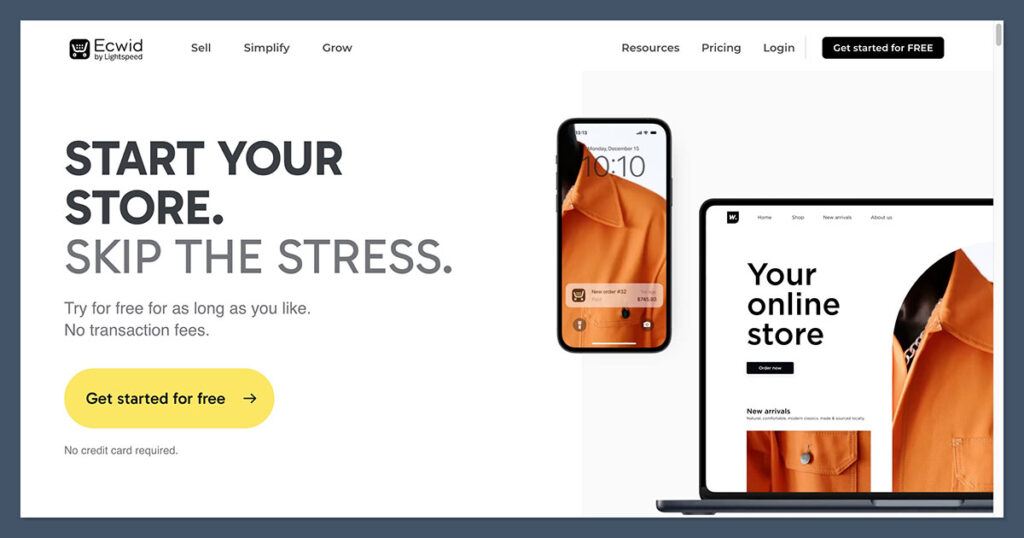
| Feature | Ecwid |
| Free Plan | Yes (up to 5 products) |
| Paid Plans | $19 – $99/month |
| Product Limit | Unlimited on paid plans |
| Multichannel Sales | Amazon, Facebook, TikTok, IG, eBay |
| Custom Domain Support | Yes |
| SEO Tools | Basic |
| Templates/Themes | One Instant Site + CSS customization |
| Transaction Fees | None (uses your gateway’s rates) |
| Support | Email, Chat, Phone (based on plan) |
The Onboarding Process with Ecwid – A Quick & Painless Setup
After you sign up for an account, you’ll be asked a few simple questions to get your store setup just right.
These questions are designed to help you tailor the store to your needs – do you already have a website? What kind of products are you selling? and what sales channels do you plan on using?
If you don’t have a website yet, don’t worry, Ecwid’s got you covered. They’ll create a default “Instant Site” which is a fully functional single-page storefront that’s hosted by Ecwid.
You can use this as your main site, or just as a temporary solution while you get your main site up and running.
Now, if you already have a site, things get really easy. Embedding the store is as simple as copying a few lines of code into your site’s editor.
I tested it with WordPress, Wix, Squarespace and it worked like a charm on all of them – the storefront loads in no time and looks great on all screen sizes too.
Developer Tip: if you’ve got coding skills, you can use Ecwid’s REST API and JavaScript SDK to build custom integrations and features – but for most small businesses, you won’t need to touch that.
Ecwid Pricing – Practical Plans for Small Businesses
Ecwid’s pricing is one of the things that sets it apart from other platforms like Shopify.
Unlike Shopify which starts at $29 a month, Ecwid has a fully functional free tier and lower prices across all of its paid plans.
| Plan | Price (Monthly) | Products | Sales Channels | Key Features |
| Free | $0 | 5 | Website only | Secure checkout, mobile responsive, unlimited bandwidth |
| Venture | $19 | 100 | Facebook, Instagram | Discount coupons, inventory tracking, SEO tools, mobile POS app |
| Business | $39 | 2,500 | Amazon, eBay, TikTok, Google | Product variations, abandoned cart recovery, multilingual support |
| Unlimited | $99 | Unlimited | All platforms + POS | Priority support, white-label, custom app integrations |
What’s Included in Each Plan?
- Free Plan: this plan lets you sell up to 5 products and is perfect for side projects or testing the waters. You can embed it into your website or use the Instant Site, but you don’t get access to SEO controls or third-party selling channels.
- Venture Plan ($19/month) : on this level, Ecwid becomes a real option for small businesses. You can list up to 100 products, set up Facebook & Instagram Shops, track inventory, issue coupon codes and use Ecwid’s mobile apps for store management.
- Business Plan ($39/month) : this is where Ecwid gets competitive with Shopify’s Basic plan. You unlock powerful features like abandoned cart recovery, Google Shopping integration, Amazon / eBay selling, multilingual storefronts, product variations – this tier is ideal for stores with large inventories or multiple sales channels.
- Unlimited Plan ($99/month) : this plan is best for stores doing high volume or need access to Ecwid’s white-label solution. You get access to POS integrations for brick-and-mortar operations, priority phone support and API access for custom development. You also get a mobile store app branded to your business.
Product and Inventory Management – Easy as 1, 2, 3
Managing products in Ecwid is refreshingly straightforward. The admin panel is super clean and intuitive, making it a breeze to add items, configure variants and organise categories.
Standout Inventory Features:
- Product Variations: define variants like size, colour and custom fields (e.g. engraving text) – each variant can have its own price, image and stock level.
- Inventory Tracking: real-time inventory updates so you don’t oversell anything. You can also choose to hide out-of-stock products automatically.
- Digital Products: selling files like PDFs, videos or digital art is supported natively. Upload the file once, and Ecwid handles secure delivery post-purchase.
- Bulk Import/Export: upload product data via CSV files and export orders for accounting or shipping purposes – a feature many platforms restrict to higher tiers.
Multichannel Selling with Ecwid – Easy as You Like
Multichannel selling can be a real pain with other platforms, but with Ecwid it’s built-in (on the Business and Unlimited plans at least).
Channels You Can Sell On:
- Social Media: Facebook Shops, Instagram Shopping and TikTok Shopping let you connect your product catalog to your social pages for seamless product tagging and checkout experiences.
- Marketplaces: Amazon and eBay integrations let you list your products, sync inventory and manage orders directly from the Ecwid dashboard.
- Google Shopping: Ecwid can automatically sync your product feed with Google Merchant Center, making it easier to run Shopping Ads.
Use Case Example: I connected Ecwid to a Facebook Shop and had my products live on Facebook within 15 minutes. Inventory synced in real time, which was great – no need to bother with manual stock management.
Store Design and Customization
Now, about what Ecwid is and isn’t – it’s not a full-fledged website builder like Shopify or Wix.
That being said, it does have some basic design tools that’ll get the job done, especially if you’re working with the Instant Site or embedding into an existing website.
Customization Options:
- Instant Site Editor: You can fiddle around with basic colours, fonts, section order, and images. This is perfect for launching something quick or if you don’t have a website set up yet.
- CSS Editing: If you’re a bit more advanced, you can use CSS code to apply custom styles – this is how you get deeper visual control, especially when embedding Ecwid into a custom site.
- Embed Code Flexibility: When adding the store to another website, you get to decide how and where the store appears – from product grids to individual buy buttons.
Design Caveat: There’s no theme marketplace or drag-and-drop builder. Ecwid’s focus is on getting the job done, not on giving you loads of design freedom to play with.
Payments, Shipping & Tax Setup
Ecwid handles payments and logistics in a pretty balanced way – it’s got enough flexibility and simplicity to make you feel comfortable.
All plans support secure, PCI-compliant checkouts, and Ecwid doesn’t charge any additional transaction fees.
Supported Payment Gateways:
- Stripe
- PayPal
- Square
- Authorize.Net
- Apple Pay / Google Pay
- Manual methods (e.g., COD or bank transfers)
Shipping Tools:
- Real-time shipping quotes from USPS, UPS, FedEx
- Free or flat-rate shipping by weight or region
- Local delivery and curbside pickup options
- Label printing integrations with ShipStation and others
Taxes:
- US tax rates get calculated automatically
- Manual tax control for international sales
- EU VAT support for digital product sellers
The Business and Unlimited plans give you more advanced shipping features like real-time carrier rates and shipping zones.
SEO and Marketing
Ecwid has the basics for SEO, but if you’re looking for something more advanced, you’ll have to look elsewhere.
It integrates with email platforms like Mailchimp and Omnisend, and you can also use Facebook Pixel and Google Analytics, but more advanced attribution or automation tools will need a workaround or a third-party service.
SEO Tools Available:
- You can edit meta titles and descriptions
- Add ALT text to your images
- Auto-generated sitemap.xml
- Basic control over product URLs
What’s Missing:
- No native blog or content engine
- Limited structured data support
- No 301 redirect management
- The canonical tag implementation is a bit clunky
App Market and Integrations
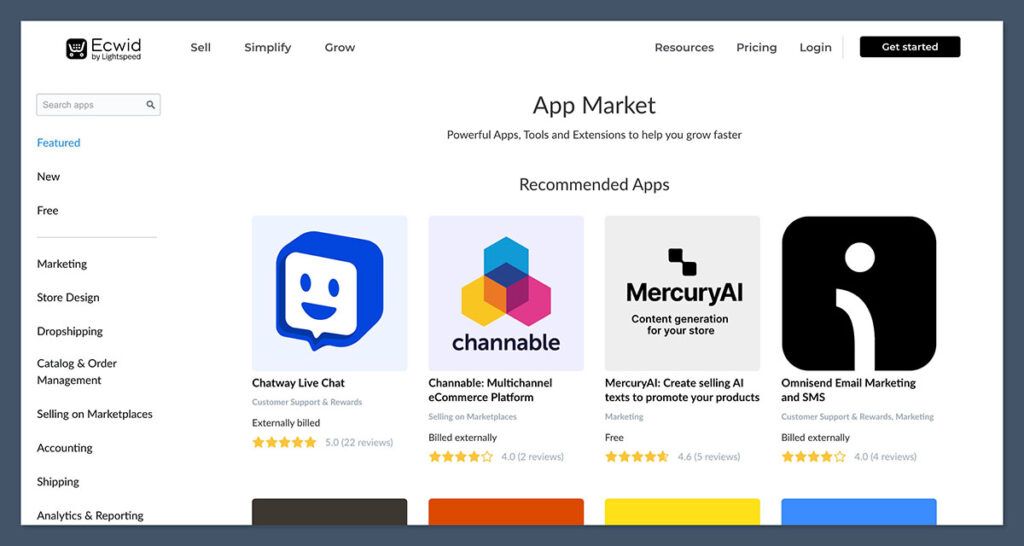
Ecwid’s App Market isn’t as big as Shopify’s, but it’s still got a good selection of core functionality for most store owners.
Some Things You Can Find In The Market:
- Email & SMS marketing (Omnisend, Mailchimp)
- Print-on-demand (Printful, Printify, Spocket)
- Accounting (QuickBooks, Xero)
- Live chat and support tools
- Retargeting and analytics plugins
There are around 150 integrations to choose from, which is probably enough for smaller stores but may not be enough for more complex automation workflows.
Customer Support
Support is tiered based on your plan, and response times vary.
| Plan | Support Type |
| Free | Help Center, Community Forum |
| Venture | Email Support |
| Business | Live Chat and Email |
| Unlimited | Phone, Chat, and Priority Support |
The Help Center is well-organised with some good tutorials, video walkthroughs and platform updates.
I’ve had a pretty good experience with the live chat feature on the Business plan – though response times can be a bit iffy during high traffic.
Ecwid Alternatives
If Ecwid isn’t quite what you’re looking for – maybe because it’s too limited on SEO or design or scalability – then there are loads of other great options to consider.
Below are five top-rated platforms that serve different ecommerce goals, from full store builders to flexible WordPress options.
Comparison Table: Top Ecwid Alternatives
| Platform | Best For | Starting Price | Key Strengths |
| Shopify | Fast-growing, scalable online stores | $29/month | Powerful sales features, app store, multichannel selling |
| WooCommerce | WordPress users needing full control | Free (plus hosting) | Customizable, SEO-friendly, huge plugin ecosystem |
| Wix eCommerce | Beginners building a site from scratch | $27/month | Easy-to-use editor, good design flexibility |
| Squarespace | Creatives selling small catalogs | $23/month | Beautiful templates, strong content integration |
| BigCommerce | Larger stores with built-in tools | $39/month | Native features, no need for multiple apps |
Shopify is the go to platform for sellers looking to create a powerful ecommerce store that can keep up with their growth . Its all-in-one functionality, multichannel selling and an almost endless choice of over 8000 apps make it perfect for anyone looking to set up a serious online presence.
WooCommerce is a WordPress plugin that gives you total control and customization over your ecommerce setup if you’re a fan of SEO, blogging and making your own rules. The trade off however is that you’ll have to put a bit more time and effort into getting everything set up and running smoothly.
Wix on the other hand is a drag-and-drop website builder that makes it super easy to get an ecommerce site up and running, even if you know nothing about coding. Its perfect for beginners who want complete control over their website and dont want to be messing around with code.
Squarespace offers up some beautiful, professionally designed templates and solid ecommerce tools designed specifically for creative types. Its a great choice for artists, designers and service providers who are looking to sell a limited range of products in conjunction with their existing blog or website.
BigCommerce is a robust ecommerce solution that has most advanced features built right in – including multi-currency support, custom shipping rules and no transaction fees. Its perfect for large stores with a massive product range or anyone looking to cut back on third party apps.
Final Verdict: Is Ecwid Worth It?
So you want to launch an online store without having to swap out your existing website – well Ecwid is probably your best bet. It’s not trying to be everything to everyone and that’s actually a good thing – especially if you just want simplicity.
Best For:
- Those who run a solo operation and want to add some ecommerce magic to an existing blog or service page
- Retailers who just need a basic point of sale and online selling tools
- Sellers who rely a lot on social media or marketplaces
- Anyone who just wants to dip their toes in ecommerce without breaking the bank
Not Ideal For:
- Advanced ecommerce operations that need full control over their SEO
- Brands that require a deep level of customization or some serious scalability
- Dropshippers using tools that aren’t officially supported like DSers or Oberlo
- Larger teams that handle multiple locations or B2B sales
Final Score: 4.2 / 5
If your main goal is to get selling up and running as quickly as possible, without having to learn a whole new system from scratch, Ecwid is definitely the way to go.
It won’t compete with the likes of Shopify or WooCommerce when it comes to customization or long term scalability, but that’s not really what its designed for.
What Ecwid excels at is being a hassle free ecommerce extension for existing websites – a reliable way for small businesses and solo operators to get online, sync sales across channels and accept payments – all without over complicating things.


