
 By Rebekah Carter
Canva is our top-rated design platform for ecommerce, offering powerful tools to create high-quality visuals without the need for advanced design skills. With features like AI-powered design assistance, brand kits, and a massive template library, Canva helps ecommerce brands move fast and stay consistent across every channel.
In this review, I’ll take a closer look at Canva’s pricing, features, templates, and AI tools, so you can see exactly why Canva is the best design solution for ecommerce businesses.
Key Takeaways 🔍
- Canva is the best tool for ecommerce visuals, offering brand kits, AI tools, and templates to streamline content creation
- Canva’s plans range from $0 to $119.99 per year, with the Pro plan replacing the need for stock photo subscriptions and video tools
- It’s ideal for fast-moving businesses that prioritize content output, speed, and brand consistency
- Canva’s editor is extremely beginner-friendly, with drag-and-drop functionality and real-time collaboration features
- Some advanced design features are limited, and templates can feel repetitive without customization
Canva Pros & Cons
| Canva | Best for ecommerce visuals and team collaboration |
|---|---|
| Rating | Outstanding – 4.7 out of 5 |
| Ideal For | – Content-driven stores – Social-first brands – Small teams and creators |
| Pricing | Free plan available Paid Plans: $14.99/month or $119.99/year |
| Pros | ✔️ Drag-and-drop editor that’s easy for beginners ✔️ Brand kits for consistent design across teams ✔️ Magic Resize, Background Remover, and AI-powered tools ✔️ Huge template and asset library ✔️ Excellent for social media, email, and product visuals |
| Cons | ❌ Limited control for advanced typography and design ❌ Some templates are overused ❌ Not suitable for print-heavy or highly customized design work |
Need a quick summary of Canva? I’ve collected Canva’s best and worst features below:
What I Like
✔️ Simple interface that lets anyone create professional visuals quickly
✔️ Time-saving AI tools like Magic Write and Background Remover
✔️ Massive asset library included with Pro plan
✔️ Brand kits help ecommerce stores stay visually consistent
✔️ Great for creating marketing assets, social content, and email banners
What I Don’t Like
❌ Customization is limited compared to software like Adobe Illustrator
❌ Designs can look templated without effort
❌ Not suitable for advanced illustration or UI work
What Is Canva?
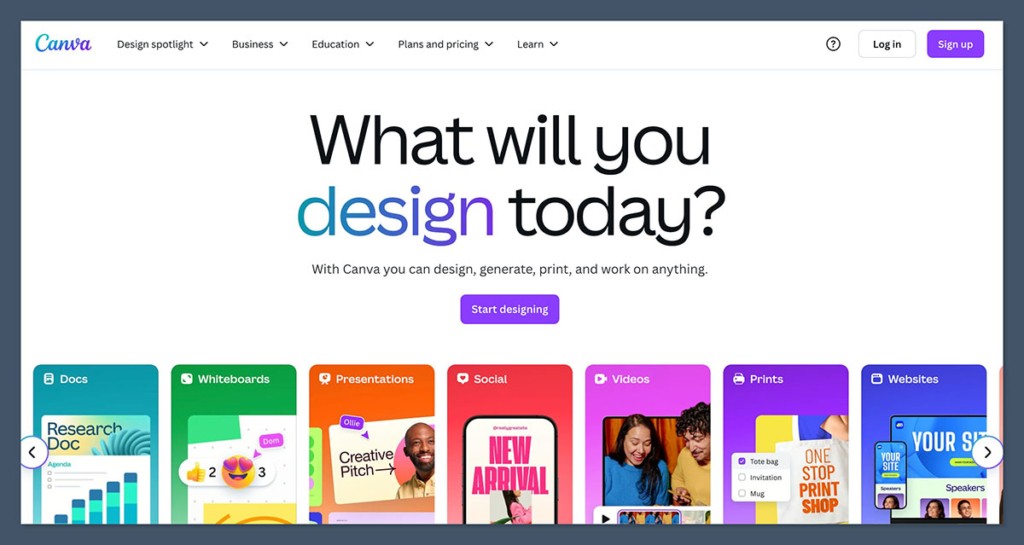
Canva is a browser-based design platform that makes it easy for users to create professional-quality graphics without needing advanced design skills or expensive software.
It started out as a basic drag-and-drop image editor but has evolved into a full creative suite, including tools for video, AI-generated content, collaboration, branding, and more.
With Canva, you can design:
- Social media content for Instagram, Facebook, TikTok, and Pinterest
- Email headers and newsletter graphics
- Product mockups and feature callouts
- Website banners and hero images
- Presentation decks and reports
- Short promotional videos and reels
For ecommerce teams, Canva serves as a centralized place to manage visual content production, eliminate bottlenecks, and help non-designers create high-quality visuals fast.
My Experience Using Canva
When I started using Canva, I was looking for a tool to speed up the design process for ecommerce creatives without compromising on quality.
I wanted something that could help me scale content output without needing to hire additional designers or rely on freelancers.
Signing up was simple. Canva only asks for a name and email address to get started. Once inside, the interface is clean and beginner-friendly.
I was able to create my first social media graphic within ten minutes of logging in, without watching a single tutorial.
What really impressed me was the wide range of ready-made templates that were already formatted for the platforms I was using. Whether I needed a 1080×1080 Instagram post or a 1920×1080 email hero image, the sizes were already pre-set, which saved me time on every campaign.
Over time, Canva became more than just a quick design tool. It became an essential part of my content creation system, especially when working on:
- Weekly email campaigns with branded headers and banners
- Seasonal sales with dozens of promotional assets
- Social media ads with multiple formats and sizes
- Blog graphics that match site branding
- Product image enhancements and repurposing
How Easy Is Canva To Use?
Canva is one of the most intuitive design platforms I’ve ever used. It doesn’t require any design background or software experience.
Everything is visual, with drag-and-drop functionality, and the interface guides you through the design process step by step.
What I appreciate most is how beginner-friendly it is without being too limited. As you gain experience, you start to unlock more advanced features and shortcuts that significantly speed up your workflow.
Here are a few standout features that make Canva especially easy to use:
- A drag-and-drop editor that lets you move elements freely around the canvas
- A left-hand toolbar that’s clearly organized by categories like text, images, elements, and uploads
- A grid and snapping system that keeps designs aligned
- Real-time collaboration and commenting tools for team-based projects
- Undo and history tracking so you can test layouts without worrying about losing your work
For small teams or solo ecommerce owners, this simplicity is a major advantage.
You don’t need to learn complex shortcuts or remember multiple steps to finish a task. Canva does most of the heavy lifting behind the scenes.
Templates and Asset Library
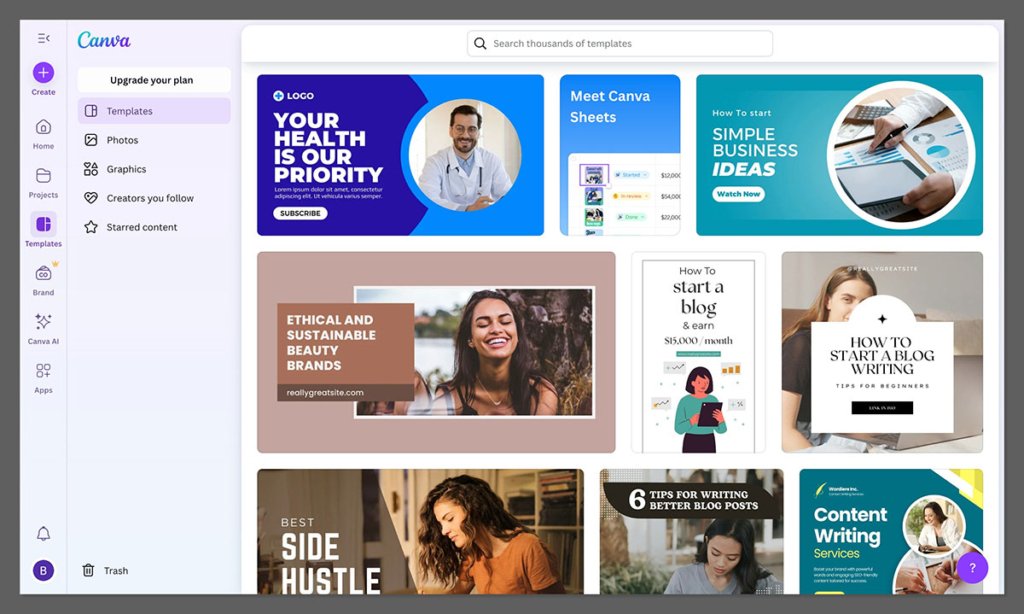
One of Canva’s most powerful features is its massive template and asset library. Whether you’re designing a Facebook ad, a product information sheet, or a sales flyer, there’s a pre-built layout ready to use.
The library includes:
- Over 600,000 templates across categories and industries
- Access to more than 100 million photos, videos, and design elements (Pro plan)
- Brand kit templates that maintain consistency across all campaigns
- Animated and video templates for reels, promos, and product demos
As an ecommerce seller, I’ve used templates for:
- Product launch graphics
- Flash sale countdown banners
- Email marketing visuals
- Collection page headers
- Retargeting ad creatives
The quality of the templates is strong, and most designs feel modern and professional.
If you put in just a little customization effort—like adjusting colors, uploading your own images, or replacing fonts—your final design will feel unique and tailored to your brand.
I particularly like that Canva templates are designed with mobile and social media platforms in mind. You can easily swap a static Instagram post for a story version, then resize it for email or Pinterest.
Branding and Consistency Tools
Maintaining visual consistency is essential for building trust and recognition in ecommerce. Canva addresses this with several branding tools that help keep all your designs aligned.
Using Canva Pro or Teams, you can set up brand kits that include:
- Logos
- Primary and secondary color palettes
- Font pairings
- Standardized templates for recurring content
This allows you to quickly apply brand guidelines to any new design. Instead of manually copying styles, you simply apply your brand kit and Canva takes care of the rest.
Here’s how I’ve used brand kits across ecommerce workflows:
| Use Case | Benefit |
|---|---|
| Launch graphics | Branded product reveals with consistent typography and colors |
| Email templates | Matching headers and footers that align with store branding |
| Product imagery | Branded overlays, sale badges, and information tags |
| Ads | Uniform look across Facebook, Instagram, and TikTok |
| Internal docs | Consistent formatting for pitch decks and proposals |
For teams, Canva lets you assign roles and create shared folders so everyone is working with the same assets. This keeps design quality high, even when multiple people are creating content at once.
Canva AI Features
Canva has leaned into AI features more heavily in recent updates, and many of these tools are useful for ecommerce teams looking to streamline production.
Here’s a breakdown of the most relevant AI tools:
- Magic Write: An AI-powered text assistant that helps write headlines, product descriptions, captions, and more. You can generate copy in different tones like “friendly,” “professional,” or “playful.”
- Magic Resize: Automatically resizes a design to fit different platforms, saving hours of manual layout tweaking.
- Background Remover: One-click background removal from product photos, great for clean ecommerce listings.
- Text to Image: Generate unique illustrations or concept art for your designs.
- Brand Voice Matching: Helps rewrite or refine text content to stay aligned with your store’s tone and messaging.
These tools are especially helpful when you’re under a deadline or need to generate variations of a design quickly.
They don’t replace creative thinking, but they do remove repetitive tasks and unblock production bottlenecks.
Canva Video and Animation Capabilities
Video content is now a key part of ecommerce marketing, especially on platforms like TikTok, Instagram, and YouTube.
Canva includes video editing tools that allow you to create short-form video content directly in the platform.
You can create:
- Short promotional videos for product launches
- Animated social ads with music and motion graphics
- Product explainer videos with voiceovers and captions
- Simple slide-based videos with transitions and background music
While Canva’s video editor isn’t built for long-form content or complex transitions, it’s more than enough for quick marketing videos and animated ads.
The templates are designed to make video content accessible for non-editors, and you can export in standard formats optimized for each platform.
Canva Pricing and Plans
Canva offers a tiered pricing structure that works for individuals, small teams, and larger businesses. One of the strongest aspects of its pricing is that the free plan is genuinely useful and not just a trial.
Canva Free
The free plan includes:
- Access to thousands of free templates
- Basic design tools and exports
- Limited library of photos and graphics
- Standard resolution downloads
If you only create content occasionally or want to test the platform, the free plan is a great place to start.
Canva Pro
Canva Pro is priced at $14.99 per month or $119.99 per year (for one user). It unlocks:
- Access to the full asset library of 100+ million elements
- Premium templates and video content
- Magic Resize, Background Remover, and other AI tools
- Unlimited brand kits and folders
- 1 TB of cloud storage
For most ecommerce businesses, Canva Pro provides exceptional value. It replaces several separate tools and allows you to work faster, stay on brand, and handle your design needs in-house.
Canva Teams
Canva Teams starts around $30 per month for up to five users, with additional costs for more users. It includes everything in Pro, plus:
- Advanced team collaboration tools
- Approval workflows and user permissions
- Shared asset libraries and brand controls
Teams is best suited for growing ecommerce brands, marketing teams, and agencies that need more oversight and structure in their design process.
Canva for Ecommerce Design Workflows
Here’s a quick breakdown of how I use Canva in my ecommerce business, from launch to post-sale marketing:
| Stage | Canva Tasks |
|---|---|
| Product Launch | Promo graphics, teaser videos, countdown banners |
| Email Marketing | Campaign headers, product callouts, seasonal designs |
| Ads | Story formats, static and animated creatives, A/B test variations |
| Social Content | Carousel posts, reels, testimonials, influencer collabs |
| Store Design | Homepage banners, feature images, collection graphics |
| Internal Use | Sales decks, reports, team updates, training docs |
With Canva Pro, I no longer need to rely on separate tools for stock images, animations, resizing, or simple video creation.
Everything I need to run a visual campaign is in one place, and I can hand off tasks to VAs or other team members with full confidence that brand quality will stay intact.
Final Verdict: Should You Use Canva for Your Ecommerce Business?
If your ecommerce business needs to produce content quickly, maintain a consistent brand presence, and stay agile with your design output, Canva is one of the best tools available.
It’s cost-effective, beginner-friendly, and packed with time-saving features that make it ideal for busy teams and solo founders alike.
While it won’t replace professional design software for complex projects, it covers 90 percent of what most ecommerce brands need to produce high-performing content at scale.
Whether you’re creating product launch graphics, retargeting ads, or animated email banners, Canva delivers reliable results without requiring technical skills or expensive licenses.
For me, Canva Pro has become an essential tool in my ecommerce workflow, and I recommend it to any store owner looking to improve content production without sacrificing time or budget.


