
 By Bogdan Rancea
If you’re running an online store, design is one of the most important parts of your brand. Whether it’s a product photo, homepage banner, or Instagram ad, visuals sell.
The question is, which tool gives you the edge: Canva or Photoshop?
I’ve spent years building ecommerce brands, creating designs myself, and working with freelancers and marketing teams. Canva and Photoshop are the two tools I’ve used most often, and they each have strong pros and cons.
In this guide, I’ll break down exactly how Canva compares to Photoshop for ecommerce design. I’ll look at ease of use, templates, photo editing, collaboration, pricing, and integrations so you can decide what fits your business best.
Canva vs Photoshop: Quick Verdict
Canva – Best for fast, collaborative design and ecommerce content
Photoshop – Best for high-end product photo editing and full design control
In this comparison, I’ll explain why Canva is perfect for ecommerce stores that need speed and flexibility, and why Photoshop is still essential for detailed product editing.
Quick Comparison: Canva vs Photoshop
The table below gives a quick overview of how Canva and Photoshop stack up for ecommerce.
| Feature | Canva | Photoshop |
|---|---|---|
| Ease of Use | Beginner-friendly | More advanced and technical |
| Templates | Thousands of pre-made options | No built-in templates |
| Product Photo Editing | Basic AI tools | Industry-leading precision |
| Collaboration Features | Real-time collaboration | Limited file sharing |
| Integrations | Direct exports to Shopify, Etsy | Manual export or plugin-based |
| Pricing | Starts at $14.99 per month | Starts at $22.99 per month |
| Ideal For | Content marketing, promos | Detailed image editing |
Best for Ease of Use: Canva
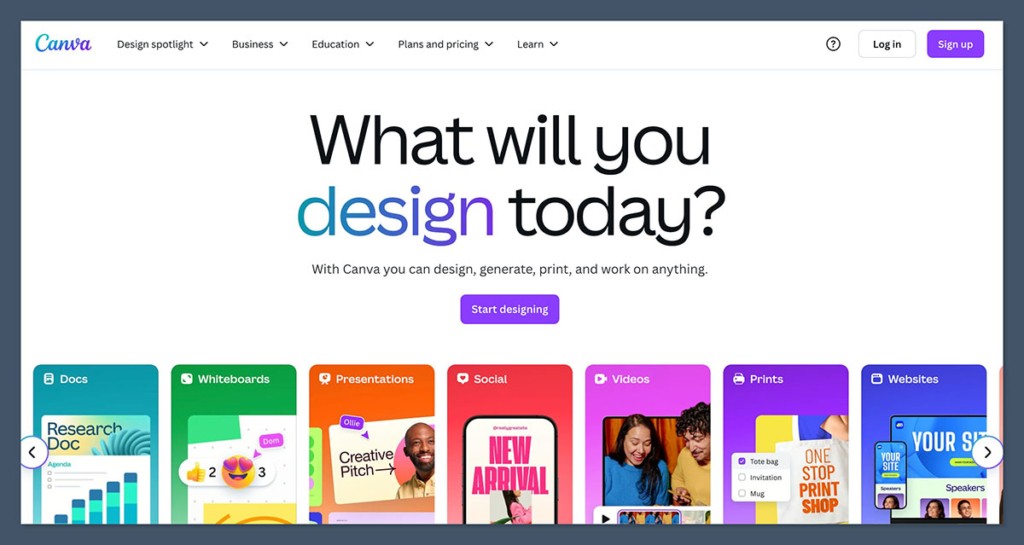
If you’re new to design or just want to get content out fast, Canva is a much easier tool to work with. Everything is browser-based and intuitive.
You can build a product banner, download it, and have it live on your store in under ten minutes.
When I first used Canva, I was surprised how easy it was to learn. You don’t need a tutorial or training. The tools are simple, the navigation is clear, and it works just as well on mobile.
Photoshop, on the other hand, has a steep learning curve. Even basic tasks like cropping or resizing take some getting used to.
If you’re already a designer, Photoshop’s interface will feel powerful. If not, it can be overwhelming.
Canva: Pros and Cons for Ease of Use
Pros
- Drag and drop interface
- No software download needed
- Built-in tutorials and help docs
- Accessible for beginners
Cons
- Limited when it comes to precision or custom design
- Sometimes harder to fine-tune details
Photoshop: Pros and Cons for Ease of Use
Pros
- Full control over every design element
- Custom brushes, filters, and layer styles
- Industry-standard for professional design
Cons
- Not beginner-friendly
- Requires a fast computer and time to learn
Best for Templates and Content Creation: Canva
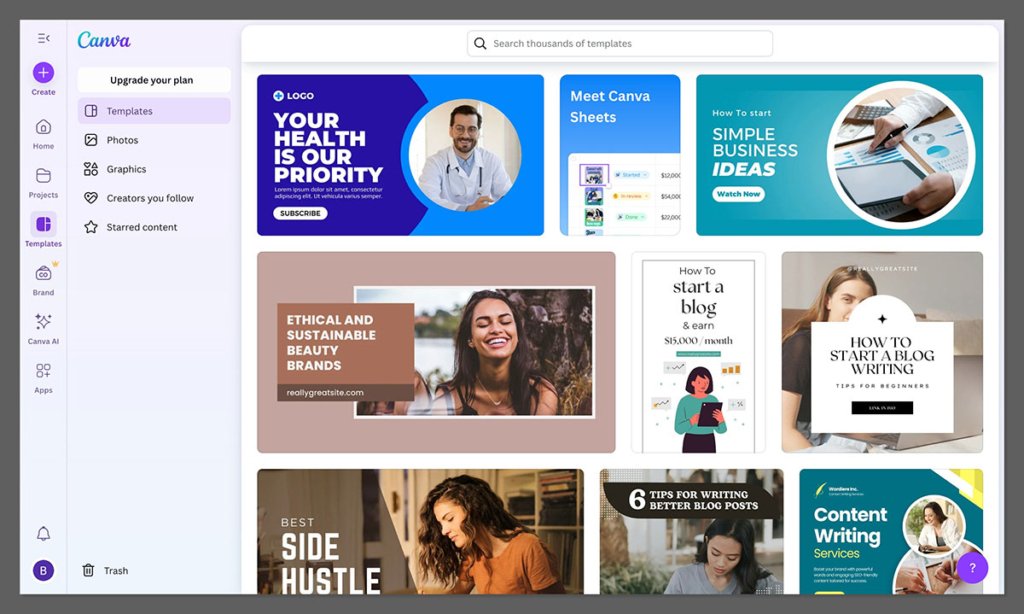
Ecommerce stores need a lot of content. From Instagram carousels and product mockups to homepage sliders and email graphics, templates help save time and keep your branding consistent.
This is where Canva really shines. There are thousands of ecommerce-friendly templates already available.
You can search for product categories, campaigns, seasons, or ad types. Canva’s design library includes Instagram templates, email headers, video reels, and even product label mockups.
Photoshop, by comparison, doesn’t include templates out of the box. You’ll need to create them yourself or buy them from third-party marketplaces like Envato or Creative Market.
What Canva Offers
- Over 250,000 free templates with Pro plan
- Customizable for your store’s colors and fonts
- Brand Kits to apply your logo and palette across templates
- Dedicated ecommerce categories like Black Friday, Product Launch, and Holiday Sales
I found Canva incredibly helpful when I needed quick turnaround designs for a new product launch. I used the same base design and just swapped out the product images and prices.
Photoshop is best suited for custom designs when templates aren’t enough or when you want something completely unique.
Best for Product Photo Editing: Photoshop
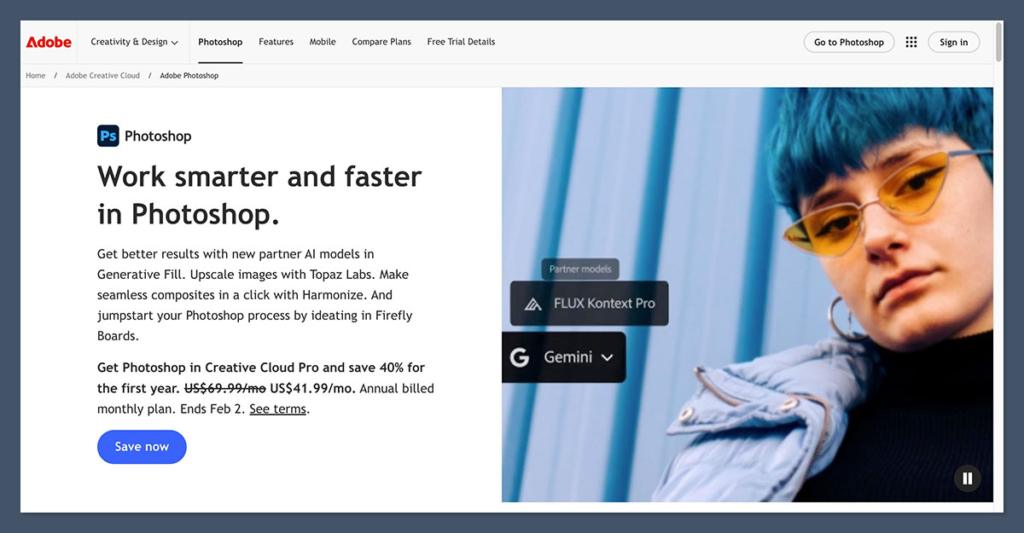
If product images are a key driver of your sales, Photoshop is still the gold standard for photo editing. I’ve used it to clean up supplier images, remove dust from close-ups, and adjust lighting for product shots.
While Canva has added features like background remover and Magic Edit, they’re not nearly as precise. Canva is fine for quick edits or social media visuals, but when it comes to polishing product images for Amazon or your Shopify homepage, Photoshop is better.
Key Photoshop Features for Ecommerce
- High-quality background removal tools
- Custom shadow, lighting, and retouching tools
- Smart objects for mockups and reusable designs
- Support for RAW files and advanced export settings
- CMYK support for printed materials like packaging
Canva is catching up and works well for basic edits. It has AI-powered tools like Magic Edit, and you can place your product in realistic mockups.
But if your conversions depend on sharp, clean, detailed images, Photoshop gives you more control.
Best for Team Collaboration: Canva
Running an ecommerce business often involves teams. You may have a content creator, a virtual assistant, a product photographer, and a marketing manager all touching your assets. Canva’s built-in team features make collaboration seamless.
With Canva Teams, I was able to assign roles, share designs, and leave comments directly in the project. There’s no need to download or upload files.
Photoshop is not built for team collaboration. You can share files via cloud storage or Adobe Creative Cloud, but it’s slower and less intuitive. PSD files are large, and working on the same file across multiple people can lead to confusion or overwritten changes.
Canva Collaboration Features
- Shared team folders
- User permissions for editors and viewers
- Real-time commenting on designs
- Version history tracking
Photoshop is better suited for solo creators or teams with a design pipeline that includes file handoffs. If your workflow depends on multiple people working on the same design, Canva is the better choice.
Best for Platform Integration: Canva
Getting your designs into the tools you use every day matters. Canva integrates directly with ecommerce platforms and marketing tools like Shopify, Etsy, Klaviyo, and Mailchimp.
This makes it easy to create a product banner and upload it to your Shopify store in one step.
I’ve used Canva to design assets for email campaigns and instantly import them into my Klaviyo flows. That kind of time-saving integration makes a big difference when you’re running weekly promotions.
Photoshop requires manual export and upload. While the export options are more customizable, it adds more steps to the process.
Canva Integrations
- Shopify
- Etsy
- Google Drive
- Instagram and TikTok
- Email tools like Mailchimp and Klaviyo
If you want to move fast and work directly inside your marketing platforms, Canva is the better tool. Photoshop is still the choice for design depth, but it takes longer to get your assets where they need to go.
Best for Pricing: Canva
Canva is more affordable than Photoshop, especially if you don’t need all of Adobe’s features. The free plan includes hundreds of templates and tools, but Canva Pro unlocks the best features like background remover, brand kits, and premium templates.
Photoshop starts at $22.99 per month and is only available through Adobe’s subscription model.
It’s part of the Creative Cloud suite, so if you use Illustrator or Lightroom, it may make sense. But for most small ecommerce businesses, Canva Pro offers more value for day-to-day needs.
Pricing Comparison
| Plan | Canva | Photoshop |
|---|---|---|
| Free Plan | Yes | No |
| Paid Plan | $14.99 per month (Pro) | $22.99 per month (Single App) |
| Teams Plan | From $29.99 per month | Creative Cloud from $59.99/month |
| One-Time Payment | No | No |
Unless you need advanced design features, Canva Pro gives you everything you need for ecommerce design at a lower cost.
Final Verdict: Should You Use Canva or Photoshop?
Here’s the bottom line.
If you run a fast-paced ecommerce business and need to crank out social media posts, email graphics, and product promotions, Canva is the better choice. It’s fast, easy, and built for teamwork.
If you work with high-end products, rely on professional photos, or want total control over your visual assets, Photoshop is still essential.
For most stores, I recommend starting with Canva Pro. Then, as your store grows, consider adding Photoshop for product photo editing or hiring a designer who uses it.
Canva vs Photoshop: The Winner
| Category | Best Tool |
|---|---|
| Ease of Use | Canva |
| Templates | Canva |
| Product Photo Editing | Photoshop |
| Collaboration | Canva |
| Platform Integration | Canva |
| Pricing | Canva |
Canva is the best choice for most ecommerce stores thanks to its ease of use, templates, and team features.
Photoshop is better for advanced product editing, but Canva is faster, cheaper, and more practical for everyday design needs.


