
 By Bogdan Rancea
Shopify is still one of the most popular ecommerce platforms around, and for good reason. It’s feature-rich, versatile, built for scale, and reasonably affordable for beginners. It’s also a lot easier to launch a store with Shopify than it is to build something from scratch.
Still, there’s quite a lot of work involved, from the design process to selecting the right products. It’s easy to run out of steam before you actually get anything life. An AI store builder like BuildYourStore.ai (BYS) can make the initial setup stages a lot easier.
That doesn’t mean you can design a store and publish it with this platform without making any tweaks yourself, though. That’s where this guide comes in.
What Is BuildYourStore.ai?
BuildYourStore.ai is a free-to-use AI Shopify store builder powered by AutoDS (the dropshipping app), and made for people who want to get an ecommerce website launch-ready quickly. It’s ideal if you want to get an attractive looking store, pre-stocked with high-selling dropshipping products, without spending too much of your time, energy, or money on the early stages.
BYS doesn’t replace Shopify, your store still runs on the ecommerce platform, but it does give you the starting blocks you need, such as:
- A free .store domain for the first year
- A niche-based, professional Shopify theme
- 10 hand-picked dropshipping products from AutoDS
- The option to manage fulfillment automatically with AutoDS
- Ready-to-convert product pages (with images, prices, descriptions and reviews)
- Premium apps and trust badges
- 24/7 customer support
Where BYS beats the usual alternatives is in speed combined with a clear niche focus. It stops you from having to combine a bunch of different tools to get the same result. You don’t need to ask ChatGPT for copy, use an app like GemPages for a separate page builder, or hunt down dropshipping products in a separate tab.
How to Build a Shopify Store with BuildYourStore.ai
The actual “build” process is very quick with BYS; I managed to get a store “almost ready” in just a couple of hours. One thing I will say, in advance, is that it helps to have your Shopify account already setup before you start building anything. Here’s the process I’d go through.
Step 1: Visit BuildYourStore.ai and Create Your Account
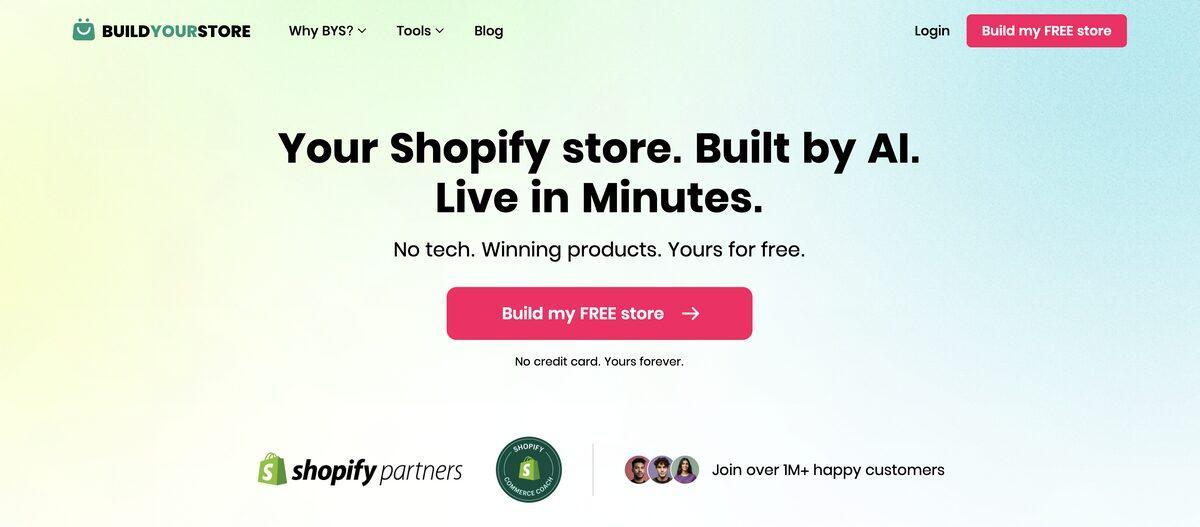
Head to the BuildYourStore.ai homepage and click “Build my Free store.” You won’t have to enter any credit card details here. Just type in your name, email address, and create a password, or sign in with your existing Google account.
This part literally takes seconds, but if you want to make the whole thing faster, It’s a good idea to have a few things in mind, like an idea of your niche, a store name, and maybe a basic grasp of the kind of products you’d like to sell.
Step 2: Choose a niche
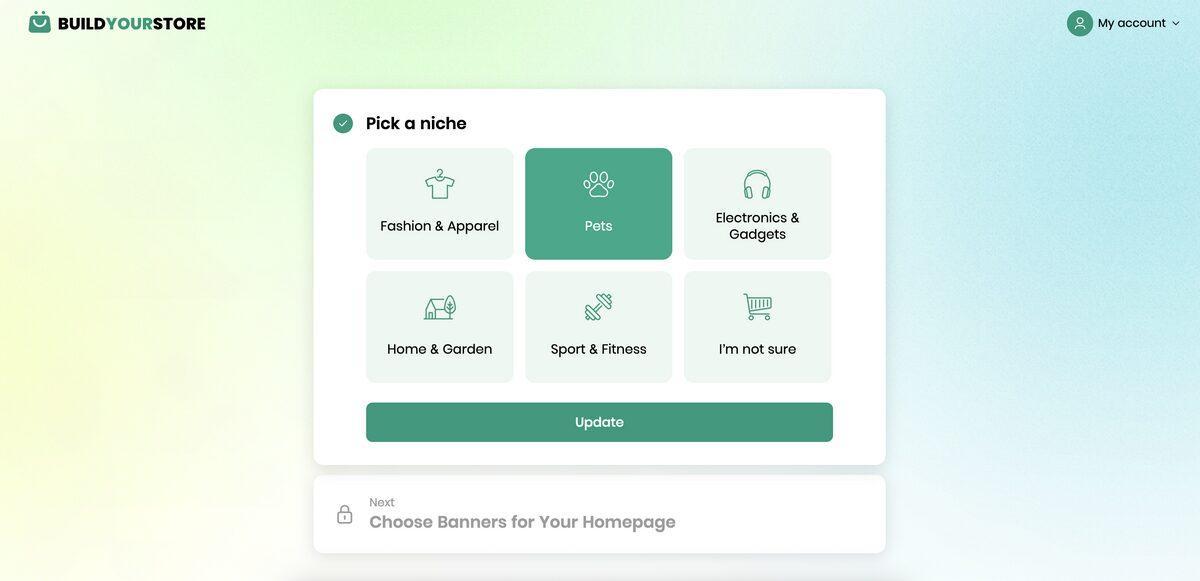
After you’ve made your account, BYS will ask you how you heard about the platform (you can skip answering that if you like), then you’ll be asked to pick a niche.
There are a few common ones to choose from, mainly linked to the kind of products AutoDS offers. You’ve got things like Fashion and Apparel, Pets, Electronics and gadgets, home and garden, and sports and fitness.
What I really like is that you can still click the “I’m not sure” option, if you’re still in the experimental phase. Although you may have to spend a little more time sorting through products and theme ideas if you pick that route.
Once you pick a niche, BYS will ask you to choose a few banners for your store. There are six options to choose from, based on your niche, and you can pick two to add initially. That just gives you a basic idea for the kind of aesthetic you’re going to have.
Step 3: Generate your AI-Powered Store
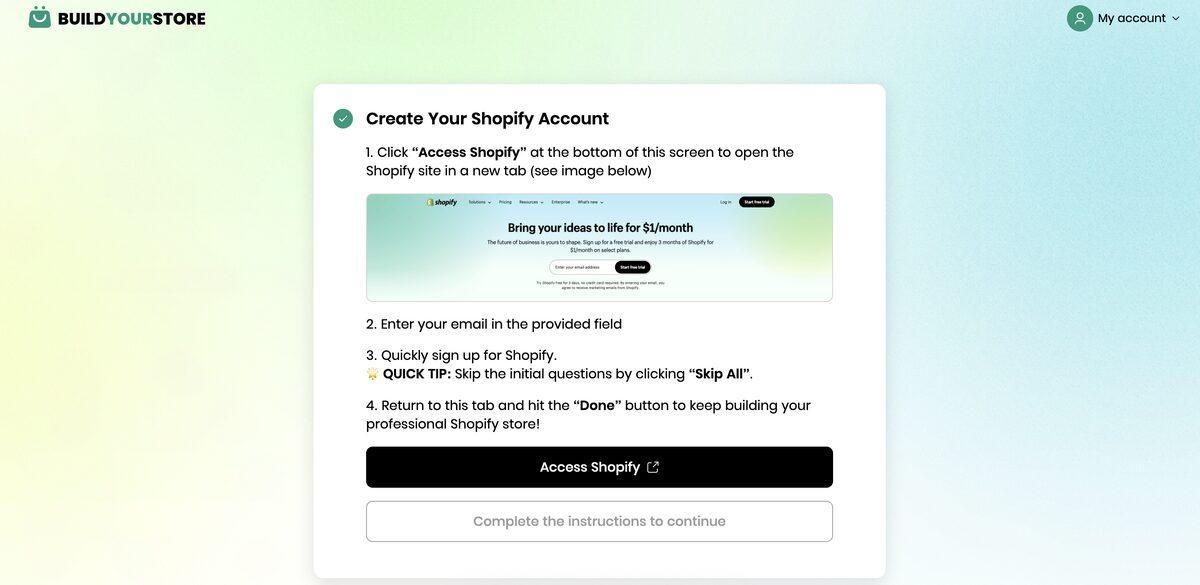
At this stage, BYS asks you to connect your Shopify store (and shows you how to do it), which is why I suggested having an account ready in the first place. If you don’t have an account yet, you can set it up with the guidance given here, and BYS will show you which parts of the general setup process you can probably skip to save time.
As soon as you’re connected, BYS will start doing the major work. It builds your homepage, and pages, and asks you to connect to AutoDS (there’s a free trial for this), so it can select ten relevant products related to your niche.
Those products get added to your store in the form of fully-built product pages, with images, prices, descriptions, and reviews or trust badges taken from the original AutoDS listing.
Step 4: Review products and store design
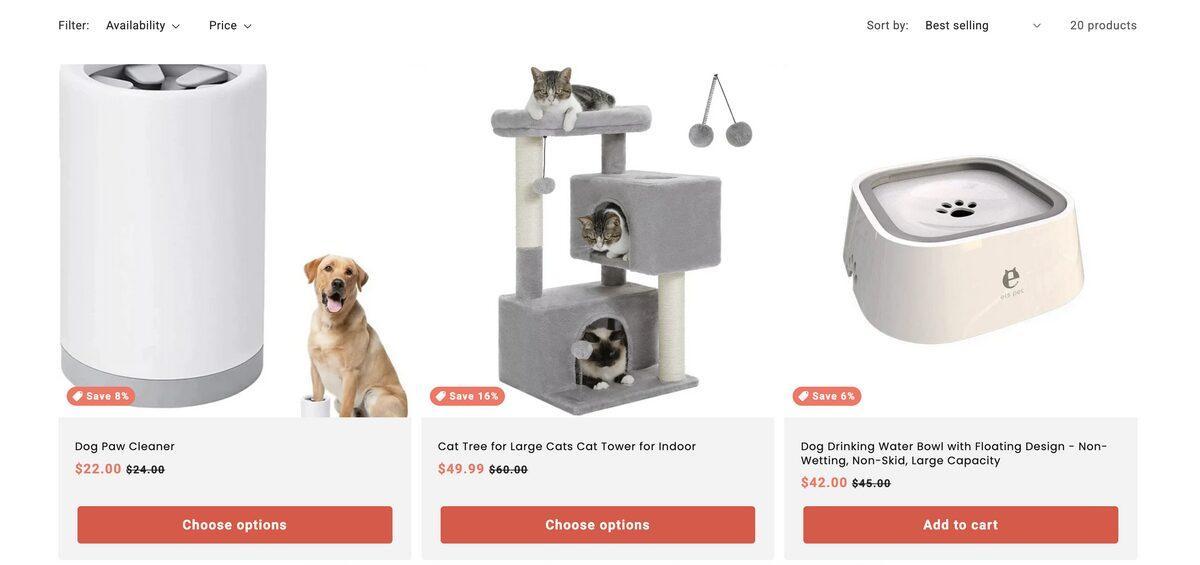
This is one of the more important steps. BuildYourStore.ai will choose products for you, and handle your website design, but it’s up to you to decide whether they fit your business idea.
I’d start by checking the products first. BYS will choose them based on what’s selling really well in your niche, but if you don’t like any of the suggestions, you can always change them. In fact, you can use AutoDS’s marketplace to explore a wider selection of items, and keep adding to your catalog.
Just keep in mind that you’ll need to pay for an AutoDS subscription if you’re going to be using it long-term. That costs about $19.90 per month if you pay annually.
Check if the products fit your niche, if the images are good, the description sounds right, and the shipping times and prices are acceptable.
Then take some time to check through the store itself. Make sure:
- The homepage banner matches the niche
- The menu is easy to use
- Product titles and other pieces of text are readable
- Trust badges load properly
- Everything works on mobile
- The checkout is straightforward
- The footer includes relevant contact details and policies
Step 5: Customize branding and content
This is where you take over again. BuildYourStore.ai can give you the “first version” template of your store to build on, you need to make it seem like it’s really your site.
Inside Shopify, go to your “Online Store” page, and click on Customize. Start with the most visible stuff, like your logo, colors, fonts, homepage sections, product titles and descriptions, collection names, navigation, and so on. Add details to your About page, your FAQ page, and your shipping and returns pages.
Keep in mind, BYS will produce most of this content for you, but most of what you get off the bat is going to sound pretty generic. It’s up to you to make sure the details are there, along with your personal brand voice and image.
Step 6: Configure domain, payments, and shipping
Once you’re done tweaking, you finish off the remaining admin work. You’ll get a free .store domain from BuildYourStore.ai, but you might decide to create your own instead. It’s also worth making sure the primary domain is right and SSL is working.
Then sort through the other business settings. You might need to:
- Activate Shopify Payments or other payment options
- Check transaction fees
- Confirm tax rules
- Set shipping zones
- Match supplier delivery times to shipping promises
- Add refunds and return policies
If you’re using AutoDS, this should be pretty straightforward, as fulfillment will mostly be handled for you, but it’s always a good idea to get absolutely clear on what to expect.
Step 7: Test and launch your store
Finally, don’t just immediately launch, take your time. Walk through the store as if you were a customer. Check whether password protection is removed (so your store is actually public). Compare desktop and mobile view. Make sure:
- Every link opens correctly
- Product images load
- Add-to-cart and checkout pages work
- Shipping rates appear properly
- Contact and policy pages are visible
- Confirmation emails go through
- There’s no “placeholder” text left behind
Wait until you feel completely confident before you launch. There’s no need to rush.
Quick Tips for Success When Building Your Store with AI
BYS gives you the basic foundation you need to launch a Shopify store fast, but it doesn’t remove all the work. You’ll still need to spend a couple of hours optimizing the website you get.
I’d focus on:
- Adjusting the AI content: Treat all the copy produced by AI as a first-draft. Check for lazy, or generic phrases, missing details, or promises that don’t match what you can actually expect from a product or supplier. Make the voice sound more like your own.
- Strengthening the branding: You don’t want a one-size-fits-all store. Add your own logo, your own brand promise, and unique colors and fonts. Fill out your About page with your genuine story, and make sure everything feels consistent.
- Improving SEO and conversion opportunities: Add a blog so you can rank for the kinds of keywords people are searching for. Rename products around phrases buyers might be searching for. Experiment with unique meta titles and descriptions. Maybe even connect your social media pages, or add a popup with a discount code to collect emails for marketing.
Take your time here, you’ve skipped a lot of the exhausting parts of setup, this is your chance to put your energy into your store.
Common Mistakes to Avoid
A few things to avoid here, because as soon as an AI tool starts reducing the work for you, you might feel tempted to rush through everything. Don’t:
- Publish the AI draft too quickly: Even if the first version of your store built by BYS looks complete, you still need to make your own tweaks. I’d even recommend showing it to a friend or two before you publish, to get an outsider’s perspective.
- Add too many products: I know it’s tempting to build a massive catalog, particularly when AutoDS gives you so many options. Still, it usually makes more sense to start small. The ten products you get to begin with should be enough at first. They give you a chance to see what customers are really looking for before you add more.
- Neglect marketing: Just because you have a store doesn’t mean you automatically get an audience. You need to get focused on marketing fast. Play around with content creation for SEO, create a simple launch offer, film some product demos, or get active on social media. Maybe plan an email marketing campaign.
Launching a Shopify Store Fast with BuildYourStore.ai
I really like BYS for beginners on Shopify. Mostly because it tackles a lot of the excuses that stop people from launching an ecommerce website in the first place. It won’t give you the most advanced store in the world straight away. You’re still getting a theme based on Dawn, which you might want to adjust. Plus, you get a relatively small selection of products at first, and not all of them will necessarily be right for you.
Still, at least you’ve got all the initial blocks you need to get to that “first draft” of a great store a lot faster. Once you’re at that point, it’s much easier to keep the momentum going by adding your own tweaks, marketing campaigns, and extras.
If you view BYS as more of an initial shortcut, rather than something that can build a super profitable store with no input, you’ll get better results. Make the tweaks before you launch, and keep optimizing based on what you learn after your store goes live.


