
 By Bogdan Rancea
Picsart & Canva are two of the most widely used online design tools in the ecommerce world, but which one is going to give you the most bang for your buck when it comes to whipping up high-converting product visuals, marketing collateral and social media posts?
I’ve spent a long time putting both platforms through their paces in all sorts of ecommerce design scenarios – from giving product photos a facelift to launching full-scale ad campaigns – and the bottom line is, they each have their unique strengths.
If branded content, team collaboration and speed are your main concerns, Canva is your go-to.
On the other hand, if advanced photo editing tools, AI image features and more creative freedom are your jam, Picsart is the better bet.
Let’s break down the key differences & which tool is best for your ecommerce needs.
Picsart vs Canva: Our Quick Verdict
- Canva – Top Choice For ecommerce Teams Needing Quick, On-Brand Designs En Masse
- Picsart – Top Pick For Product Photos, Creative Visuals & Social-Media-Focused Content
Quickfire Comparison: Picsart vs Canva
Get a quick rundown of each tool & who they’re best for:
| Feature | Canva | Picsart |
| Best For | Branded templates, team design workflows | Product photos, effects, AI image edits |
| AI Features | Templates, magic resize, text gen | AI replace, image gen, background swap |
| Background Removal | Available in Pro plans | Free & Pro (better precision) |
| Social Media Design | Excellent (sized templates, stories, reels) | Great (mobile-first features, filters) |
| Photo Editing Tools | Basic | Advanced (filters, retouch, overlays) |
| Templates | 250,000+ templates across categories | Template library is smaller |
| Ideal User | Ecommerce teams, marketers, brand managers | Creators, content editors, small store owners |
| Mobile App | Yes | Yes (more mobile-focused) |
| Pricing | Free or $12.99/month Pro | Free or $11.99/month Gold |
This table gives you a quick look at which platform is best for your ecommerce workflow.
Keep reading for a deeper dive into each area with real-world examples, pros and cons, and practical recommendations.
Best for Ecommerce Product Design: Canva
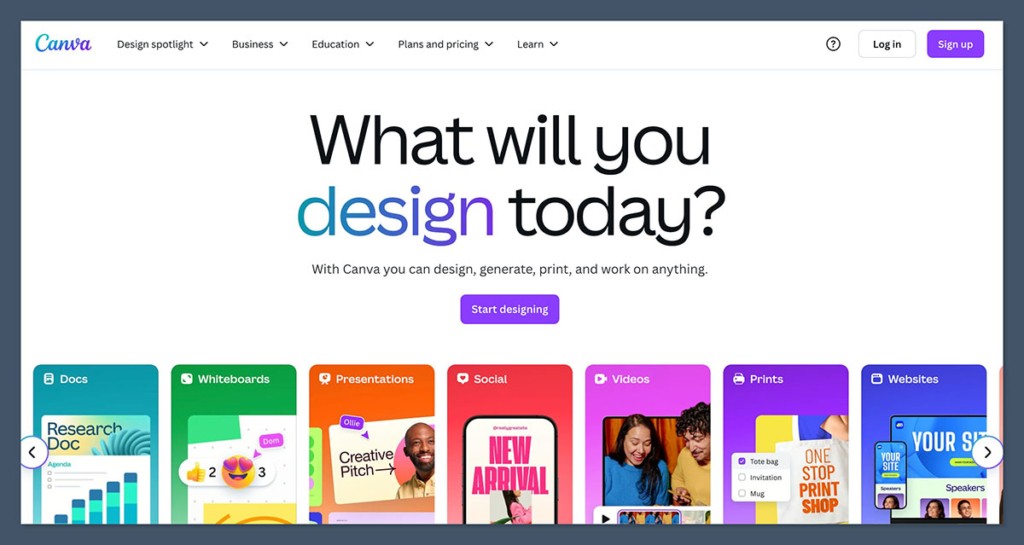
If your main goal is to create clean, consistent product visuals, marketing banners and social media content fast – Canva is the clear winner.
Canva is all about speed. Its massive template library, brand kits, and AI-powered tools make it super efficient for ecommerce workflows.
Why Canva Kills it
- Template-Driven Design
Canva’s got over 250,000 ready-made templates for ecommerce banners, social ads, emails, and landing pages. Just slap in some images & away you go. - Brand Kit Management
With Canva Pro, I can lock in logos, brand colors & fonts so my whole team uses the same assets – no question. - Magic Resize
Create a Facebook ad once, then automatically convert it into Instagram Story, Pinterest Pin or YouTube thumbnail formats – all in one click. - Smartmockups
Drop your product images into realistic scenes (lifestyle, tech, apparel) – saves me hours in post-production or photoshoots. - Content Repurposing
I use Canva to quickly generate design variations for A/B testing – without ever touching Photoshop.
Canva helps ecommerce businesses speed up repetitive design tasks while looking super pro across every touchpoint. It’s one of the most efficient tools I’ve used for campaign-level design production.
Real Ecommerce Use Cases
- Building product banners for Shopify or Amazon
- Designing Facebook/Instagram ads
- Creating email headers & sale graphics
- Mocking up new packaging designs
- Repurposing influencer photos into social content
These use cases are super useful for businesses running weekly promotions or frequent launches. Canva’s prebuilt layouts take care of the structure so I can focus on the content.
Verdict
Canva is best if you want a clean, scalable design system for your store, ads & marketing materials. It’s fast, pro-looking, and doesn’t require design experience.
Best for Product Image Editing: Picsart
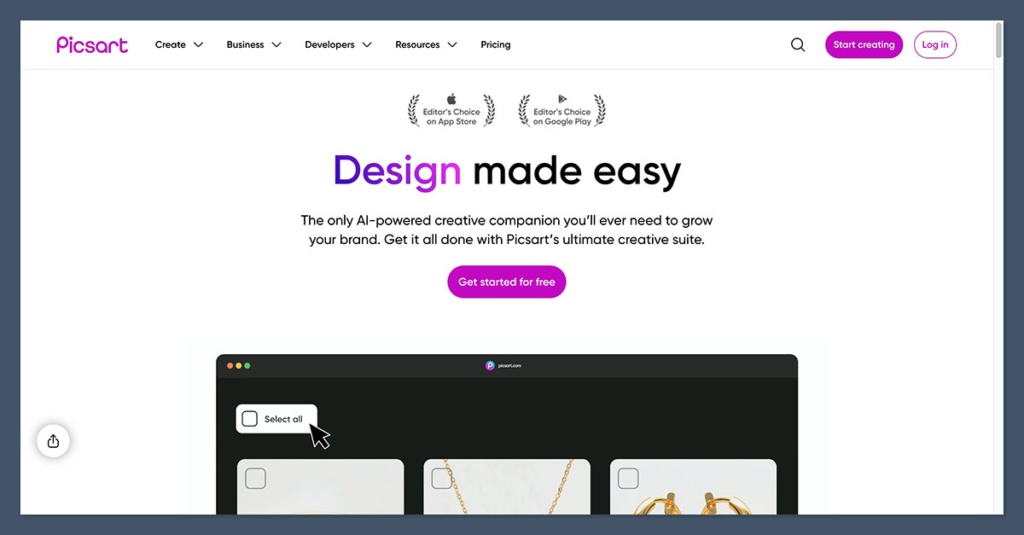
Picsart comes into play when you need to give your product images a serious makeover.
Where Canva helps you package a message, Picsart helps you polish the visuals – whether it’s removing a background, cleaning up lighting, or adding effects for TikTok.
Why Picsart Stands Out
- Advanced Photo Editing:
Picsart includes tools for retouching, filters, light adjustments, object removal, and more. It feels closer to Photoshop than Canva. - AI Replace Tool:
One of the most impressive features. You can highlight part of an image and type in what you want instead. For example, swap a white backdrop with “tropical beach” or “wooden table.” - Trending Filters and Overlays:
Perfect for ecommerce brands that lean into aesthetics (fashion, beauty, lifestyle). You can stylize your content with one tap. - UGC Editing:
I often use Picsart to enhance photos sent by influencers or customers before publishing them as part of a campaign. - Batch Editing:
You can apply the same edits to multiple images in a single session, saving serious time when cleaning up product catalog photos.
Picsart is more creative and gives you tools to make your visuals stand out in crowded social feeds. It’s less structured but way more flexible for hands-on photo work.
Real Ecommerce Use Cases
- Tearing down those messy photo backgrounds for Amazon listings
- Giving your TikTok thumbnails or Instagram reels a bit of a style upgrade
- Touching up model photos for DTC fashion brands
- Creating UGC-style posts with stickers and text overlays
- Editing those product lifestyle shots from a shoot
It’s especially useful for brands that shoot their own photos or source user-generated content. Instead of having to hire a designer, you can polish your visuals on your own with hardly any learning curve – just that and a few minutes.
The Verdict
Picsart is probably your best bet if your ecommerce store relies on high-quality, stylized images or influencer content. It’s got the visual editing power that Canva just doesn’t.
Pricing: Which One Offers Better Value?
Both Picsart and Canva follow a similar pricing structure – a freemium model with optional upgrades that can be tweaked to suit your business needs.
| Plan | Canva | Picsart |
| Free Plan | Yes (limited features) | Yes (limited features) |
| Paid Plan | $12.99/month for Pro | $11.99/month for Gold |
| Free Trial | 30 days | 7 days |
| Background Removal | Pro only | Free + higher quality in Pro |
| AI Features | Included in Pro | Included in Gold |
I found Canva’s pricing was better suited for teams and businesses who need to manage brand assets and templates, while Picsart is ideal if your primary focus is photo editing and content creation.
Most ecommerce sellers could get by with the free versions to start off, but Pro upgrades are worth it if you’re handling high volume or doing regular product launches – time aside, the return on investment is huge.
The Verdict
It’s a tie on price. Both offer great value depending on your workflow. But if you’re managing a team, Canva Pro edges out thanks to collaboration tools.
Ecommerce Workflow Comparison
Let’s walk through a common ecommerce workflow and see how each tool holds up.
| Task | Canva | Picsart |
| Create social ad set | ⭐⭐⭐⭐⭐ (fast & templated) | ⭐⭐ (requires manual layout) |
| Retouch product image | ⭐⭐ (limited tools) | ⭐⭐⭐⭐⭐ (photo editing is strong) |
| Generate product mockup | ⭐⭐⭐⭐ | ⭐⭐ |
| Add effects & overlays | ⭐⭐ | ⭐⭐⭐⭐⭐ |
| Team collaboration | ⭐⭐⭐⭐⭐ (shared folders, comments) | ⭐⭐ |
| Resize design for channels | ⭐⭐⭐⭐⭐ | ⭐⭐ |
| Edit UGC-style content | ⭐⭐ | ⭐⭐⭐⭐ |
This table highlights why most ecommerce brands end up using both tools together. Canva gets your campaigns out the door, while Picsart perfects your source images.
If you’re handling both image creation and brand management, using both tools can cut your workflow time in half. They complement each other really well in day-to-day operations.
The Verdict
Use Canva for brand-driven tasks (ads, templates, team workflows).
Use Picsart for asset-driven tasks (photo edits, UGC, filters).
AI Tools: Head to Head
Both Canva and Picsart are rolling out AI features at full speed – but they serve different purposes.
| AI Tool | Canva | Picsart |
| Magic Resize | Yes | No |
| Background Remover | Yes (Pro) | Yes (Free + Pro) |
| AI Image Generator | Yes (Photos & Art) | Yes (Photos, art, style effects) |
| AI Replace Tool | No | Yes |
| Text Generator (Copy) | Yes (Magic Write) | No |
The Verdict
Canva’s AI tools help you produce more, faster.
Picsart’s AI helps you get more creative.
The AI’s on both platforms are evolving at a breakneck pace, but right now Canva’s tools feel like they’ve been put through a final polish, while Picsart’s still feel like they’re in beta.
Depending on what you’re after, that can be either a blessing or a curse.
Templates & Design Assets
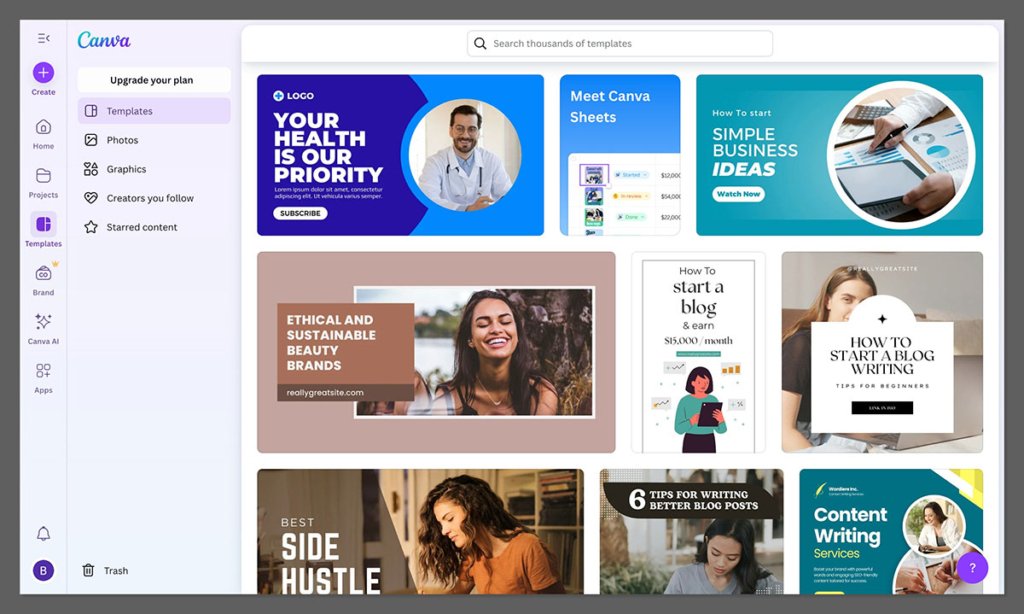
Canva just trounces Picsart in this department – its library is absolutely vast, with templates for just about every ecommerce format you can think of.
Picsart has templates too, but they seem to be geared more towards short-form social content rather than anything serious.
| Category | Canva | Picsart |
| Social Media | 5,000+ templates | Several hundred |
| Ecommerce Banners | Yes | Limited |
| Email Headers | Yes | No |
| Infographics | Yes | No |
| Product Packaging | Yes | No |
If you need to get a lot done quickly and you do the same thing over and over, Canva’s asset library is basically worth the subscription on its own. You’ll get a lot more done in less time.
The Verdict
Canva’s got a stranglehold on this one, what with all those neatly pre-arranged templates for ecommerce and marketing. If speed & consistency are key, then this really matters.
Which One Should I Choose?
Here’s a quick checklist to help you decide:
- Use Canva if:
- You’ve got multiple campaigns chugging along each week
- Your brand needs to look consistent across everything
- You want a single tool that can handle all your ads, emails & socials
- You manage a team and need to be able to collaborate easily
- Use Picsart if:
- You work with raw product photos or user generated content
- You want to throw some advanced edits or AI magic at your pics
- Your content is going to be super visually-driven (fashion, lifestyle, beauty)
- You’re posting a lot on Instagram, TikTok & Pinterest
No matter which one you end up with, both are super easy to use, affordable and packed with value for ecommerce sellers.
You don’t have to pick one – they actually play really nicely together.
The Final Verdict: Canva vs Picsart
If I had to pick one tool for running an ecommerce business right now, Canva’s the way to go – especially if you’re building a brand and need to get some serious design consistency going across your campaigns.
Now, Picsart brings some serious editing muscle to the table that Canva just can’t match.
If you’re really focusing on visual quality & making something totally unique, it’s a great 2nd tool to have.
But you know what? The smartest option is probably to use both – Picsart to knock your images into shape, Canva to let you churn out a gazillion designs.


