
 By Bogdan Rancea
Best Overall

Shopify
See pricing Visit Shopify →$29-$299 per month (billed annually)
$1/month for the first 3 months
- 1,374 themes and 16,000+ apps
- Shop Pay and 100+ payment gateways
- Sell in local currencies with Markets
Easiest setup

GoDaddy
See pricing Visit GoDaddy →Store from $24.99 per month (billed annually)
Renews at $36.99/month
- AI site from a single prompt
- Built-in bookings and payments
- 24/7 phone support on paid plans
Shopify and GoDaddy get bundled into the same comparison all the time, but they were built to do different jobs. Shopify is a dedicated ecommerce platform, while GoDaddy is a domain registrar and website builder that happens to offer a store as an add-on. If you’re weighing Shopify vs GoDaddy for your first online store, which one is better?
After building test stores on both, Shopify is the clear winner if you want to sell online. However, GoDaddy has a lower starting subscription, quicker setup, and phone support on every paid plan.
In this comparison, I’ll compare pricing, sales features, marketing, ease of use, templates, and support. We’re comparing Airo AI Builder Professional, GoDaddy’s cheapest Airo plan with a product catalog and payments, while noting its classic Websites + Marketing builder (Commerce plan) where relevant.
This piece was updated on 11/12/26. Find out about the changes we’ve made:
I’ve rebuilt this comparison, rechecked prices and plans, and added Shopify’s Fall ’26 Edition updates alongside GoDaddy’s builder lineup changes. I’ve also separated Airo’s features from GoDaddy’s classic builder so you can compare the right products.
Key Takeaways
- GoDaddy’s starting rate is lower, but renewals cost more; Shopify’s introductory offer can make its first year cheaper.
- Shopify wins for selling, with 16,000+ apps, Shop Pay, and Markets supporting a growing store.
- GoDaddy gets a first draft ready faster, with Airo’s prompt-first approach to generating your website.
- Shopify offers 1,374 themes, whereas GoDaddy Airo generates layouts without a theme library.
- GoDaddy offers 24/7 phone support on paid plans, while Shopify reserves phone support for Plus.
A Quick Comparison of Shopify vs GoDaddy
Get a quick and clear overview of Shopify and GoDaddy in the table below:
| Shopify | GoDaddy | |
|---|---|---|
| Overall rating | 4.8/5 | 3.6/5 |
| Starting price for a store | Basic: $29/month billed annually; $1/month for the first 3 months | Airo Professional: $24.99/month billed annually, renewing at $36.99; classic Commerce: $20.99, renewing at $34.99 |
| Free plan or free trial | 3-day free trial, no credit card required | Free Airo plan for building; cannot publish |
| Pros | Extensive sales tools; international selling; large theme library; app ecosystem | Prompt-based setup; native bookings; phone support; lower first-term rate |
| Cons | Paid app costs; third-party gateway fees; phone restricted to Plus | Renewal increases; no app store; metered AI chat; no multilingual stores |
| Number of templates | 1,374 themes, including 24 free | AI-generated layouts in Airo; 200+ templates in the classic builder |
| Apps | 16,000+ | No app store |
| Design approach | Sections and blocks, with Liquid code access | Prompt-based design, direct preview edits, and Code view in Airo |
What Kinds of Business Is Shopify or GoDaddy Best For?
My recommendation is to choose Shopify if the store is the point, and choose GoDaddy if the store is a side feature.
Shopify Is Best for…
- Brands that plan to grow, sell across channels, or reach customers abroad. Its dedicated store admin and theme library make it the stronger foundation when product sales and brand presentation drive your business.
GoDaddy Is Best for…
- Service businesses and local shops adding a handful of products to a business website, especially if their domain and email are already at GoDaddy. Airo’s bookings and phone support suit a manageable website rather than an extensive ecommerce operation.
1. Best for Pricing: It’s a Tie!
GoDaddy is cheaper to start, Shopify is cheaper to keep
GoDaddy’s lower advertised subscription makes Airo look more affordable, but renewal prices change the comparison. Shopify’s introductory offer also means the lower advertised monthly rate doesn’t necessarily produce the smaller first-year bill.
Pricing is a tie because GoDaddy offers a lower first-term rate and a refund window, while Shopify provides more predictable ongoing costs. Airo Professional renews at $36.99 a month, above Shopify Basic’s unchanged annual-billing rate.
How Much Do Shopify and GoDaddy Cost?
Shopify Basic costs $29 a month, whereas Airo Professional starts at $24.99, both billed annually. Don’t mistake Airo Starter for a cheaper full store: it supports pay links and QR codes, not a product catalog.
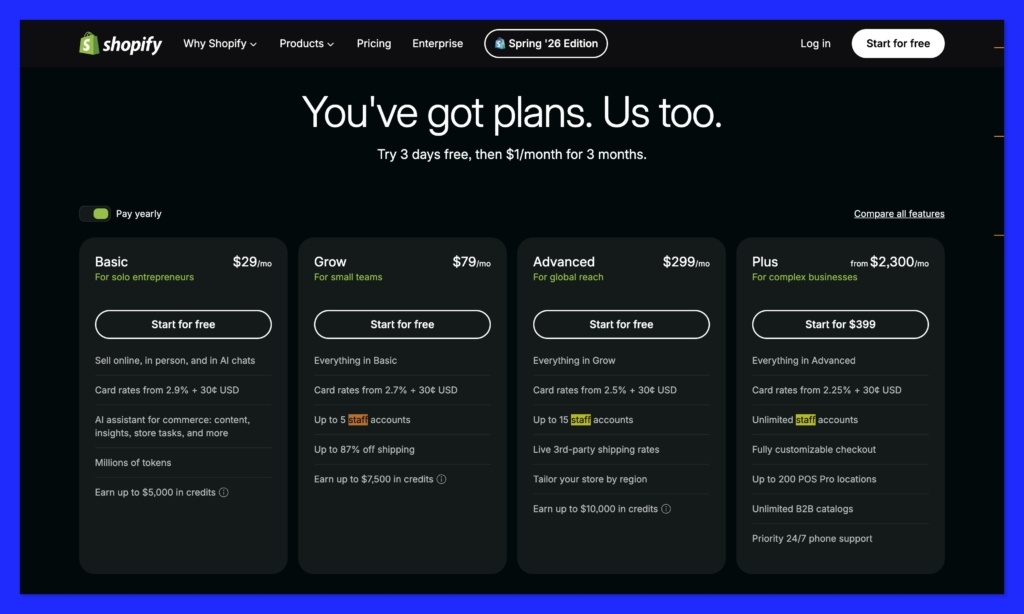
| Shopify Plan (billed annually) | Key Shopify Features Per Plan | GoDaddy Plan (billed annually) | Key GoDaddy Features Per Plan |
|---|---|---|---|
| Basic: $29/month | Unlimited products • Shopify Payments online card rate: 2.9% + 30¢ • No additional staff accounts • 10 inventory locations • 2% third-party gateway fee | Airo Starter: $9.99/month | Renews at $14.99/month • 150 AI credits • 1 published site • Pay links and QR codes • No product catalog |
| Grow: $79/month | Unlimited products • Shopify Payments online card rate: 2.7% + 30¢ • 5 staff accounts • 10 inventory locations • 1% third-party gateway fee | Airo Professional: $24.99/month | Renews at $36.99/month • 300 monthly AI credits • Up to 10 projects • Catalog and payments • Bookings, shipping rates, and sales tax |
| Advanced: $299/month | Unlimited products • Shopify Payments online card rate: 2.5% + 30¢ • 15 staff accounts • 10 inventory locations • 0.6% third-party gateway fee • Real-time carrier rates | Airo Ultimate: $99.99/month | Renews at $149.99/month • 750 AI credits • Up to 50 projects |
The table compares plan ranges, not equivalent store packages. Moving up Shopify’s plans adds staff access and lowers payment rates rather than unlocking a larger product allowance.
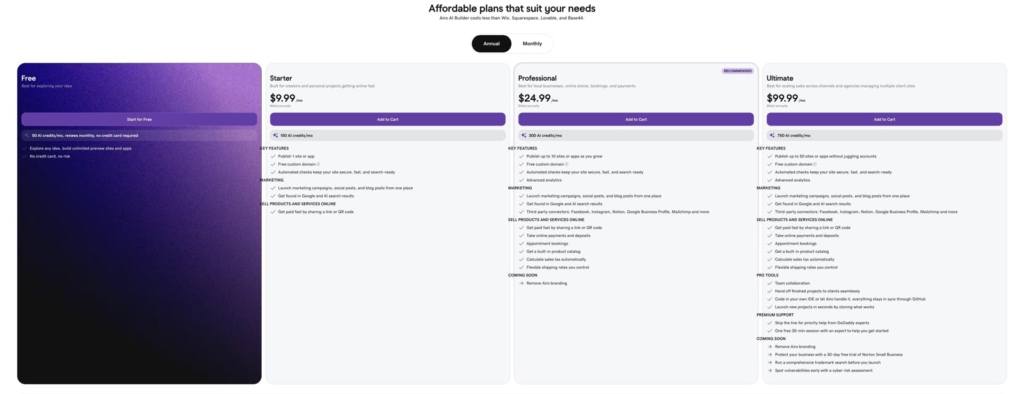
Other plans serve different selling needs:
- Shopify Starter: $5 a month for social and messaging sales, not a full online store.
- Shopify Plus: From $2,300 a month on a three-year term for enterprise requirements.
- GoDaddy’s classic Websites + Marketing builder (Commerce plan): $20.99 a month billed annually, renewing at $34.99, as an alternative to Airo.
Which Is Cheaper Over Two Years?
Shopify Basic costs less in both years when its introductory offer is included against Airo Professional. These subscription-only totals exclude payment processing and optional extras, so they aren’t your complete operating budget.
| Year one | Year two | |
|---|---|---|
| Shopify Basic | About $264 with the introductory offer | $348 |
| Airo Professional | $299.88 | $443.88 |
| GoDaddy classic Commerce | $251.88 | $419.88 |
GoDaddy Payments charges 2.7% + 30¢ per online card transaction, beating Shopify Basic’s percentage rate and matching Grow. It adds no extra store transaction fee, whereas Shopify Basic adds 2% when you use a third-party gateway.
Include design and domain costs in your budget:
- Shopify themes: Paid designs cost $100 to $500 as a one-off purchase, although free themes are available.
- Shopify apps: Some require separate payments, so check recurring costs before installing them.
- GoDaddy renewals: After the free first year, SSL costs $119.99 annually and a .com domain costs $22.99 annually.
- Professional email: GoDaddy charges extra, so include it when comparing your complete setup.
Using a GoDaddy domain with Shopify
Domains are GoDaddy’s home turf, and many merchants buy a domain there and connect it to a Shopify store. You can connect or transfer it, so owning a GoDaddy domain doesn’t commit you to its builder.
DNS changes usually take effect within hours, but allow up to 48 hours. Shopify also sells .com domains for about $16 a year if you prefer managing the domain alongside your store.
- Shopify’s trial: Three days without a credit card, followed by the introductory offer; paid plans aren’t refundable.
- GoDaddy’s trial route: Airo’s free plan lets you build without publishing, with refunds available within 30 days on annual plans or 48 hours on monthly plans.
That said, GoDaddy remains lower-risk to explore, while Shopify’s stable renewal price makes it easier to budget beyond launch.
2. Best for Selling Online: Shopify
Shopify’s sales features are in a different league
Shopify connects checkout with the tools needed to run a product business, including abandoned checkout recovery and inventory locations. Airo Professional covers a catalog and payments alongside bookings, making it more appealing for a service-led business.
Shopify wins for selling online because its built-in tools and app ecosystem leave more room for your business to develop. I recommend it when managing products is your main activity, even if your opening catalog is small.
Sales Features
Shopify supports unlimited products and up to 2,048 variants per product. Its option-type limit matters more than the variant total for highly configurable goods.

A product using size and color can add material, but a further independent choice exceeds Shopify’s three-option limit. Build your most complicated product first rather than assuming a generous variant allowance covers every configuration.
Shopify’s core selling tools include:
- Promotions and recovery: Discount codes, including Buy X Get Y, sit alongside gift cards and abandoned checkout recovery.
- Shipping and taxes: Automatic tax calculation and discounted shipping labels help with fulfillment. Real-time carrier rates come with Advanced and are an add-on on lower plans.
- Inventory locations: Basic through Advanced support 10 locations, giving you room to manage stock beyond a single storage point.
- In-person and business sales: POS and B2B catalogs support selling models beyond individual online purchases.
- Subscriptions through apps: Recurring product sales need an app, so account for setup and any additional charges.
Airo Professional combines catalog sales with bookings, plus shipping rates and sales tax settings. Its commerce settings live in a separate GoDaddy Commerce dashboard rather than entirely within the design conversation.
GoDaddy’s classic Websites + Marketing builder (Commerce plan) takes a different approach, including unlimited products and abandoned-cart email. It also supports marketplace and social selling, POS, and automated US sales tax, but those classic features shouldn’t be assumed to carry over to Airo.
Shopify’s Fall ’26 Edition brought a rebuilt Sidekick, strengthening its AI-assisted store management. Shopify offers AI alongside regular store controls rather than making chat your only route to changes:
- Sidekick: Stages multiple changes together, edits themes, and writes product descriptions.
- AI store generation: Creates a starting storefront from a prompt, with the regular editor available afterward.
- Canvas: Offers an early-access design surface on desktop, but isn’t yet compatible with third-party themes or app blocks.
For me, Canvas isn’t a reason to choose Shopify alone, particularly if you want a paid third-party theme. Sidekick’s ability to assist with product copy and theme changes is the more broadly useful part of the package.
Payment Options
Shopify offers Shopify Payments alongside 100+ third-party payment gateways. Shopify also has Shop Pay, an accelerated checkout.
GoDaddy Airo accepts GoDaddy Payments or Stripe. GoDaddy Payments is US-only, and GoDaddy points you toward Stripe for some ecommerce features its own payment service doesn’t support in Airo.
As the pricing table shows, GoDaddy’s card rate beats Shopify Basic, while Shopify’s higher plans reduce processing costs. Check both gateway compatibility and the additional Shopify gateway fee before choosing a payment provider solely because you already use it.
For an Airo store, test your intended payment workflow before committing to the design. The choice between Stripe and GoDaddy Payments can affect which ecommerce features work, not just how much each transaction costs.
App Market
Shopify’s App Store offers 16,000+ apps, whereas GoDaddy has no app store. That gives Shopify more routes to extend a store without switching platforms when its standard tools stop covering your needs.
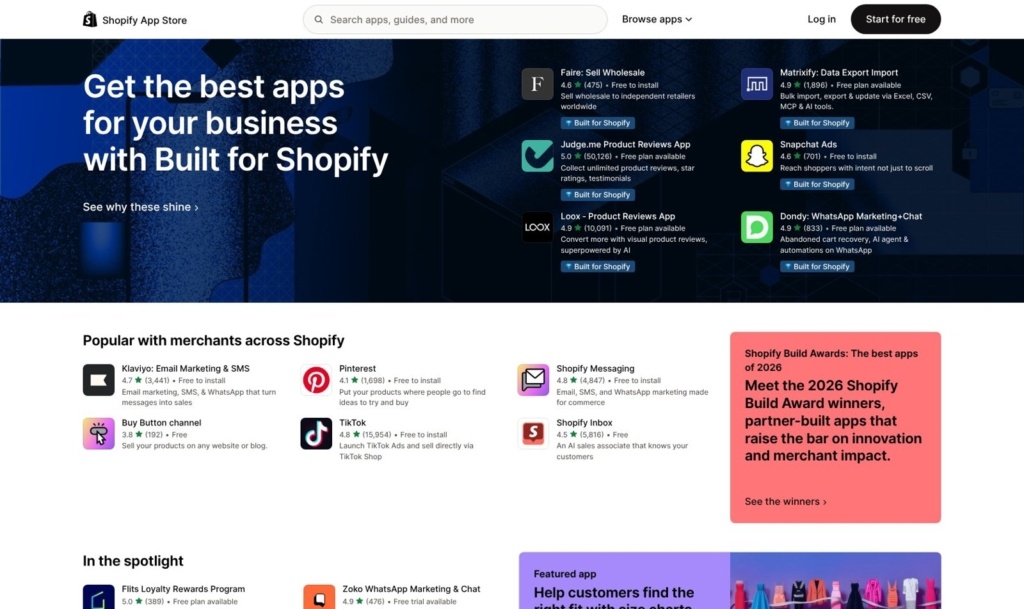
However, paid apps can increase Shopify’s running costs. Start with the built-in selling tools, then add an app only when you can identify the specific job it needs to do.
That said, GoDaddy handles bookings natively, while Shopify requires an app, making Airo the simpler option when appointments matter more than product merchandising.
3. Best for Marketing Products: Shopify
Shopify gives you more ways to reach customers
Shopify combines email campaigns with social selling and marketplace connections, while Airo’s main attraction is site generation. GoDaddy’s classic builder includes marketing tools, but it is a separate product.
Shopify wins for marketing because you can promote products across channels and adapt the store for international shoppers. Choose its marketing tools for ongoing product campaigns rather than choosing Airo primarily for an easy first draft.
Marketing Tools
Shopify Messaging, formerly Shopify Email, includes 10,000 free emails a month. Beyond that allowance, additional sends cost $1 per 1,000, while automations and customer segments are available on every plan.
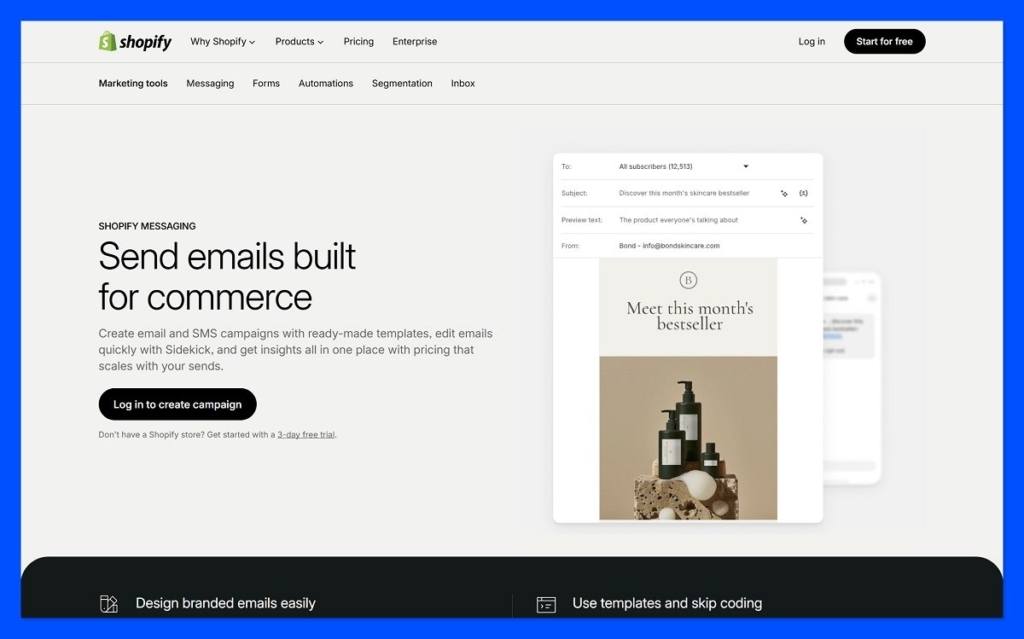
Shopify’s main marketing routes include:
- Email campaigns: Use Shopify Messaging for customer communications, with segments helping you target different groups.
- Automations: Set up ongoing email activity rather than handling every message as a separate manual campaign.
- Social selling: Reach shoppers through Instagram and TikTok.
- Marketplace selling: Use Marketplace Connect for Amazon and Etsy.
GoDaddy’s classic Websites + Marketing builder (Commerce plan) includes email marketing with plan-based send limits and a social post planner. Those tools are useful for a local business, but they aren’t a reason to assume Airo Professional includes the same marketing package.
I recommend choosing your main sales channel before your builder. A business planning regular product campaigns has more to gain from Shopify’s email and channel tools than one mainly collecting appointment bookings.
SEO
Shopify gives you editable search information alongside an automatic sitemap. You can adjust:
- Page titles to describe the page’s subject.
- Meta descriptions to summarize its content for search results.
- Image alt text to describe product imagery.
Airo automatically generates page titles, meta descriptions, and structured data. However, sites on the default Airo address aren’t indexed by search engines, so connecting a domain is a necessary launch step if you want search visibility.
For a design-conscious store, product naming still needs attention regardless of the builder. Name the product and its defining material or use rather than relying on an attractive layout or AI-generated metadata to communicate everything.
Internationalization
Shopify Markets supports local currencies, languages, and domains, making it the stronger option for selling abroad. Local-currency payments require Shopify Payments, so your payment-provider choice affects this capability.
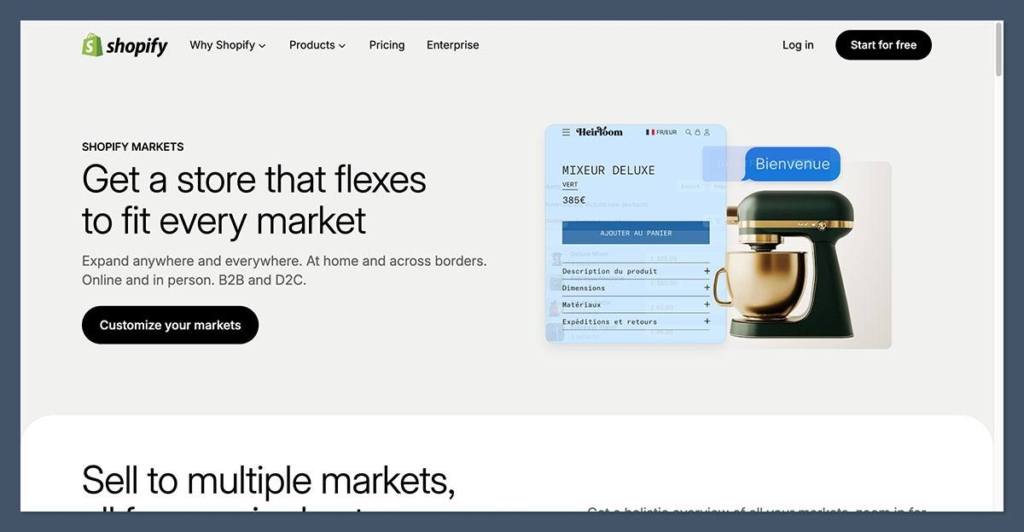
GoDaddy offers neither multilingual stores nor multi-currency selling. If international customers are part of your launch plan, choose Shopify rather than expecting a later GoDaddy upgrade to supply those features.
That said, GoDaddy’s single-account convenience remains appealing for a local business keeping its domain, paid email, and classic-builder marketing tools with one provider.
4. Easiest to Use: GoDaddy
GoDaddy gets you to a first draft fastest
GoDaddy starts with a chat prompt describing your business, then Airo generates the website. You can build for free, although publishing requires a paid plan.
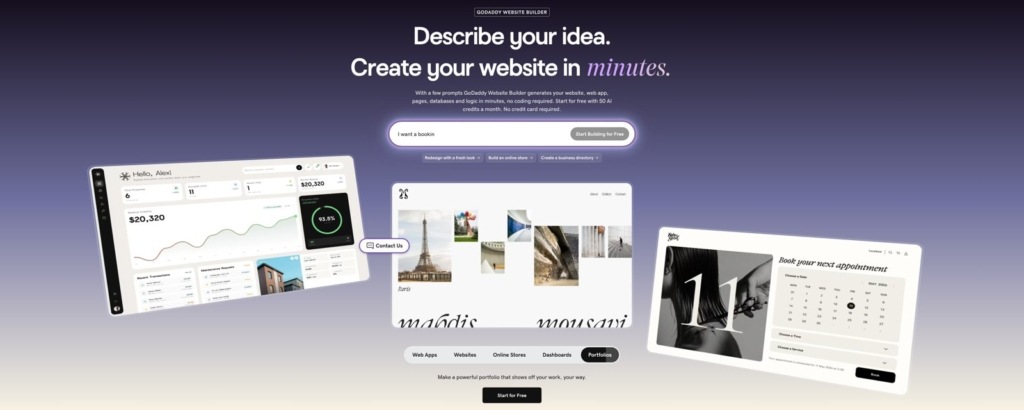
GoDaddy wins for ease of setup, especially if choosing a theme feels harder than describing your business. Shopify is easier to live with as a product store grows, thanks to its dedicated admin and clearer separation between selling and design work.
My Experience Testing Shopify
I started with Shopify’s three-day free trial, which doesn’t require a credit card. The setup offers a choice between generating a site with AI and customizing a theme, so prompting isn’t compulsory.
Its dashboard separates store management from storefront design: you manage products and orders in the admin, then open the theme editor to change how your website looks. I prefer that separation for everyday work because updating a product doesn’t require a conversation with an AI assistant.
Shopify’s admin feels fairly gray with little signposting at first, although the setup checklist and Sidekick help. I recommend following the checklist rather than trying to understand every menu before adding your first product.
Build your Shopify store in this order:
- Choose your starting design: Generate a storefront with AI or select a theme.
- Add real products: Enter the items you plan to sell before refining the surrounding layout.
- Configure selling settings: Set up payments alongside shipping and taxes.
- Refine the storefront: Use sections and blocks, with Sidekick available for help.
- Connect your domain: Complete the store’s launch setup after checking its content.
My Experience Testing GoDaddy
When I set up GoDaddy’s Airo builder, one text box provided the starting point. Describing the business generates the initial site, and the chat panel provides a route to further changes.
However, each chat request spends credits. Professional includes 300 credits a month, and they don’t roll over, so repeated requests to refine a layout use a limited allowance.
Use these Airo controls without spending credits:
- Direct preview edits: Change text, fonts, and colors without spending credits.
- Code view: Edit files directly at no credit cost.
- Version restoration: Restore a previous version without consuming credits.
- Publishing: Publish without spending credits, although you still need a paid plan.
For payment setup, GoDaddy Payments connects through a chat prompt, with Stripe providing another route. Store settings then live in the separate GoDaddy Commerce dashboard, so the builder isn’t entirely a single conversational workspace.
Airo is approachable for creating a starting point, but the separate commerce dashboard adds a handoff when you move from appearance to selling. Check that workflow during your free build rather than assessing only the generated homepage.
What’s the Next Step After the Onboarding Process?
Add products before polishing the homepage, because real descriptions and photography give you something useful to evaluate in either builder’s design.
Shopify’s editor uses sections and blocks, not free drag-and-drop placement. Airo leans on conversation for broader changes, with direct preview edits available for simpler adjustments.
Before choosing GoDaddy, consider builder continuity: it has retired Airo Plus and replaces builders every few years, with content unable to move between versions. That’s a longer-term concern rather than a barrier to getting started.
That said, Shopify’s dedicated store admin makes routine product and order work easier to separate from design experimentation once setup is complete.
5. Best Online Store Templates: Shopify
Shopify’s theme store gives you far more polished starting points
Shopify gives you a theme library and a structured editor; GoDaddy Airo generates a design from your instructions. Neither approach requires coding, although both offer code access for deeper changes.
Shopify wins for online store templates, particularly when your storefront needs to look like an established brand. I prefer comparing complete designs before committing rather than judging the direction only after an AI generation.
Shopify Offers Far More Templates
Shopify’s theme selection is pretty impressive, with 1,374 designs to choose from. GoDaddy doesn’t offer an equivalent gallery: Airo generates a layout from your prompt instead.
Browsing Shopify themes lets you compare finished store layouts before deciding which direction suits your brand. With GoDaddy, you describe the direction first and assess the generated result afterward.
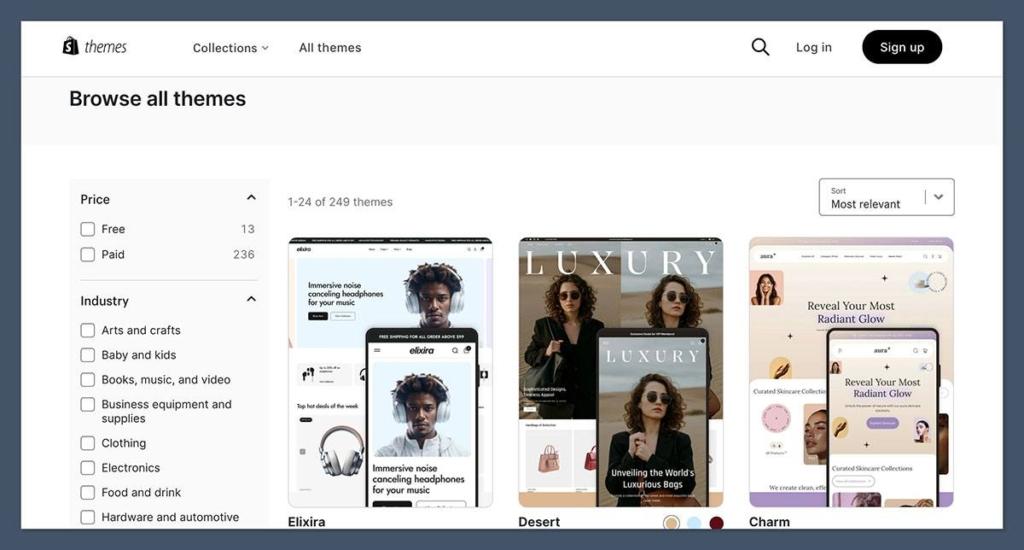
Only 24 Shopify themes are free. Premium themes cost $100 to $500 as a one-off purchase, so a more distinctive starting design can add considerably to your launch budget.
Shopify’s free default family, Horizon, is a sensible starting point before buying a theme. Its section-and-block approach provides structure, but you can’t drag an element wherever you want.
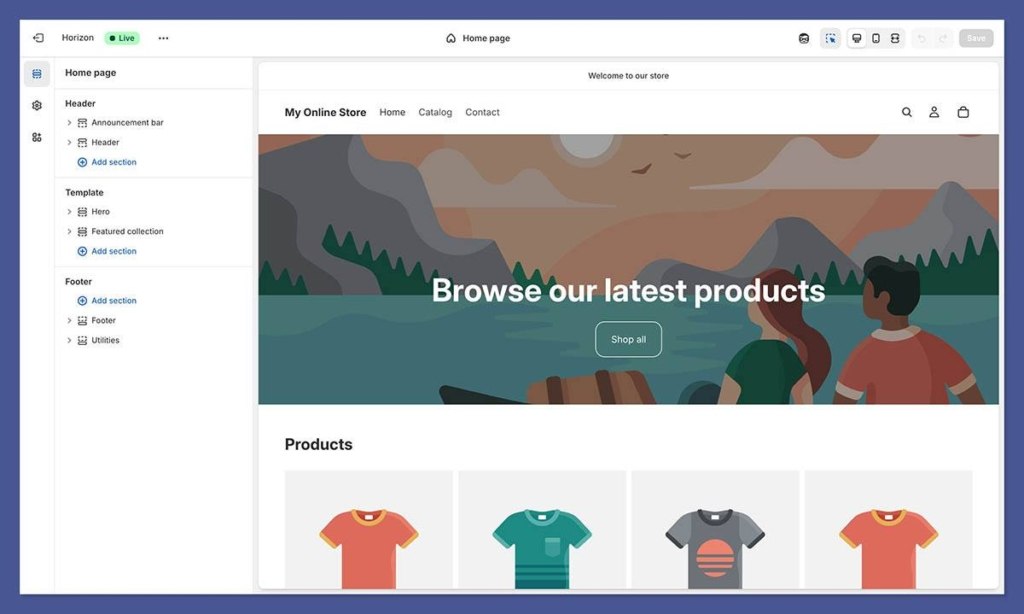
For changes outside the visual editor’s limits, Shopify provides access to theme code. Liquid is Shopify’s templating language, so deeper customization requires learning it or hiring a developer.
GoDaddy: Design by Conversation
Airo lets you describe broader design changes rather than choosing from templates. Direct text and style edits remain available, so a minor font or color adjustment doesn’t require another credit-consuming conversation.
GoDaddy’s classic Websites + Marketing builder (Commerce plan) offers a different route, with more than 200 templates, including about 22 for online stores. Its section-based editor shouldn’t be confused with Airo’s prompt-generated design workflow.
Evaluate either builder’s design using real merchandise:
- Product imagery: Check whether the layout gives your photographs enough space.
- Product descriptions: Use your actual copy rather than judging only placeholder text.
- Brand consistency: Compare typography and colors across the store, not just the homepage.
Tip: Prompt Shopify Sidekick for theme edits, such as changing button styling, then review the result before accepting broader changes.
That said, GoDaddy’s free Code view and code downloads on paid plans give developers a route beyond prompting.
6. Best for Business Support: GoDaddy
GoDaddy lets you pick up the phone
GoDaddy offers phone and live chat on paid plans, while Shopify relies on chat for most merchants. Shopify reserves telephone support for Plus, which puts it beyond a typical first-store budget.
GoDaddy wins for business support because you can choose how to explain a problem without buying an enterprise subscription. That advantage is about access, not a guarantee that every conversation produces an immediate solution.
Shopify Support
Shopify’s Help Center covers a broad ecommerce feature set, and its community forum provides another route when a standard article doesn’t address your setup. I prefer these resources for understanding store configuration before contacting an agent.
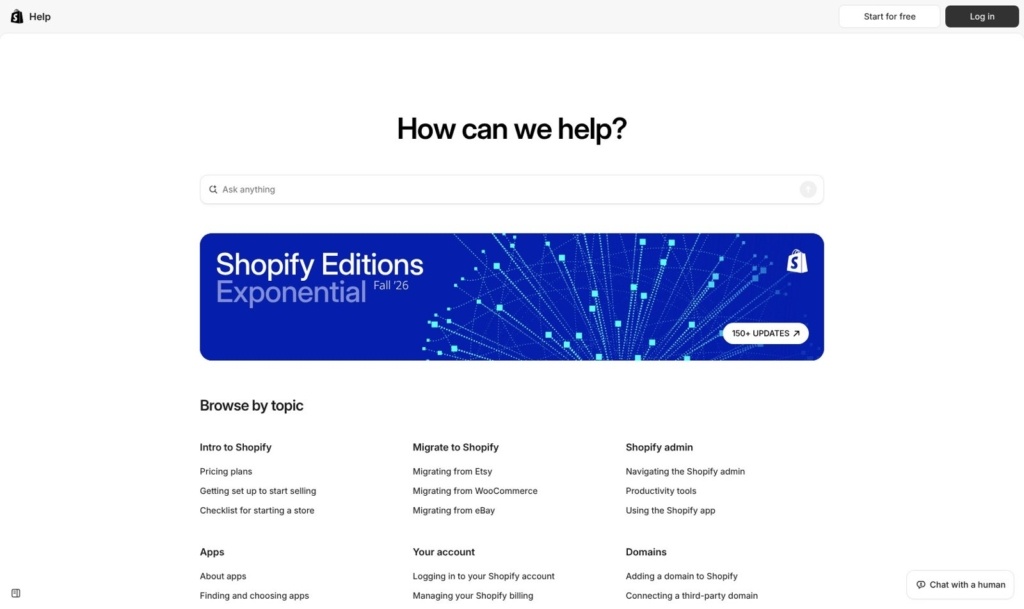
Pros:
- Round-the-clock live chat: Available on every plan, giving you a contact route outside regular business hours.
- Detailed self-service help: The Help Center and community forum support more involved ecommerce questions.
- Sidekick in the admin: Provides help while you work, without requiring you to leave the store interface for every question.
Cons:
- Phone restricted to Plus: Standard store subscriptions don’t include telephone access.
- No email support: You can’t choose an email conversation instead of chat.
- Generic replies and bot routing: Users report frustration when their issue needs more than standard setup guidance.
For a first store, test the chat route during your trial with a question about your intended setup. Use a specific product or payment question to assess whether the answer helps you configure your store.
GoDaddy Support
You can call GoDaddy around the clock on a paid builder plan. For a beginner who wants to explain a problem aloud, that is a practical advantage over Shopify’s standard support.
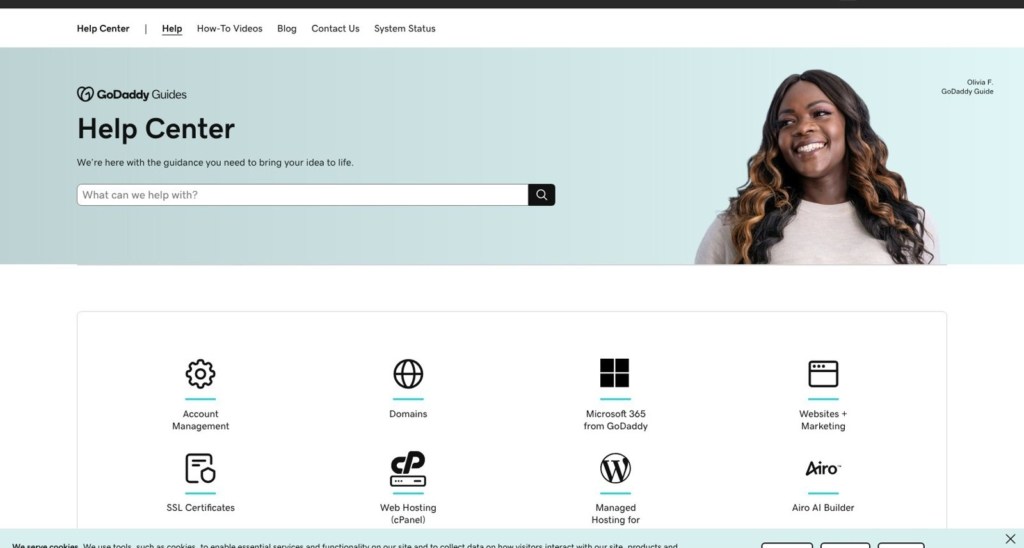
Pros:
- 24/7 phone and live chat: Paid-plan customers can choose a conversation format rather than relying only on typing.
- Text and WhatsApp messaging: Additional contact routes help if you prefer messaging to a call.
- Airo Help Center and community: Self-service resources provide another way to find setup guidance.
Cons:
- Slow chat replies: Users report delays, so chat shouldn’t be treated as guaranteed immediate assistance.
- Upselling complaints: Users describe sales pitches during support interactions.
- Renewal and auto-renew concerns: Merchants report surprise charges, making subscription checks worthwhile even when support is accessible.
Ask specifically about Airo when contacting GoDaddy so the instructions match your builder. Advice about GoDaddy’s classic Websites + Marketing builder (Commerce plan) may refer to different tools, even though both products share the same company.
That said, Shopify’s deeper ecommerce help resources make it the better self-service option when you want to understand a detailed store configuration.
How We Test Ecommerce Website Builders
We compare ecommerce builders around the work of running a store, not just generating an attractive homepage. We assess beginner setup alongside the selling tools your business needs after launch.
The criteria are weighted according to their importance when choosing an ecommerce platform:
- Sales Features (30%): We test product management, checkout, and fulfillment capabilities for an operating store.
- Website Functionality (15%): We look at SEO controls and tools that support a business beyond its storefront.
- Design Features (15%): We look at theme selection, editing controls, and options for a consistent brand identity.
- Help and Support (15%): We test available contact routes and look at self-service resources for merchants.
- User Experience (10%): We test setup flows and the everyday work of managing products and design.
- Pricing (10%): We look at introductory rates, renewal costs, and extra charges that affect value.
- Reputation (5%): We look at merchant feedback for recurring frustrations beyond the initial setup experience.
These weights put selling capability ahead of setup speed, which explains why Shopify wins overall even though GoDaddy is easier to start. Shopify’s checkout, catalog, and expansion tools outweigh GoDaddy’s faster first draft in our overall recommendation.
I built test stores on both Shopify and GoDaddy’s Airo builder myself, comparing store management alongside storefront design.
Prices current as of November 2026.
Shopify vs GoDaddy: Our Winner
Shopify is the better ecommerce platform for anyone serious about selling products online. Its stronger sales tools and broader theme selection make it the better foundation for a design-led brand, while Markets gives you room to sell internationally without choosing a new builder.
That said, GoDaddy fits a service business or a handful of products on a business website, particularly when native bookings and telephone support matter. Its lower first-term subscription is appealing, but compare renewals and Shopify’s introductory offer before assuming it will be cheaper over your first year.
If you outgrow GoDaddy, Shopify can import products through CSV, but expect to rebuild your pages rather than transfer the entire design unchanged. Export the products, reformat the file to Shopify’s product CSV template, and import it, allowing separate time to recreate the storefront.
My recommendation is to start with Shopify’s free trial and build your most demanding product before choosing a theme. If bookings and a simple business website are your priority, compare that experience with GoDaddy’s free Airo plan; for other options, see our guide to the best ecommerce platforms for small business.


