
 By Bogdan Rancea
Instapage is the better choice for design-conscious ecommerce teams that need reusable layouts and organized approvals. Unbounce counters with cheaper A/B testing and Smart Traffic, its AI-powered option for routing visitors between page variants.
The deciding factor in Unbounce vs Instapage isn’t simply which editor makes an attractive page. It’s whether your biggest bottleneck is producing consistent campaigns with other people or testing offers without stretching your software budget.
New Unbounce self-serve accounts now use its AI Hybrid Builder, which currently lacks some familiar Classic features, including popups and saved components. That matters if you’re choosing a platform for a new campaign.
Key takeaways
- Pricing: Unbounce wins, with A/B testing at $149 monthly versus Instapage’s $199.
- Reusable design: Instapage wins, with reusable blocks included on Create.
- Conversion testing: Unbounce wins for lower-cost access and optional Smart Traffic.
- Marketing campaigns: Instapage wins, including popups on its entry plan.
- Human support access: Unbounce wins, offering weekday phone and live chat.
- Team workflows: Instapage wins, with element-specific feedback and version history.
A Quick Comparison of Unbounce vs Instapage
Instapage leads for campaign production, while Unbounce offers the more affordable testing setup. Compare the plans you’ll actually need, though: the cheapest subscription on either side doesn’t include A/B testing.
All prices below are USD. Annual figures are monthly equivalents billed annually, not month-to-month subscriptions.
| Category | Unbounce | Instapage |
|---|---|---|
| Best fit | Budget-conscious campaign testing | Reusable designs and team reviews |
| Entry price, monthly / annual equivalent | Starter: $29 / $22 | Create: $99 / $79 |
| Practical campaign starting tier | Build: $99 monthly | Create: $99 monthly |
| A/B testing tier, monthly / annual equivalent | Experiment: $149 / $112 | Optimize: $199 / $159 |
| Monthly unique visitor allowance | Starter: 500; Build: 20,000 | Create: 15,000 |
| Page allowance | Starter: 5; Build upward: unlimited | Unlimited on all plans |
| Traffic controls | Manual splits on Experiment; Smart Traffic on Optimize | Customizable splits and server-side tests on Optimize |
| Reusable design assets | Saved components unavailable in Hybrid | Reusable blocks on Create; global elements on Convert |
| Popups and sticky bars | Unavailable in Hybrid | Included on Create |
| Collaboration | No live co-editing or version history in Hybrid | Visual feedback, permissions, version history |
| Ecommerce checkout | External checkout; verify Hybrid compatibility | External checkout; Shopify Buy Button embedding supported |
| Trial | 14 days, no card required | 14 days, card required; paid subscription needed to publish |
New Unbounce self-serve accounts cannot switch to Classic or Smart Builder. Existing customers retain their current builder, so advice based on an older Unbounce account may describe capabilities you won’t receive.
Which Businesses Are Unbounce and Instapage Best For?
Choose Instapage if you produce related campaigns for several products and need designers, marketers, or clients to review them. Its reusable assets and page-level feedback are more relevant to that workload than the lowest possible subscription price.
Choose Unbounce if a small team owns the page and wants affordable experiments. Experiment suits conventional split testing, while Optimize adds visitor-specific routing rather than asking you to send everyone to one winning variant.
Neither replaces your storefront. If you’re unsure whether you need a focused campaign destination or a broader shopping experience, our landing page vs website guide explains where each belongs.
1. Best for Pricing: Unbounce
Unbounce wins on pricing because its A/B testing plan costs $50 less per month at the same visitor allowance. Instapage can still justify its price if reusable blocks and visual collaboration are essential to your work.
How Much Do Unbounce and Instapage Cost?
Unbounce starts at $29 monthly, but Starter’s 500-visitor allowance makes it a limited option for paid campaigns. Build is the more realistic starting point when you need custom scripts and room for traffic.
Unbounce pricing
| Plan | Monthly billing | Monthly equivalent, annual billing | Monthly visitors | Main allowance or unlock |
|---|---|---|---|---|
| Starter | $29 | $22 | 500 | 5 pages, 1 user, 1 root domain |
| Build | $99 | $74 | 20,000 | Unlimited pages, custom scripts/code |
| Experiment | $149 | $112 | 30,000 | A/B testing, dynamic text, 3 users, 2 root domains |
| Optimize | $249 | $187 | 50,000 | Smart Traffic, 5 users, 3 root domains |
| Agency | Annual billing only | From $349 | From 50,000 | From 5 users and 10 root domains |
| Concierge | Custom | Custom | Custom | Custom package |
Annual prices are rounded monthly equivalents paid upfront for the year. Starter excludes custom code and A/B testing, so its headline price shouldn’t anchor your budget if either feature is essential.
Instapage has a higher entry price, but Create includes practical production features immediately. You get unlimited pages, conversions, and contacts, alongside reusable blocks and visual collaboration.
Instapage pricing
| Plan | Monthly billing | Monthly equivalent, annual billing | Monthly visitors | Main unlock |
|---|---|---|---|---|
| Create | $99 | $79 | 15,000 unique visitors | Reusable blocks, collaboration, popups |
| Optimize | $199 | $159 | 30,000 | Server-side A/B testing, dynamic text, multi-step forms |
| Convert | Custom | Custom | Custom | Personalization, global elements, dedicated services |
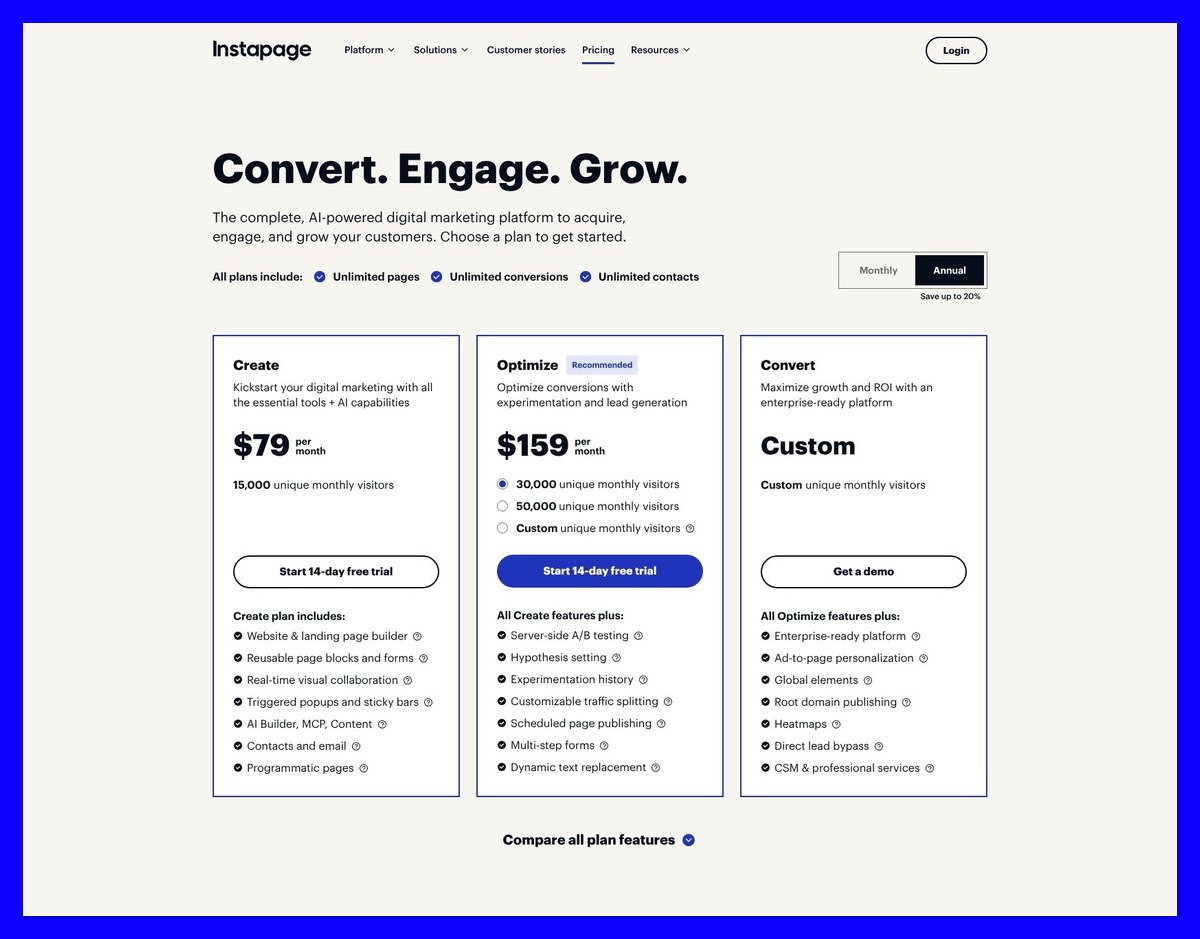
Higher-traffic Instapage Optimize options cost more. Unlimited pages and conversions don’t mean unlimited visitors, so budget around expected campaign traffic.
At 30,000 monthly visitors, Unbounce Experiment costs $149 versus Instapage Optimize’s $199 on monthly billing. Annual equivalents are $112 versus $159, a $47 monthly-equivalent difference.
At the non-testing level, Unbounce Build and Instapage Create both cost $99 monthly. Build gives you 20,000 visitors rather than Create’s 15,000, while Create offers reusable blocks and collaboration that new Unbounce Hybrid accounts lack.
Budget decision: Choose Unbounce Experiment for affordable split testing. Choose Instapage Create when producing and reviewing campaigns matters more than experimenting, but remember that adding tests requires Optimize.
Don’t overlook account structure, either. Unbounce Build includes 1 user and 1 root domain; Experiment increases those allowances to 3 users and 2 root domains, which may influence your choice before testing features do.
Both trials last 14 days, but they aren’t equivalent. Unbounce requires no credit card; Instapage requires one and includes Optimize features, but you need a paid subscription to publish an Instapage page.
That publishing restriction matters if you want to test a live checkout or integration before paying. You can assess the editor during the trial, but budget for a subscription to evaluate a published Instapage campaign.
2. Best for Conversion Testing: Unbounce
Unbounce wins for lower-cost testing and the option to add Smart Traffic. Instapage costs more to start experimenting, but its hypotheses and test history are useful for teams running a structured testing program.
A/B Testing
Unbounce Experiment includes variants, manual traffic allocation, and confidence intervals for interpreting results. Instapage Optimize costs more but adds server-side experiments with hypotheses and test history, giving teams a clearer record of what they changed and why.
For ecommerce, decide what success means before creating variants. A product-detail click can indicate interest, but it isn’t equivalent to a completed order, particularly when the landing page sends shoppers to a separate checkout.
Check Unbounce Hybrid’s conversion goals carefully. It automatically enables discovered links, buttons, and forms as goals; deselect irrelevant navigation links so your experiment doesn’t reward activity that has little connection to revenue.
AI Traffic Routing
Smart Traffic, available on Unbounce Optimize, routes visitors using attributes such as location and device. Unlike a conventional test aimed at choosing one overall winner, it can direct different visitors to different variants.
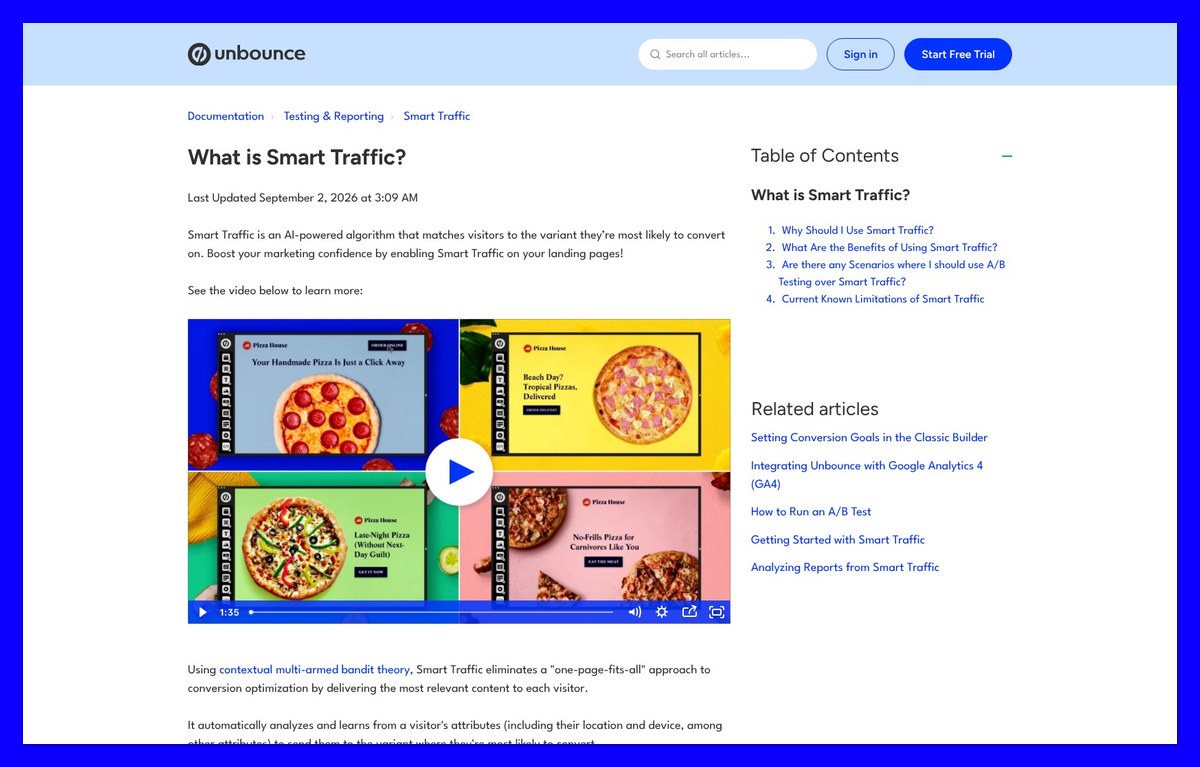
It requires a custom domain and conversion goals, and new variants need learning time. Treat it as an alternative allocation method, not a promise of immediate improvement or reliable conclusions from a tiny sample.
Instapage fights back with experiment organization. If your team needs to record a hypothesis, control traffic splits, and revisit previous tests, its Optimize workflow offers more than a basic variant comparison.
What About Selling Products?
Neither platform supplies a native ecommerce backend. Instapage supports embedding a Shopify Buy Button in an HTML element, but embedded elements don’t automatically inherit its native responsive behavior, so inspect the live mobile checkout.
Unbounce’s Classic Shopify workflow doesn’t establish compatibility with Hybrid. New customers should test the checkout integration and completed-order tracking together before committing.
For the Shopify tracking setup covered in Unbounce’s existing guide, the confirmation page and landing page must share a root domain. Confirm the requirements for your builder and checkout, including consent behavior.
If your real goal is building product pages inside Shopify, our best Shopify page builders comparison is a more relevant starting point. A separate campaign platform adds little value if you mainly need storefront editing.
3. Best for Marketing Campaigns: Instapage
Instapage wins for campaign production because Create combines reusable assets, popups, and contact/email tools. Unbounce remains attractive when your priority is adapting campaign copy at a lower testing-tier price.
Matching Your Page to Your Ads
Both platforms offer dynamic text replacement on their testing tiers: Unbounce Experiment and Instapage Optimize. This changes selected page text using URL parameters, letting a campaign link supply wording without requiring a completely separate page.
For example, imagine sending “winter walking boots” campaign traffic to a page whose headline repeats that phrase. The product, offer, and supporting content still need to justify the match; swapping a headline alone isn’t meaningful personalization.
Instapage’s fuller ad-to-page personalization requires Convert. Its audience experiences can connect to UTM parameters, while AdMap visualizes campaign-to-page relationships; don’t assume the entry plan includes the complete personalization package.
Unbounce offers dynamic text replacement for $149 monthly against Instapage’s $199. If message matching is your main requirement, that difference is a good reason not to pay for workflow features you won’t use.
Lead Capture and Integrations
Instapage Create includes triggered popups and sticky bars, whereas Unbounce Hybrid doesn’t yet support either. Instapage also includes contact/email tools, although these shouldn’t be treated as a substitute for a full lifecycle email automation platform.
For more involved lead capture, Instapage Optimize adds multi-step forms. Hybrid supports inline and lightbox forms but lacks a multi-step component, conditional logic, and file uploads, which limits more complex qualification flows.
Before sending paid traffic, verify the complete handoff:
- Submission: Confirm the lead reaches the intended CRM or email list.
- Field mapping: Check that campaign details and consent information arrive correctly.
- Confirmation: Make sure the shopper sees the correct next step.
Unbounce Hybrid integrations still need workflow-specific validation, and an empty form redirect action can reload the page. Instapage’s integration options include native connections, Zapier, and external apps, so check the actual route rather than assuming every connection is native.
4. Easiest for Team Workflows: Instapage
Instapage wins for team workflows because feedback and reusable layouts are built into its campaign process. Unbounce’s AI-assisted editing is a useful counterweight for a solo marketer who doesn’t need formal review handoffs.
Building With Instapage
Instapage lets you assemble pages with reusable blocks, then collect feedback on specific page elements. A reviewer can point to the headline or product image instead of describing its location in a separate message.
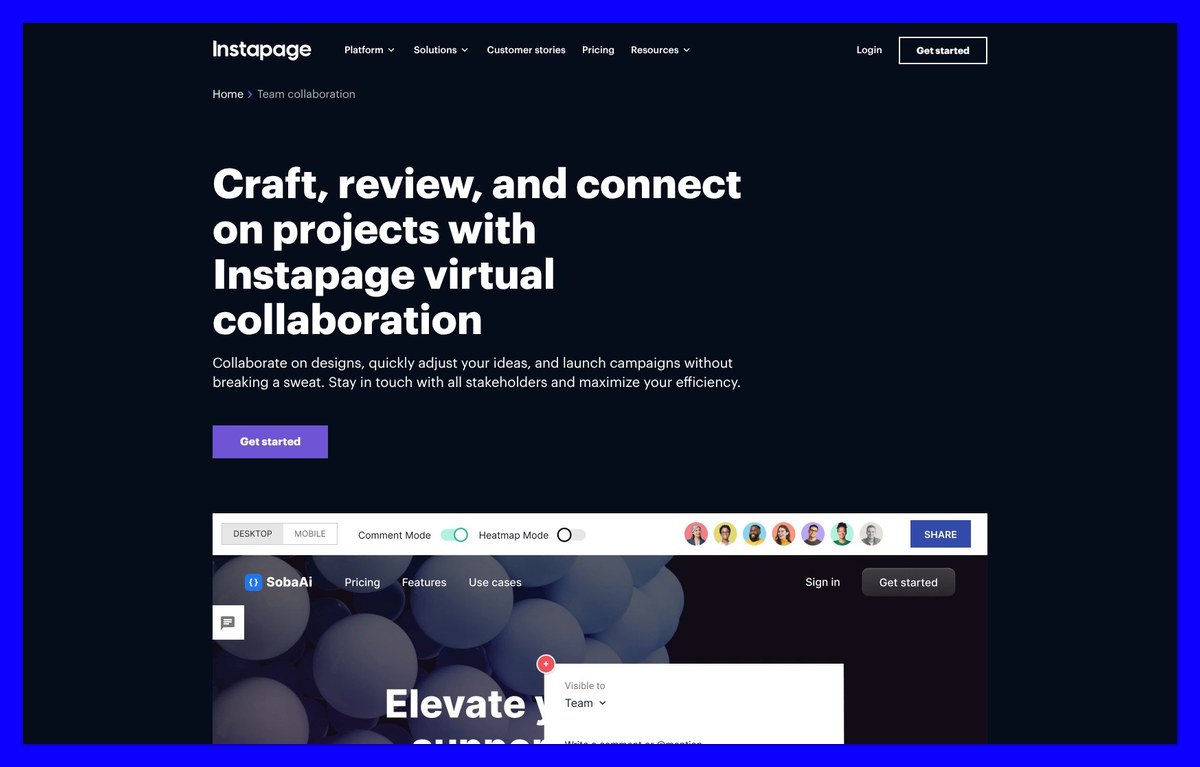
Secure sharing supports client reviews, while role-based permissions and version history help organize team access and changes. These are practical advantages when the person approving an offer isn’t the person building the page.
A sensible workflow is to approve the structure before creating campaign variations. Get agreement on the product story and offer first, then reuse the approved sections rather than carrying unresolved design questions into every new page.
Building With Unbounce
Unbounce Hybrid lets you begin with an AI prompt, a template, or a blank page. You can move between manual adjustments and chat-based AI edits, then inspect desktop, tablet, and mobile views.
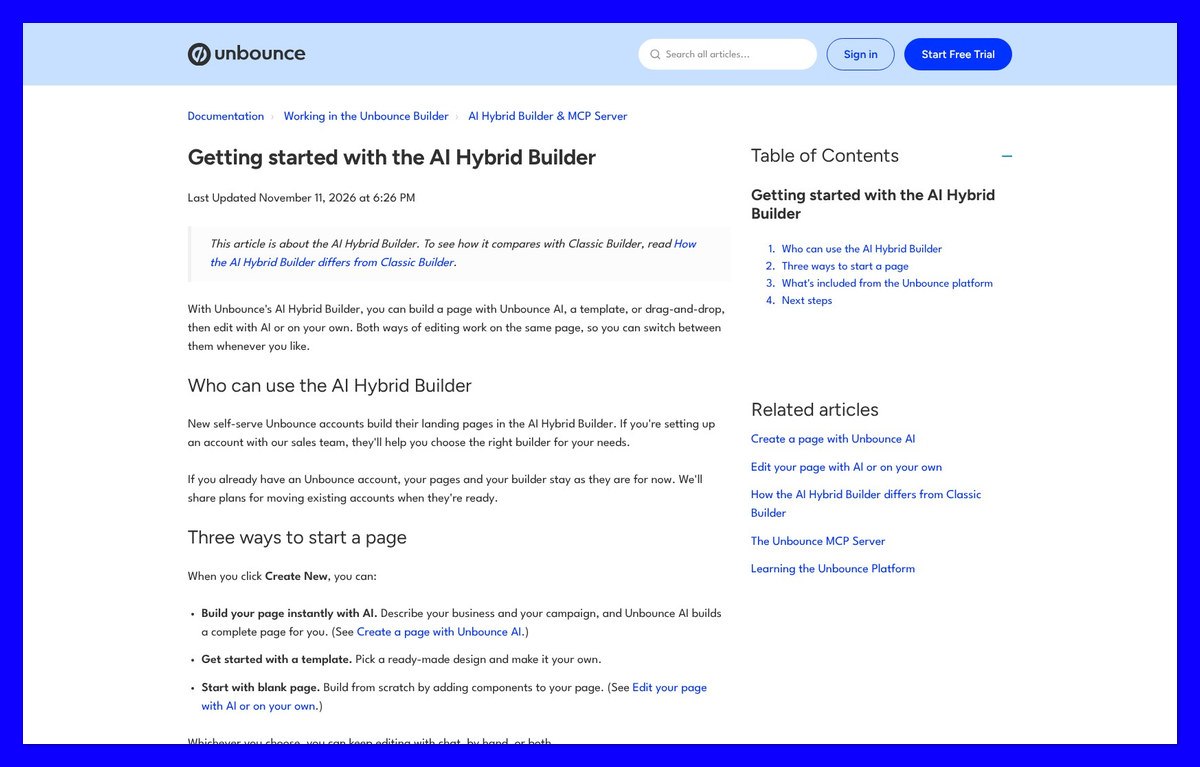
That’s a flexible starting point for a founder handling copy and layout without a dedicated designer. Manual edits use no AI credits, while AI generation and AI-driven changes draw from your allowance.
The bigger team limitation is change management. Hybrid has no version history or live co-editing, and simultaneous edits follow a last-save-wins model rather than merging everyone’s work.
Workflow safeguard: Assign one Unbounce editor at a time and keep an approved copy record outside the builder. This won’t replace version history, but it reduces the risk of conflicting edits.
Hybrid also lacks saved components and style guides, which makes repeated brand updates less convenient. Still, for a single owner building a small campaign set, its manual-plus-AI approach may matter more than Instapage’s review tools.
5. Best for Templates and Reusable Designs: Instapage
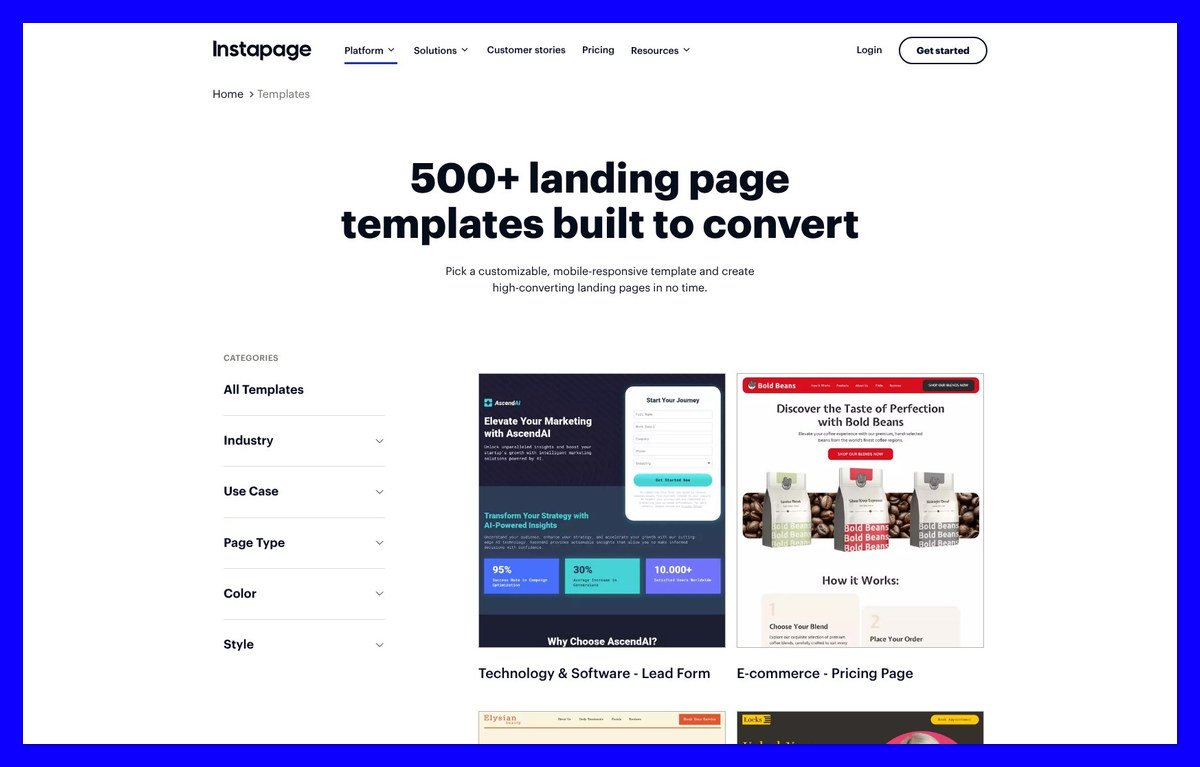
Instapage wins for templates and reusable design assets, with 500+ templates and reusable blocks on Create. The ability to carry approved sections into your next campaign is its biggest advantage over Hybrid.
Reusable Blocks vs Global Updates
Instapage’s entry-level reusable blocks let you bring established sections into another page. That suits recurring content such as a product-benefit layout or a customer-proof section, where starting from scratch adds little value.
Reusable copies aren’t synchronized global elements. Instapage reserves global elements for Convert, so Create buyers shouldn’t expect one edit to update that section across every campaign automatically.
This distinction matters when an offer changes across multiple live pages. A reusable block helps you build consistently; synchronized elements address ongoing maintenance, and you’ll need the higher-tier package for that capability.
Choosing a Layout That Sells the Offer
Unbounce supports templates, flexible layouts, and optional absolute positioning in Hybrid. That gives you room to arrange a distinctive product presentation, even though saved components aren’t available for carrying sections between pages.
For either builder, assess the template against your actual content:
- Mobile action: Keep the main call to action clear without crowding the product.
- Product photography: Choose a layout that suits the images you have.
- Customer proof: Make reviews readable and relevant to the advertised item.
A visually elaborate template can still be a poor fit if it expects assets your business doesn’t have. Start with the information shoppers need, then choose a design that accommodates it.
Design tip: Create one approved review section with consistent styling and save it as an Instapage block. Reuse the layout, but make sure each campaign displays reviews relevant to the product being advertised.
For Shopify-native design work, our GemPages vs PageFly comparison explores alternatives better aligned with editing the store itself.
6. Best for Business Support: Unbounce
Unbounce wins for access to human support because phone and live chat aren’t reserved for a custom-priced plan. You can reach a person through either channel on Starter, provided you contact the team during its service hours.
Unbounce Support
Unbounce offers a more direct route to a person if you need help with a campaign setup. Its Starter plan lists phone, email, and chat support, although human availability follows weekday service hours.
- ✔️ Phone and live chat: Available Monday through Friday, 6 AM to 6 PM PST.
- ✔️ Email access: You can submit requests at any time.
- ✔️ Self-service resources: The help center and chatbot are available around the clock.
- ❌ Out-of-hours limitations: Email submission doesn’t guarantee an immediate reply, and delays are possible outside service hours.
If your launch window falls outside those hours, leave room for troubleshooting before the campaign begins.
Instapage Support
Instapage provides self-service assistance and email support, but access to a human through live chat requires Convert. That’s a meaningful restriction for smaller teams choosing Create or Optimize.
- ✔️ AI assistant: Available to all users 24/7.
- ✔️ Email support: Aims to respond within 24 business hours, rather than guaranteeing an immediate answer.
- ✔️ Convert services: Dedicated success and professional services support more involved business needs.
- ❌ Human live chat: Convert only, on weekdays during service hours, with no weekend availability and holiday exceptions.
Both platforms have help centers for routine setup questions. Instapage’s Convert service package may suit teams seeking ongoing assistance, but you’ll need a custom quote.
How We Compared Unbounce and Instapage
This comparison evaluates documented pricing, plan limits, design reuse, conversion testing, marketing workflows, and support access through an ecommerce lens. It distinguishes Unbounce’s new-account Hybrid experience from Classic and separates Instapage’s reusable blocks from Convert-only global elements.
No hands-on campaign tests, conversion benchmarks, or support-response tests underpin these verdicts. The winners reflect feature availability and practical fit, not measured sales performance or editing speed.
Prices current as of November 2026. Annual figures are monthly equivalents with annual billing; custom packages require individual quotes.
Unbounce vs Instapage: Our Winner
Instapage wins for design-focused teams that need repeatable layouts and organized approvals. Choose Create if you don’t need split testing, or Optimize if experiments are part of your campaign process.
That said, Unbounce Experiment is the better-value testing choice, while Optimize adds Smart Traffic for visitor-specific routing. Its lower testing price is compelling if one person owns page production.
Build the same real campaign in both editors, then verify checkout and integration behavior before committing annually. Remember that publishing an Instapage page requires a paid subscription.


