
 By Bogdan Rancea
Best overall

Stan Store
See pricing Visit Stan Store →Creator: $29/month or $25/month billed annually
Creator Pro: $99/month or $79/month billed annually
0% transaction fees
- Bookings, courses and subscriptions
- 0% platform fee on both plans
- Mobile-friendly checkout
Best link-in-bio

Linktree
See pricing Visit Linktree →Free plan available
Pro: $14/month billed annually or $17 monthly
0% seller fees on Pro digital sales
- Links-first page with selling
- Custom designs on Pro
- 7-day Pro trial
Best for coaches

Pensight
See pricing Visit Pensight →Free Basic plan
Pro: $29/month or from $23/month billed annually
3% payment fee on every plan
- Paid sessions with built-in video calls
- Unlimited courses on Pro
- Themes, fonts and custom domain on Pro
Based on our testing of 15 link-in-bio and creator store platforms, Stan Store is the best Beacons alternative for 2027 because it combines 0% seller fees, built-in bookings and courses, and a mobile-focused checkout.
In this guide, I’ll walk you through our top Beacons alternatives, comparing selling fees, storefront design, and the drawbacks you should know before moving your bio link.
Key Takeaways
- Stan Store is our top pick for selling because its entry-level plan includes bookings, unlimited courses, and subscriptions without platform commission
- Paid plans start at $4 per month with annual billing and reach $99 with monthly billing; Taplink has the lowest starting price, but selling requires its $8 annual-billed Business plan
- Beacons charges 9% on Free and the $10 monthly Creator plan; 0% seller fees start with Creator Plus at $30 monthly or $25 monthly billed annually
- Linktree, Pensight, Komi, Payhip, and Taplink have free tiers, but selling access and fees differ
- Choose Pensight for coaching, since its free plan includes paid sessions, built-in video calls, and client chat
At ecomm.design, we rank platforms across five categories: Selling Fees and Pricing (30%), Store Features (25%), Design and Customization (20%), Ease of Use (15%), and Support and Reputation (10%).
I also set up a store page on each of our top six picks to see what the editor lets you build and what you pay to sell. A custom domain doesn’t give you layout freedom, and a free link page doesn’t always include checkout. You can read more about our methodology below.
Already choosing between our winner and Beacons? Our Stan Store vs Beacons comparison takes a closer look at their selling tools and design differences.
Beacons Alternatives Comparison Table
Compare these Beacons alternatives by the plan that actually lets you sell, not just the starting subscription. Taplink Pro excludes digital selling, while Linktree requires Pro or Premium. A 0% seller fee also leaves payment processing charges to consider.
| Feature | Stan Store | Linktree | Pensight | Komi | Payhip | Taplink | Beacons |
|---|---|---|---|---|---|---|---|
| Overall rating, out of 5 | 4.7 | 4.4 | 4.2 | 4.1 | 4.0 | 3.9 | Reference |
| Best for | Overall selling | Link-in-bio upgrade | Coaches and courses | Polished design | Digital products | Budget | All-in-one creator tools |
| Starting paid price, monthly equivalent | $25 annually | $7 annually | From $23 annually | $16 annually | $29, monthly only | $4 annually | $8.33 annually |
| Free plan or free trial | No free plan | Free; 7-day Pro/Premium trial | Free; 7-day Pro trial | Free Starter; trial available | Free plan | Free Basic | Free plan |
| Seller fee | 0% | Pro/Premium digital selling: 0% | 3% payment fee; 0% platform commission | 0% on Pro digital sales | 5%, 2%, or 0% | 0% commission | 9% Free/Creator; 0% Plus/Max |
| Design control | Template-led single store page | Custom designs on Pro | Themes, fonts, colors on Pro | Branded mini-site | Store themes | Templates; custom HTML on Pro | 1,024+ fonts; 12 header options |
| Recommended for | Mixed digital offers and services | Links plus occasional sales | Sessions and programs | Brand-led creators | Download catalogs | Low-cost store pages | Creators using AI and media kits |
1. Stan Store: Best Overall for Selling
- Stan Store pricing: $25 to $79 per month, billed annually
- Seller fee: 0% on both plans, plus payment-related charges
- Read our Stan Store vs Beacons comparison for a closer breakdown
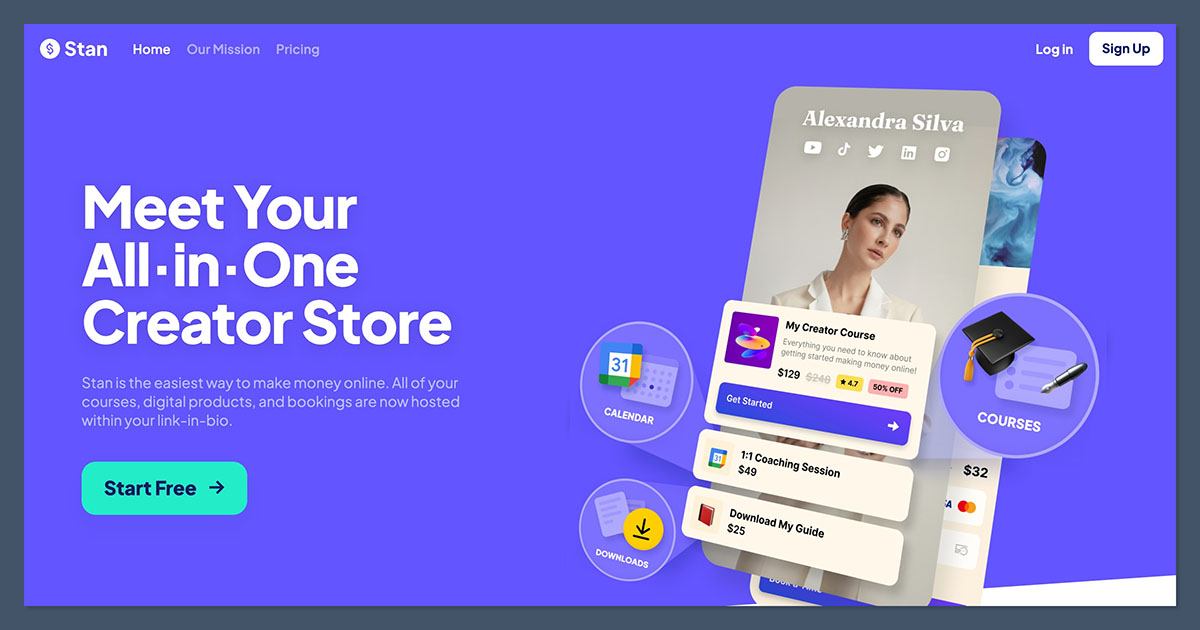
Stan Store is the best Beacons alternative for selling because Creator combines scheduling, unlimited courses, and recurring subscriptions without taking a platform percentage. Its template-led store page keeps your offers together rather than sending visitors around a broader creator website.
However, Stan’s $29 monthly starting price is only $1 below Beacons Creator Plus, which also removes seller fees. I recommend Stan for its booking and course workflow, not because it dramatically undercuts Beacons’ paid store.
Pros
- No platform commission on either paid plan
- Unlimited courses on Creator
- Built-in scheduling for paid bookings
- Recurring subscriptions alongside digital offers
Cons
- No free plan for building a store
- Email marketing and upselling tools require Creator Pro
- Template-led layout offers less freedom than Beacons
What’s changed at Stan Store?
Stan’s current Creator plan includes community tools and AutoDM alongside its storefront features. Creator Pro adds funnels and order bumps for more involved purchase journeys, plus discount codes. Email broadcasts and flows also sit on Pro, so budget for that upgrade if replacing your email marketing tool is part of the move.
Why switch from Beacons to Stan Store?
Choose Stan when your Beacons page needs to sell appointments as naturally as downloads: Creator includes scheduling, while 1-Tap Checkout suits traffic arriving from a social bio. For example, you can offer a consultation alongside a course without upgrading to Creator Pro. But Beacons retains its AI tools and media kit, and Creator Plus already solves the 9% seller-fee problem.
My Stan Store hands-on notes
I like Stan’s single-page structure when a course and consultation belong together, but its template-led setup gives you less layout freedom than Beacons. Beacons offers video backgrounds and block styling when the page’s appearance needs more individual control. Users praise Stan’s support, but some report slow cash-outs and checkout locks, so I don’t treat commission-free pricing as a payout guarantee.
How Much Does Stan Store Cost?
Annual billing costs $300 for Creator or $948 for Creator Pro. Processing, payout, international, or currency charges can still apply.
| Plan | Monthly price (billed annually) | Monthly price (billed monthly) | Seller fee |
|---|---|---|---|
| Creator | $25 | $29 | 0% |
| Creator Pro | $79 | $99 | 0% |
Best for: selling services and digital products from one page. Skip if: you need a free start or Beacons-style design variety (see our Stan Store alternatives).
2. Linktree: Best Link-in-Bio Upgrade
- Linktree pricing: $0 to $30 per month, billed annually
- Digital selling: 0% seller fees on Pro and Premium, subject to country eligibility
- Store design: custom designs and branding removal on Pro
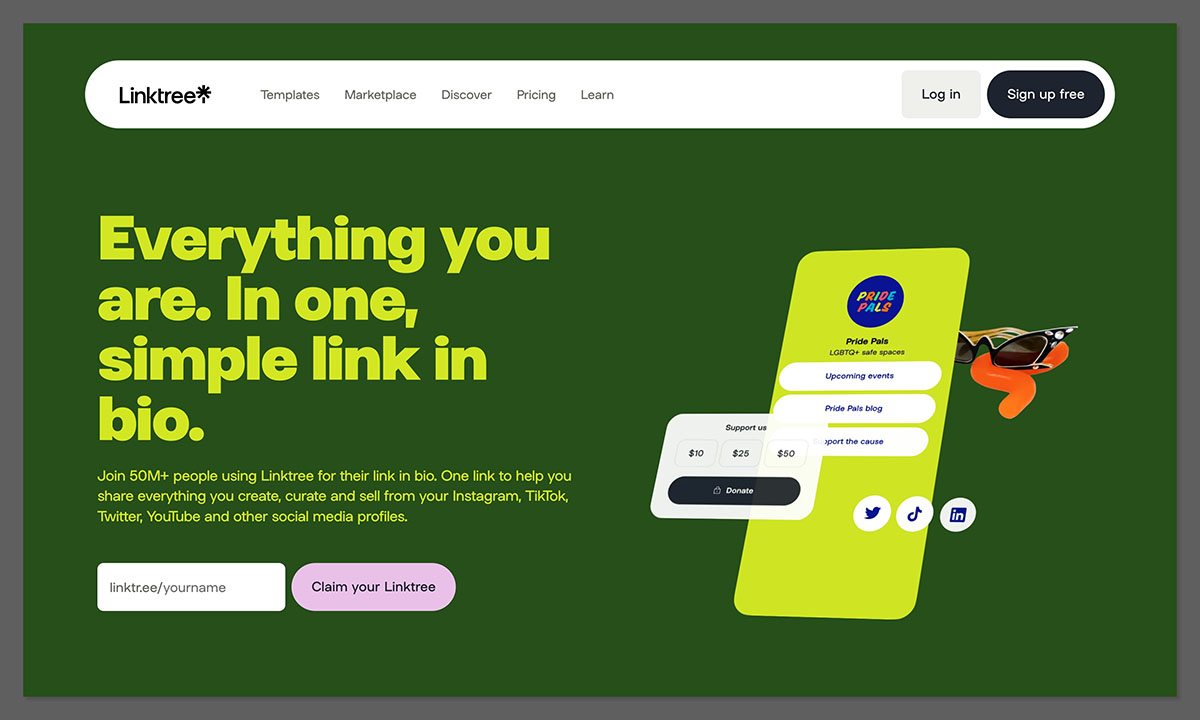
Does your Beacons page mostly send people elsewhere, with a few products alongside those links? Linktree is our best link-in-bio upgrade because it keeps that links-first structure while adding digital selling and custom branding on Pro.
However, Linktree limits you to one course and 100 MB per file. Stan suits a broader course business, while Beacons offers a more extensive free creator toolkit.
Pros
- Free link page before you need selling
- Pro digital selling with 0% seller fees
- Custom designs and branding removal on Pro
- Trial access for Pro and Premium
Cons
- One-course limit per Linktree
- File-size ceiling of 100 MB
- Selling eligibility depends on your country and plan
What’s changed at Linktree?
Linktree’s current Pro plan includes digital selling alongside custom designs, rather than reserving the page for outbound links. Premium adds link rules and data export, plus unlimited Instagram auto-replies. I recommend Pro for occasional product sales; choose Premium only when its additional audience-management features justify the subscription.
Why switch from Beacons to Linktree?
Linktree Pro costs $14 monthly with annual billing, compared with $25 for Beacons Creator Plus on the same billing basis. Both offer 0% seller fees for the relevant digital-selling features, but Linktree’s savings come with file and course restrictions. Confirm your country’s selling eligibility before paying, and skip Starter if you need paid digital products.
My Linktree hands-on notes
I like the distinction between Linktree’s free link page and Pro’s custom design options: you can establish your destinations before committing to selling. However, a Pro upgrade doesn’t remove the one-course restriction or file-size ceiling. Users also complain about price increases and unexpected billing, so review renewal terms; our Linktree alternatives guide covers other options if those compromises rule it out.
How Much Does Linktree Cost?
Pro and Premium offer a 7-day trial. Payment processing and separate Linktree Earn charges can still apply.
| Plan | Monthly price (billed annually) | Monthly price (billed monthly) | Seller fee |
|---|---|---|---|
| Free | $0 | $0 | Paid digital selling unavailable |
| Starter | $7 | $9 | Paid digital selling unavailable |
| Pro | $14 | $17 | 0% on digital selling |
| Premium | $30 | $35 | 0% on digital selling |
I recommend Linktree for links plus occasional sales, not as a replacement for a substantial course store.
3. Pensight: Best for Coaches and Courses
- Pensight pricing: Free; Pro from $23 monthly billed annually; Biz $99 monthly
- Booking tools: Basic includes sessions, built-in video calling, and calendar integrations
- Read our Pensight review for more information
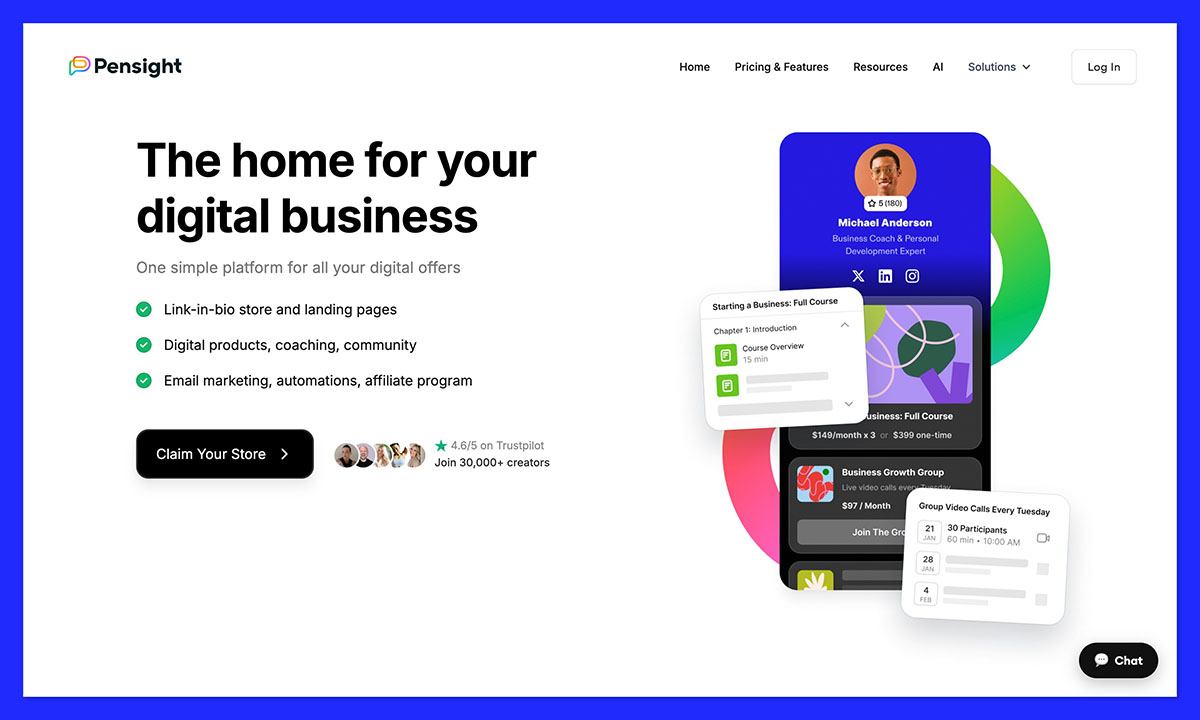
Pensight is our best Beacons alternative for coaches because its free plan combines paid sessions, built-in video calling, and client chat. Pro adds unlimited courses and group programs when your offer grows beyond individual appointments.
However, Pensight reserves themes, fonts, and custom domains for Pro. Beacons offers more free styling flexibility, while Pensight’s 3% payment fee applies across its plans.
Pros
- Free session selling on Basic
- Built-in video calls and client chat
- Unlimited courses on Pro
- Email automations and funnels on Pro
Cons
- Payment fee of 3% on every plan
- Design controls largely reserved for Pro
- Custom domain and logo removal require Pro
What’s changed at Pensight?
Pensight’s current Pro package extends beyond courses to memberships and group programs. It also includes payment plans, with Klarna and Affirm options for eligible purchases. I recommend evaluating Pro as a coaching-business package rather than simply a paid link page, because its email tools and affiliate program are part of the subscription.
Why switch from Beacons to Pensight?
Pensight Basic lets you sell sessions without a monthly subscription, making it a practical alternative to Beacons’ 9% Free-plan seller fee plus processing. Pensight’s 0% platform-commission claim still comes with its mandatory 3% payment fee, so include that deduction in your budget. Compare Pro with Beacons Creator Plus when you also need courses and a branded domain.
My Pensight hands-on notes
I like having session booking and video calls within Pensight rather than treating a consultation as a generic download. Pro also gives you control over page themes, colors, and fonts. My reservation is that Basic doesn’t include those branding tools, so a free coaching setup comes with a visual compromise.
How Much Does Pensight Cost?
Pro includes a 7-day trial and costs 20% less with yearly billing.
| Plan | Monthly price (billed annually) | Monthly price (billed monthly) | Seller fee |
|---|---|---|---|
| Basic | $0 | $0 | 3% payment fee; 0% platform commission |
| Pro | From $23 | $29 | 3% payment fee; 0% platform commission |
| Biz | Not listed | $99 | 3% payment fee; 0% platform commission |
Best for: coaching and structured learning. Skip if: free-plan design control matters more than built-in client tools.
4. Komi: Best for Polished Design
- Komi pricing: $0 to $16 per month, billed annually
- Pro selling: 0% fees on digital-product sales
- Store design: mini-site with branding removal and custom domain on Pro
Komi is our best Beacons alternative for polished design because its mini-site format combines content links with branding removal and a custom domain on Pro. I recommend it when your public-facing creator page matters as much as the checkout.
However, Komi isn’t built for courses or bookings, so choose Stan or Pensight if those are your main products. Its 0% digital-selling rate is a Pro feature, so plan on the $16 tier if you sell.
Pros
- Free Starter page with unlimited content links
- Digital-product selling at 0% on Pro
- Custom domain and branding removal on Pro
- Unlimited email campaigns on Pro
Cons
- 0% digital selling only on Pro
- No course or booking tools like Stan or Pensight
- Custom branding requires Pro
What’s changed at Komi?
Komi’s current Starter plan includes unlimited fan contacts and analytics, alongside brand-deal tools. Pro adds digital selling and unlimited email campaigns, plus Meta Pixel support. I recommend Starter for a creator presence and Pro when you need a branded selling page connected to an email workflow.
Why switch from Beacons to Komi?
Komi Pro combines a custom domain with 0% digital-product fees for $16 monthly on annual billing. Beacons Creator costs less but retains its 9% seller fee, while Creator Plus removes that percentage at a higher subscription. Choose Komi for the mini-site and branding package, not as a replacement for every Beacons feature.
My Komi hands-on notes
I like Komi’s focus on a creator destination rather than a full multi-page shop, and users praise its appearance and straightforward setup. However, a polished page doesn’t give you course or membership tools. I recommend Stan or Pensight when those products are essential.
How Much Does Komi Cost?
Komi offers a free trial of Pro. Its 0% digital seller fee doesn’t remove payment processing.
| Plan | Monthly price (billed annually) | Monthly price (billed monthly) | Seller fee |
|---|---|---|---|
| Starter | $0 | $0 | Digital selling on Pro |
| Pro | $16 | $20 | 0% on digital products |
Choose Komi for brand presentation; Linktree Pro costs less if links and occasional digital sales cover your needs.
5. Payhip: Best for Digital Products
- Payhip pricing: $0 to $99 per month, with monthly-only pricing
- Seller fee: 5% on Free, 2% on Plus, and 0% on Pro
- Store design: theme-based storefront rather than a link-in-bio layout builder
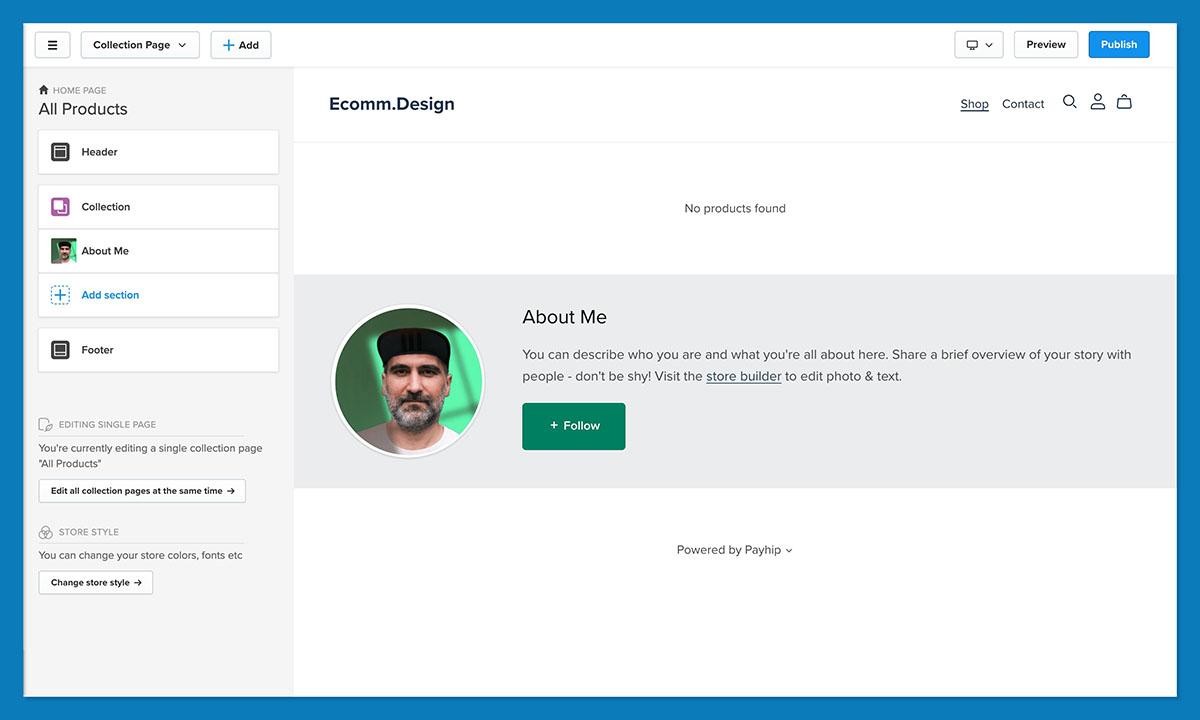
Payhip’s free plan takes 5% instead of Beacons’ 9%, without withholding store features. It’s our best Beacons alternative for digital products because you get unlimited products, every feature across plans, and tax collection and remittance in supported regions.
However, Payhip replaces your store rather than your entire link-in-bio page. If you need a hub for social links, connect a Linktree Free page to your Payhip storefront.
Pros
- Every feature included on every plan
- Unlimited products and revenue on Free
- Tax handling for EU/UK digital VAT and US/Canadian sales tax
- Immediate deposits into your connected PayPal or Stripe account
Cons
- Free-plan commission remains at 5%
- Separate link hub needed for a Beacons-style setup
- Theme-based design rather than free-form layout control
What’s changed at Payhip?
Payhip’s current plans separate pricing by commission rather than feature access, so Plus doesn’t unlock a fuller store or a separate design toolkit. I recommend choosing your tier around sales volume: Plus saves money over Free above roughly $967 in monthly sales, before processing. Pro overtakes Plus at $3,500, where its $70 subscription increase equals the 2% fee saving.
Why switch from Beacons to Payhip?
A $50 download incurs a $2.50 Payhip Free seller fee instead of $4.50 on Beacons Free, before processing charges. However, Beacons Creator Plus costs $30 monthly without seller commission, matching Payhip Free’s platform cost at $600 in monthly sales. Above that point, Beacons Creator Plus costs less on subscription plus seller fees, so don’t assume a free subscription always wins.
My Payhip hands-on notes
I like Payhip’s store-first presentation when a download catalog matters more than a stack of social buttons, but its theme editor isn’t a free-form landing-page builder. Payhip deposits sales into your connected processor immediately; that doesn’t mean an immediate bank payout. Beacons store proceeds also reach connected payment accounts in real time, so I recommend Payhip for its store and fee structure rather than a blanket payout-speed advantage.
How Much Does Payhip Cost?
Payhip has no annual discount. Payment processing applies on every tier, and you don’t need a card to start on Free.
| Plan | Monthly price (billed annually) | Monthly price (billed monthly) | Seller fee |
|---|---|---|---|
| Free Forever | $0 | $0 | 5% |
| Plus | Not offered | $29 | 2% |
| Pro | Not offered | $99 | 0% |
I recommend Payhip over Stan for a low-risk download store. Choose Stan instead when booking appointments alongside courses is your main requirement.
6. Taplink: Best Budget Option
- Taplink pricing: $0 to $8 per month, billed annually
- Seller commission: none from Taplink; digital selling requires Business
- Store design: professional templates and custom HTML from Pro
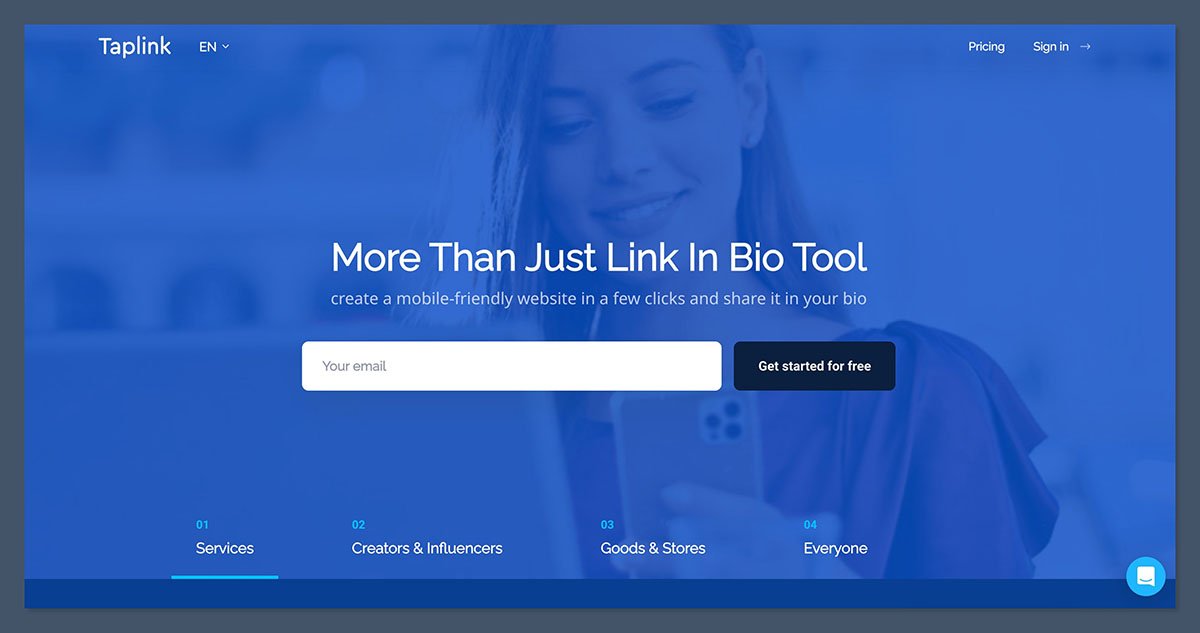
Taplink is our best budget option because Business combines digital products, internal pages, and a custom domain for $8 monthly with annual billing. Pro also gives you custom HTML when template styling alone isn’t enough.
However, the $4 Pro price doesn’t include digital selling, and paid subscriptions have a 3-month minimum. Beacons Free remains the lower-commitment option if you aren’t ready to pay upfront.
Pros
- Low-cost selling on Business
- No Taplink commission on sales
- Custom HTML from Pro
- Internal pages and custom domain on Business
Cons
- Digital products require Business
- Paid commitment starts at 3 months
- Upload limit of 256 MB
What’s changed at Taplink?
Taplink’s current Business package combines payment acceptance with CRM tools and internal pages, plus branding removal. Pro supplies professional templates and tracking pixels, but isn’t the selling tier. Choose Pro for a promotional landing page or Business for a store rather than buying around the lower headline price.
Why switch from Beacons to Taplink?
Taplink Business removes platform commission for an annual subscription of $96, while Beacons Creator retains its 9% seller fee. I recommend it for compact digital stores whose files fit the upload limit and whose owners can commit upfront. Confirm payment-provider compatibility before migrating, since Taplink’s subscription price won’t help if you can’t accept payments where you operate.
My Taplink hands-on notes
I like that Taplink offers custom HTML on Pro rather than limiting you to preset styling, while Business adds internal pages when one long page becomes restrictive. My reservation is that the store page feels closer to a landing page than a shop. I recommend Taplink for a compact page selling digital offers, and Payhip when you want a fuller download store.
How Much Does Taplink Cost?
The annual rates below require yearly payment. Taplink doesn’t offer a single-month paid subscription, and payment processing remains separate from its 0% commission.
| Plan | Monthly price (billed annually) | Monthly price (billed monthly) | Seller fee |
|---|---|---|---|
| Basic | $0 | $0 | Digital selling unavailable |
| Pro | $4 | Not available; 3-month minimum | Digital selling unavailable |
| Business | $8 | Not available; 3-month minimum | 0% commission |
Choose Business for budget digital selling, not Pro’s lower headline price.
How Do I Choose the Right Beacons Alternative?
Choose Beacons alternatives around what you sell before comparing subscriptions. Stan suits courses alongside consultations, while Payhip suits a download catalog that a cheaper link page can’t organize.
Also compare switching against upgrading Beacons. At $30 monthly, Creator Plus offsets Free’s 9% seller fee at roughly $333 in monthly sales, before processing charges. Below that level, Payhip Free can reduce your percentage without adding a subscription.
- What will seller fees cost at my monthly sales level? Add the subscription, sales percentage, and payment processing.
- Can I sell my actual offer? Check file limits and support for bookings or courses before rebuilding.
- Does it handle VAT and sales tax? Payhip collects and remits EU/UK digital VAT and US/Canadian sales tax.
- Can I connect my domain? Check the required plan before buying or transferring a domain.
- Can I match my brand? Compare fonts and layout control, not just attractive template previews.
- When can I access earnings? Separate processor deposits from bank payouts, payout schedules, and minimum thresholds.
If you only want a link page with a store, start with our best link-in-bio platforms guide. Carrd offers a design-first front page at $9 to $49 per year, but you’ll need a checkout such as Payhip or Stan because Carrd lacks native catalog and delivery tools.
Can I Switch From Beacons Without Starting Over?
You can export your subscribers, but expect to rebuild your store. Open Beacons’ Audience page and use the download icon beneath Import Audience Members to export a CSV. Save your product files and course videos separately, then re-upload them rather than relying on a product or order export.
Point your custom domain at the new platform if you control its settings; request its release before canceling if Beacons manages it. Test the replacement checkout, then update every social bio link on the same day. Keep the old Beacons page live temporarily with a notice directing visitors to the new store.
How We Test and Rank the Best Beacons Alternatives
We tested 15 link-in-bio and creator store platforms to rank Beacons alternatives around selling, rather than treating every link page as an equivalent store. Our recommendations distinguish a download checkout from a coaching platform or merchandise shop.
Our 2026 rankings use these weighted categories:
- Selling Fees and Pricing (30%): We compare subscription costs and seller fees at equivalent sales levels. We separate platform commission from payment processing and identify plans that advertise a low price without including selling.
- Store Features (25%): We assess supported product types and checkout tools. Course restrictions, booking support, and fulfillment determine whether a platform can replace your existing Beacons workflow.
- Design and Customization (20%): We assess themes and styling controls, including custom domains. We distinguish a customizable link page from a template-led storefront and a multi-page shop, rather than treating branding removal as complete design freedom.
- Ease of Use (15%): We assess store setup and the available editing workflow. A compact creator page and a merchandise catalog need different levels of structure, so simplicity alone doesn’t determine the ranking.
- Support and Reputation (10%): We weigh support options and recurring user feedback. Billing complaints and payout concerns count against recommendations without treating individual experiences as guaranteed outcomes.
I recommend Stan overall because its entry-level plan combines bookings and unlimited courses with 0% platform commission. Its restricted layout and lack of a free plan prevent it from being an automatic choice for every creator.
Pensight suits coaches who sell sessions, while Payhip offers a lower-risk start for downloads. Linktree suits creators whose page still revolves around outbound links. I recommend choosing the product workflow first, then comparing design controls and total selling cost.
Prices current as of October 2026.
Final Verdict: Which Beacons Alternative Do I Recommend?
Stan Store is the best Beacons alternative for selling because you get bookings, unlimited courses, and subscriptions without a platform percentage on either plan. I recommend Creator unless you specifically need Pro’s email marketing and upselling tools.
Choose Linktree Pro if your page is mostly links, Pensight for coaching, or Payhip for a free start with a 5% seller fee. Before moving your bio link, build one representative offer on your preferred platform and inspect its mobile presentation and checkout, including how the price and product details appear. Payhip and Komi let you start free; Linktree Pro and Pensight Pro offer 7-day trials if those workflows are a closer match.
FAQs
Is Beacons really free?
Yes, Beacons has a $0 Free plan, but it charges a 9% seller fee on store sales, plus payment processing. Creator costs $10 monthly or $8.33 monthly billed annually and retains that percentage.
Creator Plus removes the seller fee for $30 monthly or $25 monthly billed annually. Creator Max also charges 0%, costing $100 monthly or about $83 monthly with annual billing. Comparing Free with monthly-billed Creator Plus, the subscription offsets the 9% fee at roughly $333 in monthly sales, so you don’t need to leave Beacons solely to remove commission.
Is Stan Store better than Beacons?
Stan Store is better for sellers who prioritize bookings and courses because its $29 monthly Creator plan includes both, with 0% platform commission. However, Beacons Creator Plus also removes seller fees at $30 monthly, so the subscription difference is small.
I recommend Beacons for a free start and broader page styling, alongside its AI tools and media kit. Our Stan Store vs Beacons comparison explains those trade-offs. Choose Stan for its selling workflow, not because Beacons always charges a percentage, and budget for Creator Pro if you need Stan’s email marketing.
Which Beacons alternative has no transaction fees?
These alternatives charge no platform commission on the specified plans or products, but payment processing still applies:
- Stan Store: 0% platform commission on both plans
- Payhip Pro: 0% seller fee at $99 monthly
- Linktree Pro and Premium: 0% digital-selling fees, subject to country eligibility
- Komi Pro: 0% on digital products at $16 monthly billed annually
- Taplink Business: no Taplink sales commission
Are Koji and Linkpop still good Beacons alternatives?
No. Koji shut down in early 2024 after Linktree acquired it, and Shopify’s Linkpop closed in 2025.
Snipfeed now operates through Planoly’s Creator Store rather than as a standalone option. Planoly’s Creator Store sells digital products, courses and print-on-demand merch. Among the Beacons alternatives here, choose Linktree for a links-first page, Pensight for coaching, or Payhip for downloads rather than following an outdated Koji or Linkpop recommendation.


