
 By Bogdan Rancea
At this point, I’ve helped people set up online stores selling just about everything: print-on-demand products, dropshipped collections, privately sourced merch, memberships, subscriptions, courses, you name it. I still think digital products are one of the best options for beginners.
They just strip out a lot of the things that make starting a business complicated in the first place. You don’t need to buy goods or store them somewhere, work with suppliers, deal with size exchanges, or handle fulfillment. You just make something, upload it, and pull in the cash.
Of course, there’s still a bit of work to do. You still need a compelling brand, a product that’s actually worthwhile, a way to attract your audience, and a plan for growth. So here’s the easy guide to setting all that up, with one of my favorite platforms: Fourthwall.
How to Sell Digital Products With Fourthwall

Quick explainer on why I’m suggesting Fourthwall for this. There are plenty of tools, apps, and platforms that let you sell digital products, but I think Fourthwall makes starting and scaling a lot easier.
With Fourthwall, you get a storefront straight away (on a free plan), and you can sell digital downloads from the same place you sell merch, memberships, and custom-sourced products.
That makes it a lot easier to jump into building a business that can explore new avenues over time. Plus, Fourthwall acts as your Merchant of Record, so it handles sales tax and VAT tasks, the kind of things you’d probably rather avoid anyway. If you ever branch into print-on-demand, Fourthwall deals with the customer support for products from its catalog, too.
I’m not saying it’s the perfect option for everyone, but it’s the platform with the lowest barrier to entry, in my opinion.
Step 1: Choose and Create a Product People Already Want
Start with your audience, not what you’re going to sell. Ideally, you already have a target audience in mind. Maybe you’re a musician with existing fans, or a fitness influencer with a dedicated following of 30-somethings trying to stay healthy on a busy schedule.
If not, think about your passions and what you specialize in, then do some research. Browse forums and social media to see what people are struggling with, and what they’re asking for. If you’re targeting executives looking to expand their business, they might prefer a series of videos over a huge, complicated eBook.
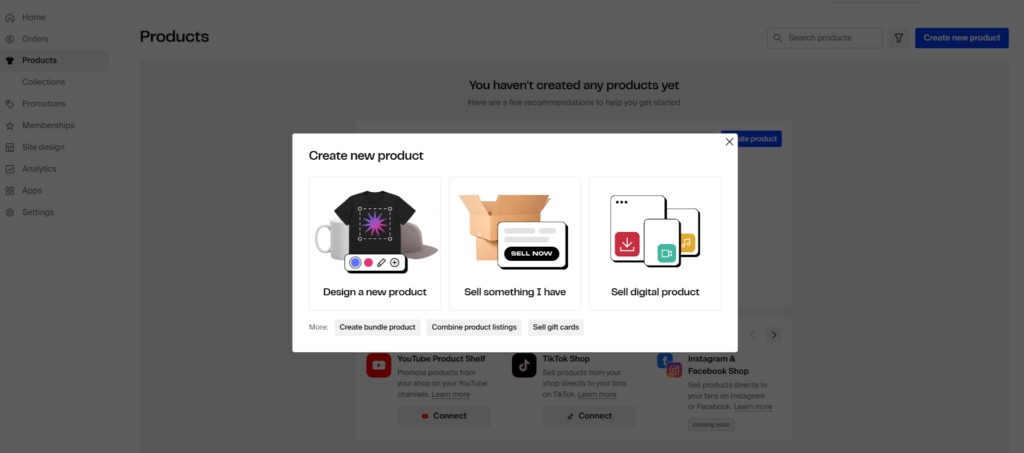
Match the audience to the product. Fourthwall lets you choose from eBooks, music downloads, templates, stock photos, premium videos, audio content, downloadable art, and so on.
Once you’ve chosen an ideal product or two, create it. You can do this in your own time, at your own pace, with the resources you currently have, or you can browse channels like Fiverr for extra help.
Remember to package it properly. Say what’s included, what format it comes in, what software they need, whether commercial use is allowed, and how they can use it after purchase.
Step 2: Set Up Your Fourthwall Store
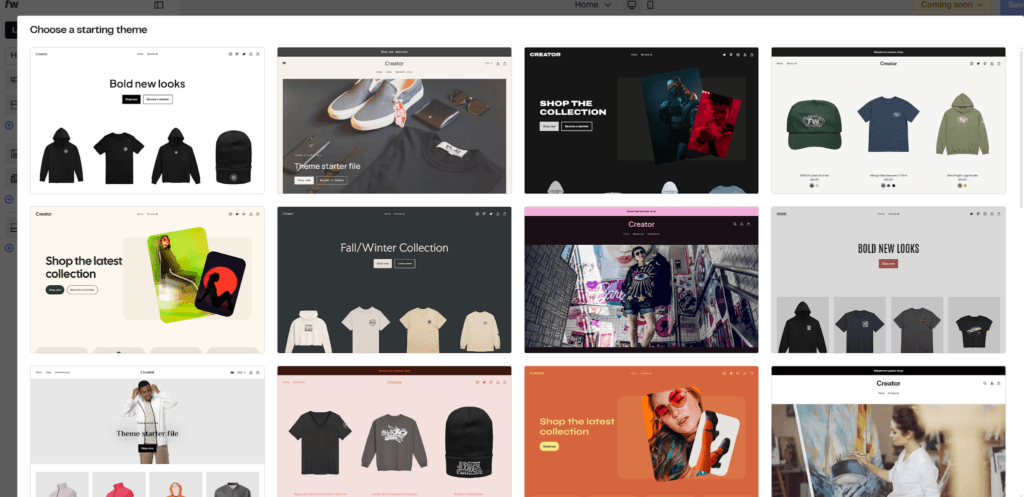
Now you’ve got your products in mind, it’s time to build your store.
Go to Fourthwall and click the “Start Now” button. You can log in with your email, Apple, or Google account, then Fourthwall will ask you a few questions about your business. After that, you’ll be able to choose a plan. Stick with the free plan for now.
It still lets you create both physical and digital products, customize your storefront, sell memberships, connect social selling tools, and use promo codes. That’s plenty. You also get 50 active or hidden product listings, which should be more than enough.
You can upgrade once you’re actually earning customers. The Pro plan removes the 5% platform fee on digital products, increases your product cap, adds unlimited team members, priority support, and sample credit for $19 per month.
Once you’re signed up, head straight to the Store Design tab and get to work. The no-code storefront builder lets you choose a theme and customize each page. I’d start with:
- Homepage: who the shop is for and what kind of files you sell.
- Compatibility notes: Canva, Notion, Photoshop, Lightroom, Ableton, PDF, ZIP, MP4, whatever applies.
- Usage rights: personal use, commercial use, client work, resale restrictions.
- FAQ: delivery, refunds, updates, lost download emails, device/software requirements.
Plus, your product pages, which we’ll get to in the next step. Keep each page simple, visually engaging, and focused on your customer. Who are they, and what are they going to get from you?
Step 3: Upload, Price, and Manage your Products
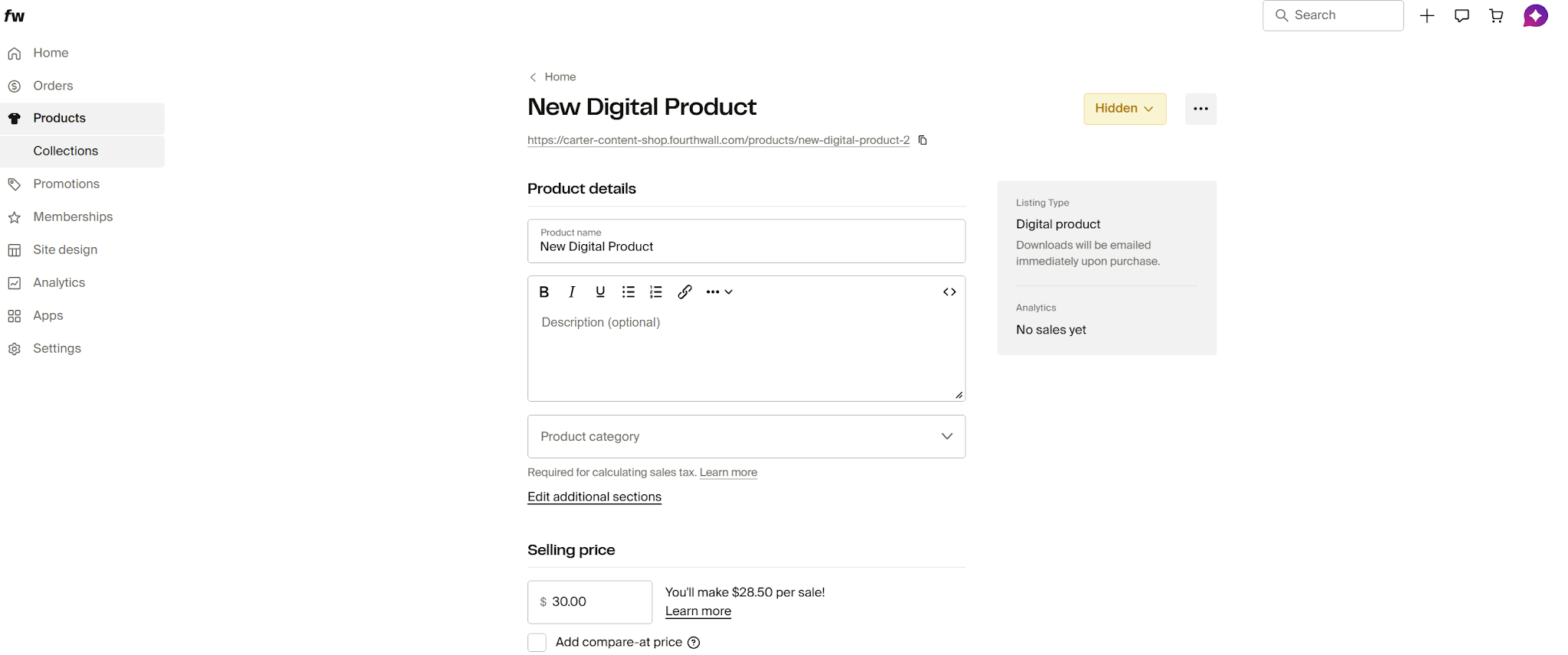
Once you have a basic store set up, go back to your Fourthwall dashboard, and click on “Create New Product” you’ll be able to choose “digital products” from the options that appear.
That’ll take you to a page where you can add all the details customers need. Add a title that explains exactly what the product is, and a description with plenty of detail. Make sure you include information about software compatibility, file size, and exactly what’s included.
Then upload your product. Fourthwall gives you up to 2GB per listing and recommends ZIP files when you’re selling multiple assets. You’ll also need to choose a category for the product (which will help with sales tax calculation).
Add plenty of images here if you can. Maybe samples of what’s included in the download, videos of people using the system, or small teasers.
After you’ve got all that out of the way, set the price. A good option is to browse the web and see what similar resources are selling for. Presets and printables might sell for about $5 to $15 while toolkits and planners might range up to $49.
You can add a discount for early buyers if you want help driving conversions, but keep them small. 10% or 20% is fine; you don’t want to ruin your margins.
Another option is to create a bundle. That’s a great way to increase average order value. You can bundle digital downloads with other downloads, memberships, self-fulfilled items, or print-on-demand products like custom merch.
Fourthwall keeps products hidden to begin with as standard, which is a good thing, because you want to build excitement before you launch.
Step 4: Promote the Product Before You Ask People to Buy
My advice? Don’t launch a product and then start attracting an audience.
Spend a couple of weeks generating a bit of hype. Post videos showing how you created the product, what it does, and what kind of results it gets. Ask a few beta testers to use it and share their reviews. Work with a collaborator on a launch event, or tease your existing audience with sneak peeks into what you’re going to offer.
Try getting people to share their email address for early access, an exclusive discount, or a special extra, so you have a way to contact them when you launch your first product, and the ones after.
You can also try creating some free content to publish on your site. Blogs, case studies, guides, or how-to tutorials can get people interested in your brand before they buy anything.
Once you’ve got just enough buzz, launch your product, but keep promoting.
Gather feedback and reviews, talk about your product in your live streams, or use Fourthwall to connect your store straight to social media so companies can buy whatever you’re selling while they’re watching you in action.
My one warning: don’t make every post a checkout link. People buy digital products after they understand the pain, trust the shortcut, and believe they’ll actually use the thing. Sell the result first. Then sell the file.
Step 5: Scale Gradually Into Higher-Value Offers
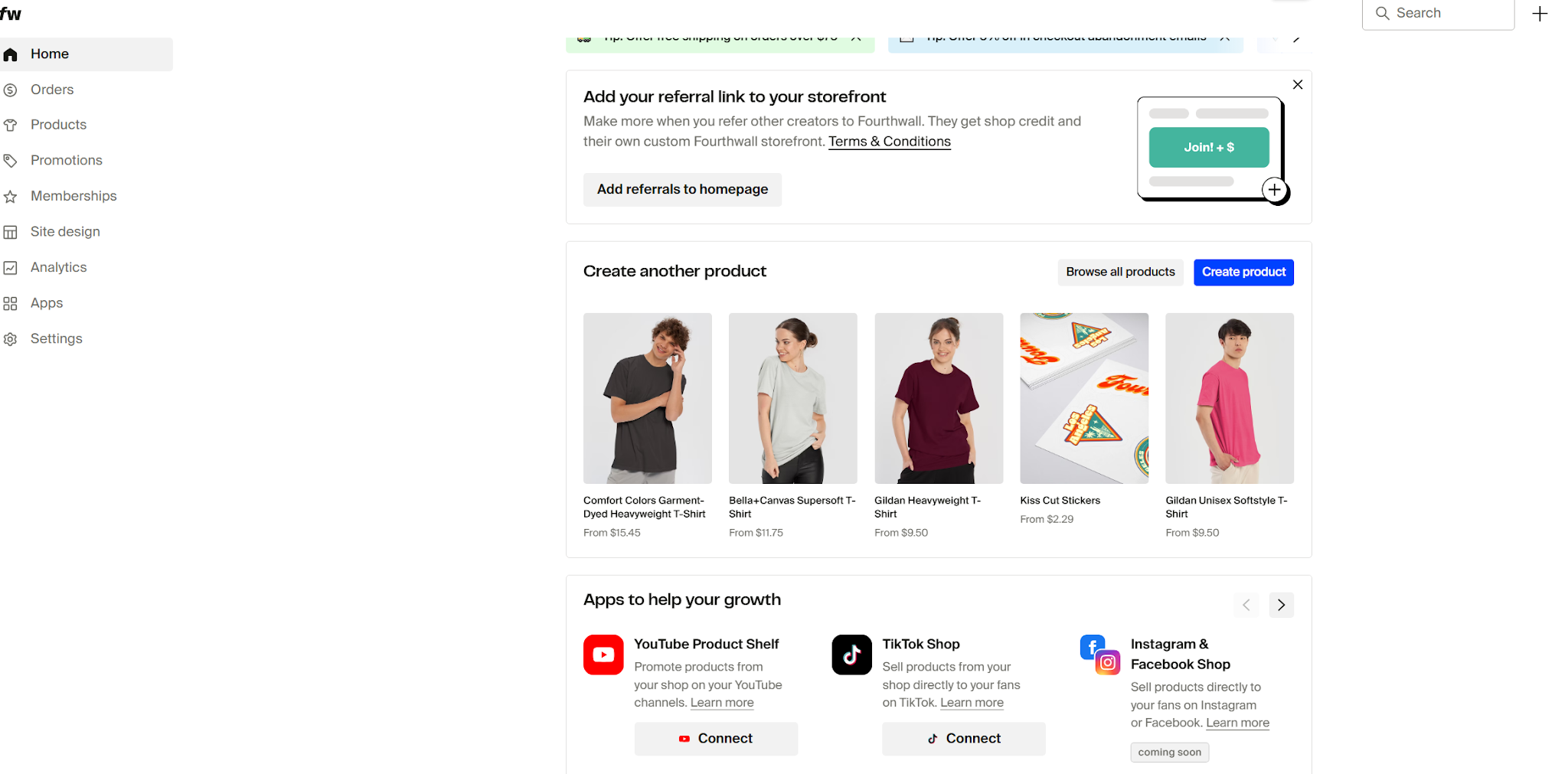
Last, get ready to grow. That doesn’t mean you need to create fifteen new products as soon as you get your first sale. Take your time. Listen to your customers and ask them what they’d like you to update or improve. Make tweaks to what you’re already selling (and make sure existing buyers get them).
Then, once you know you’re delivering something great, think about what you can do next. That might mean creating a course to complement your guide, a few templates, or an eBook covering a similar topic. It might mean you experiment with video on demand, a premium membership option for your biggest fans, or a subscription service.
You could even think about physical products at this stage. Fourthwall’s print-on-demand catalog makes it easy to experiment with custom merch without having to deal with extra apps and platforms. Plus, the team handles customer support for products from that catalog too, so you won’t have to take on too much extra work if you decide to sell some mugs and hoodies.
Selling Digital Products with Fourthwall
Selling digital products is always going to be easier than selling physical goods online, but that doesn’t mean there aren’t challenges.
There’s plenty of work to do to make your brand a success, from building your store to choosing and creating products, promoting, and managing customer support. Fourthwall just makes a good chunk of that a lot easier, and it keeps the costs low with its free plan when you’re still in the initial stages.
That’s why I recommend it to anyone thinking of launching a digital product venture right now. Fourthwall gives you a quick, scalable way to monetize your skills and your audience, without putting unnecessary work on your shoulders.


