
 By Bogdan Rancea
Best Overall

Shopify
See pricing Visit Shopify →From $29 per month
billed annually ($39 monthly)
- Hosting, security and updates handled
- Abandoned carts and discounts built in
- 24/7 live chat support
Best for large catalogs

BigCommerce
See pricing Visit BigCommerce →From $29 per month
billed annually ($39 monthly)
- Free WooCommerce migration app
- Variants and multichannel built in
- 24/7 phone and chat support
Best for design

Squarespace
See pricing Visit Squarespace →From $19 per month
billed annually, 0% fee from Core
- Polished, design-led templates
- Store, blog and portfolio in one
- No plugins to update
After testing WooCommerce alternatives, I still recommend WooCommerce for maximum flexibility on WordPress. The plugin is free, you own your store’s code, and you can extend almost anything.
That said, hosting bills, paid extensions and plugin conflicts can outweigh that freedom. Our Shopify vs WooCommerce comparison explains the hosted-platform trade: less code ownership, but someone else handles hosting, security and support. But which platform deserves your store?
Key Takeaways
- WooCommerce is free software, but hosting, extensions and upkeep are on you.
- Shopify is the best alternative overall, with managed checkout and round-the-clock support.
- BigCommerce suits large catalogs, with a free migration app covering orders and redirects.
- Squarespace and Wix are the design picks, offering polish or drag-and-drop freedom.
- Hostinger has the lowest paid starting price, with a long commitment.
- The remaining picks cover specialist needs, from WordPress sites to physical shops.
How I tested the best WooCommerce alternatives
I set up the same small catalog on each platform: physical products with variants and a digital download, using a WooCommerce export wherever imports were supported. I compared selling, design, costs, upkeep, migration and support.
Top 3
- Shopify for hands-off selling.
- BigCommerce for large catalogs.
- Squarespace for design-led brands.
On this page
- Comparing WooCommerce Alternatives
- 1. Shopify
- 2. BigCommerce
- 3. Squarespace
- 4. Wix
- 5. Hostinger
- 6. Webflow
- 7. Ecwid
- 8. Square Online
- 9. PrestaShop
- 10. Big Cartel
- How Do I Choose the Right WooCommerce Alternative?
- How Do I Migrate From WooCommerce?
- How We Test
- Final Verdict
- FAQs
Comparing WooCommerce Alternatives
Compare starting costs, fees and catalog limits against WooCommerce below; a paid subscription doesn’t automatically mean a more expensive store.
| Platform | Starting price | Transaction fee | Product limit | Better than WooCommerce for | Best for |
|---|---|---|---|---|---|
| WooCommerce | Free plugin, plus hosting and extensions | 0% (WooPayments 2.9% + 30c per sale) | No cap | (baseline) | Owners who want full control on WordPress |
| Shopify | $29/mo billed yearly ($39 monthly) | 0% with Shopify Payments; 2% with other gateways on Basic | No cap | Hosting, security and checkout handled for you | Most stores leaving WooCommerce |
| BigCommerce | $29/mo billed yearly ($39 monthly) | 0% on built-in gateways; 2% on others (Core) | No cap; yearly sales limits by plan | Built-in catalog tools, free migration app | Large catalogs |
| Squarespace | $19/mo billed yearly | 2% on Basic, 0% from Core | No cap | Polished templates | Design-led brands |
| Wix | $29/mo billed yearly (Core) | 0% | Up to 50,000 | Drag-and-drop design | Small brands that want layout freedom |
| Hostinger | $3.99/mo on a 48-month plan | 0% | 1,000 | Lowest cost | Budget stores |
| Webflow | $29/mo billed yearly | 2% on Standard, 0% from Plus | 500 items on Standard | Custom design down to checkout | Designers and agencies |
| Ecwid | $5/mo | 0% | 10 on Starter, 100 on Venture | Store on any site, keeps WordPress | WordPress sites with small catalogs |
| Square Online | Free | 0% platform fee (3.3% + 30c card rate on Free) | No cap stated | Online and in-person in one inventory | Shops with a counter |
| PrestaShop | Free software; Hosted from $24/mo billed yearly | 0% | No cap | Ecommerce-first open source | Open-source loyalists |
| Big Cartel | Free (5 products); Platinum $15/mo | 0% | 5 / 50 / 500 by plan | Simplicity | Artists and makers |
Which WooCommerce Alternative Is Best for My Specific Business Needs?
For a store without server maintenance: Choose Shopify, or BigCommerce if built-in catalog tools matter more than layout freedom.
For a brand that lives on its looks: Choose Squarespace for polished templates, Wix for free placement, or Webflow for professional design control.
For the smallest budget: Hostinger has the lowest paid starting price, but check renewal costs before committing.
For keeping WordPress: Ecwid replaces your store without replacing your website. PrestaShop preserves open-source ownership, but moves commerce away from WordPress.
For a shop with a counter or a small art catalog: Square Online connects physical and online sales; Big Cartel suits a small creative business.
1. Shopify: For Hands-Off Selling at Any Size
Shopify is the best WooCommerce alternative overall if you want to stop managing the technical side of selling. Hosting and checkout sit with one provider, not across your host and plugins.
In comparison, WooCommerce gives you more control but leaves you coordinating those parts. I recommend Shopify for convenience, not unlimited design freedom: its section-based editor is less flexible than Wix.
What I Like
- Shopify handles hosting, security and platform updates. You no longer maintain the WordPress installation underneath your store.
- Essential sales tools are built in. Abandoned cart recovery and discount codes come alongside Shop Pay and Shopify Email, cutting your initial extension shopping list.
- The app store covers specialist needs. Subscriptions and bookings are available through apps, so switching doesn’t mean abandoning those business models.
- One company supports the core platform. Live chat runs around the clock, unlike troubleshooting WooCommerce across separate vendors. Phone support is reserved for Plus.

What’s new in 2026: Shopify’s June Summer ’26 Edition enabled agentic storefronts for discovery through AI assistants such as ChatGPT and Perplexity. Legacy Shopify Scripts retired on June 30, moving those checkout customizations to Shopify Functions.
What I Dislike
- Apps can recreate your extension bill. Store owners complain about recurring app costs, so price your essential functionality before switching.
- Product URL prefixes are fixed. Shopify uses
/products/, making redirects essential when your WooCommerce addresses differ. - Outside payment gateways attract an extra fee. WooCommerce doesn’t impose an equivalent platform charge for choosing another provider.
- Free theme choice is relatively small. About two dozen free themes means you may need a paid design to get your preferred look.
How Much Does Shopify Cost?
Shopify Basic through Advanced range from $29 to $299 per month (billed annually), with Grow at $79; monthly billing runs $39 to $399, with Grow at $105. I’d go with Basic: Shopify Payments removes the platform fee, outside gateways add 2%, and card processing costs 2.9% + 30c. There’s no free plan: a three-day trial precedes three months at $1 monthly. Budget for apps, since they replace WooCommerce extension costs rather than automatically eliminating them.
How Does Shopify Compare to WooCommerce?
- Shopify wins on managed upkeep, integrated checkout and one support contact.
- WooCommerce wins on code ownership and URL control, without a platform surcharge for your gateway choice.
2. BigCommerce: For Large Catalogs and an Easy Migration
BigCommerce is the best WooCommerce alternative for large catalogs and a supported migration path. Its free migration app includes redirects, not just the products you want to sell.
Where WooCommerce often relies on extensions, BigCommerce includes more catalog functionality in the platform itself. That said, its structured Page Builder is a weaker fit if your priority is a completely different storefront layout.
What I Like
- Core catalog tools need fewer add-ons. Variants and multichannel selling are built in, alongside multiple currencies. I recommend it over a general website builder for a complicated catalog.
- The free migration app brings more than products. It moves WooCommerce customers and orders, plus SEO URLs, redirects and meta titles, with support for up to 500,000 records.
- Staff accounts come with every plan. You don’t need a higher tier purely to give colleagues access.
- Phone support is available around the clock. BigCommerce also offers live chat, giving you a direct support route beyond WooCommerce’s separate hosting and extension vendors.

What’s new in 2026: On June 1, BigCommerce renamed Standard, Plus and Pro to Core, Growth and Scale. It also lowered sales limits and introduced a fee for gateways outside its built-in list.
What I Dislike
- Revenue can force a plan upgrade. Core covers $30,000 in sales over the trailing 12 months; Growth covers $100,000. Product count alone doesn’t determine your bill.
- Gateway choice now affects platform fees. Built-in providers avoid the surcharge, but keeping an outside provider can make switching more expensive.
- Page Builder restricts widget placement. Set placement areas and a relatively small free-theme selection offer less design flexibility than Squarespace or Wix.
How Much Does BigCommerce Cost?
BigCommerce Core through Scale range from $29 to $299 per month (billed annually), with Growth at $79; monthly billing runs $39 to $399, with Growth at $105. Performance starts at $1,499, and there’s a 15-day trial without a card. My pick is Growth for abandoned cart recovery if your sales qualify. Built-in gateways have no platform fee; others add 2% on Core, 1% on Growth or 0.6% on Scale.
How Does BigCommerce Compare to WooCommerce?
- BigCommerce offers built-in catalog tools and a clearer migration route, especially when historical orders matter.
- WooCommerce avoids revenue-triggered subscriptions and gives you more design freedom. Our BigCommerce vs WooCommerce comparison explores that trade-off.
3. Squarespace: For Design-Led Brands
Squarespace is the best WooCommerce alternative for a polished storefront without hiring a designer. I recommend it when product photography and presentation matter more than complicated selling rules.
With WooCommerce, the finished design depends on your theme and any page-builder plugins you add. Squarespace gives you a more coordinated starting point, with a snapping grid that keeps your layout aligned.
What I Like
- Its templates are my favorite starting point for design-led stores. A small brand gets a polished foundation without assembling a WooCommerce theme and separate design plugins.
- Your store can sit alongside a broader brand website. Blogging and portfolios share the platform with commerce, while scheduling and email tools sit within its wider offering.
- You don’t maintain WordPress plugins. Squarespace handles the platform underneath your pages. Save carefully, though, because the editor doesn’t autosave.
- Core removes the standard store transaction fee. I’d choose it for a physical-product business instead of choosing Basic solely for its lower subscription.

What’s new in 2026: Squarespace raised Basic, Core and Plus prices in July. Advanced stayed at the same price.
What I Dislike
- Basic adds a fee to store sales. Budget for Core if you’re moving an established physical-product shop.
- Selling tools and integrations are shallower than Shopify’s or BigCommerce’s. Unlimited products don’t mean unlimited product logic, so check every essential WooCommerce extension before committing.
- The native import leaves important data behind. Its one-time product CSV import excludes customers, order history and digital downloads. It doesn’t keep your old and new stores synchronized.
How Much Does Squarespace Cost?
Squarespace plans range from $19 to $99 per month (billed annually), with Core at $29 and Plus at $49. I’d start with Core: standard store fees fall from Basic’s 2% to zero, although digital-product fees remain 7% on Basic and 5% on Core. Card processing on both plans costs 2.9% + 30c. There’s a 14-day trial, but no free plan.
How Does Squarespace Compare to WooCommerce?
- Squarespace wins on ready-made design and reduced technical upkeep, particularly for a small brand without development help.
- WooCommerce wins on extension depth, custom product logic and data portability.
- Keep WooCommerce if specialized workflows matter more than a prettier template; replacing those workflows can undo the benefit of switching.
4. Wix: For Total Design Freedom
Wix is my pick for a WooCommerce alternative that lets you arrange your storefront visually without theme code. Its drag-and-drop editor lets you position elements beyond a template’s predefined sections.
WooCommerce can achieve custom layouts, but usually through a theme, page builder or development work. I like Wix for nontechnical design control, although that freedom stops short of checkout.
What I Like
- You can place page elements where you want them. Wix offers more visual freedom than Shopify’s section-based approach without a separate WordPress page-builder plugin.
- Business tools extend beyond products. Bookings and events sit alongside a blog, making Wix a good fit when your shop supports a service business.
- Harmony combines AI assistance with manual editing. Use the builder for a first draft, then adjust the layout yourself instead of accepting the generated design unchanged.

What’s new in 2026: Wix launched Harmony in January, combining AI website creation with its drag-and-drop editor and the ability to add store and booking features.
What I Dislike
- The free plan can’t accept payments. You need Core or above to sell, so the free builder is a design sandbox, not a free WooCommerce replacement.
- Your full website can’t move elsewhere. Products, contacts and orders can export, but you must rebuild the pages if you leave.
- Checkout design and product options have limits. Checkout isn’t editable in the visual editor, and each product supports six options.
How Much Does Wix Cost?
Wix ecommerce plans range from $29 to $159 per month (billed annually), from Core to Business Elite, with Business at $39. I’d choose Core, which costs about $36 with monthly billing; neither the free plan nor Light at $17 billed yearly can sell. Wix adds no platform fee on store sales, while Wix Payments charges 2.9% + 30c.
How Does Wix Compare to WooCommerce?
- Wix wins on visual layout freedom without code or WordPress upkeep.
- WooCommerce wins on ownership and portability, especially if changing hosts without rebuilding your pages matters to you.
5. Hostinger: For the Budget-Conscious
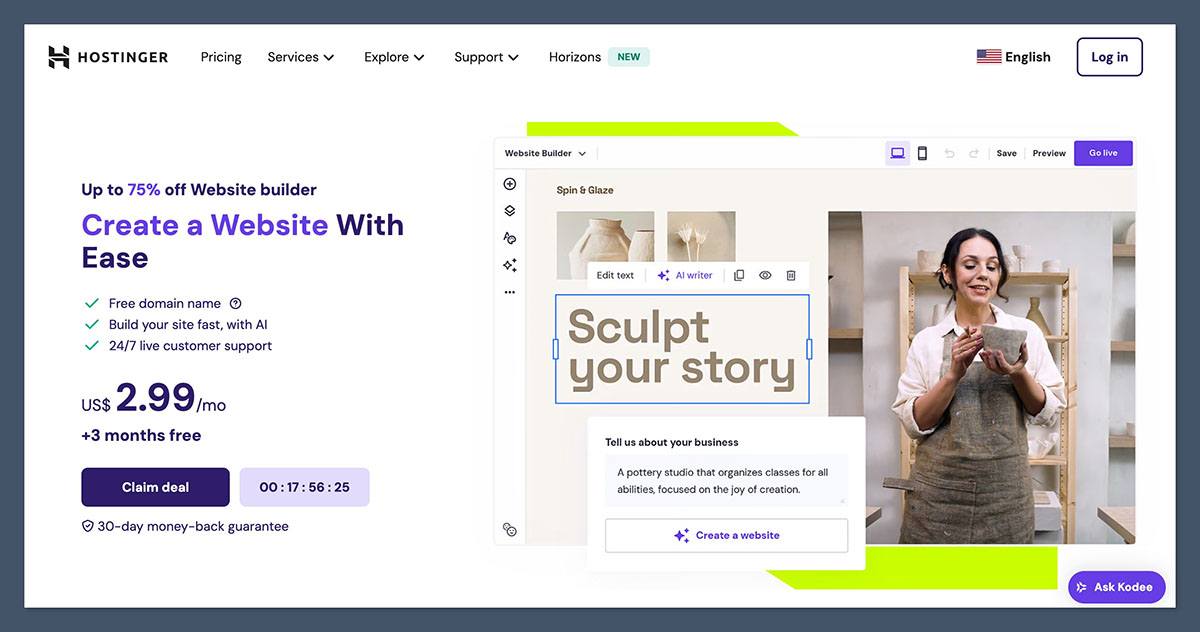
For a small store focused on a low starting bill, my paid WooCommerce alternative of choice is Hostinger. With its Business plan, I get my store, hosting and a domain in one bill.
Hostinger also sells WooCommerce hosting, so choose the product carefully. I’m recommending its website builder, not moving your existing WordPress installation to another host.
What I Like
- The introductory package keeps starting costs low. Hosting and a domain sit alongside your store in one package, making the initial budget easier to follow than separate renewals.
- AI tools help create pages and product copy. Product descriptions and image generation complement a grid-based editor, with around 300 templates to start from.
- You don’t update WordPress or store plugins. Hostinger manages the builder, while round-the-clock live chat gives you somewhere to turn for help.
What I Dislike
- The lowest price requires a long prepayment. Renewal costs much more, so compare the full commitment, not just the advertised monthly equivalent.
- The catalog and extension options have a ceiling. You can sell up to 1,000 products, but there’s no app marketplace to fill gaps such as subscriptions or product bundles.
- There’s no dedicated WooCommerce importer. Products move through CSV or manual entry, making Hostinger less convenient than BigCommerce for a fuller migration.
How Much Does Hostinger Cost?
Hostinger Business costs $3.99 per month on a 48-month term, $4.99 on 12 months or $18.99 month to month; introductory terms renew at $16.99 monthly. I’d consider the shorter prepaid term before committing for years. There’s no free plan, but a 30-day money-back guarantee applies. Hostinger adds no transaction fee, processors charge separately, and the renewal bill is the figure to weigh against your WooCommerce hosting and extension renewals.
How Does Hostinger Compare to WooCommerce?
- Hostinger offers simpler upkeep and lower introductory costs for a small, straightforward catalog, especially if you don’t need extra integrations.
- WooCommerce offers more room to customize and expand. Keep it if subscriptions or specialist product workflows are central to your business.
6. Webflow: For Designers Who Want Full Control
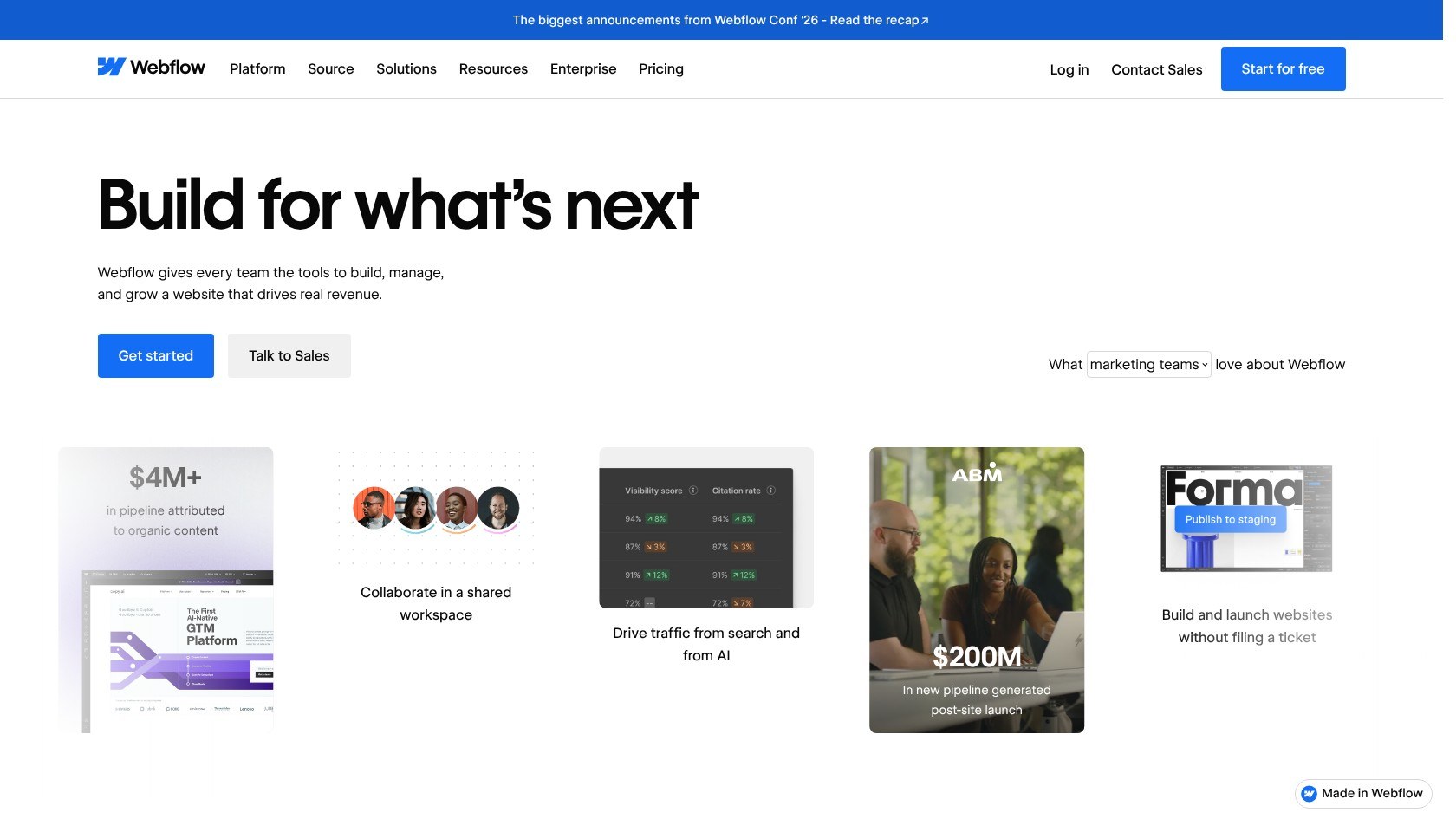
I’d choose Webflow as a WooCommerce alternative for designers who want precise control over the storefront, cart and checkout. Its visual Designer goes beyond rearranging template sections.
With WooCommerce, comparable work can involve theme files and custom CSS. Webflow removes server-management responsibility, but its visual interface isn’t a beginner-friendly shortcut.
What I Like
- Design control extends to checkout. Unlike Wix, Webflow lets you customize the cart and checkout visually, carrying your brand through the buying journey.
- Hosting and security are managed. You can focus on design without maintaining the server and WordPress plugins underneath a WooCommerce store.
- Higher plans remove the platform transaction fee. Plus and Advanced avoid Standard’s surcharge, although payment processing and catalog limits still apply.
What’s new in 2026: Webflow switched off User Accounts on January 29, removing native subscriptions. Recurring products now require an external tool.
What I Dislike
- Item limits count more than products. Variants and categories also use your allowance, so Standard’s 500 items can accommodate far fewer actual products.
- Payment providers are limited to Stripe and PayPal. Keep WooCommerce if your business depends on another gateway that you can’t replace.
- Native subscriptions are gone, and the editor takes learning. I recommend a simpler builder for non-designers, or WooCommerce when recurring sales need deeper integration.
How Much Does Webflow Cost?
Webflow Standard through Advanced range from $29 to $212 per month per site (billed annually), with Plus at $74. Item limits are 500 on Standard, 5,000 on Plus and 15,000 on Advanced. Standard adds a 2% transaction fee; higher tiers add none, with processing separate. I’d opt for Plus for an established design-led store, after counting the full catalog allowance.
How Does Webflow Compare to WooCommerce?
- Webflow wins on visual design precision without server upkeep, including buying pages that other builders restrict.
- WooCommerce wins on catalog capacity, payment choice and extensions.
- Count every variant before choosing Webflow; a small-looking catalog can still need a higher plan.
7. Ecwid: For Keeping Your WordPress Site
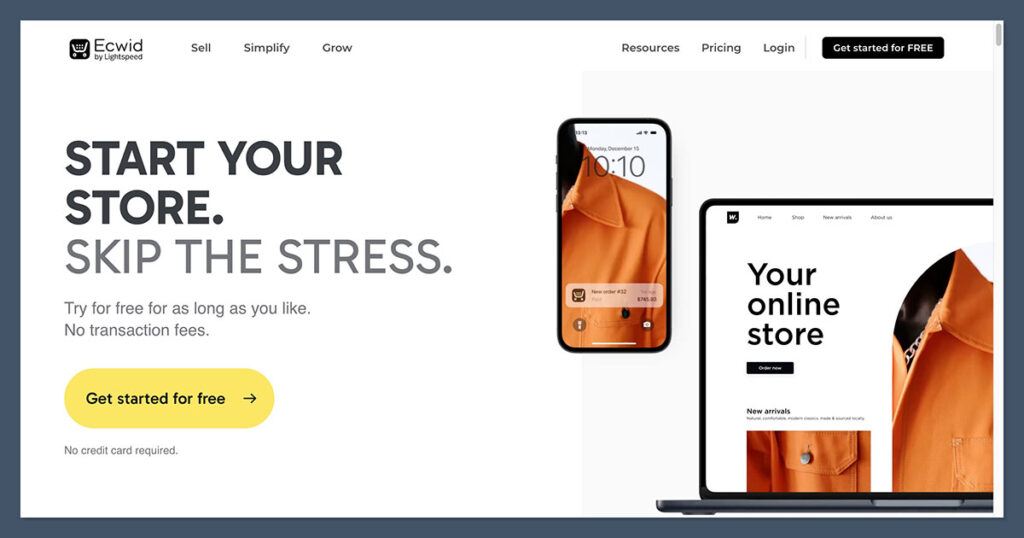
If you want to keep your WordPress website but hand over the store infrastructure, Ecwid is my pick. It embeds a hosted store without rebuilding every page.
Your blog and site design stay on WordPress while commerce runs on Ecwid’s servers. That means less store upkeep, not zero WordPress upkeep: you still maintain the surrounding website.
What I Like
- Your wider website can stay where it is. Replacing WooCommerce doesn’t automatically mean replacing your theme or content, which is Ecwid’s biggest advantage over a full website builder.
- The WordPress plugin imports WooCommerce products. Its Tools > Import function pulls products and categories, giving you a direct starting point.
- Social and marketplace selling share a dashboard. I like managing these channels alongside the embedded store instead of treating each as a separate catalog project.
What’s new in 2026: Ecwid dropped its free plan around December 2025, replacing it with paid Starter. Paid plan prices then increased in March 2026.
What I Dislike
- Lower plans have restrictive product caps. Starter allows 10 products and Venture allows 100, so count your full catalog before choosing.
- There’s no longer a free store plan. The WordPress plugin is free to install, but the Ecwid service isn’t.
- Product SEO controls are less flexible. Custom URL slugs require Business, making WooCommerce preferable when detailed URL control matters.
How Much Does Ecwid Cost?
Ecwid Starter costs $5 per month; Venture through Unlimited range from $29 to $119 monthly billed annually, with Business at $49. Monthly billing runs $35 to $149, with Business at $65. There’s no Ecwid transaction fee or free plan, processing costs extra, and WordPress hosting remains a separate bill. I’d go with Business for URL control and its 2,500-product allowance.
How Does Ecwid Compare to WooCommerce?
- Ecwid reduces commerce maintenance while preserving your WordPress pages, avoiding an entire website migration.
- WooCommerce retains deeper SEO and customization control. Our Ecwid review covers the embedded-store approach in more detail.
8. Square Online: For Selling Online and In Person
My choice for a shop selling through both a website and a physical counter is Square Online. Shared inventory is my main reason for recommending it.
WooCommerce can support in-person selling, but needs additional setup. Square brings the website and POS together, trading storefront design freedom for simpler stock management.
What I Like
- A free plan lets you start selling. Unlike Wix’s free website plan, Square’s entry tier accepts orders, although branding and payment-processing costs still matter.
- Online and counter sales share one inventory. Square POS also shares a customer list with your online store, keeping physical and digital sales connected.
- Local selling tools suit neighborhood shops. Pickup and delivery sit alongside QR ordering, giving you reasons to choose Square beyond its website builder.
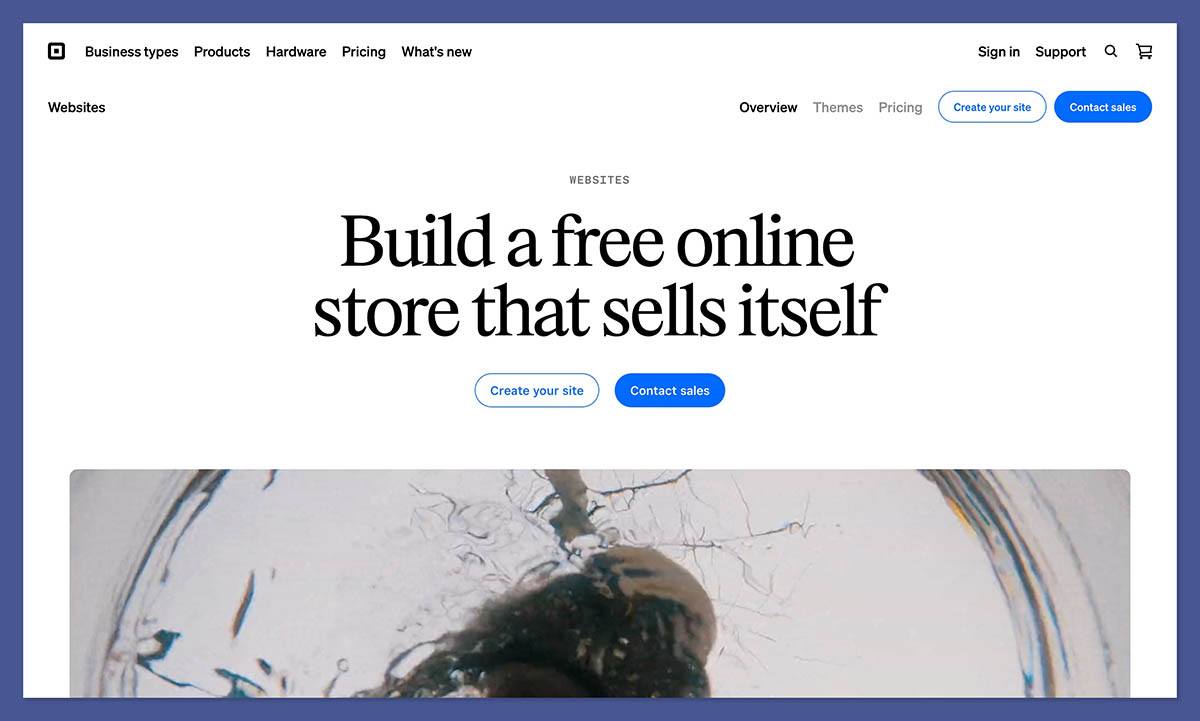
What’s new in 2026: Square is winding down Weebly in 67 countries, while keeping it available in the US. New sellers are directed toward Square Online instead.
What I Dislike
- Free includes branding and a higher online card rate. Your store also uses a square.site address, which I don’t recommend as an established brand’s permanent home.
- Design is plain and template-bound. Squarespace or Wix gives you more scope if presentation is the main reason you’re leaving your WooCommerce theme.
- A custom domain means upgrading to Plus. That’s a bigger commitment than trying Free, particularly if your existing WooCommerce storefront already works well.
How Much Does Square Online Cost?
Square Online offers Free, with paid plans ranging from $49 to $149 per month per location for Plus and Premium. There’s no platform transaction fee; online cards cost 3.3% + 30c on Free, or 2.9% + 30c on paid plans. I’d choose Plus for a custom domain and no Square ads, not just the lower processing rate.
How Does Square Online Compare to WooCommerce?
- Square wins when one inventory across your counter and website matters more than a custom storefront.
- WooCommerce wins on design, SEO control and extensions, provided you maintain the connections between your physical and online sales.
9. PrestaShop: For Staying Open Source
For open-source ownership rather than an escape from technical work, I’d turn to PrestaShop. Its software is built for ecommerce instead of adding a store to WordPress.
I’d consider it for multistore or multilingual selling, not simply to eliminate plugin headaches. Classic follows a familiar model: you choose hosting, extend the software and manage updates.
What I Like
- You retain ownership of code and data. Like WooCommerce, PrestaShop avoids a hosted builder’s full platform lock-in and lets developers adapt the store.
- Multistore and multilingual capabilities are in core. These are stronger reasons to switch than appearance, especially if WooCommerce needs extensions to coordinate your storefronts.
- Hosted offers an alternative to managing your server. It includes installation and support six days a week, so you don’t need to arrange separate hosting.
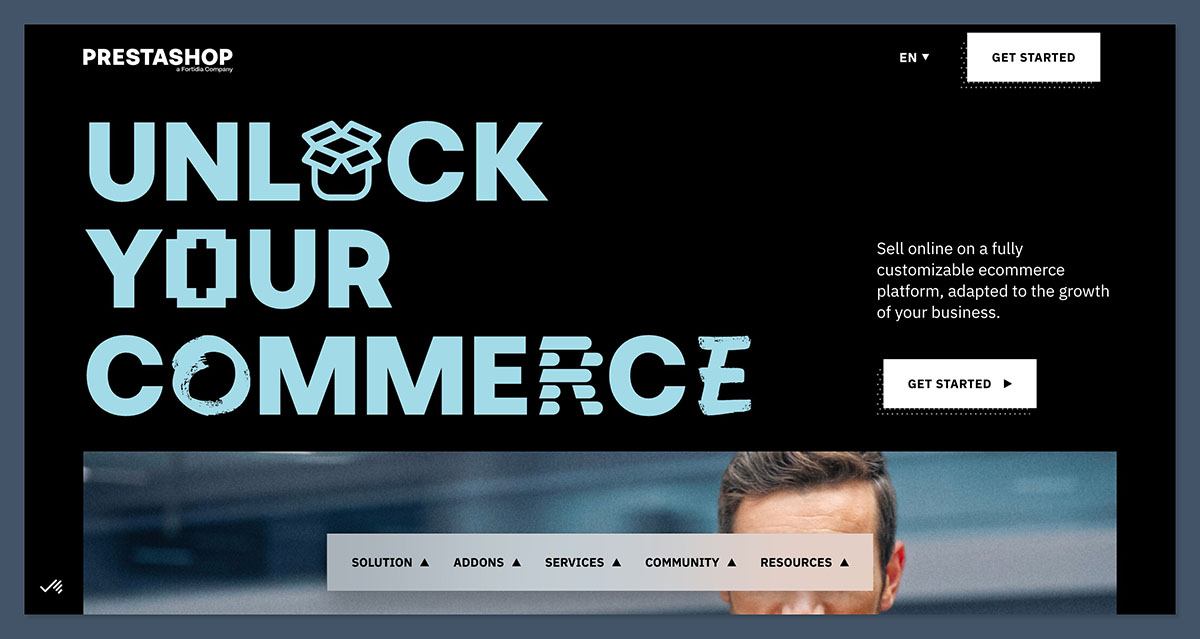
What’s new in 2026: PrestaShop 9.1 arrived in March with the Hummingbird 2.0 default theme, designed to meet European accessibility rules.
What I Dislike
- Classic keeps the maintenance work you may be leaving. Hosting and security remain your job, while store owners report that updates can disrupt modules.
- Paid modules bring recurring renewals. Payment and shipping requirements add costs, so replacing WooCommerce extensions with PrestaShop modules isn’t automatically a saving.
- The US ecosystem is smaller than WooCommerce’s. Check developer availability and essential modules before leaving an established WordPress support arrangement.
How Much Does PrestaShop Cost?
PrestaShop Classic is free software, while Hosted starts at $24 per month billed annually or $29 monthly, excluding VAT. There’s no platform transaction fee, but payment processing and paid modules cost extra. My pick is Hosted if server management is the sticking point, or Classic if you have technical help; I’d budget for theme and module renewals either way.
How Does PrestaShop Compare to WooCommerce?
- PrestaShop wins on native multistore and multilingual selling for merchants who want open-source ecommerce software.
- WooCommerce wins on WordPress content tools and extension choice. Keep it if your blog and existing integrations are central to the business.
10. Big Cartel: For Artists With Small Catalogs
For artists who want a small, straightforward shop, my pick is Big Cartel. I’d use it for a curated collection, not an ever-expanding catalog.
WooCommerce offers more flexibility, but a maker selling a handful of items may never need it. Big Cartel favors simple presentation and limited upkeep over extensive customization.
What I Like
- The store is straightforward to manage. You don’t maintain WordPress hosting or assemble commerce plugins, making it a sensible simplification for a small creative business.
- Big Cartel adds no transaction fee. That applies even to the free plan, although Stripe or PayPal still charges for processing.
- Free themes suit art and handmade products. Its 12 themes give you a small selection without requiring a separate paid WooCommerce theme.

What’s new in 2026: Big Cartel’s Printify integration, added in December 2025, lets artists offer print-on-demand products without holding stock.
What I Dislike
- Every plan has a hard product ceiling. Even the highest tier stops at 500 products, making Shopify better for a growing catalog.
- SEO controls are limited. You can’t edit meta descriptions, there’s no built-in blog, and changed product URLs redirect to the homepage instead of their replacements.
- There’s no WooCommerce importer. You’ll add products manually, which becomes less attractive as the amount of existing product information grows.
How Much Does Big Cartel Cost?
Big Cartel gives me Gold free for up to 5 products, Platinum at $15 a month for 50 products and Diamond at $30 a month for 500 products. There are no platform transaction fees, but Stripe or PayPal processing applies. I’d pick Platinum because Gold allows one image per product and lacks inventory tracking. For a modest collection, Platinum can cost less than maintaining WooCommerce hosting and premium extensions.
How Does Big Cartel Compare to WooCommerce?
- Big Cartel wins on simplicity and predictable platform costs for a handful of products.
- WooCommerce wins on growth, content and customization. Don’t sacrifice an established search-driven store just to manage fewer settings.
How Do I Choose the Right WooCommerce Alternative for My Business?
Pin down whether you’re leaving WooCommerce because of plugin conflicts, rising costs or a support arrangement that sends you between vendors. Choosing the right alternative is about matching the platform to the problem you keep running into. Shopify removes hosting work; Ecwid keeps your WordPress website.
Before comparing subscriptions, add up your real WooCommerce bill. Managed store hosting can run a few hundred dollars yearly or more, and WooCommerce Subscriptions alone lists at $279 a year. Include your premium theme, security and backups, plus the time you or a developer spend maintaining updates.
A small professionally run store often costs low thousands of dollars annually before card fees. A hosted plan can be cheaper, but only if replacement apps don’t erase the saving. Compare a full year at renewal pricing, not an introductory offer.
Of course, there are some universal questions to ask before you switch:
- Will it cost less than my real WooCommerce bill once apps and fees are in?
- Can it handle my catalog, variants and product types?
- Will my URLs, SEO settings and customer accounts survive the move?
- Can I make it look like my brand without a developer?
- Do I need to sell in person as well as online?
Use our best ecommerce platforms guide for a broader shortlist, then test your essential workflows before paying for a long-term plan.
How Do I Migrate My Store From WooCommerce to an Alternative?
To move your store from WooCommerce to another platform, you have three options: using the new platform’s import tool, moving your products with a CSV file, or hiring a migration service. I’d choose the right route based on what must move, since a product CSV won’t bring customer accounts or order history.
- Import tools: Use BigCommerce’s free migration app for products, customers and orders, including URLs and redirects. Shopify’s Store Migration app imports products, then customers, then orders. Ecwid’s WordPress plugin pulls WooCommerce products and categories.
- CSV file: Open WooCommerce’s Products > Export, then adapt the file for Squarespace, Wix, Webflow or Hostinger. Keep image URLs live during the move, and avoid Excel edits that can change formatting or encoding.
- Migration services: Consider Cart2Cart, LitExtension or a developer for large catalogs and custom fields. Use development help when the new storefront must closely match your existing design.
Keep WooCommerce live while you build the replacement. Set up 301 redirects from changed URLs to their true matches, never the homepage; Shopify’s fixed /products/ structure makes URL mapping especially important.
Customer passwords don’t transfer, so prepare a reset email before launch. SEO titles and descriptions, along with image alt text stored by plugins, may need separate export and re-entry.
Finally, place test orders before pointing your domain at the new store. Check checkout and fulfillment for both physical products and downloads, not just whether the homepage looks finished. Our how to start an online store guide covers the wider setup process.
How We Test Ecommerce Website Builders
Our team tested every WooCommerce alternative here with the same small catalog, including physical products with variants and a digital download. I used a WooCommerce export where imports were supported, so the comparison covered migration as well as building a storefront.
We compared the platforms using these weighted areas:
- Sales features: 25%
- Design features: 20%
- Pricing and total cost: 20%
- Ease of use and upkeep: 15%
- Migration from WooCommerce: 10%
- Help and support: 5%
- Reputation: 5%
For this list, migration and ongoing upkeep matter alongside design. A polished template doesn’t compensate for unsupported variants or essential customer records left behind.
I haven’t shortlisted Shift4Shop or Volusion as recommended long-term destinations. SureCart keeps you on WordPress with the same hosting responsibilities, while Adobe Commerce targets enterprise budgets; our Magento alternatives guide covers that different buying decision.
Prices are current as of November 2026. Check promotional terms and billing choices before committing to a migration.
Final Verdict: Which WooCommerce Alternative Should You Pick?
WooCommerce remains my recommendation for maximum flexibility on WordPress, but hosted alternatives remove work you may no longer want. Choose the platform that solves your biggest recurring problem:
- Shopify is the best choice for hands-off selling at any size.
- BigCommerce is best for large catalogs and an easy migration.
- Squarespace is best for design-led brands.
- Wix gives you the most design freedom.
- Hostinger is the cheapest way out.
- Webflow is best for designers who want full control.
- Ecwid lets you keep your WordPress site.
- Square Online is best for selling online and in person.
- PrestaShop is best for staying open source.
- Big Cartel is best for artists with small catalogs.
For most switchers, I recommend starting with Shopify. Use a free plan or trial where available to rebuild a representative product with variants and test checkout before moving your whole store.
FAQs
Will switching from WooCommerce hurt my SEO or Google rankings?
Switching can affect rankings, but careful URL mapping reduces the risk. Keep your domain, redirect changed URLs to their exact replacements, and restore SEO titles and descriptions. Resubmit your sitemap in Google Search Console after launch. Expect possible ranking movement for a few weeks; a well-planned migration doesn’t guarantee unchanged positions.
Is there a free alternative to WooCommerce?
Yes. Square Online Free and Big Cartel Gold let you sell without a monthly subscription, although Gold limits you to five products. PrestaShop Classic is free software but still needs hosting. Wix’s free plan cannot accept payments, and Ecwid no longer has a free plan. Payment processing remains separate from subscription costs.
Can I keep my WordPress site and drop WooCommerce?
Yes, Ecwid can replace WooCommerce while your pages and blog stay on WordPress. Its free WordPress plugin embeds a store hosted on Ecwid’s servers and includes a WooCommerce product importer. You’ll still pay for an Ecwid plan and maintain WordPress itself. See the Ecwid section above for product caps and SEO limitations.
Do WooCommerce alternatives charge transaction fees?
Some do, and platform fees are separate from card processing. Shopify charges extra for outside gateways, while BigCommerce charges for providers outside its built-in list. Squarespace Basic and Webflow Standard also add platform fees. Others waive them, but processing still applies; use the comparison table above to check your shortlist.
Will my customers’ accounts move with my store?
Customer records and orders can move through a supported importer or migration service, but passwords generally don’t transfer. WooCommerce stores password hashes, not reusable plaintext passwords, so plan for customers to reset them. Send a reset email at launch and check your importer’s scope: a product CSV alone won’t recreate customer accounts.


