
 By Bogdan Rancea
PageFly is my recommendation for most Shopify stores. You can publish a page for free, start a paid plan at $24 per month, and upgrade to native A/B testing without moving to a separate campaign platform.
But the best ecommerce landing page builders solve different problems. GemPages suits sales funnels, Replo puts campaign design first, Shogun supports established store teams, and Unbounce lets you build campaigns outside your store theme.
Your first decision is whether your campaign belongs inside your existing store or on an independently hosted page. If you’re deciding whether you need a focused campaign page at all, our guide to landing pages versus websites explains their different roles.
Key takeaways 🔍
- PageFly: Publish one page free; native A/B testing starts at $39/month.
- GemPages: Get unlimited published pages from $29/month, but confirm page-testing costs separately.
- Replo: Consider it for recurring design work; a custom hosted domain requires a paid plan.
- Shogun: Supports BigCommerce as well as Shopify; new Shopify users need a separate testing app.
- Unbounce: Offers independent campaign hosting, with A/B testing from $149/month.
Ecommerce Landing Page Builder Comparison Table
Start with platform fit, then compare the plan you actually need. An inexpensive editor can become a costly choice if testing, publishing capacity, or checkout integration requires an upgrade.
| Builder | Best for | Platform and checkout | Paid starting price | Free option | Testing and important limits |
|---|---|---|---|---|---|
| PageFly | Most Shopify stores | Shopify pages using Shopify commerce | $24/month, monthly billing | 1 published page or section | Native A/B testing from Optimize, starting at $39/month; lower paid tiers use publishing slots |
| GemPages | Shopify funnels and numerous campaign pages | Shopify pages and post-purchase offer workflows | $29/month, monthly billing for new customers | 1 published page | Page testing uses GemX; native post-purchase offer testing is separate; theme sections have plan limits |
| Replo | Design-led campaigns | Hosted sites plus Shopify campaign workflows using Shopify cart and checkout | Hosted Starter: $119/month, or $99/month billed annually | Publishing on replosites.com, with limited one-time generation usage | Hosted-site and Shopify-theme testing systems differ; hosted Starter allows 100,000 sessions/month |
| Shogun | Established store teams | Shopify and BigCommerce | $39/month, or $372/year | Draft Mode without publishing; paid Shopify plans offer a 10-day trial | New Shopify installs need a separate A/B app; Build includes 25 pages |
| Unbounce | Standalone paid-ad campaigns | Independent hosting; checkout links or supported commerce embeds | $29/month, or $22/month billed annually | No free plan | A/B testing starts on Experiment at $149/month; Starter allows 5 pages and 500 unique monthly visitors |
Store subscriptions and payment processing are separate costs. None of these page-builder prices should be treated as your complete ecommerce operating budget.
1. PageFly: Best for Most Shopify Stores
- Shopify only
- Free live page
- Paid plans from $24/month
- Native testing on Optimize and above
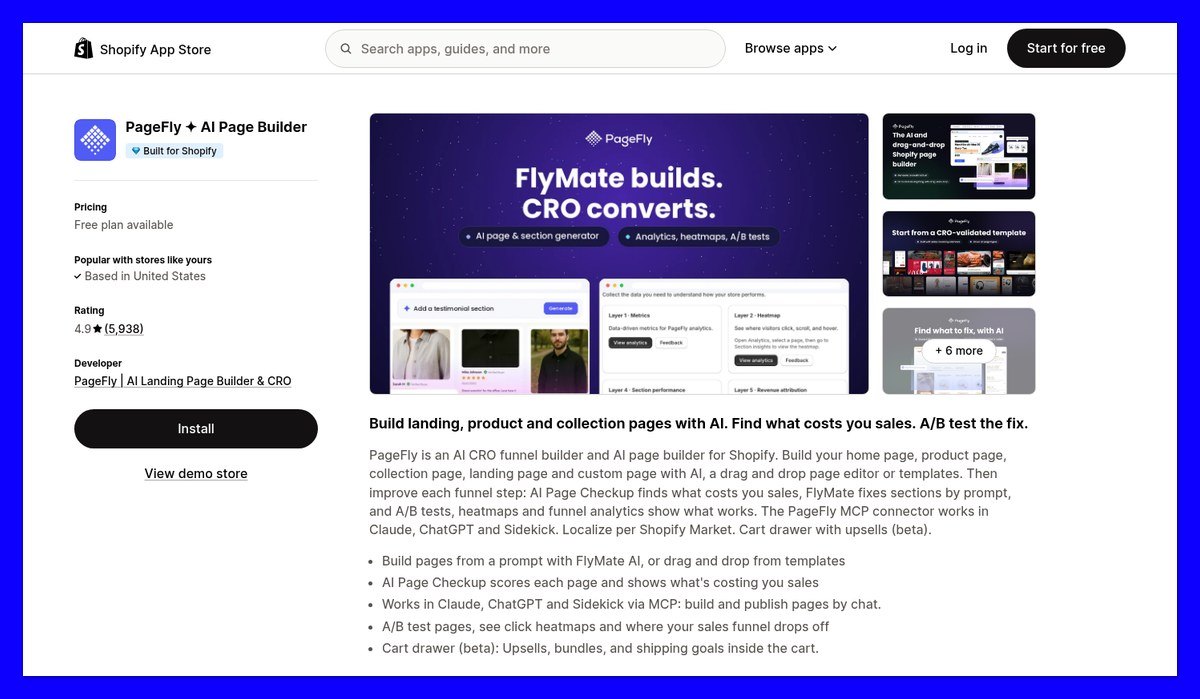
PageFly offers a sensible balance of layout flexibility and entry cost. It suits merchants who want a dedicated product campaign without paying for a larger marketing system, though GemPages becomes attractive when you need many published pages.
Pros and cons
Pros
- Free publishing lets you build around a real campaign.
- Product, collection, and landing-page support extends beyond standalone promotions.
- Optimize adds native testing and heatmaps.
Cons
- Publishing slots determine the price on lower paid plans.
- Shopify is required.
- AI usage is metered rather than unlimited.
Features and current capabilities
PageFly combines visual and AI-assisted building with more than 320 templates. Its Shopify integrations cover commerce elements and supporting tools such as reviews, email, and analytics.
The design benefit is control over the buying sequence. You can introduce a product’s main benefit, show supporting evidence, and place purchase controls where they make sense rather than relying entirely on your standard product template.
Builder focuses on page creation and basic analytics. Optimize adds A/B testing and heatmaps for up to 10 pages, making it the more relevant starting point if campaign improvement is part of your brief.
Why choose PageFly?
Choose PageFly when you need a few focused Shopify pages, not a separate campaign website. Its free plan also gives you a useful way to assess whether the editor fits your content before committing.
If you expect a large campaign library, compare publishing costs carefully. Our GemPages versus PageFly comparison explores the differences between these Shopify options.
Practical buying considerations
A slot is publishing capacity for a page or section. Count both before choosing a tier: a reusable promotional section still matters to your allowance.
Start your design with the mobile purchase area, including price, variants, and the main button. A polished desktop hero is not enough if customers must scroll past oversized imagery to select the right product.
Also check your review and subscription apps, if applicable. A builder’s general integration support is not a substitute for confirming the exact buying flow you use.
PageFly pricing
| Plan | Price | Main allowance or distinction |
|---|---|---|
| Free | $0 | 1 published page or section; live chat support |
| Builder | From $24/month | Starts with 5 slots; price varies with slot selection |
| Optimize | From $39/month | Slot-based pricing; native A/B testing and heatmaps |
| Accelerate | $99/month or $990/year | Unlimited slots |
| Power | $199/month or $1,990/year | Unlimited slots; higher-tier package |
For a small campaign, start with publishing capacity. Pay for Optimize when you have a testing question and enough traffic to investigate it, not simply because it has more features.
2. GemPages: Best for Shopify Sales Funnels
- Shopify only
- 1 free published page
- Unlimited published pages from $29/month
- Page testing through GemX
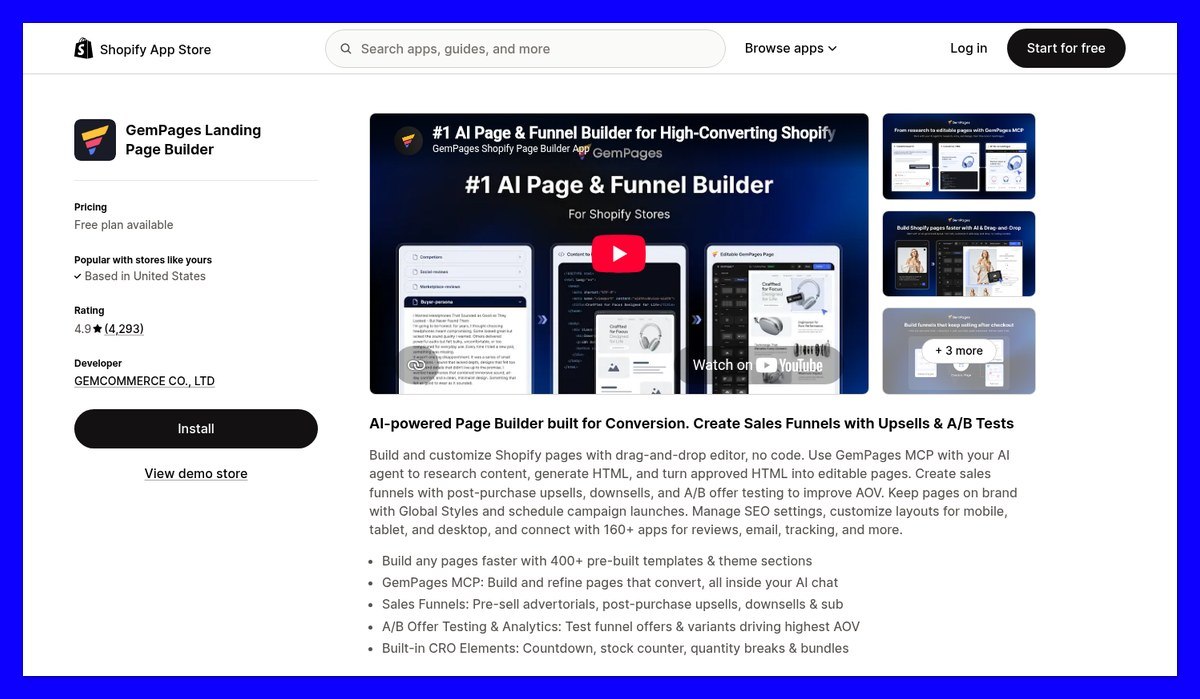
GemPages is my pick when your campaign extends beyond a landing page into follow-up offers. It also offers a compelling publishing allowance, although its different testing workflows need more explanation than PageFly’s native testing upgrade.
Pros and cons
Pros
- Unlimited published pages cost $29 per month on Build.
- Sales-funnel tools support post-purchase offer workflows.
- Image 2 Layout turns reference designs into editable layouts.
Cons
- Theme sections have limits, even with unlimited pages.
- Page A/B testing uses GemX, a separate integration.
- New customers should budget for monthly billing, not advertised annual equivalents.
Features and current capabilities
GemPages supports visual page creation, theme sections, and sales funnels. Image 2 Layout can turn a reference image into an editable starting point, but you still need to make decisions about spacing, mobile hierarchy, and product information.
Optimize adds scheduled publishing and a headless-page option. Headless pages separate the page presentation from the usual theme workflow, so confirm how that setup fits your apps and measurement before choosing it.
Page testing and offer testing are different capabilities. GemPages V7 uses GemX for page A/B testing, while its native post-purchase tools can compare offers after a customer has purchased.
Changing an upsell discount is not the same experiment as changing the opening message on your acquisition page.
Why choose GemPages?
Choose GemPages if you want multiple campaign destinations or intend to develop post-purchase offers. Its $29 Build plan avoids the page-count budgeting required by PageFly’s lower tiers.
For a small page library with straightforward native page testing, PageFly Optimize deserves a closer look. Do not assume a GemPages plan automatically includes every GemX entitlement or cost.
Practical buying considerations
Map the journey before designing: ad, landing page, product selection, checkout, then any post-purchase offer. Each step should answer a different customer question rather than repeat the same promotion.
Check theme-section allowances separately from page allowances. A store using campaign-specific sections across many templates may reach that constraint even with unlimited published pages.
For testing, decide which result matters. An offer’s acceptance rate can help assess an upsell, but it does not tell you whether the original landing page convinced more visitors to buy.
GemPages pricing
| Plan | Monthly price | Main allowance or distinction |
|---|---|---|
| Free | $0 | 1 published page |
| Build | $29 | Unlimited published pages; 20 theme sections |
| Optimize | $59 | 100 theme sections; scheduled publishing; headless pages |
| Enterprise | $199 | Unlimited theme sections |
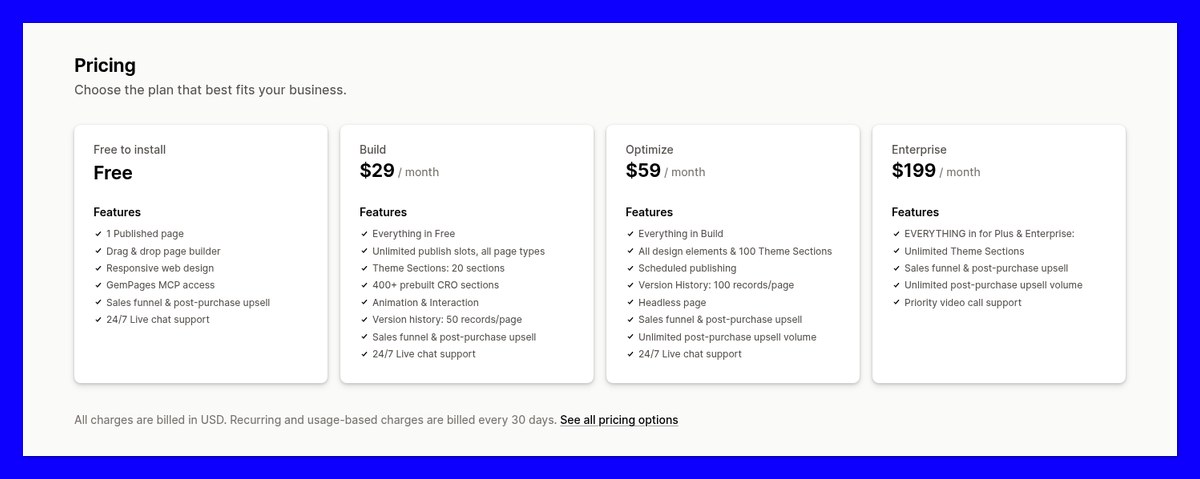
These are monthly prices for new customers. Confirm GemX requirements separately rather than treating the $59 Optimize plan as an all-inclusive page-testing package.
3. Replo: Best for Design-Led Campaigns
- Hosted sites and Shopify workflows
- Free hosted publishing
- Hosted Starter from $119/month
- Workflow-specific testing
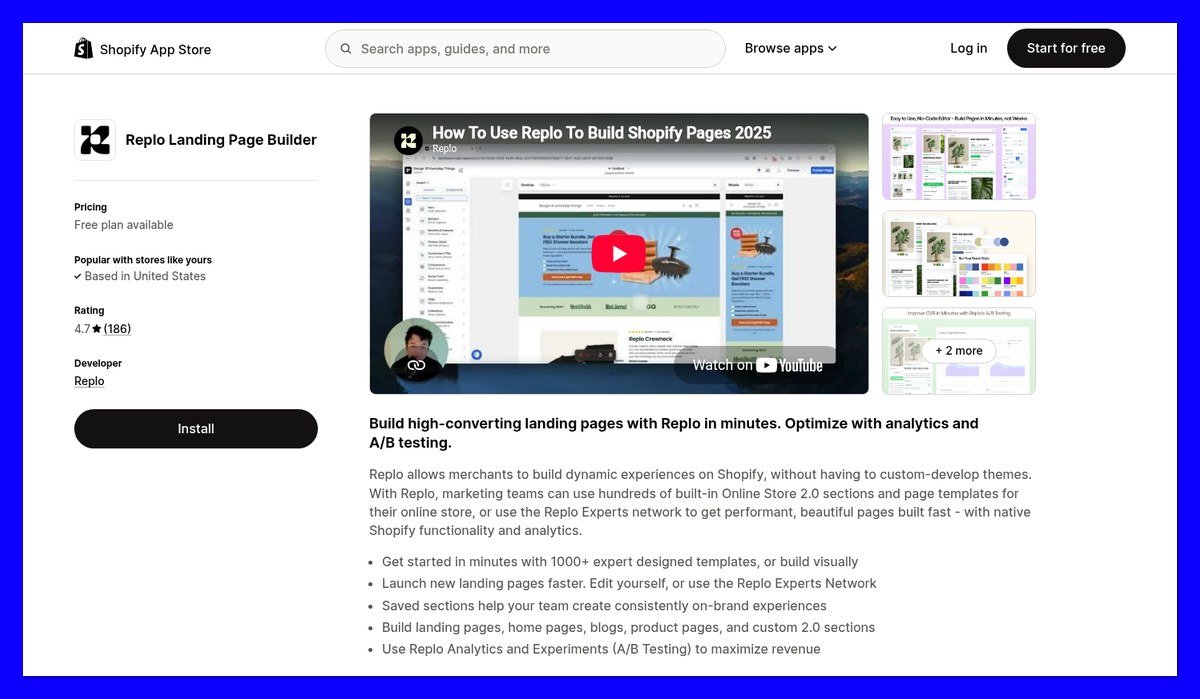
Replo is worth considering when your campaign needs more distinctive art direction than a standard product template provides. Its higher paid entry price is harder to justify for occasional promotions, where PageFly or GemPages may be sufficient.
Pros and cons
Pros
- Campaign creation can begin with a description or an ad.
- Reusable components help maintain visual consistency.
- Shopify campaign workflows retain Shopify cart and checkout, including Shop Pay.
Cons
- A custom domain requires a paid hosted-site plan.
- Hosted plans carry session allowances.
- Hosted-site pricing and testing should not be assumed to apply to every Shopify theme workflow.
Features and current capabilities
Replo’s Shopify theme editor supports reusable components, so you can carry typography, buttons, and content patterns across campaigns. That matters when several promotions need to feel like the same brand without looking identical.
Its ad-to-page approach can also provide a starting point for matching a landing page to the creative that brought someone there. You still need to check whether the page delivers the specific promise in that ad.
Replo supports free publishing on replosites.com. That is hosted-site publishing, not a guarantee that every Shopify publishing workflow is free.
Hosted Replo sites have an experimentation system that splits traffic on one link and reports results in Insights. The Shopify theme builder uses a separate A/B testing system, so establish which product you are buying before comparing testing allowances.
Why choose Replo?
Choose Replo when campaign design is a recurring production task and reusable components could reduce repeated layout work. Unlimited team members on its hosted plans also avoids seat-by-seat budgeting.
For a merchant producing only a few simple pages, GemPages offers a much lower paid entry price. Replo needs to save you repeated design work to justify the difference.
Practical buying considerations
Decide whether you want a hosted Replo site or pages within your Shopify theme workflow. Ask for the publishing destination, domain rules, testing entitlement, and usage measurement to be clear before subscribing.
For branded paid campaigns, budget around a custom domain rather than assuming the free subdomain is your final destination. Confirm tracking through to the Shopify purchase, not just activity on the campaign page.
Replo hosted-site pricing
| Plan | Monthly billing | Annual billing equivalent | Hosted-site allowance |
|---|---|---|---|
| Free | $0 | $0 | Unlimited sites on replosites.com; limited one-time generation usage |
| Starter | $119/month | $99/month, billed annually | 1 custom domain; 100,000 sessions/month |
| Pro | $599/month | $499/month, billed annually | 500,000 sessions/month |
These are hosted-site prices and session limits. Do not apply them automatically to Shopify theme-builder publishing or its separate testing system.
4. Shogun: Best for Established Store Teams
- Shopify and BigCommerce
- Draft-only free option
- Paid plans from $39/month
- Multi-store tools on Advanced
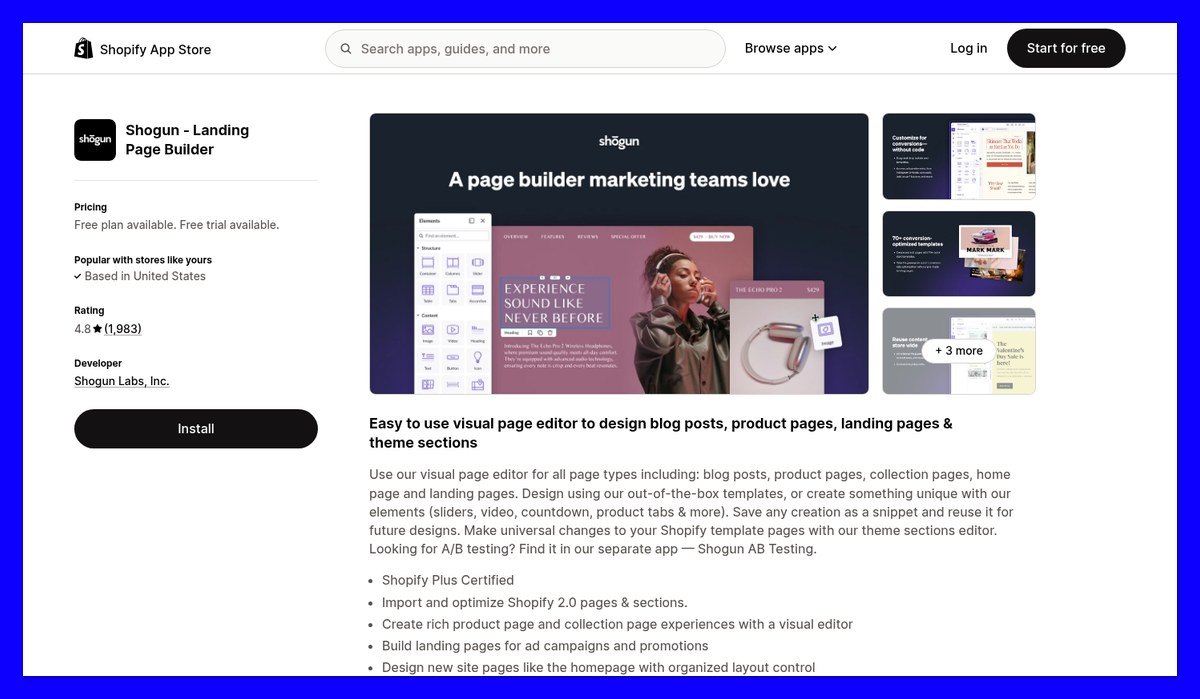
Shogun makes the most sense when content coordination matters as much as individual page design. Its higher plans support shared content and multi-store work, but the jump from Build to Grow is substantial.
Pros and cons
Pros
- Supports both Shopify and BigCommerce.
- Grow adds scheduling and global content sections.
- Advanced supports cross-store syncing and custom CMS collections.
Cons
- Free Draft Mode cannot publish.
- Grow costs $199 per month on monthly billing.
- New Shopify installs need a separate A/B testing app.
Features and current capabilities
Shogun combines visual page building with reusable layouts and content-management tools. Global sections on Grow help teams manage content that appears in multiple places, reducing the need to edit each instance independently.
Advanced adds cross-store syncing and custom CMS collections, which organize structured content. These are more relevant to coordinated storefront operations than to a merchant building a single seasonal promotion.
Built-in page-builder A/B testing is unavailable to new Shopify installs. Those stores need Shogun’s separate A/B testing app; upgrading to Grow does not remove that requirement.
Existing eligible installations and BigCommerce have different arrangements. Where built-in testing applies, reaching the tracked-user allowance returns visitors to the default variant while the published page stays live.
Why choose Shogun?
Choose Shogun if you need BigCommerce support or your team repeatedly manages shared campaign content. It is a more relevant shortlist candidate for those needs than the Shopify-only PageFly and GemPages.
For a small Shopify store, I would not pay $199 per month just to access scheduling unless it solves a meaningful operational problem. GemPages includes scheduled publishing on its $59 Optimize plan.
Practical buying considerations
Before buying Grow, list which elements genuinely need centralized management. Shared promotional messaging can benefit from global sections; a unique hero for every campaign may not.
Multi-store buyers should calculate licenses, not just the headline Advanced price. Each synced store requires its own Advanced license, which materially changes the budget.
Use Draft Mode to assess layout suitability, but remember it cannot show you a live published campaign. The paid Shopify plans offer a 10-day trial for a more complete evaluation.
Shogun pricing
| Plan | Monthly billing | Annual billing | Main allowance or distinction |
|---|---|---|---|
| Draft Mode | $0 | $0 | Build drafts without publishing |
| Build | $39/month | $372/year | 25 pages |
| Grow | $199/month | $1,908/year | Unlimited pages; scheduling; global content sections |
| Advanced | $499/month | $4,788/year | Cross-store syncing; custom CMS collections |
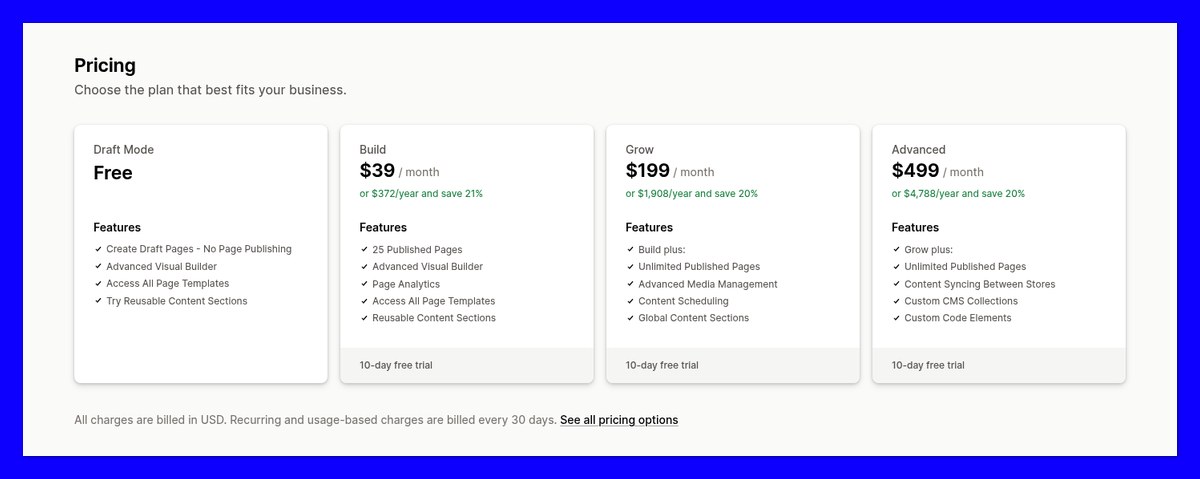
For new Shopify installations, budget for testing separately. The page-builder subscription does not remove that additional requirement.
5. Unbounce: Best for Standalone Ad Campaigns
- Independently hosted pages
- No free plan
- Plans from $29/month
- A/B testing from $149/month
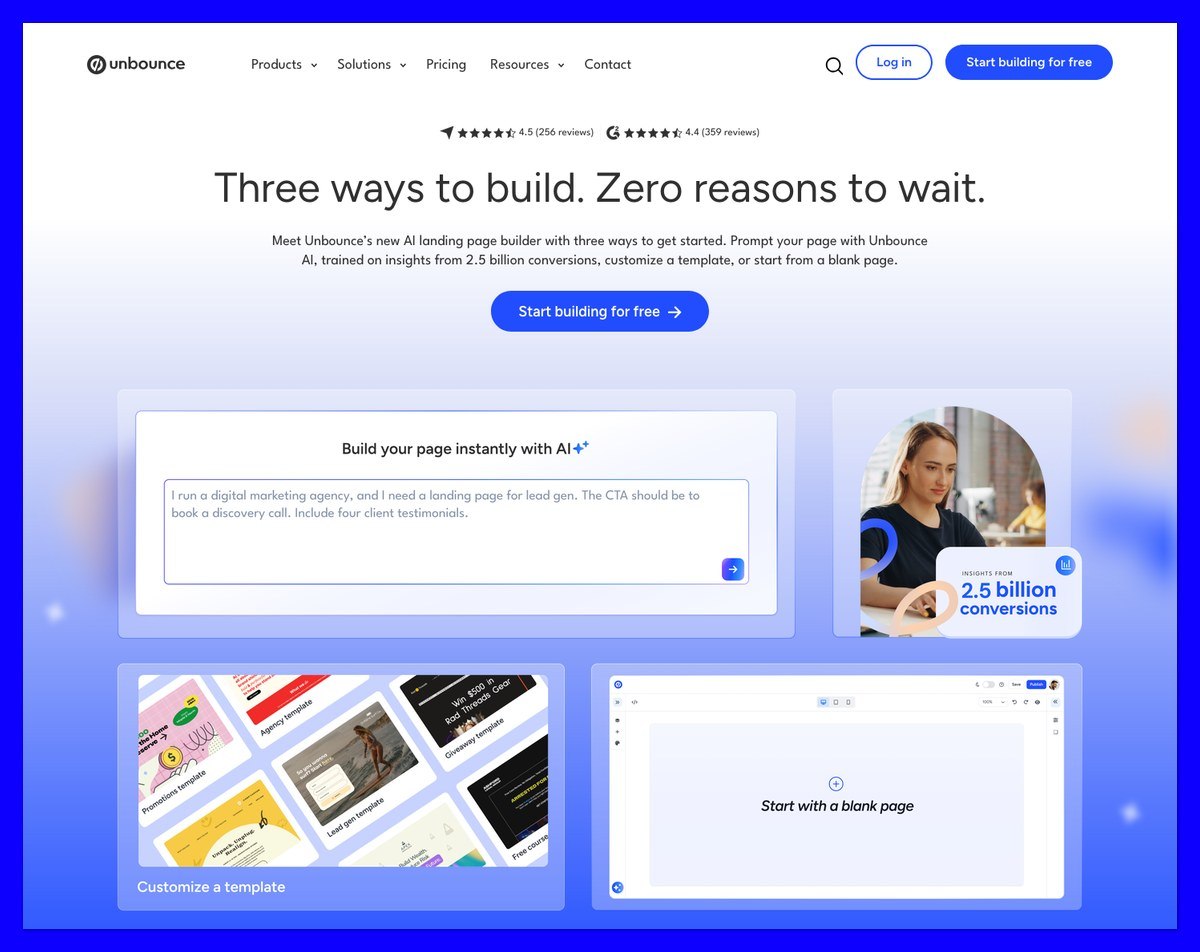
Unbounce is the clearest choice here when you want campaign pages outside your store theme. It provides hosting and experimentation tools, but it is not an ecommerce backend and requires a deliberate handoff to purchasing.
Pros and cons
Pros
- Campaign design is independent of your store theme.
- Experiment includes A/B testing and dynamic text replacement.
- Optimize adds AI traffic routing.
Cons
- Starter allows only 500 unique monthly visitors.
- Native A/B testing starts at $149 per month.
- Product purchases require checkout links or a supported integration.
Features and current capabilities
Unbounce builds and hosts landing pages rather than managing inventory or orders. You can send a visitor to a Shopify checkout link, but that clickthrough is not the same as a native product-and-cart integration.
A Shopify Buy Button can also be embedded using the Classic Builder’s Custom HTML widget. Choose Build or above if you need custom code for an embedded purchase button.
Experiment adds conventional A/B testing and dynamic text replacement, which can adapt page wording to campaign parameters. Optimize adds AI routing, directing visitors among variants rather than simply running a fixed traffic split.
These tools suit ad-specific destinations, although store-native alternatives remove some of the integration decisions.
Why choose Unbounce?
Choose Unbounce when independence from your ecommerce theme is important and your team can manage the checkout and analytics connections.
For campaigns that need detailed product selection and a familiar Shopify cart, PageFly is usually the more direct choice. Unbounce earns its place when campaign control outweighs that extra setup.
Practical buying considerations
Choose your purchase path before designing. A single-product checkout link may be enough for a focused offer; a richer buying experience may require an embed and a higher plan.
Verify embedded controls on mobile, including widget size and button visibility. For checkout links, preserve relevant campaign parameters and confirm purchase reporting across the handoff.
A button click is not a verified sale. Optimizing for clicks alone could favor a page that attracts curiosity but produces fewer completed orders.
Unbounce pricing
| Plan | Monthly billing | Annual billing equivalent | Main limits and capabilities |
|---|---|---|---|
| Starter | $29/month | $22/month, billed annually | 5 pages; 500 unique visitors/month |
| Build | $99/month | $74/month, billed annually | Unlimited pages; 20,000 visitors/month; custom code |
| Experiment | $149/month | $112/month, billed annually | Unlimited pages; 30,000 visitors/month; A/B testing and dynamic text |
| Optimize | $249/month | $187/month, billed annually | Unlimited pages; 50,000 visitors/month; AI routing |
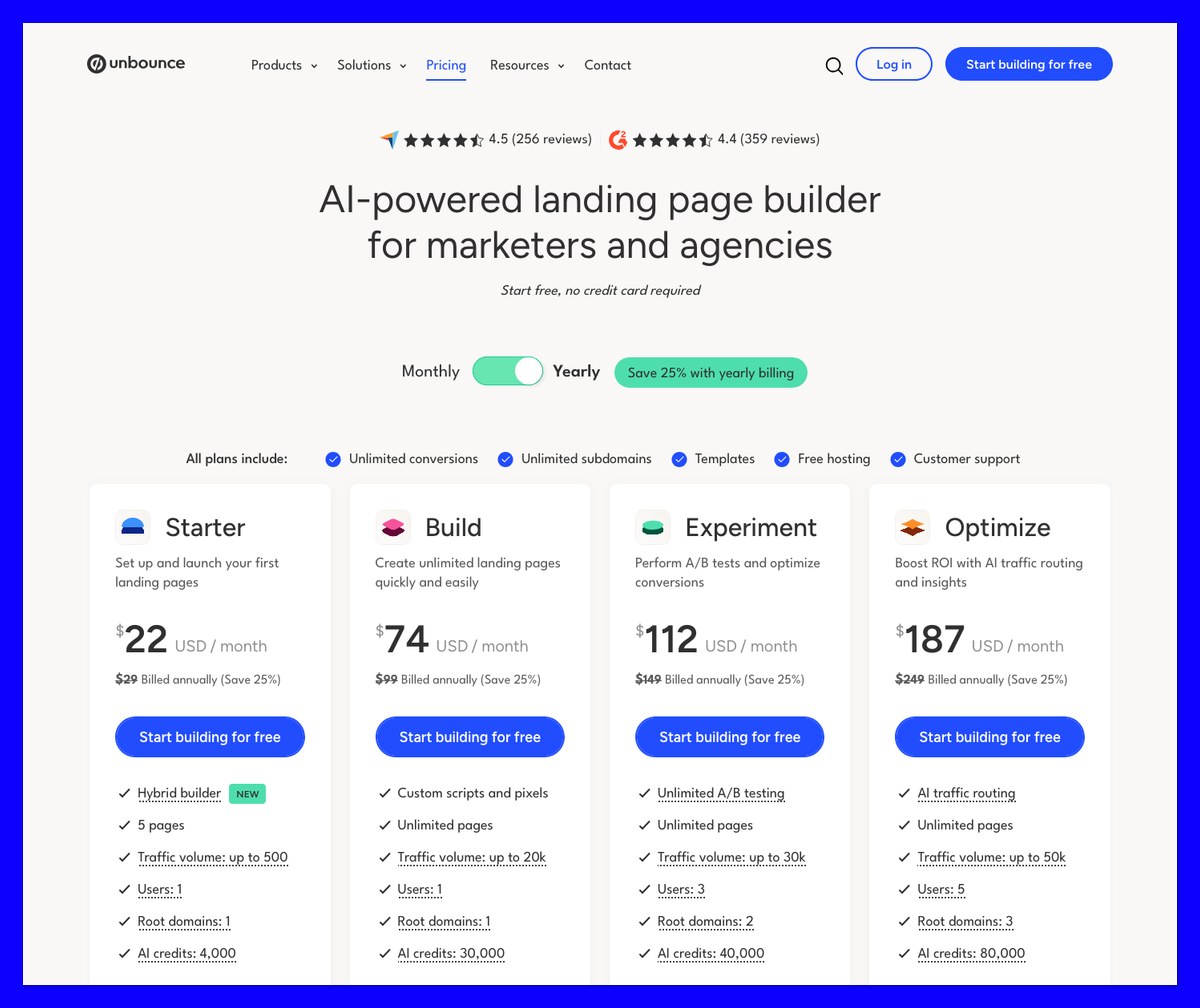
Starter’s visitor allowance is a significant constraint for paid campaigns. Estimate traffic before deciding that its low entry price represents your likely cost.
How Do I Choose the Right Ecommerce Landing Page Builder?
Choose around your buying journey, not the template gallery. A page that looks right but mishandles variants, checkout, or measurement creates more work than it saves.
Use this checklist before committing:
- Platform fit: Do you need Shopify, BigCommerce, or independent hosting? Eliminate incompatible tools first.
- Mobile layout: Check headline length, image cropping, button placement, and how much scrolling separates the offer from purchase controls.
- Product selection: Confirm your required variants, subscriptions, bundles, and review apps work in the intended layout.
- Checkout continuity: Follow the full path from ad to payment. Check discounts, product quantities, and whether the cart behaves as expected.
- Measurement: Define a purchase event, preserve campaign information, and distinguish revenue from button clicks.
- Testing requirements: Identify whether you need page A/B tests, post-purchase offer tests, or automated traffic routing. They answer different questions.
- Total cost: Add builder fees, store subscriptions, payment processing, testing apps, and any required integrations.
For broader storefront priorities, our Shopify tips can help put campaign work in context. Browse the ecommerce website design gallery for ideas about product storytelling and visual hierarchy, rather than copying a layout without considering your own offer.
What should I consider before switching builders?
Assume some rebuilding may be necessary. Do not expect layouts, reusable components, experiments, or analytics history to transfer automatically.
Inventory your live URLs, forms, integrations, and campaign destinations first. Recreate a representative page in the replacement tool, then confirm publishing behavior and redirects before removing the old setup.
Check what remains live after cancellation or uninstalling. That answer can affect both the migration sequence and your budget.
How We Compare Ecommerce Landing Page Builders
These recommendations reflect documented features and pricing, rather than hands-on performance tests. Our criteria cover platform compatibility, design capabilities, publishing allowances, checkout connections, and testing workflows.
The order reflects this article’s audience: design-conscious ecommerce merchants, primarily using Shopify, with an independently hosted alternative included. PageFly leads for its accessible entry point and upgrade path, not because it wins every category.
We distinguish hosted-site plans from Shopify workflows and separate page testing from offer testing. We have not assigned scores or claimed conversion improvements.
Prices current as of November 2026.
Final Verdict: Which Builder Do I Recommend?
Start with PageFly for a typical Shopify campaign. Choose GemPages for larger page libraries and funnels, Replo for design-led production, Shogun for coordinated store teams, or Unbounce for independent ad destinations.
Your next step is to recreate one representative campaign, including mobile product selection and checkout. Compare the cost of the plan that supports that complete journey, not just the cheapest plan advertised.
FAQs
Can a landing page builder replace my ecommerce store?
Usually not. Shopify-native builders depend on your store, while Unbounce needs a purchase handoff. Replo’s Shopify workflows retain Shopify checkout. Inventory, orders, and payment processing still need an ecommerce system.
Can I publish an ecommerce landing page for free?
PageFly and GemPages each allow one free published page, with PageFly also offering a section instead. Replo allows free hosted publishing on replosites.com with limited generation usage. Shogun’s free option is draft-only, and separate store costs may still apply.
Do I need A/B testing immediately?
No. First confirm that your page works on mobile, communicates the offer, and records purchases correctly. Add testing when you have a specific hypothesis and enough traffic to compare results meaningfully. A low-traffic campaign may benefit more from fixing obvious friction than paying for experiments.


